Written by: Doug Camplejohn, CEO & Co-Founder, Coffee | Last updated: July 1, 2026
Key Takeaways
- Sales reps lose 8–12 hours weekly to manual CRM data entry, which leaves only 35% of their time for actual selling.
- Legacy CRMs create compounding problems when reps skip logging calls, which leads to inaccurate forecasts and degraded revenue operations.
- AI agents can autonomously handle contact creation, activity logging, meeting transcription, and follow-up drafting to remove manual entry.
- A seven-step workflow connects email and calendar, enriches records, transcribes calls, logs activities, and surfaces website visitor intelligence without rep input.
- Teams ready to reclaim those hours can deploy Coffee and launch a zero-entry sales pipeline today.
The Real Cost of Manual CRM Data Entry
Manual CRM data entry drains productivity and erodes trust in the pipeline. Legacy CRMs were designed as passive databases. They store whatever a human types in, and nothing more. That architecture creates a compounding problem. When reps are too busy to log a call, the record goes blank. When the record is blank, the forecast is wrong. When the forecast is wrong, leadership loses confidence in the pipeline. The entire revenue operation degrades because the system depends on humans performing a task they consistently deprioritize.
The productivity drain is measurable. With reps losing the equivalent of a full-time employee’s hours weekly to data entry, teams pay twice. They lose selling time and they absorb the downstream cost of bad data. Missed follow-ups, duplicate records, and pipeline reviews that turn into interrogation sessions replace strategic conversations.
The solution is an AI agent that handles every data-entry task autonomously. Before deploying that agent, confirm your environment is ready.
Quick Readiness Check Before You Start
Run this quick readiness check so the agent can work correctly from day one:
- Google Workspace or Microsoft 365 connected and calendar permissions granted to the agent
- A CRM instance, such as Salesforce, HubSpot, or Coffee’s Standalone CRM, designated as the system of record
- A defined buyer persona (job title, company size, industry, funding stage) to guide enrichment and visitor filtering
- A tracking pixel deployment path for website visitor identification
- At least one rep willing to review and approve AI-drafted follow-up emails during the first two weeks
The table below shows where those weekly hours disappear today and how an agent reclaims them.
Manual CRM Tasks vs. Agent-Handled Workflow
| Task | Manual Approach | Agent-Handled Approach | Weekly Hours Saved (per rep) |
|---|---|---|---|
| Contact and company creation | Rep searches, copies, and pastes from email signatures and LinkedIn | Agent auto-creates records from email and calendar signals | 2–3 hrs |
| Activity logging (calls, emails, meetings) | Rep manually logs each interaction after the fact | Agent logs last activity and next activity autonomously | 2–3 hrs |
| Meeting notes and follow-up drafts | Rep writes notes during the call and drafts follow-ups afterward | Agent transcribes, structures notes to MEDDIC/BANT, and drafts follow-up emails | 2–3 hrs |
| Pipeline review preparation | Rep exports CSV and builds comparison manually in a spreadsheet | Agent surfaces week-over-week Pipeline Compare automatically | 1–2 hrs |
Combined, these four categories account for the time savings mentioned earlier, roughly 8–12 hours per rep per week. See Coffee’s pricing and deployment options to reclaim those hours starting this week.
7-Step Automated Sales Workflow for a Zero-Entry Sales Pipeline
Step 1: Connect Email and Calendar
Data source: Google Workspace or Microsoft 365. Agent action: The agent authenticates via OAuth, reads inbox and calendar events, and starts mapping contacts and companies. Human checkpoint: Confirm calendar permissions are granted and shared calendars are included. Output: The agent goes live and begins ingesting signals within minutes of setup.

Step 2: Auto-Create and Enrich Contact and Company Records
Data source: Email threads, calendar invites, licensed enrichment partners. Agent action: The agent creates contact and company records automatically and augments each with job title, LinkedIn profile, company funding stage, and headcount. Human checkpoint: Spot-check five records on day one to confirm enrichment accuracy. Output: Manual contact creation disappears and records arrive pre-populated and ready for outreach.

Step 3: Join and Transcribe Sales Meetings with Structured Notes
Data source: Zoom, Google Meet, or Microsoft Teams call audio. Agent action: The bot joins the call, records and transcribes it, then structures the output according to MEDDIC, BANT, or SPICED, depending on the team’s methodology. Human checkpoint: The rep reviews the structured notes before they are written back to the CRM record. Output: Every deal receives consistent qualification data, regardless of which rep ran the call.

Step 4: Generate Summaries and Draft Follow-Up Emails
Data source: Call transcript and existing CRM context. Agent action: The agent produces a post-call summary with identified next steps and drafts a follow-up email in Gmail or Outlook for the rep to review. Human checkpoint: The rep reads the draft, edits if needed, and clicks send. Output: Follow-ups go out within minutes of every call, not hours or days later.

Step 5: Log Every Activity Autonomously
Data source: Email sends, calendar events, call transcripts. Agent action: The agent writes last-activity and next-activity timestamps to the CRM record without any rep input. Human checkpoint: None required, and the activity log remains auditable at any time. Output: Deal state stays current and stale records no longer distort the forecast.
Step 6: Surface Website Visitor Intelligence
Data source: Tracking pixel installed in the site’s <head> tag. Agent action: The agent identifies anonymous visitors by name, title, email, and LinkedIn profile, matches them against the defined buyer persona, sends real-time Slack notifications for high-fit visitors, and surfaces two or three specific contacts inside the visiting company as Suggested Leads. Human checkpoint: The rep reviews the Suggested Leads card and initiates outreach with one click. Output: Anonymous traffic turns into a named, qualified prospect list with enrichment pre-filled.
Step 7: Run Pipeline Compare
Data source: The agent’s built-in data warehouse, which stores historical pipeline snapshots. Agent action: The agent visualizes week-over-week changes, including progressed deals, stalled opportunities, and new additions, without any CSV export. Human checkpoint: The sales leader reviews the compare view before the weekly pipeline call. Output: Pipeline reviews become strategic conversations and forecast accuracy improves because the underlying data never relied on manual entry.
Common Pitfalls and How to Avoid Them
Missing calendar permissions. Missing calendar access prevents meeting briefings and post-call summaries from triggering. Grant permissions for all shared and individual calendars before going live, and verify the connection in the agent’s settings panel.
Persona misconfiguration. The buyer persona drives both visitor filtering and Suggested Leads. A persona that is too broad surfaces irrelevant visitors, while one that is too narrow misses real buyers. To strike the right balance, start with two or three firmographic filters, such as job title, company size, and one technographic signal, then refine based on visitor quality during the first two weeks.
Over-filtering low-intent visitors. Excluding all visitors who viewed only one page removes a meaningful segment of early-stage buyers. Set the intent threshold to flag visitors who viewed two or more pages or spent more than 60 seconds on a pricing or product page, then apply persona filters.
How to Validate Your Zero-Entry Sales Pipeline
Validation relies on three spot-checks at the 30-day mark. First, open 20 random contact records and confirm that job title, last activity, and next activity are populated on all 20. A completion rate below 90% signals a permissions or sync issue. Second, pull the open rates on agent-drafted follow-up emails and compare them to the team’s historical average. Higher open rates confirm that faster send times and consistent messaging are working. Third, compare forecast accuracy, measured as the ratio of called revenue to closed revenue, for the 90 days before deployment against the 30 days after. Improvement here provides the clearest signal that better data in is producing better data out.
Scaling Coffee for Small and Mid-Sized Sales Teams
Smaller teams of one to five reps ramp fastest on Coffee’s Standalone CRM. There is no legacy system to integrate, no required-field conflicts, and no admin overhead. The agent becomes the system of record from day one.
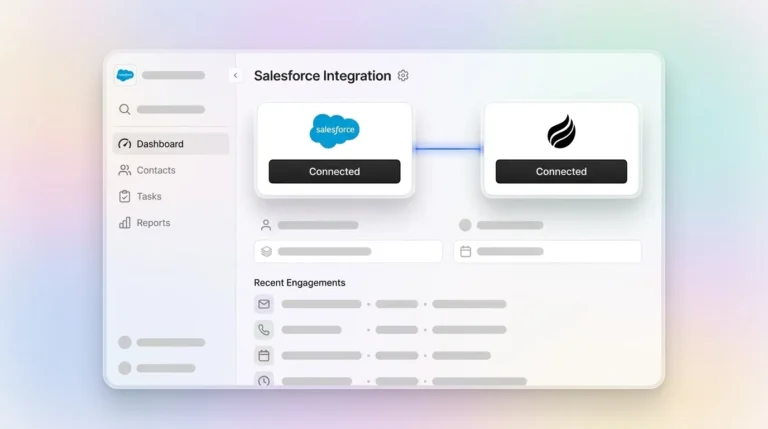
Larger teams of 15 to 30 reps already running Salesforce or HubSpot can use the Companion App to deploy the Coffee Agent as an intelligent layer on top of the existing instance. The agent handles all data-in tasks, including contact creation, enrichment, activity logging, and meeting notes, and writes structured data back to Salesforce or HubSpot fields. The system of record stays unchanged and the manual labor disappears. Compare Coffee’s Standalone and Companion pricing to see which model fits your current stack.
Frequently Asked Questions
Will AI eliminate data-entry jobs?
AI automation removes the data-entry task, not the role. Sales reps who previously spent hours each week on manual CRM updates redirect that time to customer conversations, deal strategy, and pipeline development. RevOps professionals shift from cleaning bad data to analyzing good data. The work changes, but headcount does not decrease as a direct result of deploying an AI agent for data entry.
How accurate is Coffee’s enrichment compared with ZoomInfo?
Coffee’s enrichment uses licensed data partners and delivers accuracy roughly on par with ZoomInfo for job titles, LinkedIn profiles, company funding stages, and headcount figures that most sales teams need day to day. The practical difference is that Coffee’s enrichment is included in the seat-based price and runs automatically. There is no separate contract, no manual export, and no rep action required to trigger it. Teams with highly specialized data needs in niche verticals may still supplement with a dedicated enrichment provider, but the majority of small to mid-market use cases are fully covered.
What security certifications does Coffee hold?
Coffee is SOC 2 Type 2 certified and GDPR compliant. Data ingested by the agent, including email content, call transcripts, and CRM records, is not used to train public AI models. All data processing occurs within Coffee’s controlled infrastructure, and customers retain ownership of their data throughout the relationship.
How long does initial setup take?
Teams can become fully operational quickly. Connecting Google Workspace or Microsoft 365 takes minutes via OAuth. Configuring the buyer persona, installing the visitor identification pixel, and completing the first enrichment pass on existing contacts typically requires light configuration. The Companion App integration with Salesforce or HubSpot follows the same authentication flow and does not require a professional services engagement for standard deployments.
Start Removing Sales Data Entry Busywork Today
The seven-step workflow above covers the complete agent loop. The agent connects email and calendar, auto-creates and enriches records, transcribes and structures meeting notes, drafts follow-ups, logs every activity, identifies website visitors, and runs Pipeline Compare. Each step removes a discrete manual task and replaces it with an agent action that produces a measurable output. The cumulative result is a zero-entry sales pipeline where reps spend their time selling and managers spend their time on strategy, not on interrogating incomplete CRM records.
Coffee operates as either a Standalone CRM or a Companion App on top of Salesforce or HubSpot, so the workflow above is available regardless of where your team is today. Seat-based pricing includes unlimited agent labor with no metering on processes or LLM usage.