Build Your Own Agent, Formula Fields and Web Forms
August was all about giving you more control over how Coffee works for your team. Here's what's new. ☕
☕ Build Your Own Agent
Design and configure your own AI agents inside Coffee to handle the workflows that matter most to your team.
☕ Formula Fields
Build custom fields that calculate values automatically based on other data in your records. No more manual math or exporting to a spreadsheet just to get the number you need.
☕ Web Forms
Create and embed forms directly from Coffee to capture leads and route them straight into your CRM, no extra tools required.
Privacy Settings:More granular control over who can see what. Set visibility at the record or field level so sensitive data stays with the right people.
•
Match Filters for ICP and Buyer Persona:Sales intelligence and visitor identification now factor in match filters, so the contacts and companies surfaced are ranked against your defined ideal customer profile and buyer persona.
•
Read-Only Seats:Add teammates who need visibility into Coffee without edit access. Great for stakeholders who want to keep an eye on deals without the risk of an accidental change.
That's your productivity shot for the month! 💪
July 2026
Enhanced Recording Panel, Deal Stage Criteria & Company Associations
July's update is all about giving your team sharper tools to review, qualify, and map out the accounts that matter. Here's what's brewing.
☕ Enhanced recording panel
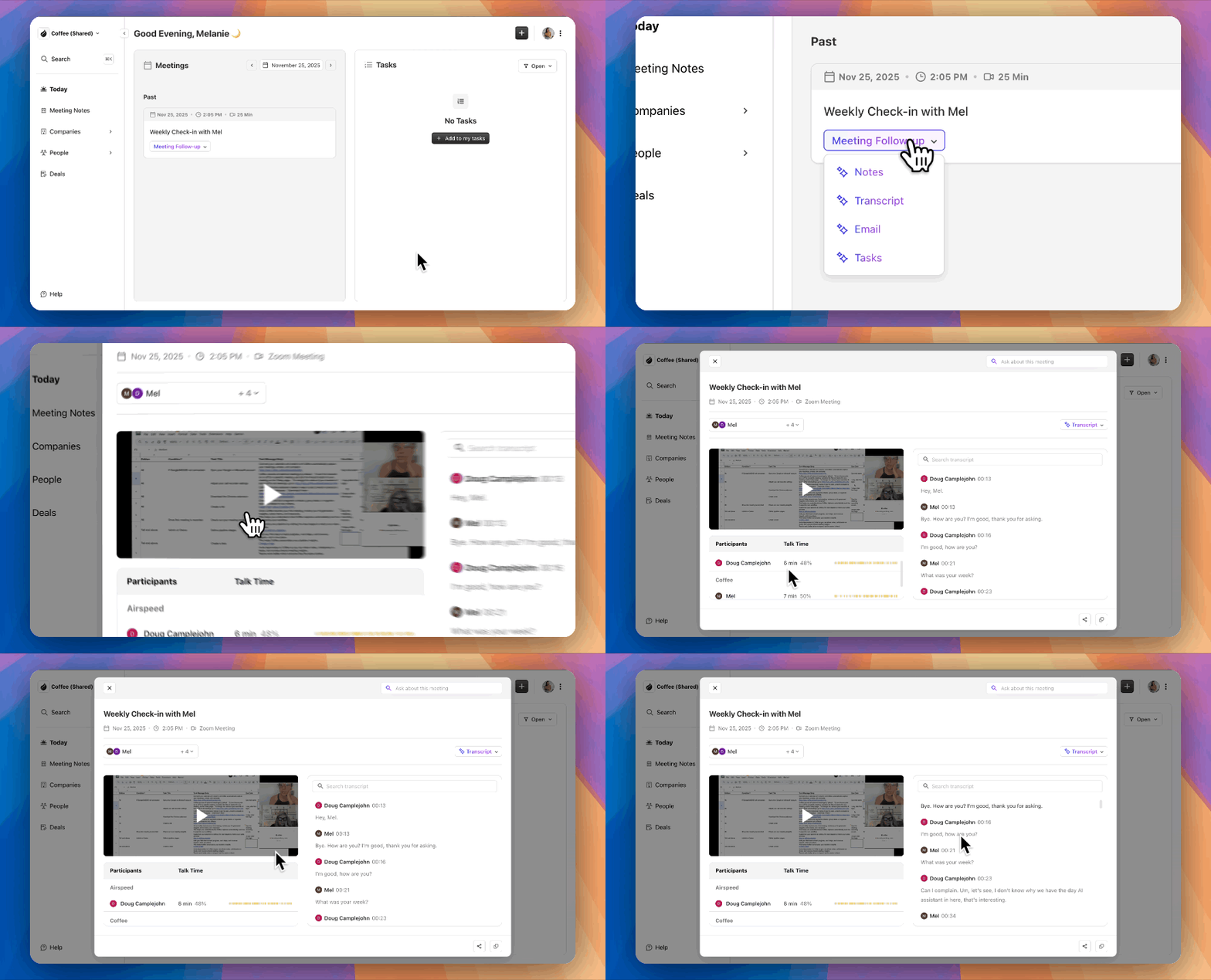
Reviewing call recordings just got a lot more useful. Expand any recording into a side-by-side view with the transcript on the left and the video on the right — the transcript auto-scrolls and highlights the current line as you watch. Skip back or forward 15 seconds, speed playback up to 2.5x, and select any moment in the transcript to save it as a shareable clip.
☕ Deal stage advance criteria
Set required fields that must be filled in before a deal can move to a specific stage. No more deals sliding through your pipeline with missing info.
☕ Company associations
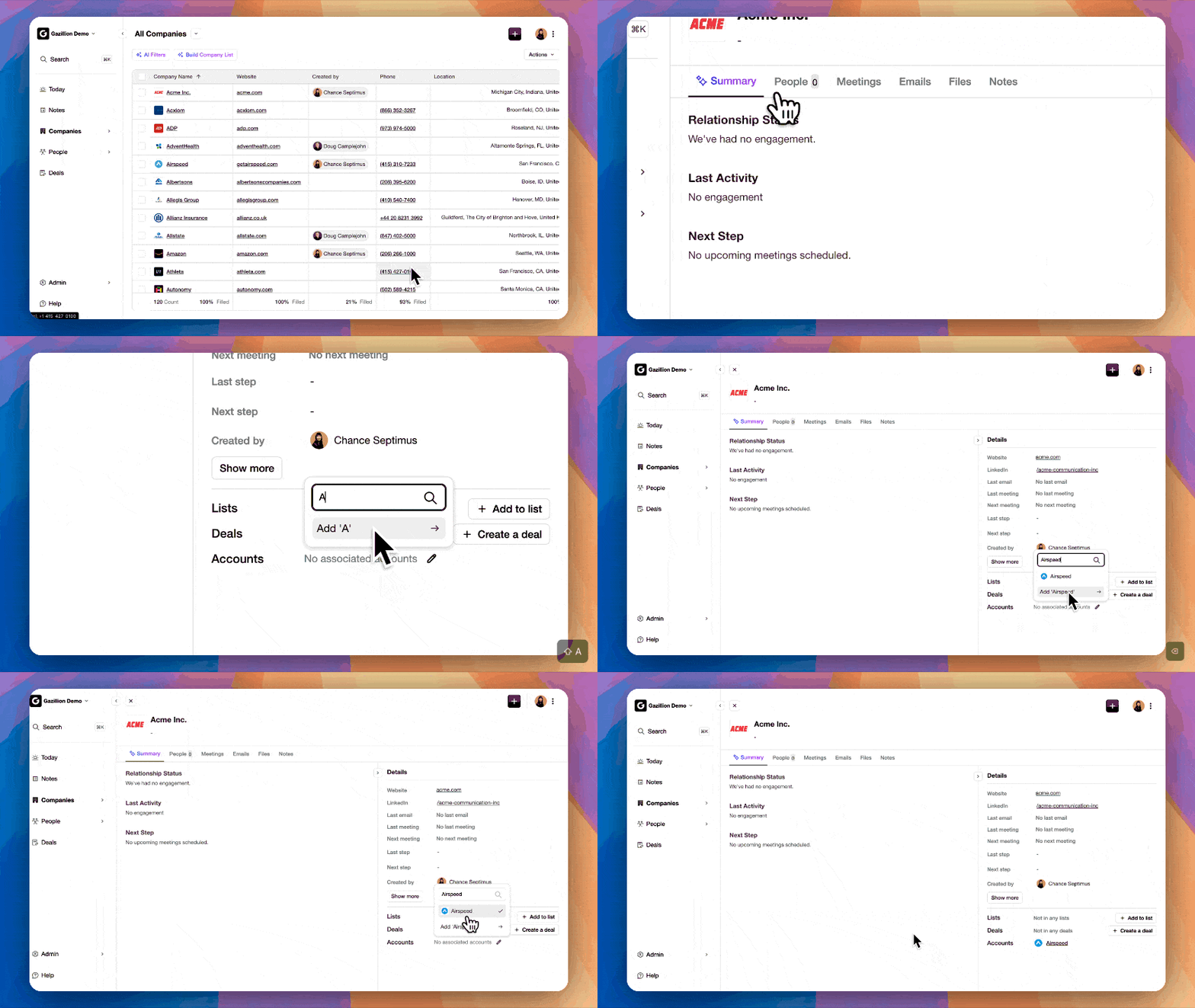
Link companies together and define the relationship: Parent, Subsidiary, Partner or Other. Now your CRM reflects how accounts actually connect to each other, not just as standalone records.
Also shipped
•
Data model in workspace settings:Custom fields now live in one central place. Data Model covers people, companies, deals, notes, and tasks all in one spot, so setting up and managing your custom fields is a whole lot easier.
•
Campaign engagement tracking:Campaigns now track opens, clicks, bounces, and unsubscribes, so you know exactly how your outreach is landing.
•
Visitor ID auto-add to lists:Website visitors can now be automatically added to company and people lists as they show up, so you can more easily track website visitors and add them to campaigns.
That's your productivity shot for the month! ☕
June 2026
Venti plan, Visitor ID improvements and sales methodology field support
June's brew is all about giving your team more firepower. A new white-glove tier, sharper visitor insights, and native support for the sales methodology fields you actually use. Here's what's new.
☕ Venti
Our new top-tier plan for teams who want a more hands-on partnership. Venti customers get hands-on migration support, help building target account lists, campaign setup assistance, and early access to our newest features before anyone else.
☕ Visitor ID improvements
Website visitor tracking just got a lot more useful. Save visitors straight to person or company lists, get a daily email digest of who's stopping by, and see the pages they visited, time spent, and where they came from. Know your buyers before you even pick up the phone.
☕ Sales methodology field support
If your team runs on MEDDPICC (or another methodology), those fields now show up right in the deal view and sync back to HubSpot or Salesforce. No more toggling between tools to keep your qualification criteria up to date.
Also shipped
•
Ask Coffee improvements:You can now create notes and tasks directly from a prompt. Less clicking, more doing.
•
Coffee Intelligence got smarter:We've now incorporated our help center knowledgebase so you can ask questions about how to use features in Coffee directly from Ask Coffee.
•
Deeper Salesforce & HubSpot sync:Notes, tasks, meetings, and emails now sync between Coffee and your CRM, alongside your existing data, so your CRM stays the single source of truth, if that's what you want.
That's your productivity shot for the month! ☕
May 2026
Suggested leads, credit packs, and custom fiscal years
May was all about helping you find the right leads faster and mapping Coffee to your exact sales process.
☕ Suggested leads for company website visitors
Visitor Intelligence just got a major upgrade. When Coffee identifies a company visiting your site, we now surface the best contact persons at that company automatically. This is based on your buyer persona settings set in Coffee's Intelligence section. Instead of seeing anonymous traffic and doing the research yourself, you can see the person most likely to be involved in the buying process and start a conversation faster.
☕ Introducing Credits
Every plan now includes a monthly credit allowance per seat. Credits power Coffee's AI agents: Meeting Summaries, Deal Updates, AI Fields, and Lead Imports. If your workspace runs through its monthly allowance, you can top up with a credit pack at any time. Purchased credits are shared among the workspace and are good for 12 months, so nothing goes to waste.
☕ Fiscal Year Support
If your fiscal year doesn't line up with the calendar year, you can now set that in Coffee and have it reflected across all your reports and Ask Coffee queries. No more mental math when your Q1 starts in February.
Also shipped
•
Improvements to Ask Coffee:We've expanded the kind of queries Ask Coffee can handle and the type of records that you can create, available both within Coffee UI and through Claude or ChatGPT.
•
Import Objects from Salesforce & HubSpot:Bringing data into Coffee is now much easier. You can import objects directly from Salesforce or HubSpot, making sure your migration over or sync lines up perfectly.
•
Email Signature Support:We've added support for email signatures, so your personal touch is added to all emails and sequences you send from Coffee.
Bug fixes
— Improved lead discovery workflows
— Better visitor identification accuracy
— General performance and reliability improvements across the platform
— Various bug fixes and enhancements
That's your productivity shot for May. See you next month for another fresh brew of updates ☕️🚀
April 2026
Website Visitor Tracking, Lead Finder and Gong Integration
We've been busy roasting some powerful new features this month to help you identify prospects faster and manage your pipeline with even more precision. Here is what's brewing at Coffee.ai.
☕ Visitor ID
Stop guessing who is browsing your site. Visitor ID tracks and analyzes your website traffic so you can see exactly who is showing interest in real-time. Even better, it sends live Slack notifications the moment a prospect lands on your page, allowing you to strike while the iron is hot.
☕ Revamped Lead Finder
Finding your next big account just got a whole lot easier. You can now build company lists for free based on your specific search criteria. When you're ready to go deeper, use your credits to identify the exact decision-makers you need to reach.
☕ Gong Integration
Love the Gong call recorder but still want the power of Coffee as your AI-first CRM? Now you can have both. Our new Gong Integration allows you to sync your Gong recordings directly into Coffee, giving you high-level AI insights without changing your recording workflow.
Also shipped
•
Reporting & Hierarchy:Keep your team aligned by adding reporting structures directly in Coffee. If you use Salesforce, your hierarchy will now import automatically, making it easy to review deals across the entire organization.
•
Create with Ask Coffee:You can now create deals, people, or company profiles in natural language. Just tell Ask Coffee what needs to be done, and it will handle the data entry for you.
•
File Attachments:Keep all your context in one place by adding files directly to any person, company, or deal record.
•
Favorites Tab:Stay organized by starring your most important items. You can now find all your "must-watch" deals and contacts in the new Favorites tab for instant access.
That's your productivity shot for the month! ☕
March 2026
New UI, Bulk Emailing, and a Smarter Way to "Ask Coffee"
We've been busy brewing some of our most requested features yet. This month is all about giving you a faster, more intuitive experience.
☕ The All-New Coffee UI
We've completely revamped the interface with a friendlier, modern design. This isn't just a fresh coat of paint; we've streamlined the navigation to make sure the tools you use most are always within reach. It's cleaner, faster, and built to keep you in your flow.
☕ Ask Coffee AI
You can now ask Coffee's AI anything in plain English, from "Which deals need my attention?" to "Who should I follow up with today?". It's like having a RevOps assistant that knows your pipeline inside and out, providing instant answers without the need for manual filtering.
☕ Bulk Email Templates
Speed up your outreach by emailing multiple people at once using templates. Whether you're sending a quick update to a group of stakeholders or following up on a batch of leads, you can now handle your communications at scale without leaving your CRM.
Also shipped
•
Dark Mode:Switch to a darker interface to reduce eye strain and give your workspace a sleek, professional look.
•
CRM Sync Wizard:You're now in full control of your data. Choose exactly which records get imported and which stay out, ensuring your CRM remains clean and relevant.
•
Multi-Currency Support:Coffee goes global. You can now change the currency of your account to match your business needs.
That's your productivity shot for the month! ☕
February 2026
Freshly Brewed: Intelligence, Custom Summaries, and QuickBooks Connectivity
February has been all about refining the beans of your business data. We've been roasting some heavy-duty features designed to give you a deeper understanding of your market and more control over your financial workflows.
☕ Coffee Intelligence
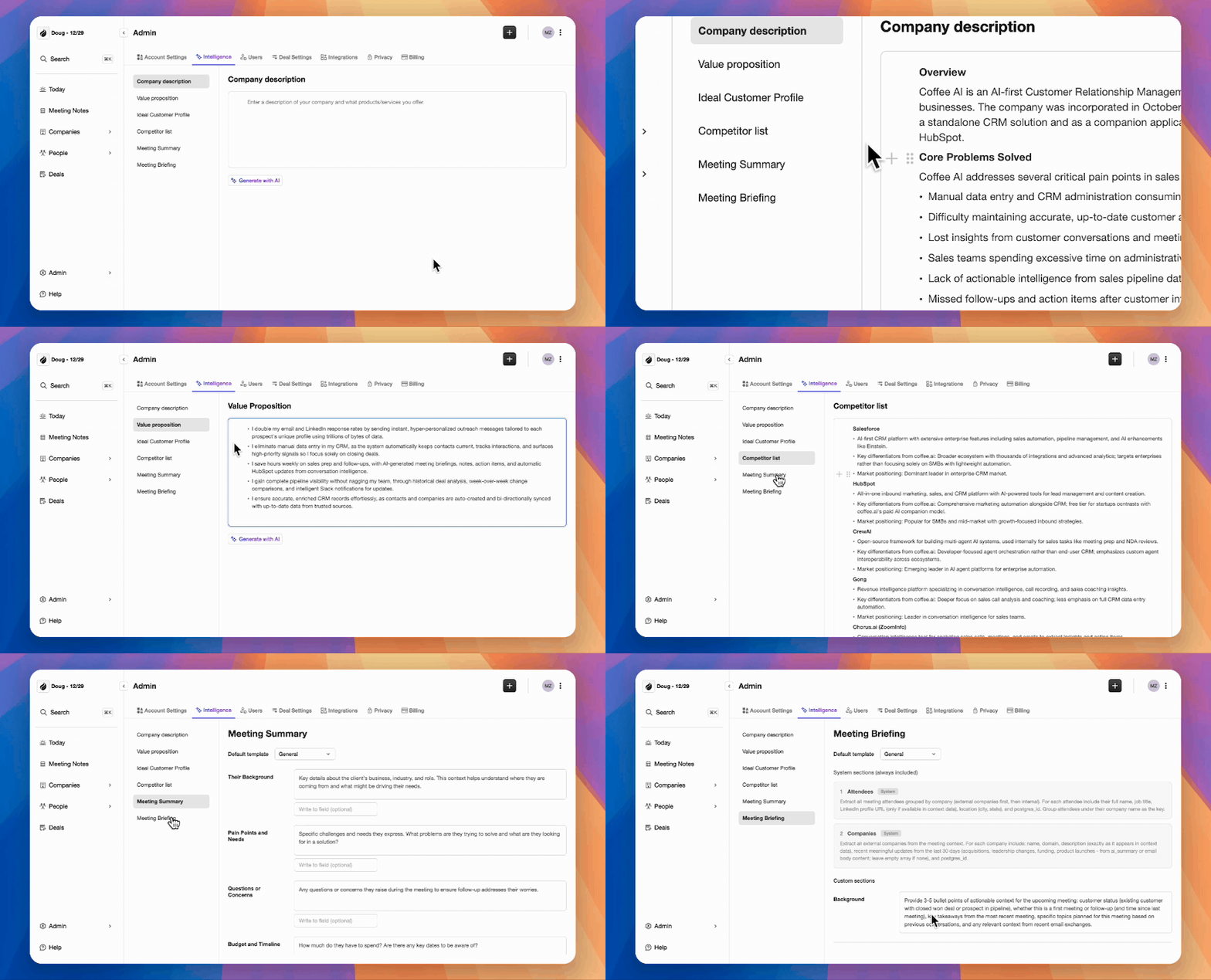
We've introduced a new Intelligence layer that acts as the brain of your Coffee workspace. You can now define and store deep context regarding your business model, product specifics, ICP (Ideal Customer Profile), and competitors. This allows our AI to tailor every suggestion and insight to your specific competitive landscape, ensuring your outreach is never generic.
☕ Custom Meeting Briefings & Summaries
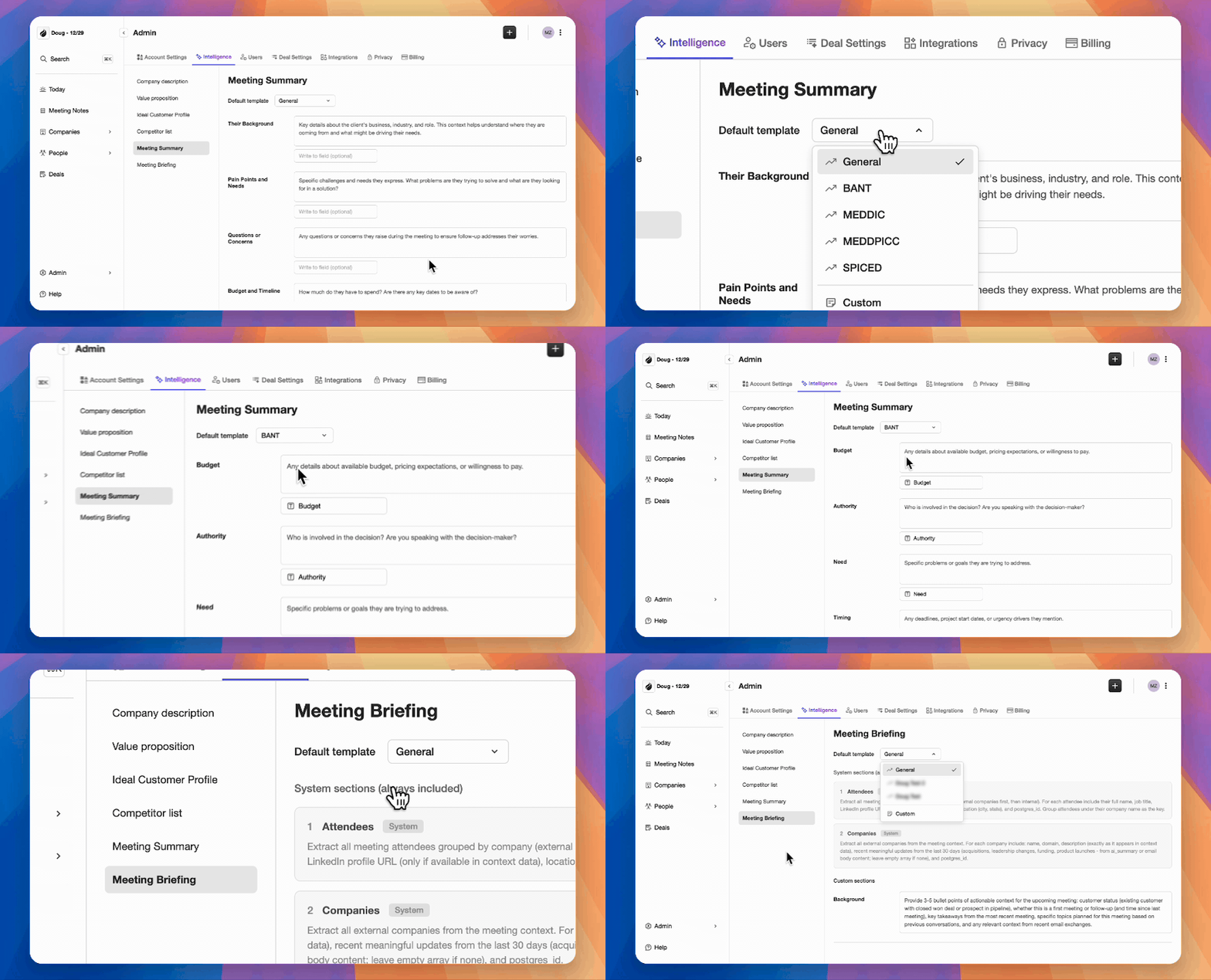
Not every meeting requires the same post-game analysis. You can now create Custom Briefings and Summaries tailored to your specific needs. Whether you need a high-level executive summary for a VP or a granular technical breakdown for engineering, you can now define the exact format and focus of your meeting outputs.
☕ QuickBooks Integration
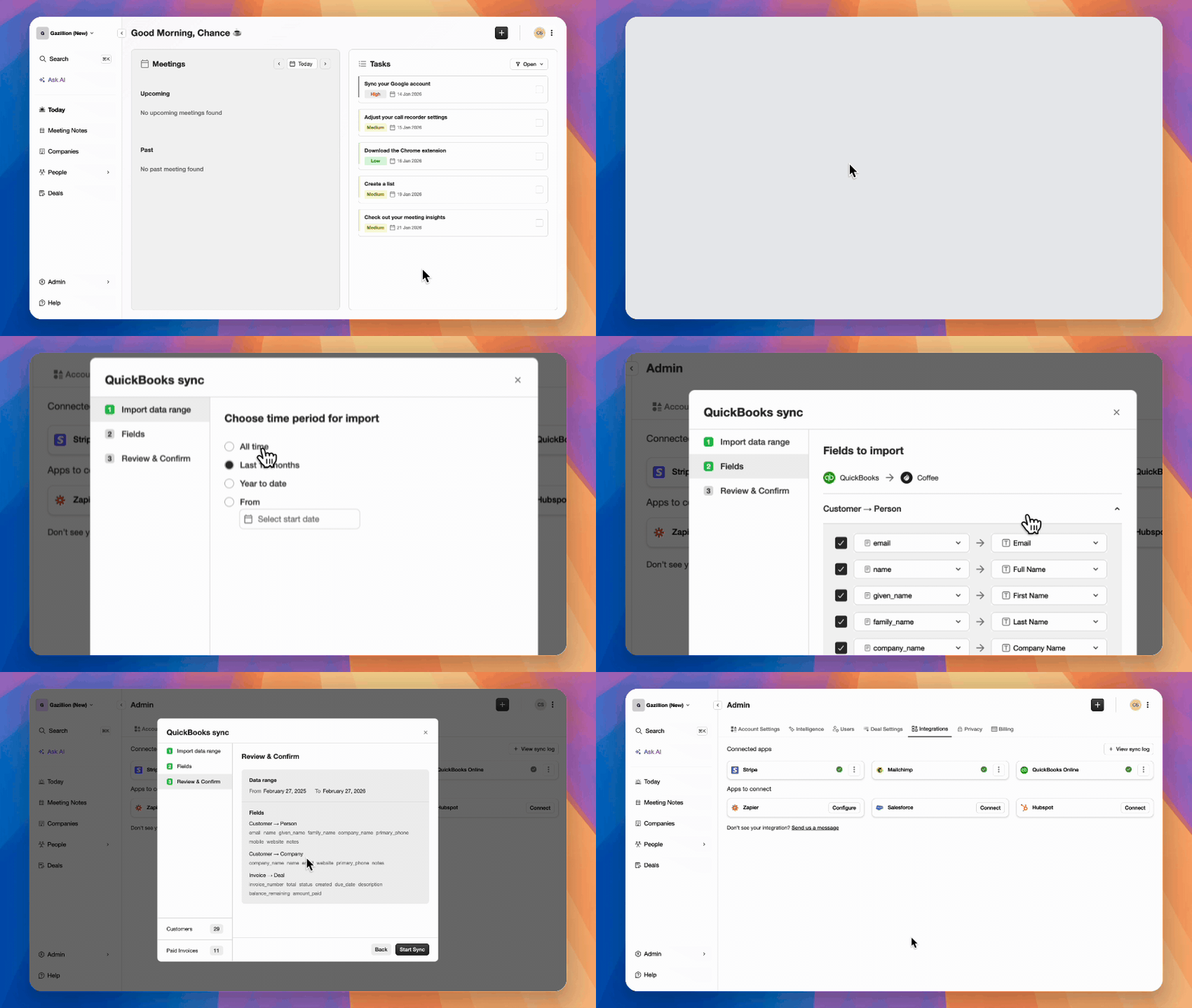
Following our latest Stripe release, we're doubling down on financial clarity. Our new QuickBooks Integration automatically bridges the gap between your accounting and your CRM. Keep your sales team in the loop with real-time visibility into invoices and payment statuses without them ever leaving the platform.
Also shipped
•
Desktop App Self-Updates:Once you download the latest version of the Desktop App, it will handle all future updates automatically.
•
Desktop App Improvements:We've smoothed out the wrinkles in our macOS and Windows apps. Expect a faster, more responsive interface and more reliable background recording.
•
Editable Summaries, Tasks, and Notes:You now have the power to edit AI-generated summaries, tasks, and notes.
•
List Builder Improvements:Creating targeted lead lists is now more intuitive with better logic and a cleaner UI.
Bug fixes
— Several stability patches, including fixes for UI lag and improved sync reliability for third-party recording integrations.
That's your productivity shot for the month! ☕
January 2026
AI Deal Search, BYOR (Bring Your Own Recorder), Desktop Recorder and Stripe Integration
Lots of exciting new releases for January. Let's pour it out 👇
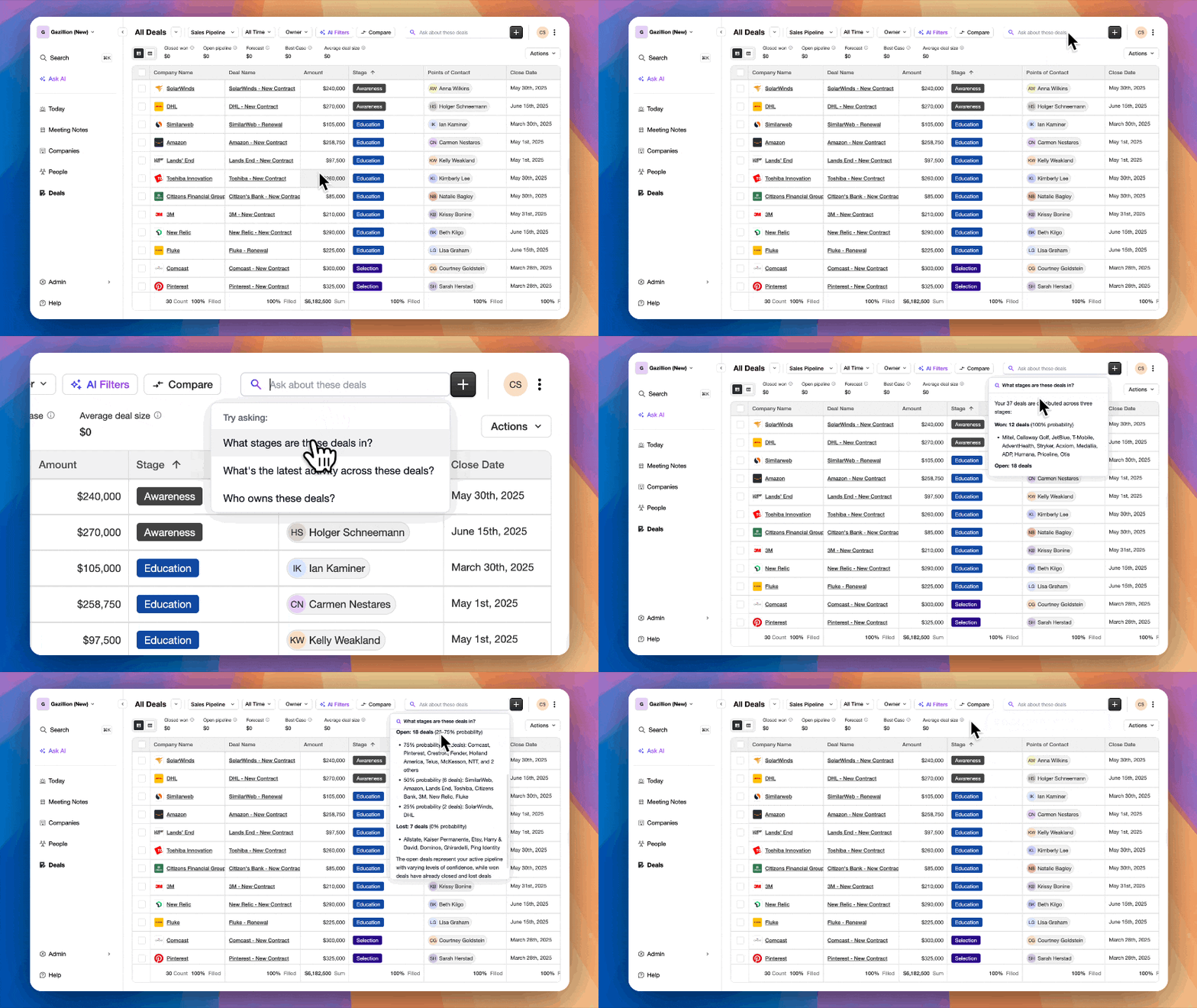
☕ AI Search on Deals
Finding answers across your deals just got way faster. You can now ask natural-language questions and let AI search through your deals for you — no filters, no spreadsheets, no guesswork.
☕ More Ways to Record Calls
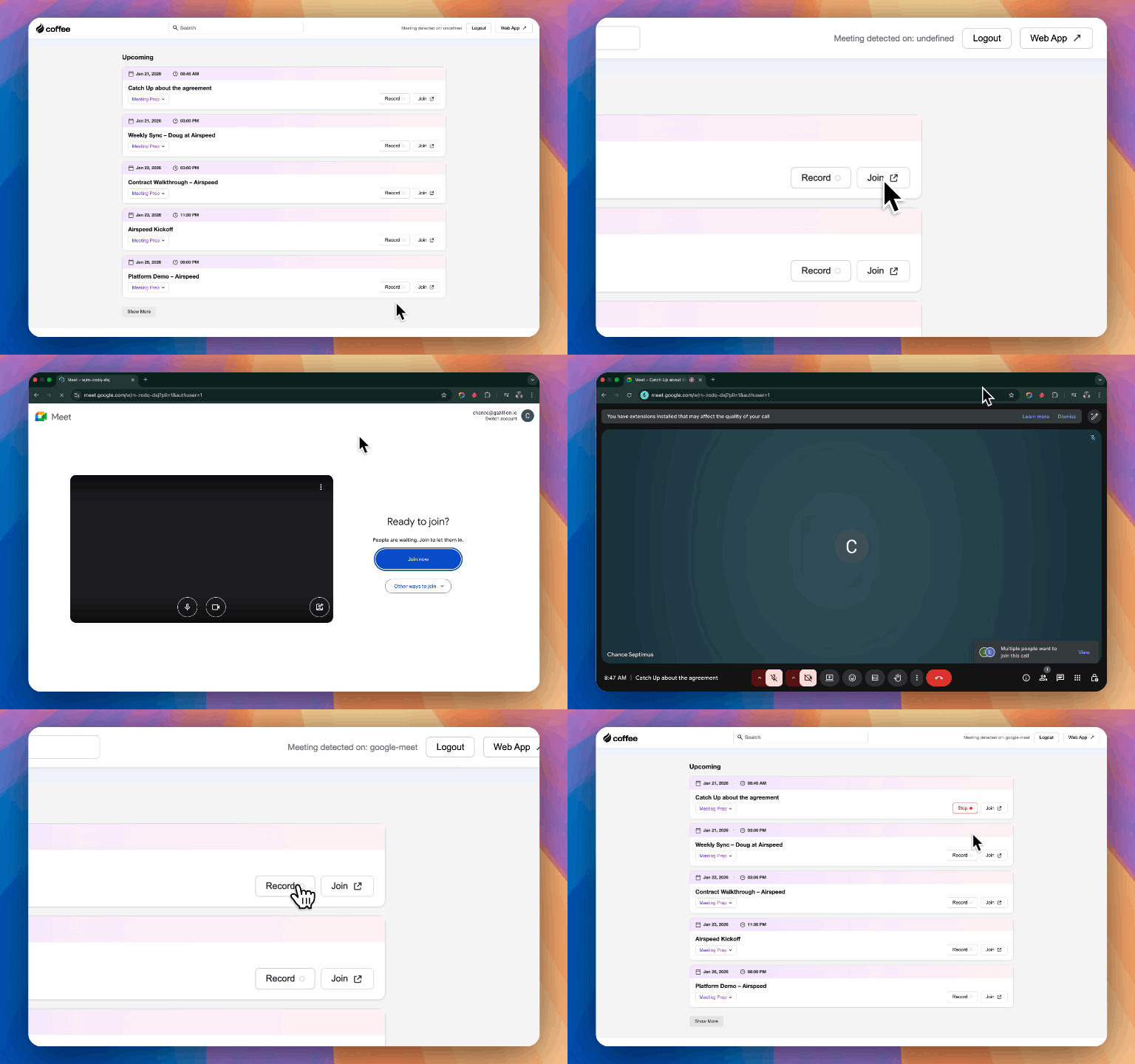
We expanded your recording options. You can now record meetings using Zapier integration (connect Fathom, Gong, Fireflies, Grain, Granola and more) or the Coffee Meeting Recorder Desktop app for MacOS, Windows or Linux.
☕ Stripe Integration
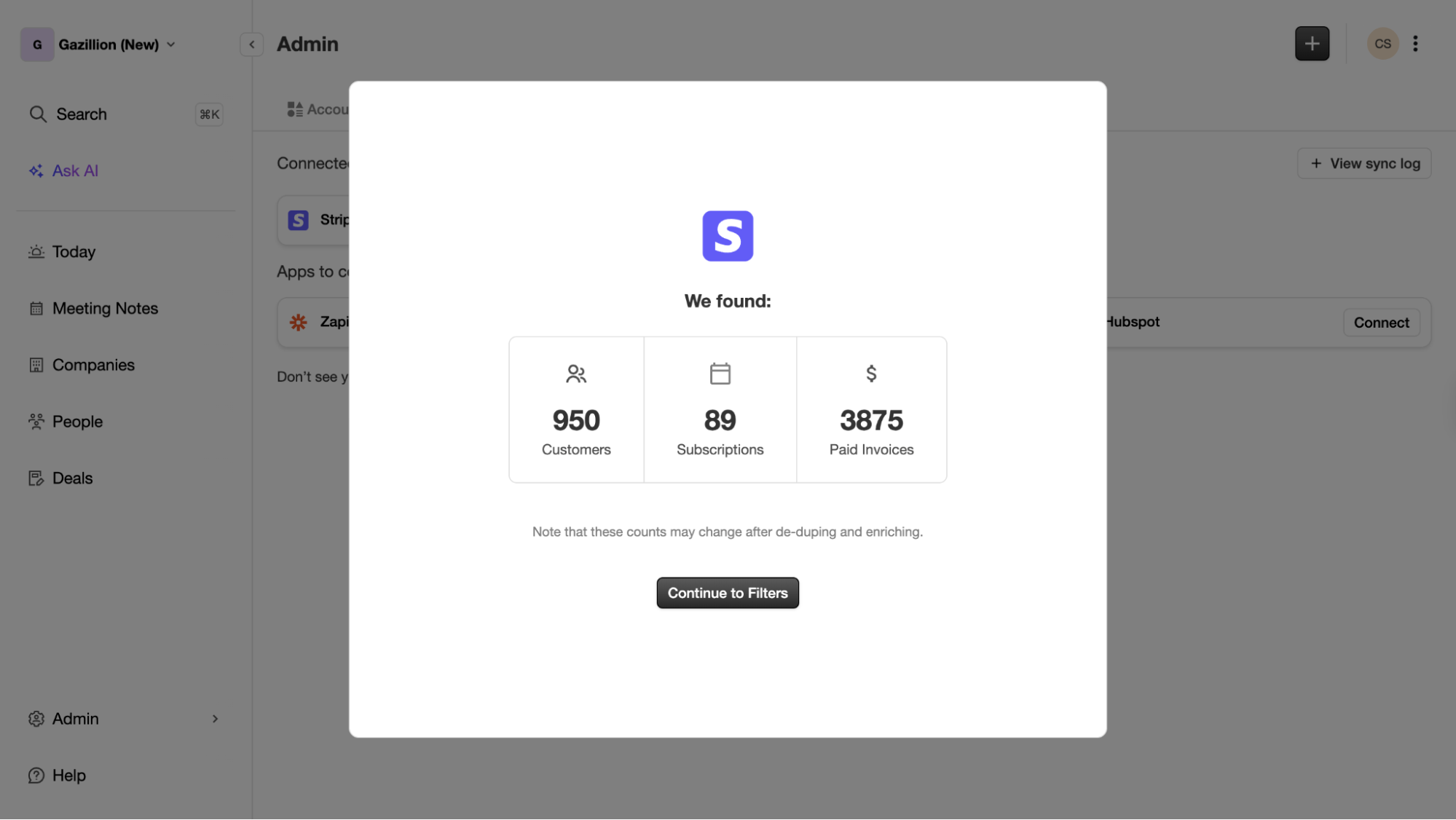
Coffee now integrates directly with Stripe. Automatically import customers and companies, have paid invoices added to your deals pipeline as Closed Won, and quickly access invoices in the Coffee interface.
Also shipped
•
Download Page for All Coffee Apps:Quickly jump to Chrome Extension, Slack App, or Desktop Recorder downloads.
•
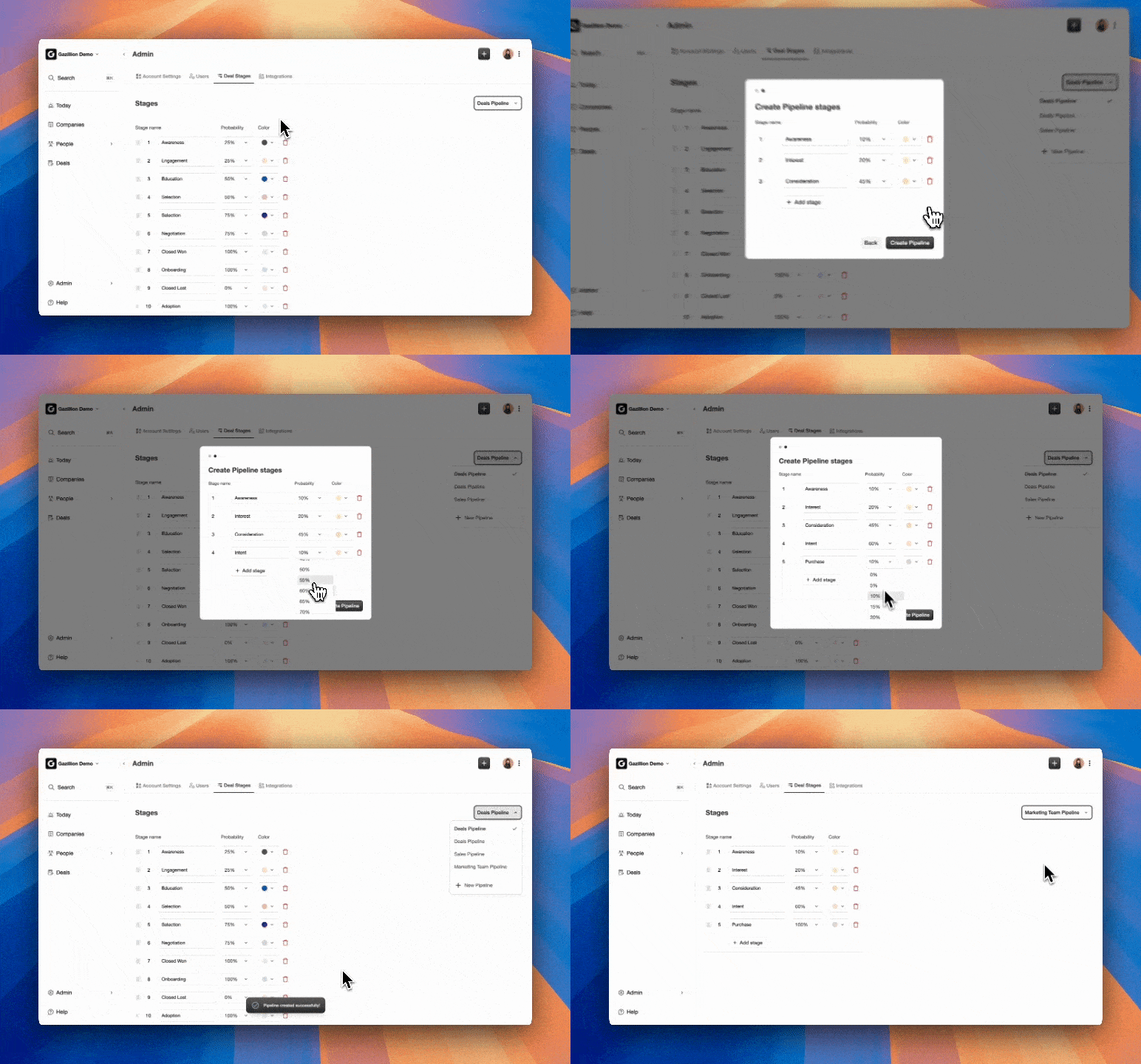
New Pipeline Stage UI:More easily manage multiple pipelines — edit names, probabilities and forecast rollup inclusion.
•
Define Fields for New Deal Entry:Choose exactly which fields appear when creating a new deal and set them as required or optional.
•
More Zapier Triggers:Additional triggers in Zapier for more flexibility connecting Coffee with the rest of your stack.
•
SOC 2 Type II Re-certification:Successfully completed our SOC 2 Type II re-certification.
That's your January productivity shot ☕ — More clarity, more control, and more power under the hood.
December 2025
Integrated Billing & Guided Onboarding, Speaker Tracking, and Meeting Sharing
☕ Integrated Billing & Guided Onboarding
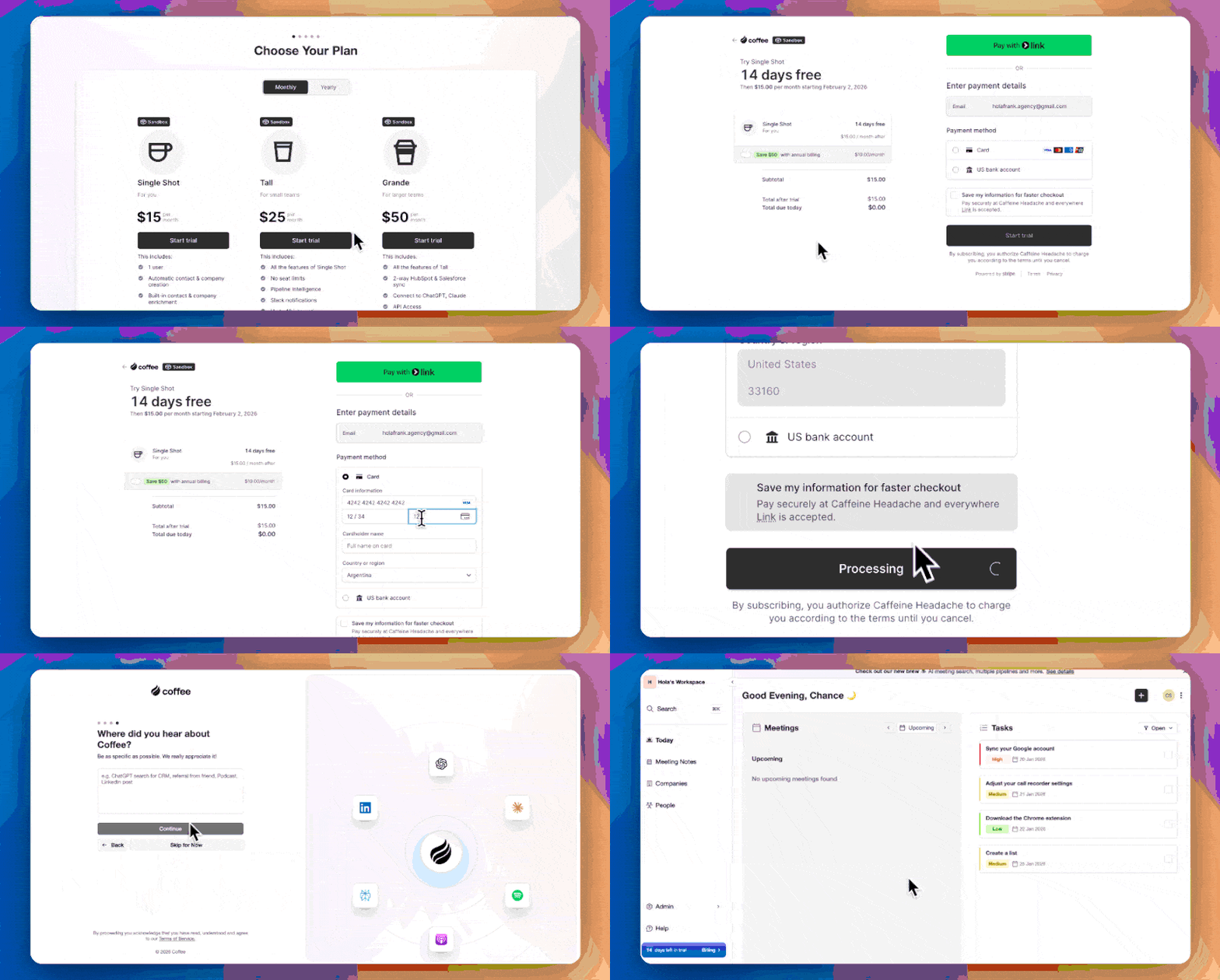
Coffee is now available to everyone with a free 14-day trial. You can now upgrade/downgrade your plan, add/update billing info, and see previous invoices. Our new onboarding includes a guided tour of key features.
☕ Speaker Tracking
When reviewing a meeting, you can now see speaker breakdowns and talk time per participant, making it easier to understand how well you're listening and jump to key moments.
☕ Meeting Sharing
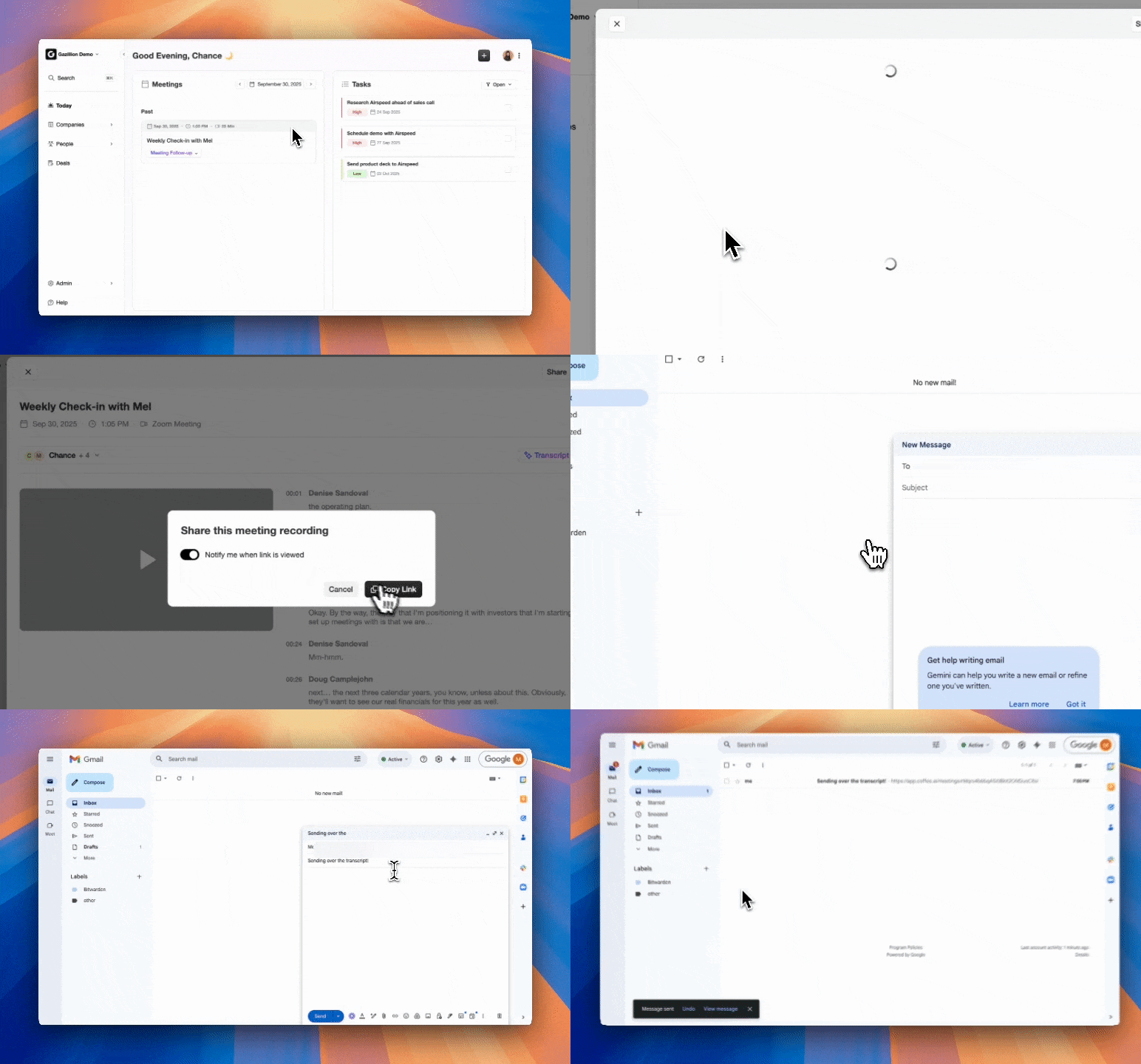
Share your meeting recordings with anyone via a link. You can enable view tracking, and recipients get access to the full recording, transcript, AI-generated summary and meeting notes.
Also shipped
•
LinkedIn URL as Key for CSV Imports:Use LinkedIn URLs as a lookup key instead of email address for CSV imports.
•
Task Suggestions in Slack App:Your end-of-day Slack message now includes suggested action items from meetings.
•
Support for Personal Gmail Accounts:Sign up even without a work email account.
•
Email Notifications:Get daily prep, afternoon wrap-up and weekly pipeline cleanup messages directly in your inbox.
•
Performance Improvements:Page loading speed improvements throughout the product.
That's your December wrap-up and your last productivity shot of the year ☕
November 2025
Microsoft Support, Smarter Workflows, and AI That Does a Little More Heavy Lifting
November at Coffee is all about removing friction and giving your team sharper tools to work with.
☕ Improved Summary Templates
Use AI-ready summary templates or customize your own to match your workflow, style, or sales methodology. Every new summary auto-applies your chosen template, and allows you to write fields directly back to Coffee or HubSpot/Salesforce.
☕ Zapier Integration
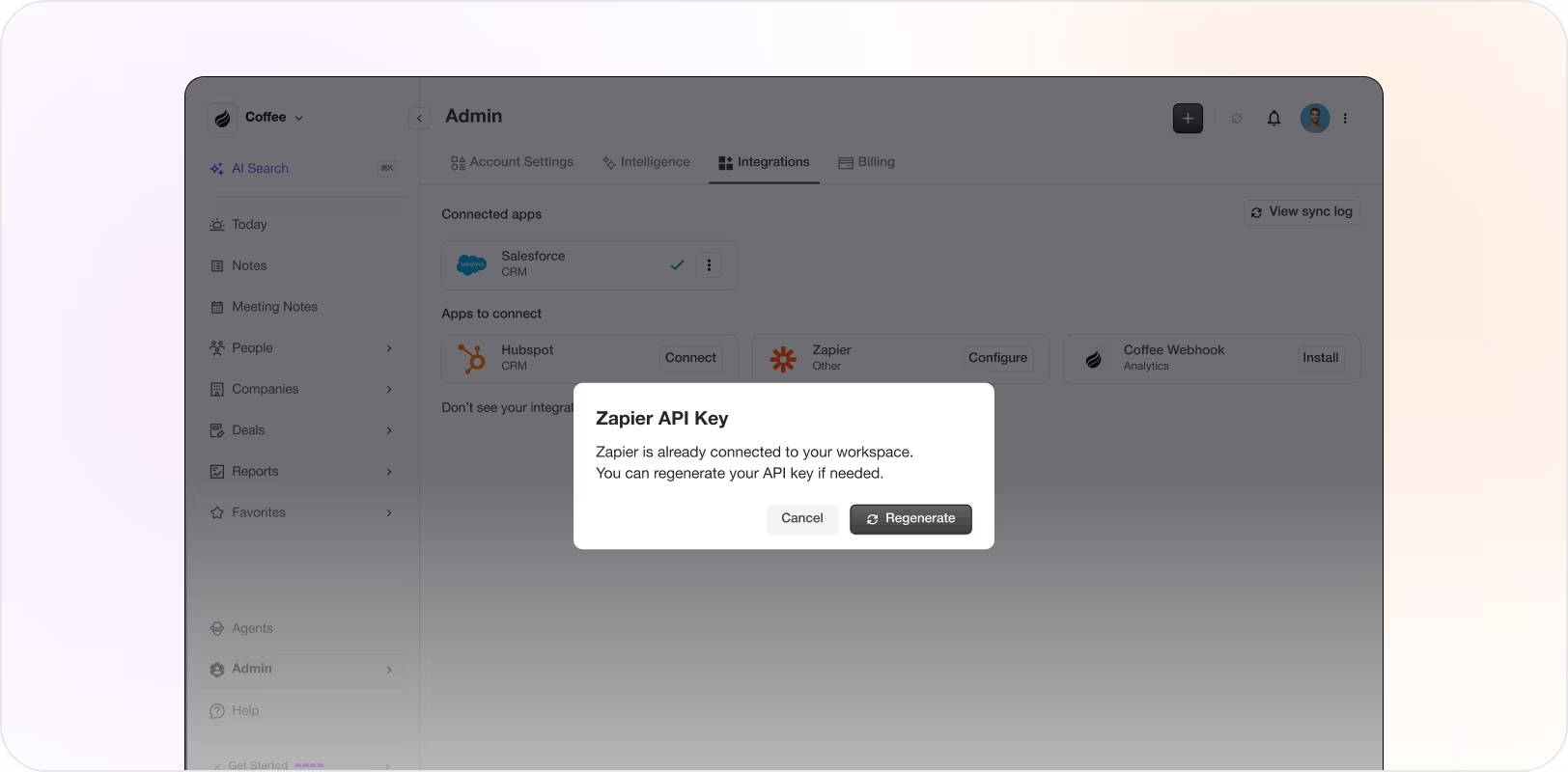
Coffee now connects with Zapier so you can plug your CRM workflows into thousands of apps. Automatically pull data from external systems, push data out, or bring in notes/transcripts from your existing call recorder.
☕ Coffee Chrome Plugin for LinkedIn
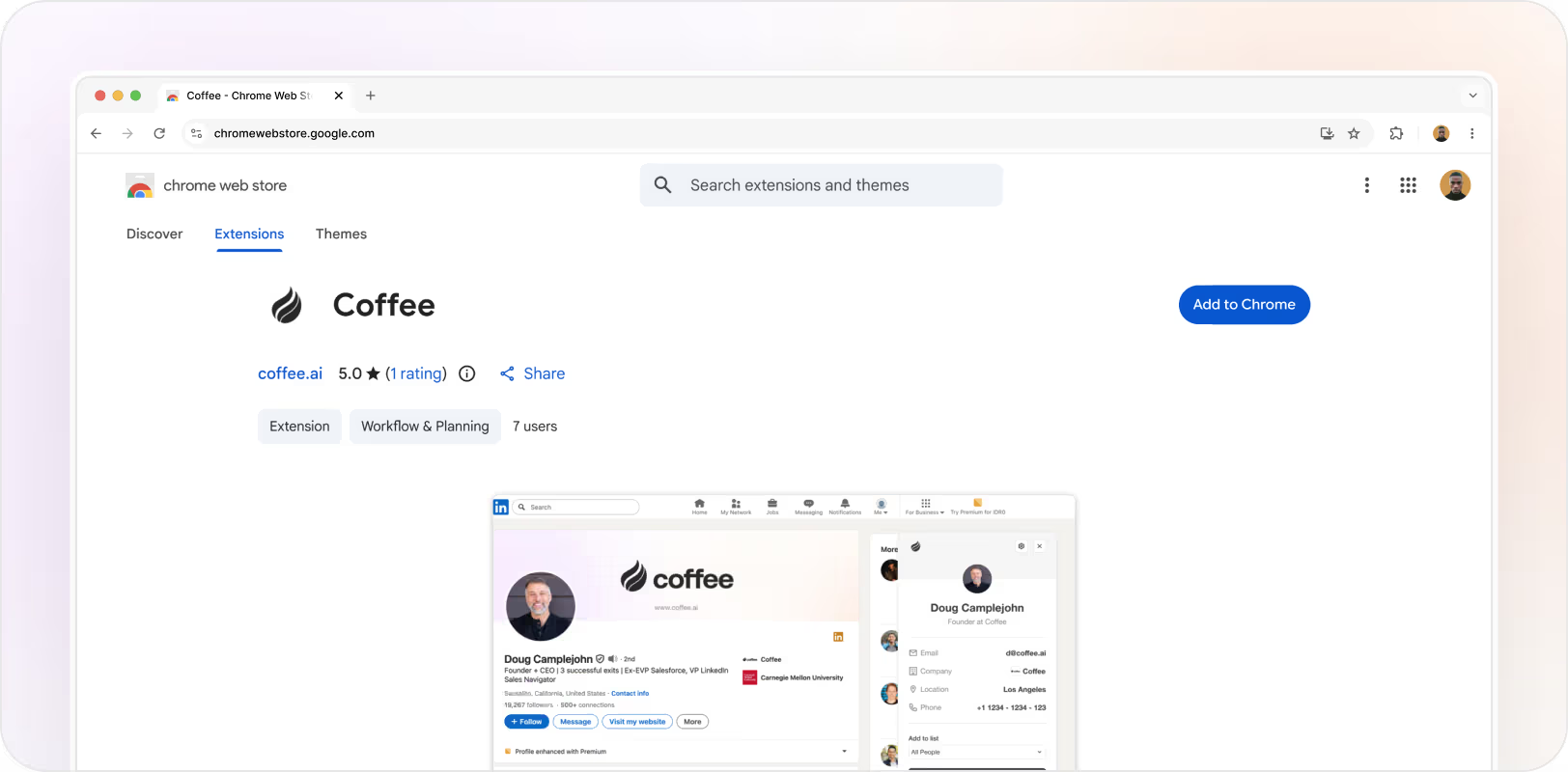
Add or edit contacts in Coffee from LinkedIn with a single click. The plugin matches a company or person profile URL to our master database.
☕ Microsoft Login
Teams using Microsoft 365 can now jump into Coffee with their Microsoft credentials, and sync their email and calendar.
Also shipped
•
Meetings in the Sidebar:Access all AI or manual meeting notes straight from your sidebar.
•
Gmail Sign-ups:Anyone with a Gmail address can now sign up for Coffee.
•
New "Created by" Filter:Filter deals, companies, and people by who created them.
•
AI-Generated List Titles for Imports:Let AI craft a fitting list title when importing contacts or companies.
October 2025
AI Meeting Search, Multiple Pipelines, and List Building
☕ Search with AI in Meeting Briefings and Summaries
Instantly surface anything discussed in your calls — from key decisions to next steps — without scrubbing through transcripts. Just type your question and Coffee will summarize the relevant part.
☕ Manage Multiple Pipelines
Create and manage multiple Deal pipelines to match how your business actually sells — separating new business from renewals, or tracking different products or customer segments.
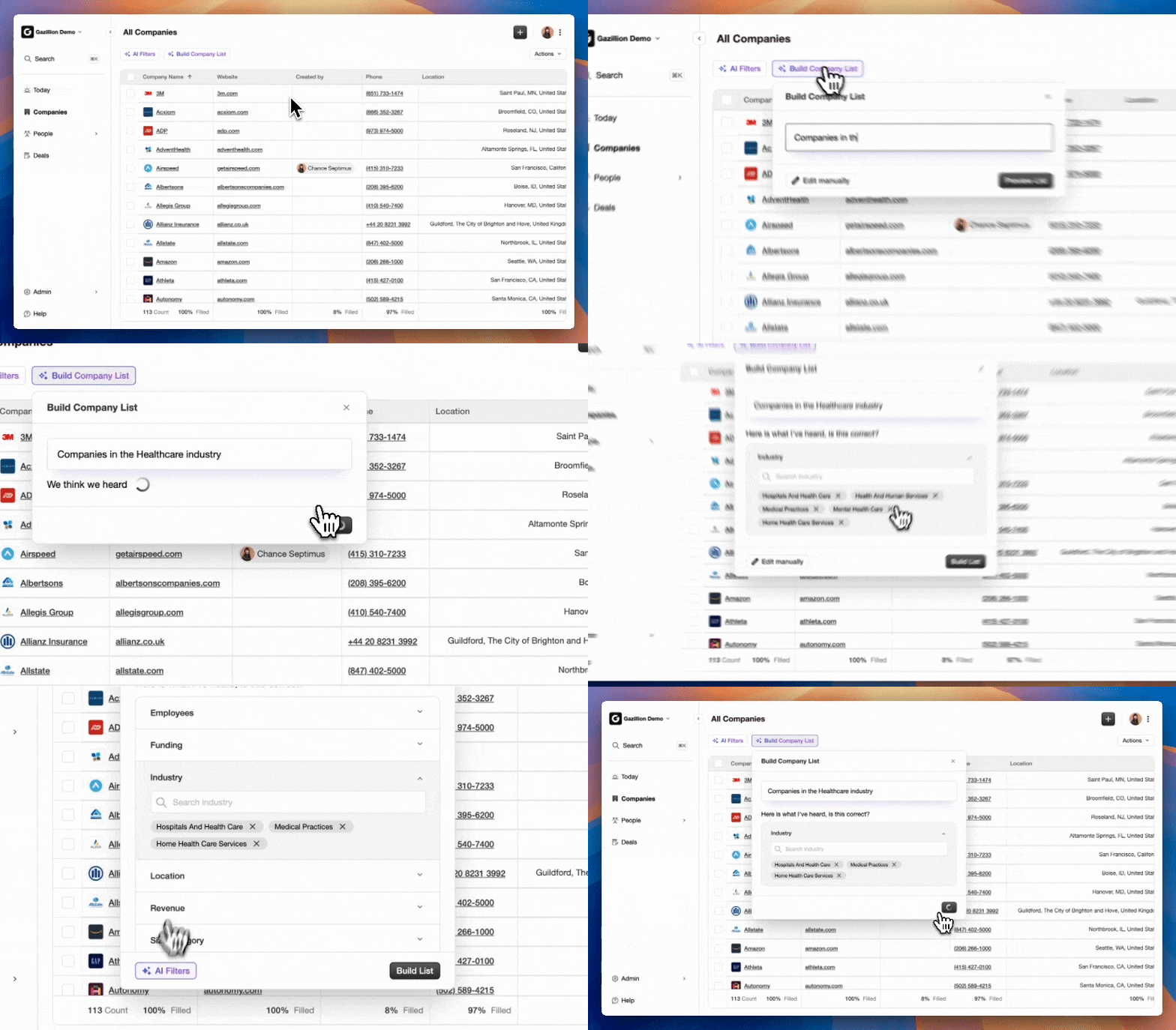
☕ Build Company Lists
Build targeted company lists in seconds leveraging Coffee's enrichment database. Use manual filters or write out what you want with AI search.
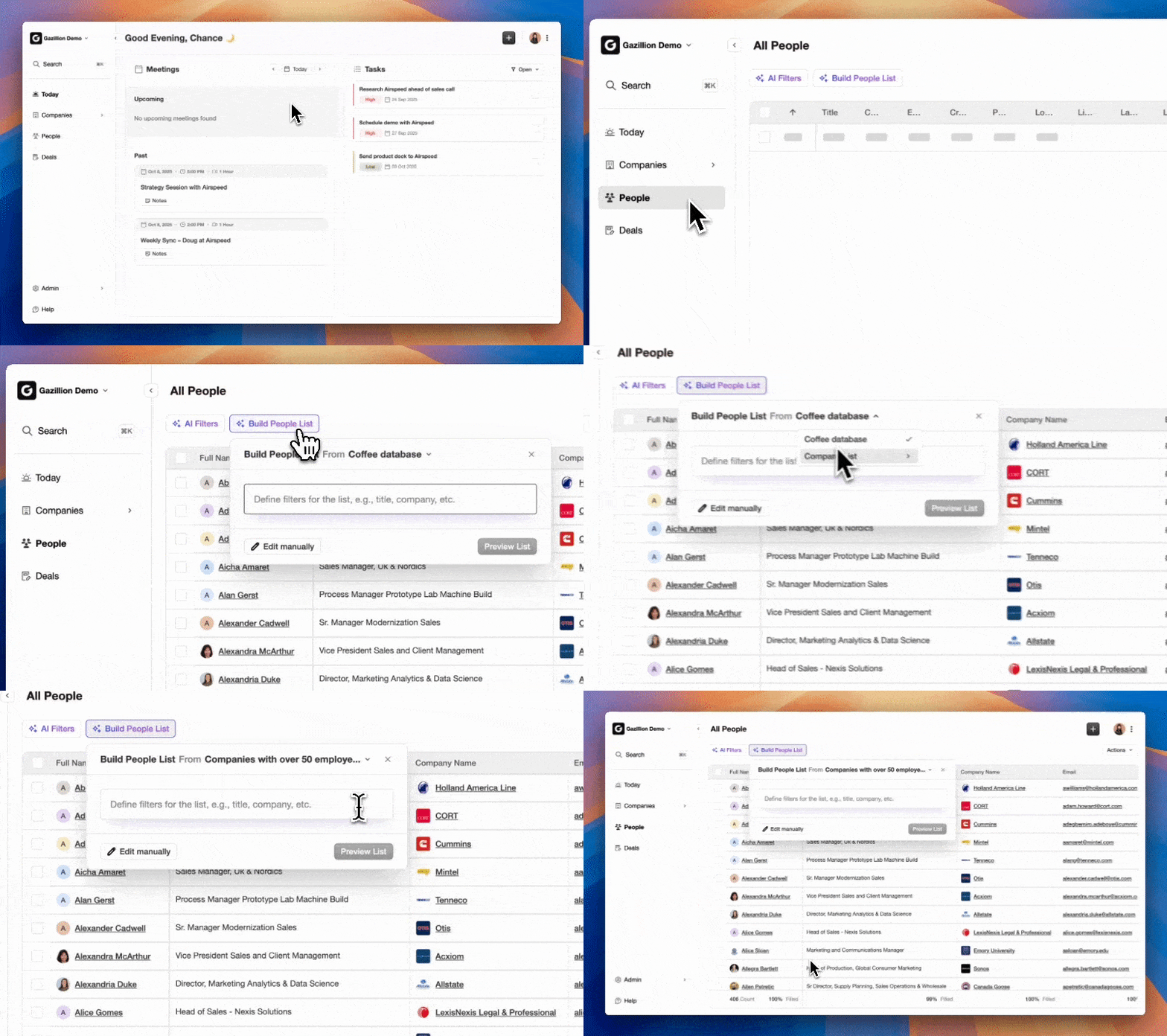
☕ Build People Lists
Source leads from Coffee's enrichment database, or find contact titles in any of your company lists. Perfect for targeting your buyer personas.
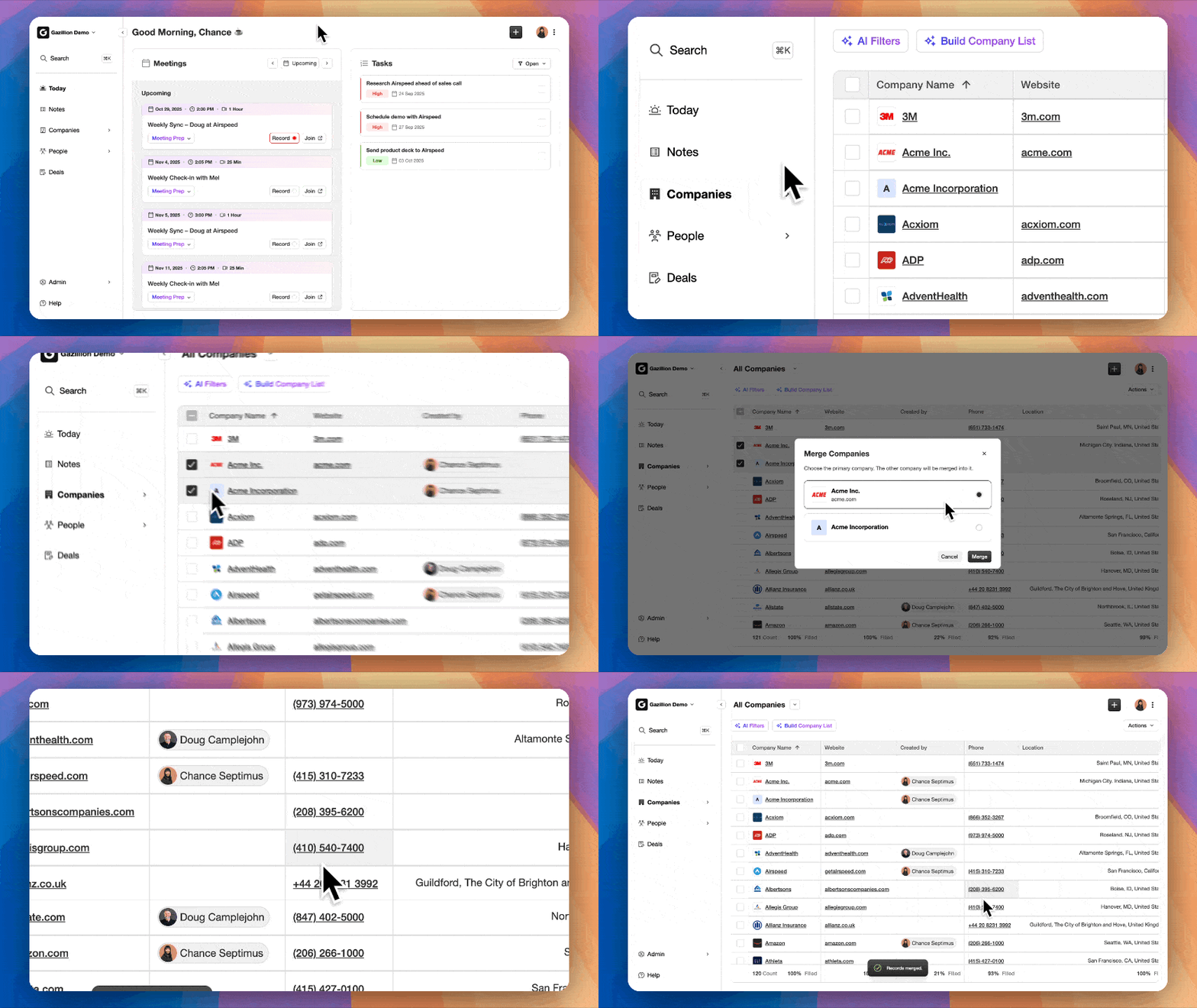
☕ Merge Companies
Merge duplicate companies to unify data, notes, and activity history — all in one place.
☕ Associate Companies
Link related companies — parent organizations, subsidiaries, or partners — to understand relationships and spot new opportunities.
Also shipped
•
Smarter Meeting Summaries:Richer notes and more actionable task suggestions from your meetings.
•
Notes in the Sidebar:Access every note directly from the sidebar without navigating to individual records.
September 2025
Slack, ChatGPT Integration and Lots of AI Goodness
September has been a crazy busy month as we round out our vision of an AI-first CRM.
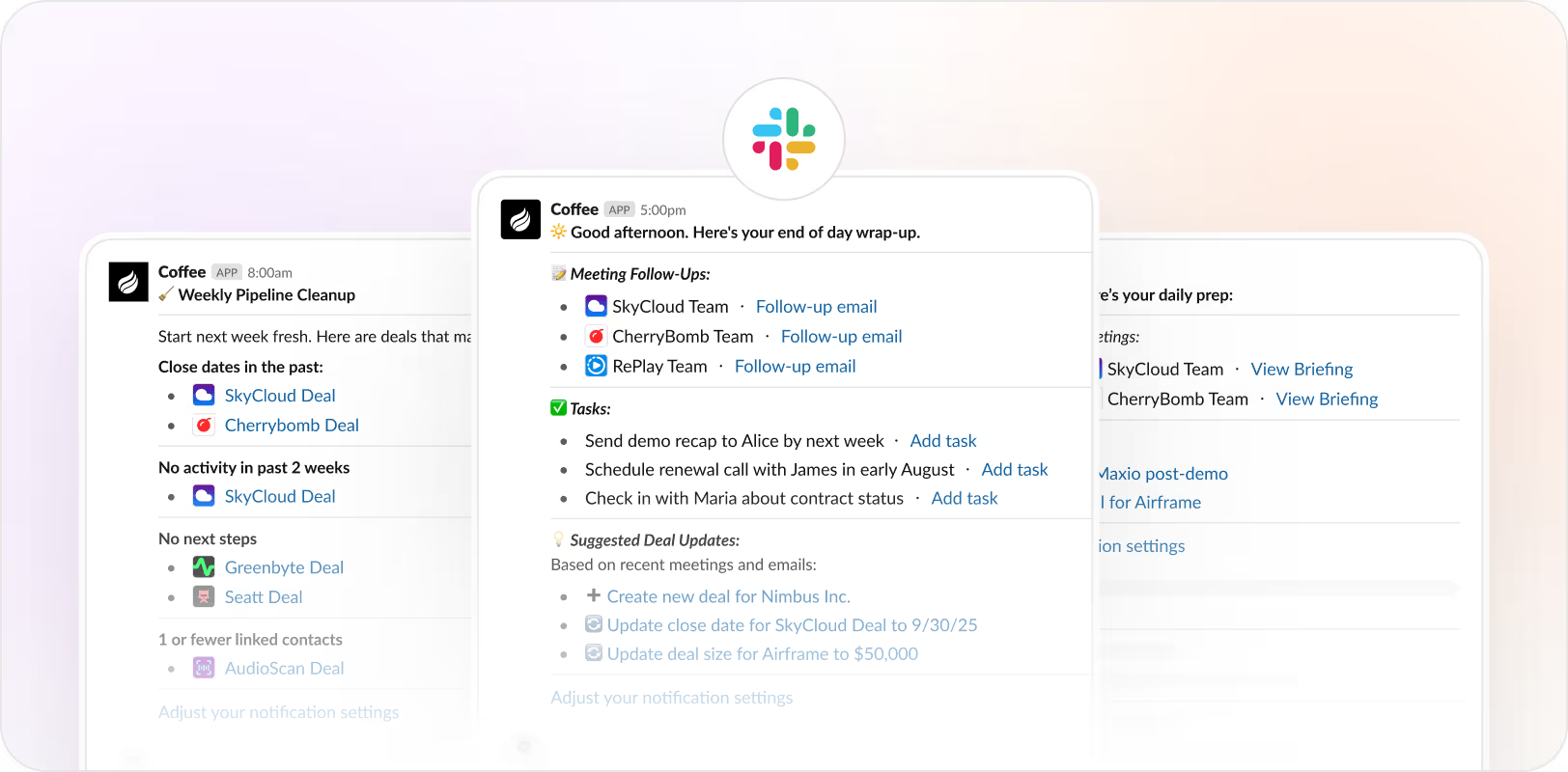
☕ Slack App
Get ready for meetings with morning briefings, make sure nothing falls through the cracks with end-of-day follow-ups, and prepare for weekly pipeline reviews with Sunday cleanup messages.
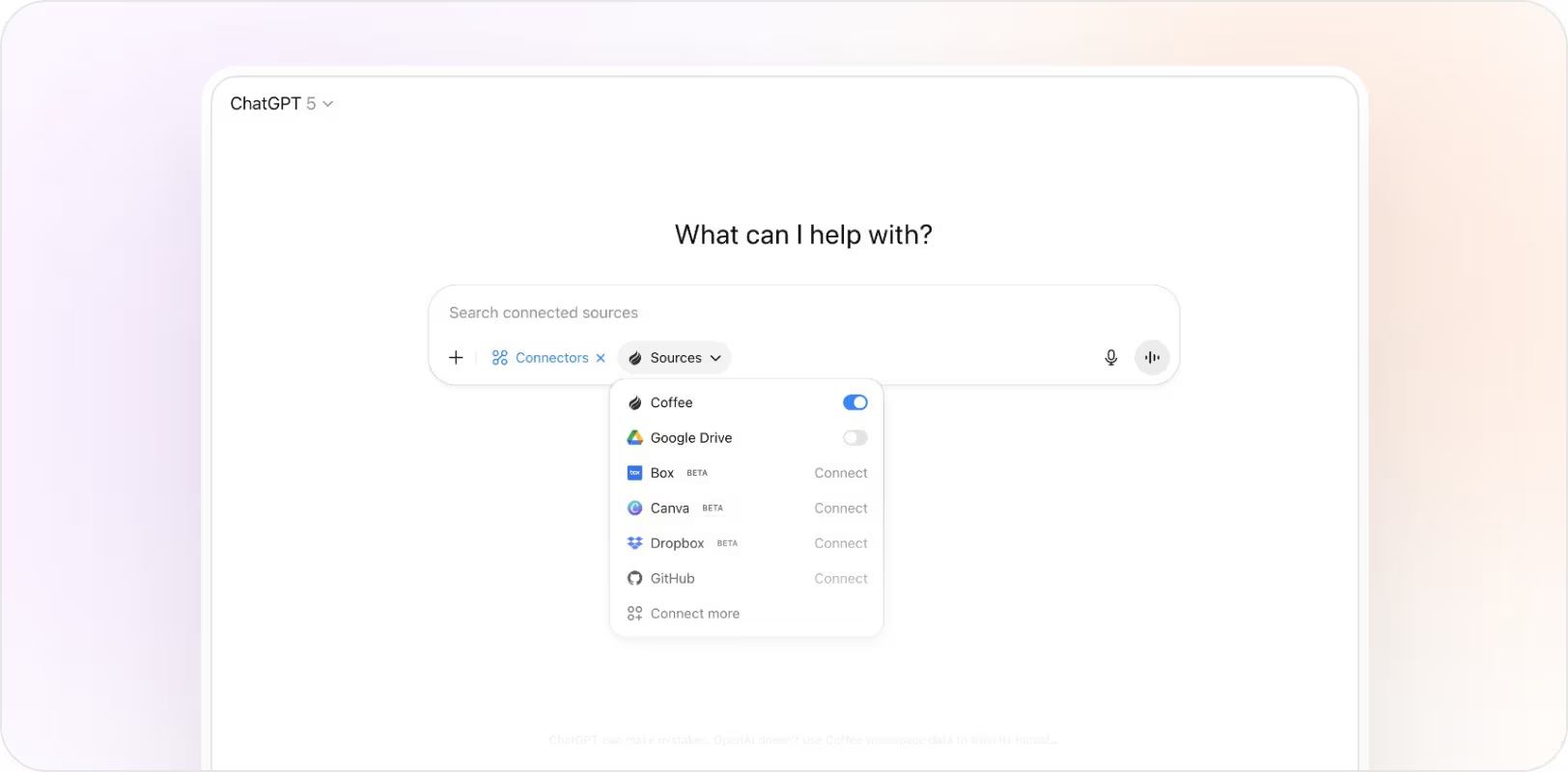
☕ ChatGPT and Claude Integration
Coffee's MCP server lets you query any information in Coffee (enriched contacts, companies, emails, transcripts, deals, etc.) through your favorite AI client.
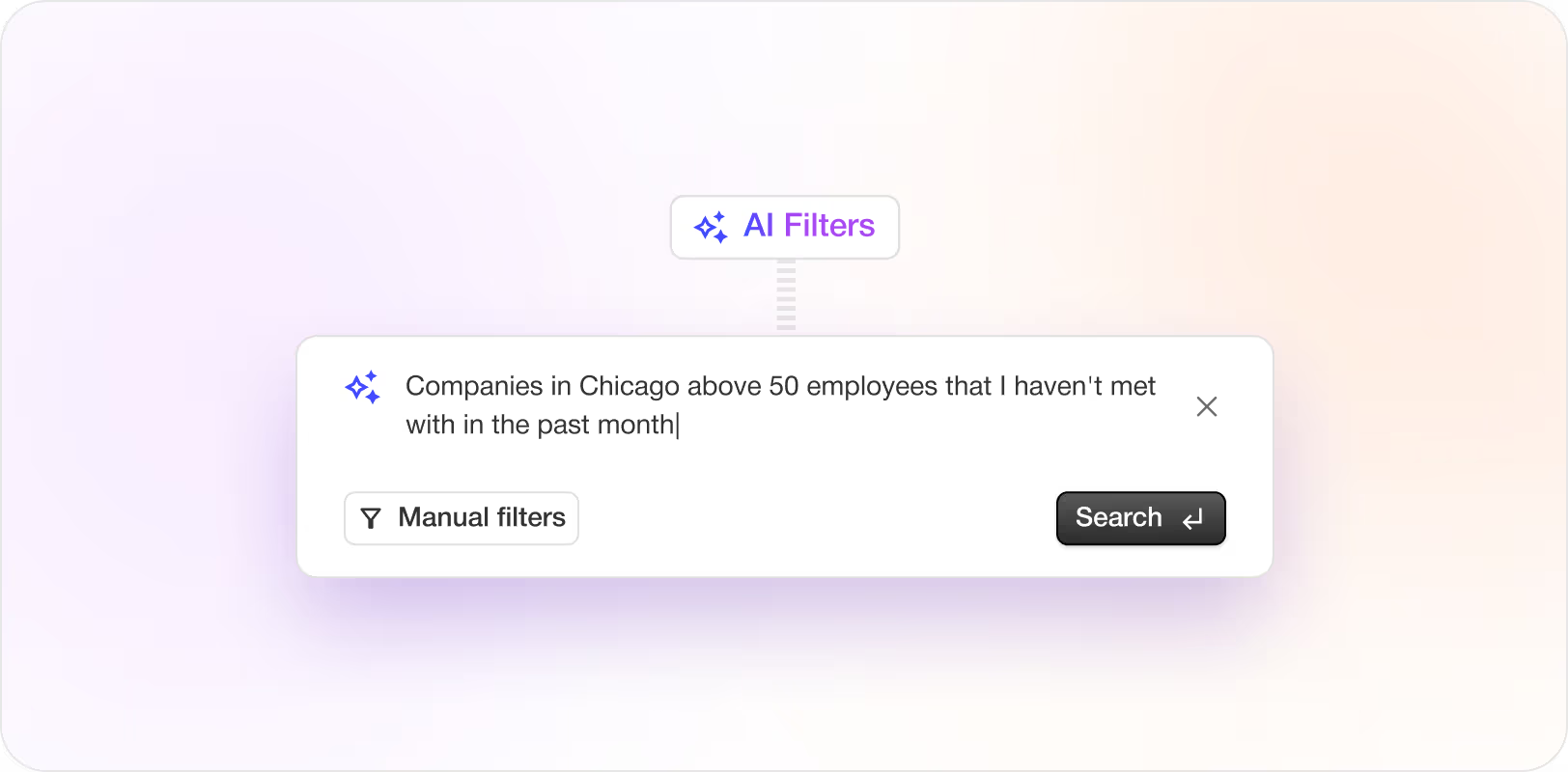
☕ AI Filters
Use natural language to filter any kind of list — People, Companies or Deals. Taking a trip to Chicago and want to see all the deals you own that you haven't met with in the past month? Easy.
Also shipped
•
Today Page Improvements:Internal meetings now appear on your Today page and it auto-refreshes as meetings pass.
•
Smarter Filtering & Enrichment:Stronger spam filtering and more accurate industry and location enrichment.
•
New Filters & Field Logic:"Created By" auto-populates, "Time in Stage" and "Age" in Deals grid, plus a "This Week" Tasks filter.
•
Faster Search:Search results now stream in faster — you'll see hits as they become available.
•
"All Time" in Deals:View deals without close dates using the new "All Time" time filter option.
•
Better Notes & Associations:Notes are now more reliably linked to the correct people, companies, and deals.
•
Deal Compare & Kanban Upgrades:Significant performance boosts for Deal Compare and clickable Kanban cards.
Bug fixes
— Fixed incorrect "Last Activity" in pre-meeting briefings.
— Fill rates now round up to at least 1%.
— Resolved issues with sorting on some columns.
August 2025
Tasks, Imports and Fields Galore
It's been another busy month after coming out of stealth in June and announcing pricing.
☕ Tasks
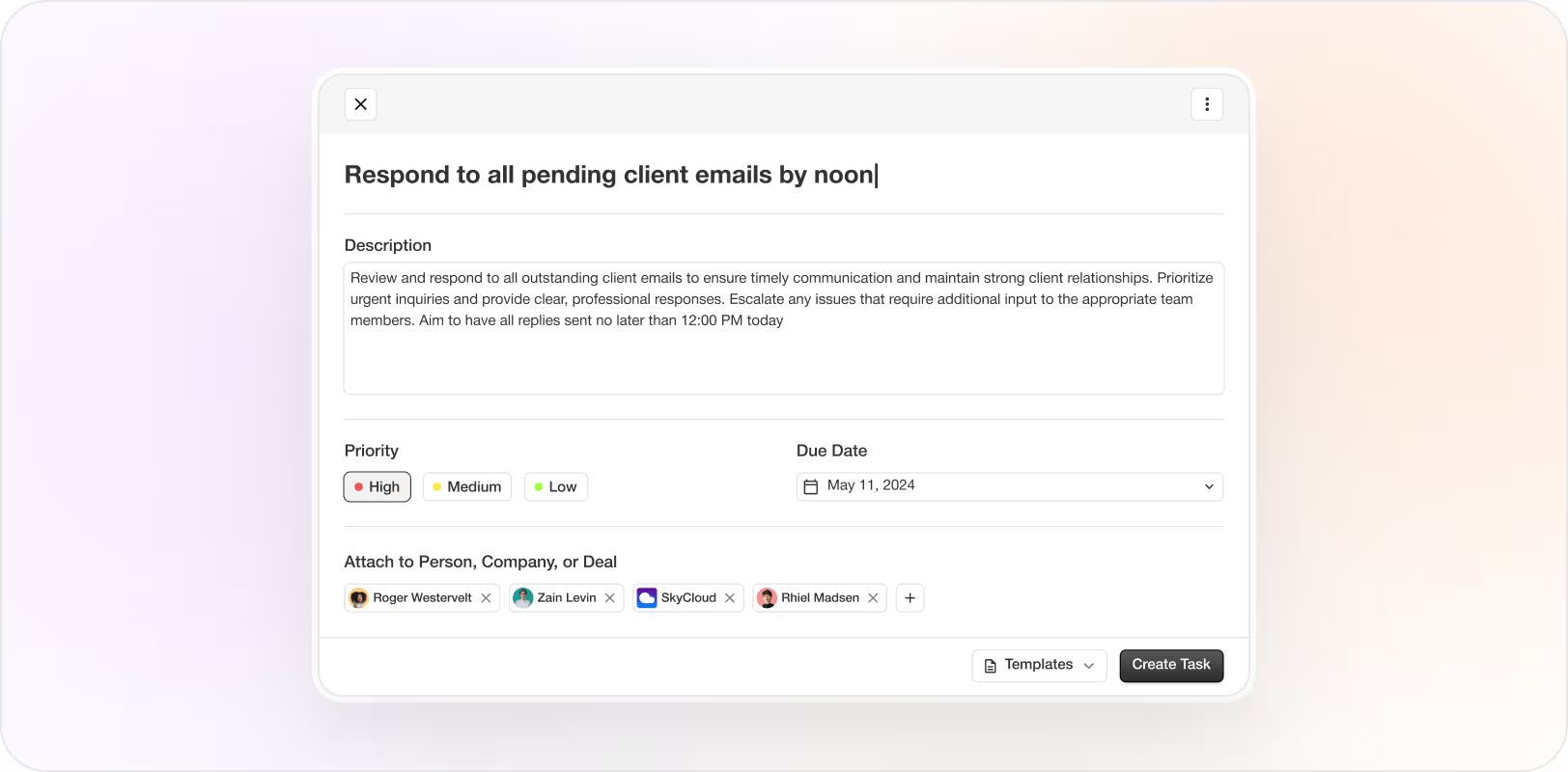
Stay on top of your to-dos with our new Tasks feature. Use the universal + button to assign a task to any company, person, or deal — complete with priority levels and due dates. Track everything on your Today page.
☕ CSV Import
From any People, Company, or Deals grid, use the Actions menu to upload a CSV file. Your records will be added to Coffee and automatically enriched with context.
☕ New Fields
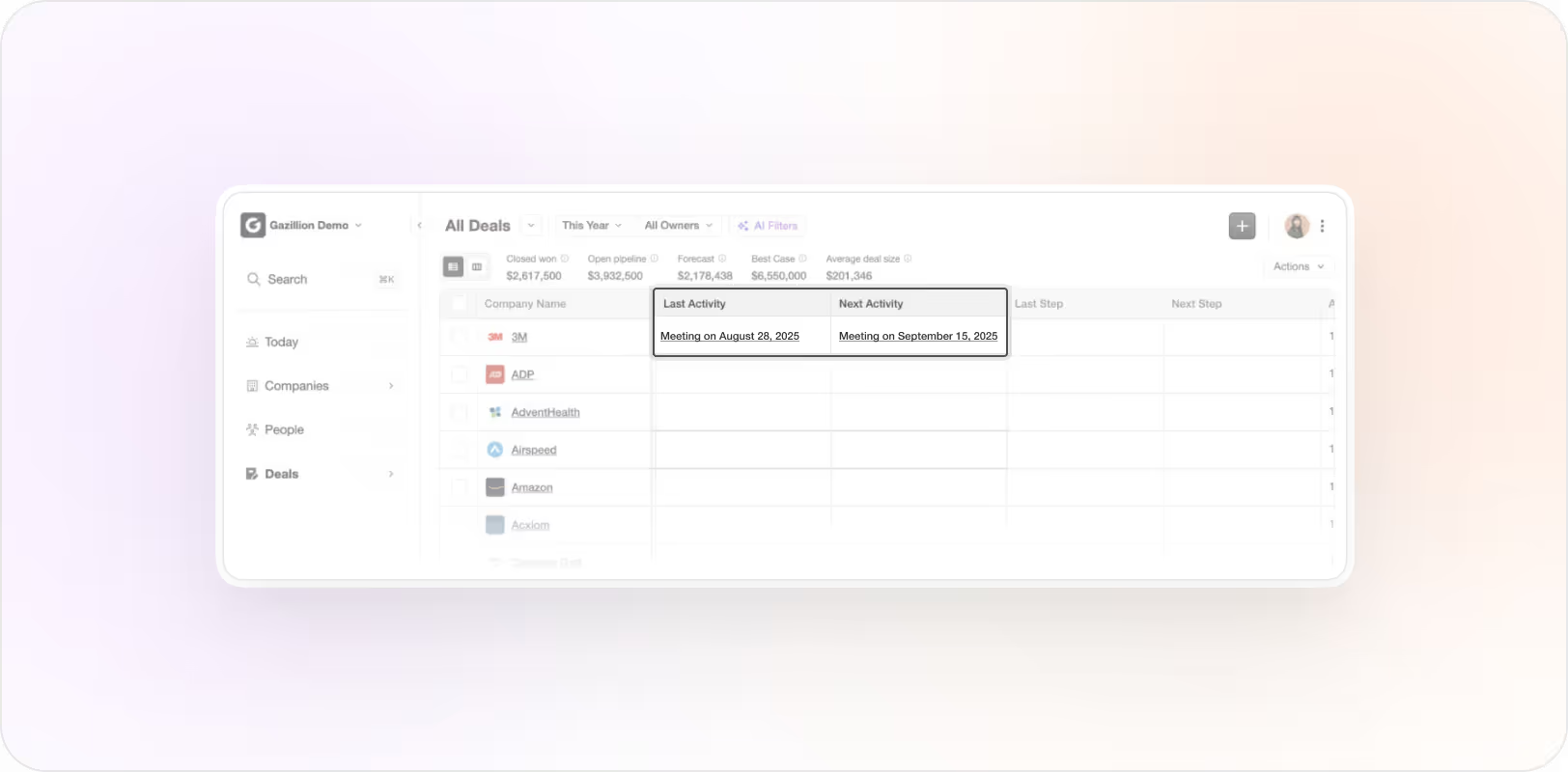
Next Activity and Last Activity now appear in all grids. These auto-populate with your recent meetings and emails. We also added support for Custom Fields with over 11 data types.
Bug fixes
— Re-invited canceled meetings now correctly reappear in Coffee.
— Gmail syncing is more reliable.
— Meeting bot now correctly reflects updated videoconference links.
— Sent emails are now synced — not just inbox.
— Deal Compare improvements and removed false-positive highlights.
— Sorting by company name works after rename.
— Search results are more accurate and consistent.
— Fixed slow or dropped updates in the Deals grid.
— Resolved duplicate records during initial calendar sync.