Key Takeaways
-
B2B sales teams lose 60–71% of their time to manual data entry and decaying contact data across fragmented tools like HubSpot and Salesforce.
-
AI agents such as Coffee automate contact creation, enrichment, and activity logging from Gmail and Microsoft 365, which removes manual CRM upkeep.
-
Coffee stands out for pipeline visualization, natural-language AI search, and tight integrations that fit SMB and mid-market sales teams.
-
Traditional CRMs rely on manual workflows, while Coffee adds an intelligence layer as a companion and can save 8–12 hours each week for every rep.
How We Evaluate B2B Contact Management Platforms
B2B sales teams need more than basic contact storage to manage modern deal cycles. Essential features fall into three categories. First, automation capabilities such as data enrichment from email and calendar sources and meeting orchestration with briefings and follow-ups. Second, visibility requirements like pipeline tracking across complex multi-stakeholder deals. Third, adoption factors including integration with existing Salesforce or HubSpot instances, minimal manual entry, and pricing that scales from SMB to mid-market growth.

The comparison table below shows how leading platforms perform across automation, integrations, pricing, and ideal customer profile so you can quickly narrow your shortlist.
|
Platform |
Auto-Enrichment |
Key Integrations |
Starting Price |
Best For |
|---|---|---|---|---|
|
Coffee |
Salesforce, HubSpot, Stripe |
Seat-based |
SMB/Mid-market |
|
|
HubSpot |
Partial – Manual workflows |
2,000+ app marketplace |
Inbound-focused teams |
|
|
Salesforce |
Partial – Einstein features |
5,000+ AppExchange apps |
Starter Suite $25 USD/user/month (billed monthly or annually) |
Enterprise custom |
|
Pipedrive |
No – Manual entry |
350+ integrations |
Visual pipeline SMB |
1. Coffee: AI Agent for Hands-Off B2B Contact Management
Coffee operates as a true AI agent-powered contact management platform built for B2B sales complexity. Unlike passive CRMs that only store data, Coffee’s agent creates and enriches contacts from Gmail and Microsoft 365, logs activities automatically, and prepares meeting briefings with BANT or MEDDIC qualification frameworks.

The platform’s core strength lies in automated data capture. Coffee’s AI intelligence layer stores deep context on business model, product specifics, ICP, and competitors for tailored AI suggestions and insights. This context allows the agent to scan email interactions, populate contact records, enrich them with job titles and LinkedIn profiles, and maintain activity logs without human intervention.

Coffee’s Pipeline Compare feature delivers week-over-week pipeline visualization that highlights progressed deals and stalled opportunities. The platform’s AI search on deals answers natural-language questions such as “Which deals are stuck in negotiation?” or “What is closing this month?” These capabilities turn pipeline reviews into focused strategic conversations instead of status interrogations.
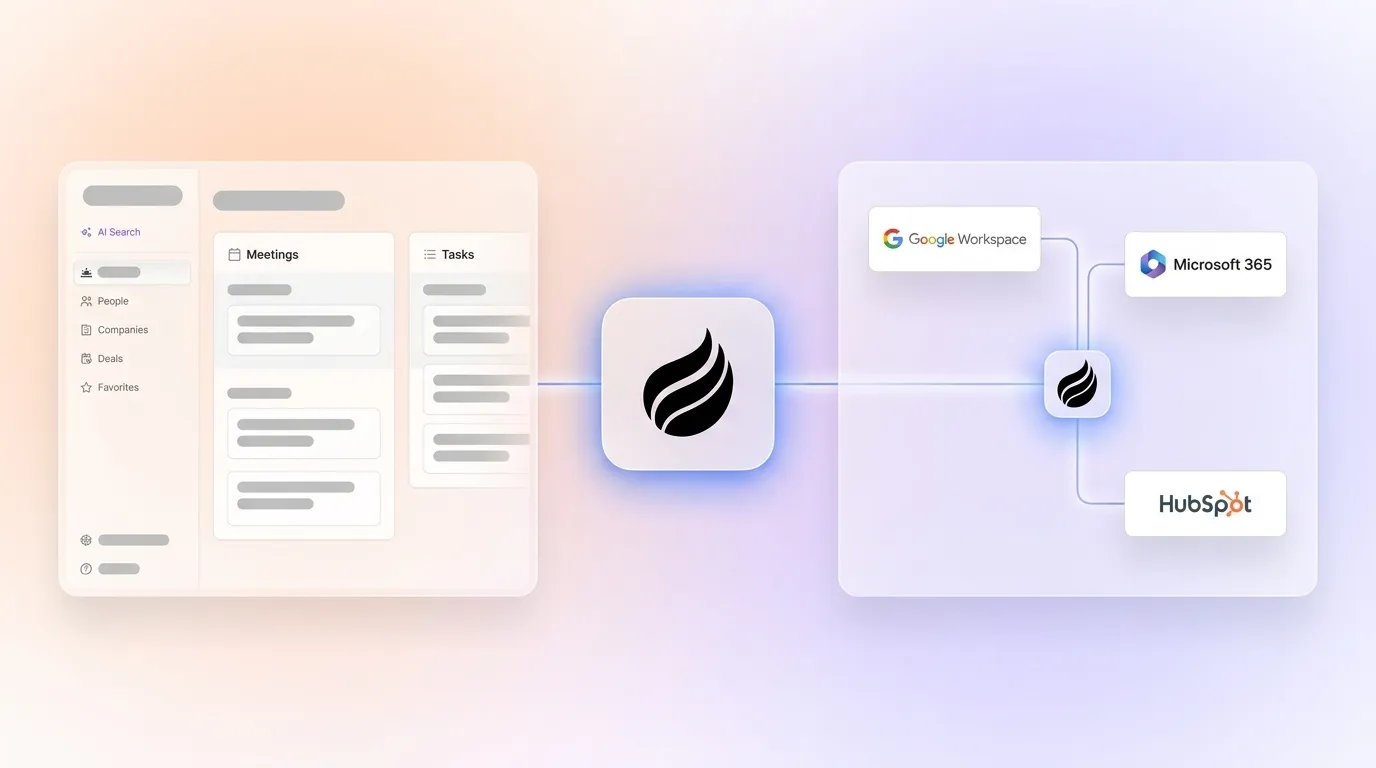
The platform supports two operating models. Small teams with 1–20 employees use Coffee as a standalone CRM. Growing and mid-market organizations use Coffee as a companion app that layers intelligence on top of existing Salesforce or HubSpot instances. Coffee’s Stripe integration imports customers and companies, enriches them, and adds paid invoices to deals as Closed Won.

Pros: Proactive agent automation, removal of manual data entry, faster admin work, stack consolidation, and smooth HubSpot or Salesforce companion mode.
Cons: Not suited to heavily regulated industries and offers less enterprise customization than Salesforce.
Pricing: Simple seat-based model that includes unlimited agent labor.
Coffee marks the shift where software actively works for sales teams instead of demanding constant human maintenance. Experience the agent difference with a free Coffee trial.
2. HubSpot Sales Hub: Inbound and Marketing-First Contact Management
HubSpot Sales Hub fits teams that prioritize inbound lead management and tight marketing integration. The platform delivers robust contact management with automatic company creation, email tracking, and sequence automation that align with HubSpot’s marketing tools. HubSpot offers pricing tiers: Starter at $20/user/month, Professional at $100/user/month, and Enterprise at $150/user/month.
Pros: Strong marketing automation integration, intuitive interface, and a large app marketplace.
Cons: Manual data entry for most contact enrichment and limited advanced sales automation compared with agent-first tools.
3. Salesforce Sales Cloud: Enterprise-Grade Customization and Control
Salesforce remains the enterprise standard for teams that need deep customization and advanced reporting. Large organizations and many Fortune 500 companies rely on Salesforce for account hierarchy management and workflow automation through tools such as Process Builder.
Pros: Extensive customization options, powerful reporting, and a broad integration ecosystem.
Cons: Complex setup, heavy manual data entry, and pricing that often exceeds SMB budgets.
4. Pipedrive: Visual Pipeline Management for Growing SMBs
Pipedrive centers on visual pipeline management with drag-and-drop deal stages that appeal to small and mid-market businesses. CEOs and sales managers often choose Pipedrive for its clear activity-based selling workflows and straightforward interface.
Pros: Intuitive visual layout, strong focus on activities, and affordable pricing.
Cons: Limited automation features and reliance on manual contact enrichment.
5. Zoho CRM: Budget-Friendly CRM with Built-In AI Assistant
Zoho CRM combines AI-powered assistant features with workflow automation across more than 500 app integrations. The platform includes a free entry-level plan and attracts small-business and mid-market teams that want broad functionality at a lower price.
Pros: AI assistant included, wide integration options, and competitive pricing.
Cons: Interface complexity and less advanced automation than dedicated AI agent platforms.
6. Attio: Flexible Data Modeling with a Modern Interface
Attio delivers a modern interface with flexible data modeling and relationship mapping for teams that value design and customization. The platform emphasizes visual contact management through customizable views and collaborative features for shared accounts.
Pros: Contemporary design, adaptable data structure, and collaboration tools.
Cons: Passive data model that depends on manual entry and limited automation depth.
7. Close: Outbound CRM with Native Calling and SMS
Close unifies calling, email, and SMS in a single platform tailored to outbound sales teams. The platform includes built-in communication features with an entry-level price of $9 per user per month.
Pros: Integrated calling and messaging, outbound-focused workflows, and an all-in-one experience.
Cons: Limited contact enrichment automation and basic pipeline analytics.
8. Microsoft Dynamics 365: CRM for Microsoft-Centric Enterprises
Dynamics 365 serves organizations that standardize on Microsoft tools and want deep ecosystem integration. The platform offers relationship analytics, stakeholder mapping, and comprehensive account management with Office 365 synchronization.
Pros: Tight Microsoft integration, relationship analytics, and enterprise-grade security.
Cons: Complex implementation, ongoing manual data entry, and higher licensing costs.
9. Clarify: AI-Native CRM with Conversation Intelligence
Clarify reflects newer “After ChatGPT” CRM architecture with an AI-native foundation. The product focuses on conversation intelligence and automated note-taking that support modern sales calls and demos.
Pros: AI-native design, strong conversation intelligence, and a modern product approach.
Cons: Smaller integration ecosystem, limited customer base, and fewer proven enterprise features.
10. Day.ai: AI Productivity Layer for Daily Sales Work
Day.ai targets teams that want AI support for daily productivity tasks rather than full CRM depth. The platform automates task management and processes unstructured data from notes and messages.
Pros: Strong AI productivity focus, automated task handling, and unstructured data processing.
Cons: Shallow CRM feature set, fewer integrations than Coffee, and a narrower scope.
Head-to-Head: Coffee as a Companion to HubSpot and Salesforce
Coffee’s agent architecture addresses the core flaw of legacy CRMs, which depend on human data entry. Sales reps spend 60% of their time on non-selling tasks such as manually entering customer notes, and Coffee’s agent removes this burden through automated capture, enrichment, and logging.
As a companion to existing Salesforce or HubSpot installations, Coffee layers intelligence without forcing a migration project. This companion approach delivers the reductions in manual data entry that teams expect from advanced CRM automation. Coffee’s seamless sync keeps the system of record accurate while removing manual maintenance, so organizations gain automation benefits without fragmenting data.
The agent approach turns CRM adoption into a productivity multiplier and tackles the perception of traditional CRMs as demanding landlords instead of strategic assets.
Best-Fit Use Cases and 2026 AI Adoption Trends
Early-stage SMB teams with 1–20 reps gain the most from Coffee’s standalone CRM model, while mid-market organizations with 20–200 reps typically favor the companion app approach. Salesforce State of Sales 2026 survey reports that 54% of sellers use AI agents and 94% of sales leaders with agents deem them critical to meeting demand, which reinforces this shift toward agent support.
The move toward agentic AI signals a change from passive databases to active digital teammates. Sopro’s 2025–2026 AI in Sales and Marketing Statistics Report cites up to 2 hours 15 minutes of daily time saved per rep through AI automation. This reclaimed time becomes crucial as buying committees grow and sales cycles lengthen.
Decision Matrix for Coffee vs Traditional CRMs
Teams should match contact management software to their size, technical stack, and appetite for automation. Coffee focuses on the biggest pain points of data entry overload and fragmented workflows, while traditional CRMs still expect significant manual upkeep.
The decision matrix below summarizes how Coffee addresses common implementation challenges so leaders can assess risk and impact at a glance.
|
Pain Point |
Manual Data Entry |
Fragmented Data |
Low Adoption |
Winner |
|---|---|---|---|---|
|
Solution |
AI Agent Automation |
Unified Intelligence |
Zero-Effort CRM |
Coffee |
Implementation risks include data quality needs for effective AI and integration complexity in enterprise environments. Coffee reduces these risks through proven Gmail and Microsoft 365 capture and a companion mode that connects cleanly with existing CRMs.
FAQ
What is the best free B2B contact management software?
Coffee provides a comprehensive free trial with full agent automation features, including automatic contact creation from Gmail and Microsoft 365 and meeting briefings. HubSpot offers a free tier with basic contact management, although enrichment still depends on manual data entry and does not include advanced automation.
How does HubSpot CRM compare to Coffee for B2B sales?
HubSpot excels at inbound marketing integration but still relies on manual data entry and workflow setup for sales teams. Coffee’s agent captures contact interactions, enriches records, and maintains pipeline data without human effort. In many stacks, Coffee acts as an intelligent companion to HubSpot that automates manual gaps while preserving existing processes.
Which AI CRM is best for sales teams in 2026?
Coffee leads as a dedicated AI agent-powered contact management platform for B2B teams. Other CRMs often bolt AI features onto older architectures, while Coffee started as an autonomous agent that handles data entry, enrichment, and pipeline management. This agent-first design removes the productivity drain of routine CRM maintenance.
What integrations does Coffee support?
Coffee integrates natively with Gmail, Microsoft 365, Salesforce, HubSpot, and Stripe to support end-to-end workflows. The team continues to expand integrations, with recent additions such as QuickBooks for invoice syncing and enhanced meeting recording across Zoom, Teams, and Google Meet.

Should mid-market teams choose Salesforce or Coffee?
Mid-market teams gain strong results from Coffee’s companion approach, which layers agent intelligence on top of existing Salesforce instances without migration. This model delivers AI-powered contact management while preserving Salesforce customization and compliance controls. See how Coffee’s companion mode works with your existing CRM and start free today.