Key Takeaways for B2B Visitor Identification
- Most B2B website visitors stay anonymous, so sales teams cannot act on intent until sessions resolve to named contacts with email and LinkedIn data.
- Person-level identity-graph matching outperforms IP-to-company methods by returning accurate contacts even for remote and VPN traffic, with 30–40% match rates on U.S. B2B visitors.
- Contact-level accuracy removes manual enrichment work, lowers data decay risk, and supports immediate personalized outreach that turns intent into booked meetings faster than company-only alerts.
- Leading 2026 platforms differ widely in ICP filtering and CRM integration, and only those with persona-matched recommendations and one-click routing complete the path from pixel to pipeline-ready record.
- See how Coffee turns anonymous traffic into named CRM leads so your team can act on intent in real time.
Two Core Methods for Identifying Individual Contacts from Website Visitors
Two distinct technical methods resolve anonymous visitors, and they differ significantly in accuracy and output.
IP-to-company matching maps a visitor’s IP address against commercial databases of corporate IP ranges to return a company name, industry, and location. This method cannot identify individuals and fails entirely for remote workers browsing from residential IPs or VPNs. Realistic company-level match rates in 2026 range from 30–65% of US B2B traffic.
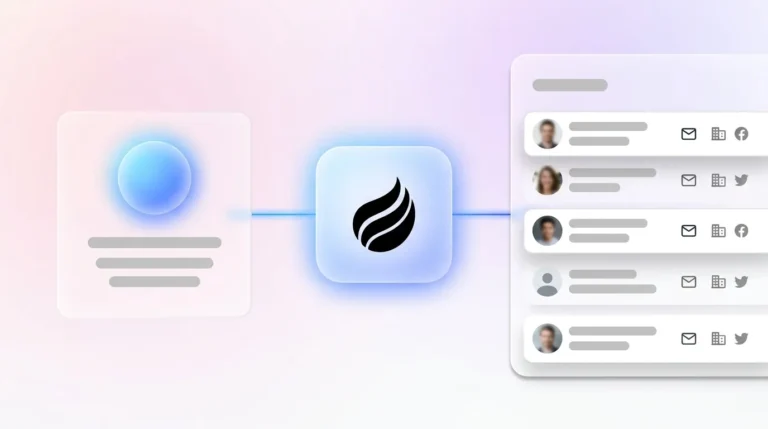
Identity-graph person-level resolution uses browser signals, device IDs, first-party cookies, and advertising IDs, then cross-references them against large databases of professional contact records to return a named individual. When a deterministic match is found, the tool returns a visitor’s name, email, phone number, LinkedIn profile, job title, and company without a form fill. Person-level identification tools show real-world accuracy of 5–20% in independent testing, with leading platforms such as Leadpipe reporting 30–40% match rates on U.S. traffic using deterministic matching.
Nearly half of B2B website traffic now originates from home offices, coffee shops, and personal devices, which reduces IP-only match rates compared with 2024. Modern platforms respond by combining IP matching with cookie graphs, marketing automation data, and enrichment partnerships, then translating those technical gains into better operational outcomes.
Why B2B Teams Need Contact-Level Accuracy, Not Just Company Data
Company-level visitor data leaves a large operational gap. Knowing that “Acme Corp” visited your pricing page is operationally incomplete. Acme Corp may have 500 employees across 12 departments. Without a named contact, a rep must guess who to reach, pull a list from a separate enrichment tool, manually qualify each record against the ICP, and hope the outreach lands on the right person. That process takes hours and produces cold, untargeted messages.
Person-level visitor identification supports higher response rates than company-level identification because it enables immediate, personalized outreach to a named individual whose intent is already demonstrated by the visit. Reps contact a specific person, not a generic list.
The operational gap between company-level and contact-level data also slows pipeline velocity. B2B buyers are often 70% through their purchase journey before engaging a vendor directly. A company-level alert tells a rep that a buying committee is active. A contact-level alert tells the rep exactly who to call and what that person read. The latter converts the same intent signal into a booked meeting. The former creates a research task.
Contact-level accuracy also removes the enrichment stack. Teams running company-only tools typically pair them with ZoomInfo or Apollo to pull contacts, then manually filter for ICP fit, then route into a sequence. That workflow uses three tools, three handoffs, and introduces significant data decay risk at each step. B2B contact data decays at 2–3% per month, so a list pulled from a separate enrichment tool after a company-level identification event is already aging before the first email sends.
Top B2B Visitor Tracking Tools in 2026 and How They Compare
The table below compares leading platforms on four criteria that drive operational value: contact accuracy, ICP and persona filtering, direct CRM handoff, and 2026 privacy posture. All data points are cited inline.
| Platform | Contact Accuracy | ICP/Persona Filtering | Direct CRM Handoff |
|---|---|---|---|
| RB2B | Person-level (U.S. only) | No persona filtering, delivers raw people lists | Slack notification only, no native CRM sync |
| Warmly | Person-level via waterfall of 20+ data providers | Basic firmographic filters, no buyer-persona matching | Salesforce and HubSpot integrations, requires configuration |
| Leadfeeder | Company-level, 15–20% match rate | Firmographic filters only | Enriches with 400M+ contacts, CRM push available |
| Coffee | Person-level, named individual with title, email, and LinkedIn | Suggested Leads agent matches visitors to your defined buyer persona | One-click CRM add with enrichment pre-filled, real-time Slack routing |
RB2B and Warmly both surface people data without filtering it against a buyer persona, so reps still need to qualify each result manually. Leadfeeder provides strong company-level coverage and contact enrichment but does not resolve the individual visitor. Apollo functions primarily as an outbound prospecting database rather than a visitor identification platform, since it lacks a tracking pixel and real-time intent layer. None of these tools close the full loop from pixel hit to ICP-matched, CRM-ready contact without additional manual steps or separate tooling. Before implementing any of these platforms, teams also need to confirm that their visitor identification program meets current legal requirements.
Visitor Tracking, GDPR, and CCPA: Compliance Requirements for 2026
Compliance in 2026 is more demanding than in prior years, and a lawful visitor identification program in the United States must meet several linked requirements.
- SOC 2 Type II: Confirm your vendor holds this certification before routing contact data into any system of record. This certification verifies that the vendor maintains adequate security controls for the personal data you will process.
- GDPR: Building on that security foundation, you must also establish a lawful basis for processing. Company-level data is generally processable under legitimate interest, while person-level identification requires a lawful basis such as consent or legitimate interest, with the latter carrying higher compliance risks.
- CCPA (2026 rules): California’s updated regulations add proportionality requirements to the security and lawful-basis standards above. Collection of personal information must be reasonably necessary and proportionate to the disclosed purpose. Risk assessments are now required when processing personal information for profiling or selling data.
- Consent logging and GPC: Global Privacy Control (GPC) opt-out signals are mandatory in at least twelve U.S. states in 2026, including California, Colorado, Connecticut, Oregon, and New Hampshire. Honor these signals at the pixel level so tracking respects user choices.
- ADMT and risk assessment: California’s 2026 ADMT rules require consumers to have the right to opt out of automated decision-making technology used for significant decisions, along with pre-use notices, risk assessments, and appeal rights. Ensure your identification workflow includes a human review step before outreach so automated scoring does not become the final decision.
Coffee is SOC 2 Type 2 and GDPR compliant, and visitor data is not used to train public models.
Five Steps to Route Identified Leads into Your CRM Automatically
A reliable implementation follows five sequential steps that connect the pixel to your CRM.
- Pixel placement: Drop the tracking script into the
<head>tag of every page. Coffee verifies installation automatically and begins identifying visitors immediately. - Consent banner integration: Sync the pixel’s firing logic with your consent management platform so it activates only after a visitor accepts tracking where required. Honor GPC signals at the server level.
- Data-source verification: Confirm the identity-graph provider your tool uses holds current SOC 2 Type II certification and processes only opted-in professional contact data. Privacy compliance with GDPR and CCPA is critical when routing enriched visitor data into CRM systems.
- ICP filter configuration: Define your buyer persona, including title, seniority, company size, and industry, so the platform filters alerts before they reach a rep. Coffee’s Suggested Leads agent applies this filter automatically.
- Real-time Slack and CRM routing: Configure Slack notifications for high-fit visitors and set the CRM integration to auto-create a contact record with enrichment pre-filled. No-code automation allows RevOps teams to build and adjust enrichment workflows without engineering support.
Deploy this five-step workflow in a single Coffee onboarding session.
How Coffee Suggested Leads Matches Visitors to Your ICP
Most visitor identification tools return a list of people associated with a visiting company and leave qualification to the rep. Coffee’s Suggested Leads agent operates differently. When a company visits your site, the agent cross-references the visiting organization against your defined buyer persona and surfaces two to three specific decision-makers, by name, title, and LinkedIn profile, who match your ICP.

This approach removes the manual qualification step. A rep receives a Slack notification that includes not just who visited, but exactly which humans inside that company to contact and a direct path to their LinkedIn profile for an immediate connection request or InMail. The prospect can also be added to Coffee with all enrichment pre-filled in one click, ready for email outreach or auto-enrollment in a drip campaign. No separate enrichment tool, no manual list-building, and no guesswork about which stakeholder to prioritize.

Measuring ROI from Visitor Identification Programs
Three metrics define the return on a visitor identification program and build on each other.
- Identified-lead-to-opportunity conversion rate: Track what percentage of Coffee-identified visitors become pipeline opportunities. This metric serves as the primary revenue attribution measure because it shows how intent signals convert to pipeline.
- Time saved on enrichment: While conversion rate captures revenue impact, efficiency gains also matter. Measure rep hours previously spent on manual contact research. Coffee removes this work by delivering pre-enriched records, which frees time for more outreach.
- Pipeline influence: Finally, connect these leading indicators to closed revenue. Attribute closed-won deals back to first-touch visitor identification events to quantify pipeline influence and show how early identification supports later stages.
Evaluation Framework for Visitor Identification Vendors
Teams can use a simple three-criterion scoring rubric when evaluating any visitor identification platform.
- Integration depth (0–3): Award one point for native two-way CRM sync, one point for real-time Slack routing, and one point for API or no-code automation without middleware.
- Data quality (0–3): Award one point for person-level accuracy, one point for ICP and persona filtering before the alert reaches a rep, and one point for SOC 2 Type II certification.
- Agentic automation (0–3): Award one point if the platform automatically recommends specific contacts to reach out to, one point if it pre-fills CRM records without manual input, and one point if it operates as part of a unified CRM agent rather than a standalone point solution.
RB2B scores 1/9, with person-level data but no ICP filtering, no CRM handoff, and no agentic layer. Warmly scores 3/9, with person-level data, basic filters, and CRM integration, but no persona-matched contact recommendations and no unified agent. Leadfeeder scores 3/9, with strong contact enrichment and CRM push, but company-level identification only and no agentic automation. Coffee scores 9/9 as the only platform that satisfies every criterion, combining person-level accuracy, Suggested Leads persona matching, one-click CRM routing, and a unified agent that connects visitor identification to the full sales workflow.
Conclusion: Turning Anonymous Traffic into Pipeline
The anonymity problem outlined at the start of this article, where the vast majority of B2B visitors leave no contact trace, represents direct revenue loss for sales teams. Those missed contacts carry clear intent signals that expire quickly if reps cannot see or act on them. The answer is not another point tool that surfaces a company name or an unfiltered people list. Teams need an agent that resolves the full chain: pixel to named individual, individual to ICP match, ICP match to CRM-ready record, and record to outreach.
Coffee is that agent. Its visitor identification pixel, Suggested Leads engine, and native CRM routing eliminate every manual step between an anonymous visit and a booked meeting, while maintaining SOC 2 Type II and GDPR compliance throughout.
Start converting anonymous traffic into named pipeline with Coffee’s compliance-ready agent.
Frequently Asked Questions
What is visitor tracking with contact information, and how is it different from standard web analytics?
Standard web analytics tools like Google Analytics report aggregate traffic metrics such as sessions, bounce rates, and page views without identifying who generated them. Visitor tracking with contact information goes further by resolving individual sessions to named people, returning details such as name, job title, email address, LinkedIn profile, and company alongside behavioral data like pages visited and time on site. Standard analytics shows that traffic is happening, while contact-level visitor tracking shows exactly who to call and what they read before you do.
How does Coffee’s Suggested Leads feature differ from tools like RB2B or Warmly?
RB2B and Warmly both attempt person-level identification, but they return either the individual who visited or an undifferentiated list of people associated with the visiting company. Neither platform filters that output against your defined buyer persona before surfacing it to a rep. Coffee’s Suggested Leads agent applies your ICP criteria, including title, seniority, company size, and industry, and recommends two to three specific decision-makers inside the visiting company who match your ideal buyer, along with their LinkedIn profiles. This approach removes the manual qualification step and routes only high-fit contacts into your workflow.
Is contact-level visitor identification legal under CCPA and GDPR in 2026?
Contact-level visitor identification can be legal when the implementation follows current requirements. The compliance standards outlined earlier in this article, including GDPR lawful basis, CCPA proportionality rules, GPC signal honoring, and ADMT-related risk assessments, apply to any contact-level identification program. Coffee meets these requirements through SOC 2 Type 2 certification and GDPR-compliant data processing, with tracking pixels that respect consent management platform settings and GPC opt-out signals. Teams should also confirm their consent management platform is configured to fire the tracking pixel only after a visitor accepts tracking where legally required.
What CRM and sales tools does Coffee integrate with?
Coffee operates in two modes. As a Standalone CRM, it is the system of record and handles all data routing internally. As a Companion App, it deploys as an intelligent layer on top of existing Salesforce or HubSpot instances, writing enriched visitor data and contact records directly back to the primary CRM via a simple authentication flow. Broader integrations are available via Zapier, with deeper native integrations on the product roadmap. Teams already committed to Salesforce or HubSpot can therefore deploy Coffee’s visitor identification and Suggested Leads capabilities without migrating their existing system of record.
How quickly can a team expect to see pipeline results from visitor identification?
Teams using visitor identification typically see new outbound opportunities surface within the first 90 days, with meaningful pipeline contribution visible within the first quarter. The speed of results depends on three factors: traffic volume to the site, the quality of the ICP filter applied to visitor alerts, and how quickly reps act on identified contacts. Because leads contacted within five minutes are 21 times more likely to qualify than those reached after 30 minutes, according to the InsideSales/MIT study, the configuration of real-time Slack notifications and automated CRM routing, both included in Coffee, directly determines how much of that conversion potential the team captures.