Written by: Doug Camplejohn, CEO & Co-Founder, Coffee | Last updated: June 26, 2026
Key Takeaways
- Traditional CRMs act as passive databases that require manual data entry. Agent CRMs like Coffee use autonomous AI to capture and structure data automatically from emails, calendars, and calls.
- Key evaluation criteria for 2026 CRM platforms include data quality, automation depth, team-size fit, implementation effort, adoption friction, integration needs, pipeline visibility, and total cost of ownership.
- Legacy platforms such as Salesforce, HubSpot, Pipedrive, Zoho, and Freshsales depend on human input. Coffee’s agent autonomously creates contacts, companies, and activities without manual steps.
- Coffee offers flexible deployment models: Standalone CRM for small teams and Companion App for those already using Salesforce or HubSpot. These models recover 8–12 hours per rep per week that previously disappeared into data entry.
- Teams ready to eliminate manual CRM work can see Coffee’s pricing and deployment options and evaluate how an agent CRM transforms their pipeline.
Choosing Between a Passive Database and an Active Agent
Sales leaders evaluating CRM platforms in 2026 face a structural choice, not just a feature comparison. Legacy platforms such as Salesforce, HubSpot, Pipedrive, Zoho, and Freshsales operate as passive databases that wait for humans to enter data. Agent platforms use AI to capture, enrich, and update records autonomously.
The seven criteria that matter at decision stage are data quality and automation depth, team-size fit, implementation effort, adoption friction, integration requirements, pipeline visibility, and total cost of ownership. Each appears in the sections below, with a comparison table that highlights how passive and agent architectures differ in practice.
How Coffee Compares to Legacy CRMs
The table below highlights the core architectural split. Passive platforms rely on manual data entry or limited add-ons, while Coffee’s agent architecture captures data automatically from day one.
| Platform | Architecture | Auto Data Capture | Best Team Size |
|---|---|---|---|
| Salesforce | Passive | Manual / add-on required | Mid-market to Enterprise |
| HubSpot | Passive | Partial (marketing-first) | SMB to Mid-market |
| Pipedrive | Passive | Minimal | SMB (1–50) |
| Zoho CRM | Traditional | Partial (Zia AI, limited) | SMB to Mid-market |
| Freshsales | Traditional | Partial (Freddy AI, limited) | SMB to Mid-market |
| Coffee | Agent | Autonomous (email, calendar, calls) | SMB to Mid-market |
Data Quality and Automation Depth
Salesforce and HubSpot store structured data reliably, yet both depend on humans to create and update that data. Coffee’s agent scans connected Google Workspace or Microsoft 365 accounts to auto-create contacts, companies, and activities without any manual step. Pipedrive and Zoho offer limited automation triggers, but neither ingests unstructured data such as email text or call transcripts into the record history. Freshsales’ Freddy AI surfaces suggestions but does not autonomously write data back to records.

Coffee’s Stripe integration automatically imports customers, enriches them, and marks paid invoices as Closed Won, and its QuickBooks integration syncs invoices and payment statuses in real time. These workflows remove entire categories of manual reconciliation. No passive CRM on this list replicates that behavior natively.

Coffee’s AI search on deals, released in January 2026, answers natural-language questions such as “Which deals are stuck in negotiation?” or “What’s closing this month?”. Passive platforms require expensive add-ons or manual reporting to approximate that capability.
Team-Size Fit and Implementation Effort
Salesforce implementation for a 30-person sales team typically requires a dedicated admin, a consulting engagement, and three to six months before the system reflects actual pipeline reality. HubSpot is faster to stand up but carries the same data-entry dependency once live. Pipedrive and Freshsales deploy in days yet offer limited scalability past 50 seats.
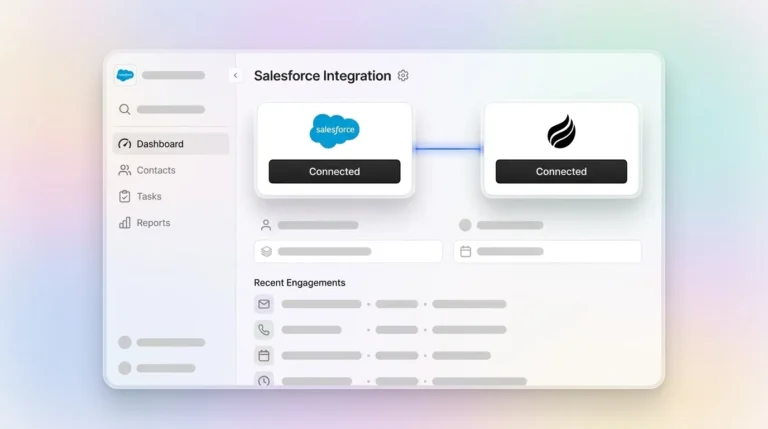
Coffee operates two deployment models. The Standalone CRM serves teams of 1–20 employees that have outgrown spreadsheets. Connection to Google Workspace or Microsoft 365 activates the agent immediately, with no admin configuration required. The Companion App serves teams of 20–75 already committed to Salesforce or HubSpot. A simple authentication deploys the Coffee Agent as a data-capture layer on top of the existing system, with summaries and notes writable back to HubSpot or Salesforce.
The agent recovers 8–12 hours per rep per week that previously went into manual data entry, logging, and reporting prep. That time returns directly to selling.
Adoption, Integrations, and Pipeline Visibility
Coffee’s Intelligence layer, introduced in February 2026, allows users to define business model, ICP, and competitor context so the agent generates tailored suggestions and insights. Reps interact with a system that already understands their deals, which reduces the friction that causes shadow CRMs to appear.
Passive CRMs encourage shadow CRMs because reps find it faster to maintain a private spreadsheet than to update fields in a system that gives nothing back. Salesforce and HubSpot both require point-solution stacks such as enrichment tools like ZoomInfo and conversation intelligence tools like Gong to approximate what Coffee’s agent delivers natively.
Coffee’s Pipeline Compare feature visualizes week-over-week changes, highlighting progressed deals, stalled opportunities, and new additions. This view replaces manual CSV exports and interrogation-style pipeline reviews that consume manager time across passive CRM deployments.
Total Cost of Ownership and Stack Consolidation
Salesforce Enterprise pricing starts at $165 per seat per month before add-ons. A mid-market team of 30 reps commonly adds Sales Engagement, Revenue Intelligence, and a data enrichment subscription, which pushes total stack cost well above $300 per seat per month. HubSpot Sales Hub Professional starts at $90 per seat per month, but equivalent pipeline intelligence requires add-ons that compound cost.
Coffee uses seat-based pricing with no metering on agent actions or LLM usage. The agent’s labor, including data capture, enrichment, meeting management, and pipeline tracking, is included. For teams currently paying separately for a CRM, an enrichment tool, a conversation intelligence tool, and a forecasting add-on, Coffee consolidates those line items into one.

Calculate your stack consolidation savings using Coffee’s transparent seat-based pricing.
Why Post-ChatGPT Architecture Matters
CRM platforms built before 2023 share a common architectural assumption: humans serve as the data layer. Salesforce carries 25 years of relational database logic designed for structured field entry. HubSpot began as a marketing platform and later added CRM functionality, so it never operated as a unified intelligence system. Both architectures lose historical context when fields are overwritten because they lack a built-in data warehouse.
Capable large language models changed what CRM architecture can support. An agent can now read an email thread, extract deal-relevant signals, update the CRM record, draft a follow-up, and flag a risk without human involvement. Platforms that bolt AI features onto passive architectures, such as Zoho’s Zia and Freshsales’ Freddy, surface suggestions but cannot autonomously write clean data back to records at scale.
Coffee was built after this inflection point. Its data warehouse preserves full interaction history and enables the agent to answer questions about deal progression over time. A relational database with overwritten fields cannot support that level of historical insight.
What Sales Teams Report in 2025–2026
Sales operations forums in 2025–2026 consistently surface three complaints about passive CRMs. Reps maintain shadow CRMs in Notion or Google Sheets because the official system is too slow to update. Pipeline reviews require exporting CSVs and rebuilding context manually. Forecast accuracy degrades because deal stages reflect what was entered weeks ago, not current reality.
A company generating tens of millions in revenue building custom AI solutions rejected Salesforce and HubSpot because both required too much manual work to maintain. After deploying Coffee, automatic contact creation from Google Workspace kept the CRM current without human effort. The Pipeline Compare feature also eliminated their weekly spreadsheet-based review process.
Scenario-Based Recommendations by Team Type
- Startups (1–20 employees): Coffee Standalone CRM. No admin overhead, immediate agent activation on email and calendar connection, and built-in enrichment that removes the need for Apollo or ZoomInfo.
- Growing teams (20–75 employees): Coffee Standalone CRM or Companion App, depending on the existing stack. Teams without a CRM get a full agent system. Teams already on HubSpot deploy the Companion App to fix data quality without migration.
- Mid-market teams on Salesforce or HubSpot: Coffee Companion App. The agent writes clean data back to the existing system of record, preserves current workflows, quotas, and forecasting configurations, and removes manual entry.
Decision Framework and Checklist
Use this framework to match Coffee’s deployment models to your current state. Start with team size and CRM footprint, then factor in your primary pain point.
- If your team is under 20 with no existing CRM, choose Coffee Standalone to avoid inheriting legacy architecture.
- If your team of 20–75 uses HubSpot and adoption is low, deploy the Coffee Companion App to repair data quality without migration.
- If your team runs on Salesforce and struggles with forecast accuracy, use the Companion App so the agent can write current, clean data back to your records.
- If reps spend more than 8 hours per week on data entry regardless of platform, deploy either Coffee model to recover that time.
- If your team operates in healthcare or financial services, align your deployment date with Coffee’s SOC 2 Type 2 and GDPR review timeline.
- If you are an enterprise with custom Salesforce workflows, select the Companion App and confirm integration depth with the Coffee team to support custom objects and fields.
Frequently Asked Questions
How long does Coffee take to implement?
The Standalone CRM activates immediately after connecting Google Workspace or Microsoft 365. The agent begins scanning emails and calendars to populate contacts, companies, and activities within hours. The Companion App for Salesforce or HubSpot requires a simple authentication step. No migration or data mapping is needed because Coffee writes data back to the existing system rather than replacing it.
Does switching to Coffee require migrating existing CRM data?
Teams using the Companion App do not migrate data. Coffee operates as a layer on top of Salesforce or HubSpot and enriches and updates records in place. Teams moving to the Standalone CRM from a spreadsheet or a lightweight CRM like Pipedrive can import existing records. Coffee’s agent then begins enriching and maintaining those records automatically from the point of connection forward.
How does Coffee handle data security?
Coffee is SOC 2 Type 2 and GDPR compliant. Data processed by the Coffee Agent is not used to train public AI models. For teams in regulated industries, Coffee’s compliance documentation is available for review, and organizations with multi-year security review requirements should factor that timeline into their evaluation.
Can Coffee scale as the sales team grows?
Coffee’s seat-based pricing scales linearly with headcount. The agent’s capabilities, including data capture, enrichment, meeting management, and pipeline intelligence, are not metered or capped per seat. Teams that start on the Standalone CRM and later commit to Salesforce can transition to the Companion App model without losing historical data because Coffee’s data warehouse retains full interaction history.
What integrations does Coffee support?
Coffee integrates with Stripe and QuickBooks via Zapier and can be used alongside HubSpot or Salesforce. Broader integrations are available via Zapier, and deeper native integrations are on the product roadmap. The Companion App writes data back to Salesforce and HubSpot, including support for required fields, custom objects, and forecast categories.
Conclusion
The 2026 CRM market divides cleanly into passive databases and active agents. Salesforce, HubSpot, Pipedrive, Zoho, and Freshsales store data only when humans enter it. Coffee’s agent captures, enriches, and structures data autonomously, returning the time previously lost to manual updates and producing pipeline intelligence that reflects current reality instead of last week’s data entry. Coffee operates as a standalone system for growing teams or as a companion layer on existing Salesforce and HubSpot instances, so teams can modernize their CRM without a rip-and-replace migration.
Put an agent CRM to work on your pipeline and evaluate Coffee against your current stack.