Key Takeaways
- Visitor InSites uses pixel-based IP tracking for person-level identification but delivers only 5-25% accuracy and frequent VPN false positives.
- Coffee delivers richer person-level data and AI-suggested prospects that match your ICP, so your team avoids manual list sorting.
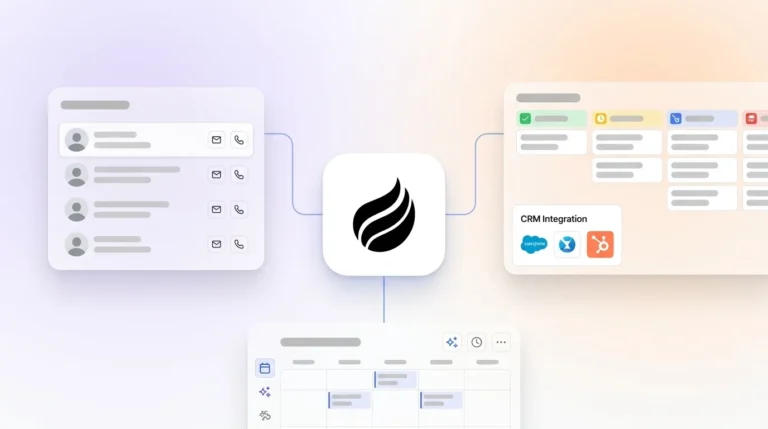
- Coffee connects directly to Salesforce and HubSpot, enriches records automatically, and runs CRM workflows without extra tools.
- 2026 privacy laws require cookie-less tracking and respect for user signals; Coffee stays SOC 2 compliant while honoring these evolving regulations.
- Transform anonymous traffic into pipeline with Coffee’s integrated CRM Agent.
How Visitor InSites Handles Website Visitor Identification
Website visitor identification turns anonymous traffic into company and people data using pixel-based IP reverse-lookup technology. Most tools that rely on IP database matching reach only 5-25% accuracy rates while operating cookie-less to comply with 2026 privacy regulations including Oregon’s OCPA amendments and Global Privacy Control requirements. Visitor InSites focuses on person-level identification by matching visitor IP addresses to business networks and surfacing firmographic data such as industry, employee count, and revenue for sales prioritization.
Setting Up Visitor InSites and What It Actually Delivers
Visitor InSites setup follows a straightforward five-step process that gets the tracking pixel live and basic alerts running.
1. Generate Tracking Pixel: Create a unique JavaScript tracking code in your Visitor InSites dashboard.
2. Install on Website: Add the pixel code to your website’s <head> section across all pages.
3. Verify Installation: Confirm the pixel is firing correctly using the dashboard verification tool.
4. Configure Dashboard: Set up company filters, alert preferences, and data export settings.
5. Enable Notifications: Activate email or Slack alerts for target account visits.
Once these steps are complete, Visitor InSites begins identifying visitors and sending basic alerts. Understanding where this setup helps and where it falls short makes it easier to decide whether the platform fits your sales motion. The table below highlights the core capabilities and the tradeoffs that come with them.
| Feature | Visitor InSites | Limitations |
|---|---|---|
| Accuracy Rate | Varies | VPN and proxy traffic often create false positives |
| CRM Integration | Integrations available | Depth and reliability differ by CRM and require extra setup |
| Post-ID Actions | Contact details and notifications | Additional configuration and manual routing are usually required |
| Data Depth | Person-level | Quality and completeness depend heavily on third-party data sources |
Head-to-Head Comparison: Visitor InSites, Coffee, and RB2B/Warmly
Coffee’s CRM-native approach delivers stronger automation and higher quality identification than standalone visitor tools. Visitor InSites focuses on company and contact matching, while Coffee identifies specific people and suggests the right prospects with one-click routing into your CRM.

To see how each platform supports real pipeline creation, compare how they handle the core factors that turn visitor identification into revenue: data quality, CRM connection, AI capabilities, and automation depth.
| Criteria | Visitor InSites | Coffee | RB2B/Warmly |
|---|---|---|---|
| Identification Rate | Varies | Person-level with AI-enhanced matching | Company-only or undifferentiated and raw people data |
| CRM Integration | Integrations available | Native Salesforce and HubSpot | CRM integrations |
| AI Features | AI webinar engine | Persona-matched lead suggestions | AI agents and workflows |
| Automation | Contact details and notifications | Automated workflows | Real-time alerts, personalized outreach workflows, lead scoring, and AI-driven email and LinkedIn sequences |
Coffee’s pixel captures visitor name, title, email, and LinkedIn profile, then uses AI to recommend the top two or three prospects that match your buyer persona. This workflow removes the manual list sorting and contact selection that teams often face with Visitor InSites and similar tools.

The comparison reveals a clear pattern. Standalone tools such as Visitor InSites deliver raw data and basic alerts, while your team still handles scoring, routing, and outreach by hand. Coffee treats visitor identification as the starting point for an automated workflow that carries prospects from first visit to active pipeline.
Why Coffee Outperforms Traditional Visitor Identification Tools
Coffee turns website visitor identification into an automated revenue engine instead of a static reporting dashboard. Visitor InSites surfaces data and notifications, but Coffee’s Agent enriches, scores, and routes prospects directly through your existing CRM workflows.
Key Differentiators:
• Person-Level Intelligence: Coffee identifies individual visitors with name, title, email, and LinkedIn profiles, not just company names. This detailed view creates a strong foundation for precise prospect selection.
• AI-Powered Recommendations: Using that person-level data, the Agent suggests which two or three people at each visiting company match your ICP. Your team no longer needs to review long contact lists or guess who to prioritize.
• Native CRM Integration: After the Agent selects the right prospects, one-click addition to Salesforce or HubSpot with full enrichment moves them into your pipeline immediately. Sales and marketing teams work from the same accurate records.
• Automated Workflows: This CRM connection triggers real-time Slack alerts and instant LinkedIn outreach options. Identification turns into action without leaving your existing tools or building complex custom workflows.
A tens-of-millions ARR firm using Coffee’s Agent added significant pipeline through automated visitor identification and CRM routing. The team removed manual data entry and contact selection that previously slowed down sales when they relied on standalone tools. See Coffee’s AI-powered prospect matching in action to understand how this integrated approach outperforms fragmented visitor identification stacks.
How to Identify Website Visitors in 2026 with Coffee
Revenue teams in 2026 need visitor identification that respects privacy, uses AI to rank prospects, and connects cleanly to existing sales workflows. Coffee follows a simple sequence that turns anonymous visitors into routed leads your team can contact immediately.
1. Deploy Coffee Pixel: Install the tracking script to begin identifying visitors in real time. The pixel captures the core data that every later step relies on.
2. Configure Buyer Personas: Set up ICP criteria for AI-powered prospect matching. These rules tell the Agent which visitors matter most and which should trigger alerts.
3. Enable Slack Notifications: Receive instant alerts when target accounts visit your site. Notifications fire only for visitors that match your persona settings, so your team focuses on qualified traffic.
4. Auto-Enrich CRM: Let Coffee’s Agent populate Salesforce or HubSpot with visitor data automatically. Each qualified visitor becomes a complete record with contact details and firmographic context.
5. Execute Outreach: Use AI-suggested prospects for immediate LinkedIn connection requests and follow-up sequences. Reps move from alert to outreach in a single workflow.
Coffee maintains SOC 2 compliance and honors the privacy signals required under these evolving regulations. Your team gains accurate visitor identification while staying aligned with modern privacy expectations.
Risks, Limitations, and Where Visitor Identification Is Heading
Visitor InSites struggles to keep pace with 2026 sales requirements. Realistic identification rates for IP tracking of European B2B website visitors reach only 35-40% for quality platforms, and layering AI features on top of this data often creates stack bloat without real automation. Teams still handle routing by hand and miss the advanced lead scoring that modern revenue operations expect.
Coffee closes these gaps with agentic AI that autonomously handles lead scoring, segmentation, and personalized outreach. The platform uses a cookie-less, privacy-first design that aligns with upcoming regulations while delivering stronger identification accuracy and more reliable routing.
Decision Framework and Best-Fit Use Cases
Your choice of visitor identification tool should reflect how deeply you rely on your CRM and how much manual work your team can support.
Coffee: Works best for SMB and mid-market teams on Salesforce or HubSpot that want automated lead routing, AI-powered prospect recommendations, and minimal manual data entry.
Visitor InSites: Fits teams that accept manual data processing and want basic person-level identification without tightly integrated automation.
Teams with low CRM adoption or heavy manual data entry gain the most from Coffee’s Agent-driven approach, which removes repetitive work and speeds up follow-up. Start your 14-day trial to experience automated visitor-to-pipeline conversion without building custom routing rules from scratch.
Conclusion
Visitor InSites offers basic website visitor identification, but Coffee’s integrated CRM Agent delivers the automation and intelligence that modern revenue teams expect. With only 49% of web traffic coming from humans and many tools accurately identifying fewer than one in four visitors, every qualified visit matters.
Coffee turns anonymous traffic into named prospects with AI-suggested leads, automatic CRM enrichment, and one-click outreach. Your team can move beyond generic company lists and manual routing to a system that acts on visitor intent in real time. Get started with Coffee’s Agent to automate your visitor identification workflow and accelerate pipeline generation from day one.
FAQ
What do Visitor InSites reviews show for 2026?
Recent reviews highlight Visitor InSites’ limits, including generic company lists, VPN-driven false positives, and minimal automation. Users often mention heavy manual data processing and shallow CRM integration as major drawbacks. Coffee counters these issues with richer person-level data and automated workflows that remove manual steps.
What are the best website visitor tracking tools in 2026?
Leading tools include Coffee for CRM-integrated workflows, ZoomInfo WebSights for large enterprise accounts, and RB2B for basic person-level identification. Coffee stands out for automation and AI-powered prospect recommendations, while traditional tools such as Visitor InSites trail in advanced features and integration depth.
Can websites actually identify visitors in 2026?
Websites can identify visitors using IP-based methods combined with AI enhancement, although a significant share of traffic still comes from bots. Identification rates vary by technology and database quality, so results differ widely across platforms. Coffee’s AI-driven approach focuses on practical person-level accuracy and automated lead scoring that sales teams can trust.
How do you get website visitor information effectively?
Teams capture visitor information effectively by deploying Coffee’s pixel for real-time identification that records name, title, email, and LinkedIn profiles. The Agent enriches this data, scores each prospect against your ICP, and routes qualified leads into your CRM automatically. This approach replaces the manual exports and list cleaning that tools like Visitor InSites often require.
Is website visitor identification compliant with 2026 privacy laws?
Visitor identification remains compliant when teams use cookie-less technology, respect consent, and honor user privacy signals. Coffee maintains SOC 2 compliance and honors Global Privacy Control signals required under Oregon’s OCPA amendments and other 2026 regulations. The platform’s privacy-first architecture supports compliance while still delivering strong identification performance.