Key Takeaways
- Instantly.ai struggles in 2026 with under-88% deliverability, rising pricing ($97+/month), and email-only functionality.
- Coffee ranks #1 as a full-stack AI agent CRM that automates list building, visitor ID, and CRM workflows to reach 20%+ reply rates.
- Alternatives like Smartlead (agencies), Saleshandy (budget), and Lemlist (personalization) offer focused strengths but lack Coffee’s automation depth.
- High-performing platforms deliver 95-98% inbox placement, launch campaigns in under 10 minutes, and remove manual tool-switching for better ROI.
- Switch to Coffee’s AI-driven automation for a complete Instantly upgrade with leads-to-close workflows.
Why Instantly Falls Behind in 2026 and What to Use Instead
Instantly.ai’s 2026 issues show up across sales communities and benchmark reports.
- Deliverability collapse: Bottom performers experience bounce rates of 12% or higher, resulting in deliverability rates below 88%
- Pricing inflation: Instantly.ai Hypergrowth plan costs $77.60 per month with annual billing for meaningful sending volume
- Email-only limitations: No visitor identification, list building, or CRM automation
- Manual workflow hell: Constant tool-switching between email, CRM, and lead sources
The strongest Instantly alternatives fix these problems directly. Ideal deliverability sits between 95-98%, and signal-based, AI-enhanced emails achieve 15-25% reply rates, which can reach five times the performance of generic outreach.
We evaluated the top alternatives against these benchmarks, then ranked each tool by its strongest use case so you can match the platform to your outbound strategy.
Top 10 Instantly.ai Alternatives Ranked by Use Case
1. Coffee (Best for Full-Stack AI Agent CRM)
Coffee acts as an AI agent that runs your entire outbound workflow, not just your email sends. While many competitors focus only on sequences, Coffee builds targeted prospect lists, identifies anonymous website visitors, and enriches your CRM automatically with meeting notes and follow-ups.

Here is how Coffee compares across the core buying factors for outbound teams:
| Pros | Cons | Pricing | Best For |
|---|---|---|---|
| Full-stack automation, high deliverability, visitor ID pixel | Newer platform, fewer integrations than legacy tools | Seat-based pricing (contact for details) | Teams wanting CRM and outreach in one agent |
Coffee’s List Builder lets you say, “Find VPs of Sales at $10M+ funded companies using Salesforce,” then delivers enriched prospects instantly. Beyond list building, the Visitor ID pixel converts anonymous website traffic into named leads with LinkedIn profiles, so you capture visitors who never fill out a form. February 2026’s Intelligence layer adds deep business context that powers tailored AI insights across both built lists and identified visitors.

Coffee saves 8-12 hours per week by removing manual data entry and admin work. It works as a standalone CRM or as a companion to Salesforce and HubSpot, so teams avoid maintaining separate systems. This integration depth separates Coffee from email-only tools, because it builds lists, identifies visitors, and feeds your CRM with enriched data, which creates the foundation for higher reply rates.

Start your free Coffee trial and experience full-stack outbound automation.
2. Smartlead (Best for Agencies and High-Volume Sending)
Smartlead suits agencies that manage many clients and need scale across multiple inboxes. It focuses on volume, white-label control, and agency workflows.
The table below highlights Smartlead’s strengths and tradeoffs for agency teams:
| Pros | Cons | Pricing | Best For |
|---|---|---|---|
| Unlimited email accounts, white-label dashboard, agency features | Complex setup, steep learning curve | $39/month for 2,000 leads, scaling to $174/month | Agencies managing multiple clients |
3. Saleshandy (Best for Budget-Conscious Teams)
Saleshandy fits small teams that want reliable cold email without a large subscription cost. It focuses on affordability while still covering core outreach needs.
Use this breakdown to see how Saleshandy balances price and capability:
| Pros | Cons | Pricing | Best For |
|---|---|---|---|
| Unlimited email accounts, built-in verification, cost-effective | Limited advanced features, basic UI | $25/month for 2,000 prospects | Small teams prioritizing affordability |
4. Lemlist (Best for Advanced Personalization)
Lemlist focuses on creative, personalized outreach across channels. It works well for teams that want visual and dynamic campaigns instead of plain-text sequences.
The following snapshot shows how Lemlist trades cost for advanced personalization features:
| Pros | Cons | Pricing | Best For |
|---|---|---|---|
| Dynamic image personalization, multichannel sequences, AI writing | Per-user pricing gets expensive, limited email accounts | Lemlist Email Pro (email-only) from $63/user/month on annual billing | Sales teams focused on creative outreach |
5. Woodpecker (Best for Deliverability Focus)
Woodpecker centers its product on inbox placement and domain health. It suits small B2B teams that care more about clean sending than complex automation.
Here is a quick view of Woodpecker’s deliverability-first approach:
| Pros | Cons | Pricing | Best For |
|---|---|---|---|
| Strong deliverability focus, automated warm-up, simple interface | Limited scalability, basic features | Usage-based pricing | Small B2B teams prioritizing inbox placement |
6. Reply.io (Best for Multichannel Outreach)
Reply.io supports outreach across email, LinkedIn, and phone in one platform. It works for teams that already run multichannel plays and want everything in a single interface.
The table below outlines how Reply.io handles channels and pricing:
| Pros | Cons | Pricing | Best For |
|---|---|---|---|
| Email, LinkedIn, phone integration, CRM sync | Per-user pricing, additional channel costs | $49 per user per month (billed annually) for 1,000 active contacts | Sales teams using multiple channels |
7. Klenty (Best for Salesforce-Centric Teams)
Klenty serves organizations that live inside Salesforce and want tight sync between outreach and CRM data. It focuses on workflow automation around Salesforce objects.
Use this summary to see how Klenty fits Salesforce-heavy environments:
| Pros | Cons | Pricing | Best For |
|---|---|---|---|
| Deep Salesforce sync, workflow automation, team features | Complex setup, higher pricing tiers | $45+/user/month | Salesforce-heavy organizations |
8. Outreach.io (Best for Enterprise Sales Teams)
Outreach.io targets large sales organizations that need advanced analytics and conversation intelligence. It fits enterprises that can support complex rollouts and higher costs.
The next table shows Outreach.io’s positioning for enterprise buyers:
| Pros | Cons | Pricing | Best For |
|---|---|---|---|
| Enterprise features, advanced analytics, conversation intelligence | Expensive, complex implementation | $100+/user/month | Large sales organizations |
9. GMass (Best for Gmail-First Users)
GMass works directly inside Gmail, which makes it attractive for solo operators and very small teams. It focuses on simplicity and low cost over advanced automation.
Here is how GMass stacks up for Gmail-based outreach:
| Pros | Cons | Pricing | Best For |
|---|---|---|---|
| Gmail integration, affordable, easy setup | Limited features, Gmail sending limits | $29.95/month for unlimited campaigns | Solo entrepreneurs using Gmail |
10. Mailshake (Best for Simple Sequences)
Mailshake focuses on straightforward email sequences and a friendly interface. It suits small teams that want basic outreach without complex configuration.
The table below highlights Mailshake’s simplicity-first approach:
| Pros | Cons | Pricing | Best For |
|---|---|---|---|
| User-friendly interface, A/B testing, CRM connections | Basic features, per-user pricing | $49/month for Email Outreach plan | Small teams wanting simplicity |
All ten tools improve on Instantly in at least one area, such as deliverability, pricing flexibility, or workflow support. The top five, however, stand out across the most important metrics for outbound performance.
Instantly vs Top 5 Alternatives [Head-to-Head Comparison]
This head-to-head comparison shows how Instantly stacks up against the five strongest alternatives across the metrics that matter most for outbound ROI: deliverability, pricing structure, automation depth, CRM integration, reply rate performance, and time to first campaign.
| Platform | Deliverability | Pricing | Automation Depth | CRM Integration | Reply Boost | Setup Time |
|---|---|---|---|---|---|---|
| Instantly.ai | Below 88% for bottom performers | $77.60/month with annual billing | Email-only | Limited Zapier | 3.43% average | 30+ minutes |
| Coffee | High deliverability | Seat-based | Full-stack agent | Native and companion | Achieves the 20%+ benchmark mentioned earlier through signal-based personalization | Under 10 minutes |
| Smartlead | High deliverability | $39-174/month | Email plus basic automation | API integrations | 5-8% | 45+ minutes |
| Saleshandy | 92-95% | $25-219/month | Email sequences | Basic CRM sync | 4-6% | 20 minutes |
| Lemlist | High deliverability | $39-99/user/month | Multichannel | Standard integrations | 6-10% | 25 minutes |
Coffee leads across key metrics because it operates as an AI agent instead of a simple email sender. Top performers combine strong deliverability with full-stack automation, which removes manual workflows and supports higher reply rates.

See Coffee’s pricing and features to compare against your current Instantly costs.
Migration Checklist: Moving from Instantly to Coffee
Teams that choose Coffee after comparing platforms can follow this simple checklist to switch from Instantly without losing data or momentum.
- Export your Instantly contact lists and campaign data
- Authenticate Coffee with Google Workspace or Microsoft 365
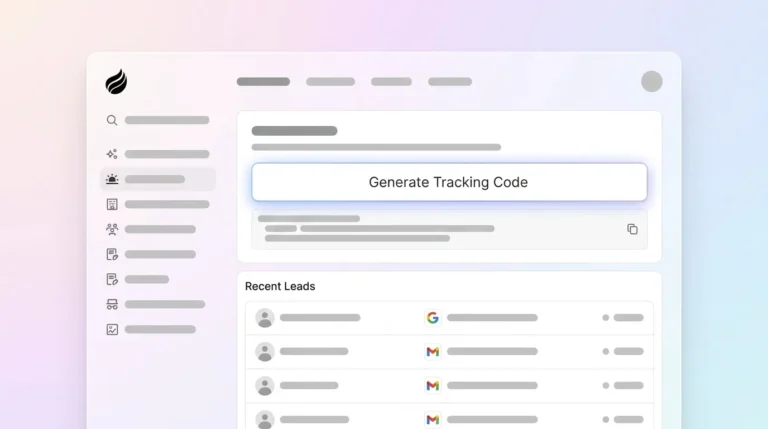
- Install Coffee’s Visitor ID pixel on your website
- Configure ICP settings for List Builder and Suggested Leads
- Set up Zapier connections for any legacy tool integration you still need
FAQ
What is the best Instantly alternative for agencies?
Agencies usually see the strongest results with Coffee or Smartlead. Coffee provides full-stack AI agent automation with visitor identification and CRM integration, which reduces manual work across client accounts. Smartlead offers white-label dashboards and unlimited email accounts, which supports traditional agency models at scale. Coffee focuses more on time savings and automation depth, while Smartlead focuses on high-volume sending and branding control.
How does Coffee compare to Instantly?
Coffee acts as an AI agent that automates your entire outbound workflow, including list building, visitor identification, CRM entry, and follow-ups. Instantly focuses only on sending emails. Coffee delivers stronger deliverability, removes manual data entry, and provides full-stack automation that Instantly cannot match. Coffee also works as both a standalone CRM and a companion to existing systems, which gives teams more flexibility.

Are there free Instantly alternatives?
GMass offers a free trial limited to 50 emails per day, and Hunter Sequences provides free campaigns with limited recipients. These free options cap deliverability, features, and sending volume, which restricts serious outbound programs. For consistent pipeline, paid tools like Coffee or Saleshandy usually deliver better ROI through higher reply rates and automation support.
Which platforms have the strongest deliverability in 2026?
Coffee, Woodpecker, and Smartlead sit near the top of deliverability rankings. Coffee reaches high deliverability through AI-tuned sending patterns and clean domain management. Woodpecker focuses specifically on inbox placement and warm-up, while Smartlead balances volume with deliverability controls. Avoid platforms with weak domain management, because deliverability directly affects reply rates and overall ROI.
How do I migrate from Instantly to Coffee?
Migration from Instantly to Coffee follows a short, predictable process. Export your Instantly data, connect Coffee to your email accounts, install the Visitor ID pixel, and configure your ICP for automated list building. Coffee’s automation then enriches contacts and logs activities without extra effort from your team. Most teams finish setup in under 10 minutes and start seeing higher reply rates within the first week.