Key Takeaways
-
Coffee ranks #1 among 9 CRM tracking scripts for 2026, with AI-powered visitor identification, persona matching, and auto-sync to Salesforce and HubSpot.
-
The top scripts in this guide are evaluated on automation, data quality, integrations, privacy compliance, and server-side accuracy above 99%.
-
Coffee saves sales teams 8-12 hours each week and generates 44% more qualified leads through suggested outreach and real-time Slack alerts.
-
Legacy tools like HubSpot and Pipedrive rely on manual work, while Coffee’s AI agent removes data entry by enriching records with LinkedIn and funding data.
-
Transform anonymous traffic into pipeline and start your free Coffee trial today.
How We Evaluated CRM Tracking Scripts
This comparison focuses on eight dimensions that shape real outcomes. These include automation depth, setup simplicity, data quality, native integrations, privacy compliance, transparent pricing, identification accuracy, and actionability through alerts and suggested leads. Automation depth covers AI enrichment versus basic logging. Setup simplicity favors copy-paste implementation.
Data quality means named contacts with persona matching instead of vague firmographic data. Native integrations prioritize Salesforce, HubSpot, and Pipedrive. Privacy compliance covers GDPR and CCPA. Identification accuracy and Slack-based actionability determine how quickly teams can act. Server-side tracking achieves nearly 100% data accuracy compared to 70-90% for client-side tracking, so architecture directly affects ROI.
Top 9 CRM Tracking Scripts at a Glance
Based on these criteria, the table below ranks nine leading CRM tracking scripts. The Coffee Score reflects automation depth, data quality, and how easily each tool turns visitor activity into sales-ready intelligence.
|
Rank/Script |
Key Features |
Best For & Pricing |
Coffee Score |
|---|---|---|---|
|
#1 Coffee |
AI name/email/LinkedIn ID, persona matching, suggested leads, auto-sync |
SMB agent-led sales; Seat-based pricing |
10/10 |
|
#2 HubSpot |
Marketing-sales alignment; HubSpot CRM pricing ranges from Free to $150 per user per month |
7/10 |
|
|
#3 Pipedrive |
Company identification, email tracking |
Sales pipeline focus; $14/user/mo |
6/10 |
|
#4 Zoho |
All-in-one suite; $14/user/mo |
6/10 |
|
|
#5 RB2B |
Freemium intent signals; Freemium |
5/10 |
|
|
#6 Salesflare |
Auto-logging, self-hosted options |
Freelancers, consultants; $29/user/mo |
5/10 |
|
#7 Close.io |
Event tracking, call logging |
Inside sales teams; Close.io Essentials plan is $49 per user per month (billed monthly) |
5/10 |
|
#8 Monday.com |
Visual workflows, no-code setup |
Project-based teams; Monday.com pricing starts at $9 per seat per month, billed annually (minimum 3 seats) |
4/10 |
|
#9 Freshsales |
Customer service integration; Freshsales Growth plan is $9/user/month (billed annually) or $11/user/month (billed monthly) |
4/10 |
#1 Coffee: AI-Powered Visitor Identification
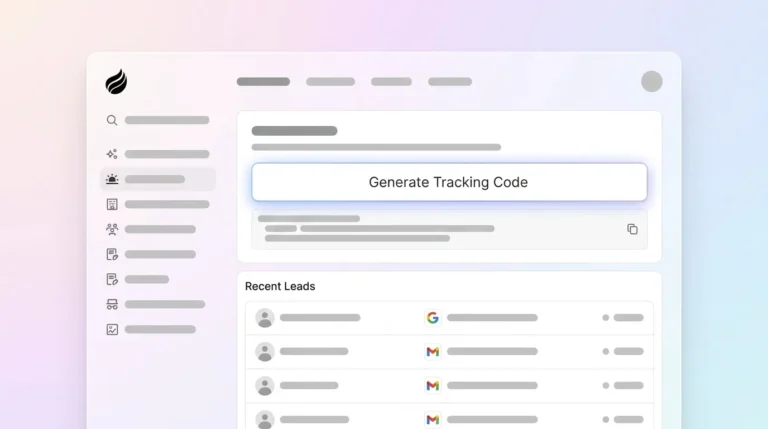
Coffee’s tracking pixel turns anonymous website visitors into actionable sales intelligence with a single line of code. The AI agent automatically verifies installation and then identifies visitors by name, email, LinkedIn profile, job title, and company funding status. Real-time Slack notifications surface high-fit prospects, and the Suggested Leads feature recommends specific people inside visiting companies who match your buyer persona.

Coffee works as a Standalone CRM for growing teams or as a Companion App that enriches existing Salesforce and HubSpot instances. One AI solutions firm moved from manual spreadsheet tracking to automated pipeline management, with the agent creating contacts, summarizing meetings, and drafting follow-ups. The impact is measurable: enriched, signal-augmented CRM data delivers the 44% lift in sales-qualified leads mentioned earlier, compared to basic contact information alone.

Explore Coffee’s plans and start capturing named visitors in minutes.
#2 HubSpot: Marketing-Centric Tracking
HubSpot’s tracking code centers on form submissions and page view analytics. It offers AI-powered content recommendations based on visitor behavior and embedded chatbots that predict user needs. The platform excels at marketing attribution but still depends on manual lead qualification by your team.
Setup involves embedding HubSpot’s tracking code in your website header. The system mainly captures known contacts instead of identifying anonymous visitors. At the pricing range shown in the table above, HubSpot targets marketing teams that have budget for comprehensive attribution tools and internal resources for qualification.
#3 Pipedrive: Sales Pipeline Focus
Pipedrive’s tracking centers on company identification and email engagement monitoring. The platform integrates with website forms to capture lead details and tracks email opens, clicks, and responses. Implementation requires adding Pipedrive’s JavaScript snippet to your site.
Visitor identification stays limited to form submissions, so anonymous traffic remains largely invisible. At $14 per user each month, Pipedrive fits sales teams that value pipeline visualization more than deep visitor intelligence.
#4 Zoho: Suite-Based Visitor Tracking
Zoho CRM includes visitor tracking as part of a broader business suite. It offers website journey monitoring and AI-powered predictions through Zia, its AI assistant. The script captures basic visitor data and connects with Zoho’s email marketing and social tools.
The approach is comprehensive at a suite level but lacks the specialized visitor identification of dedicated tools. Pricing starts at $14 per user each month across the Zoho ecosystem, which appeals to teams standardizing on a single vendor.
#5 RB2B: Freemium Visitor Identification
RB2B focuses on person-level identification of anonymous website visitors and sends real-time Slack notifications when prospects visit your site. The freemium model supports basic visitor identification, while advanced features sit behind paid plans.
Implementation involves adding RB2B’s tracking script to your website header. The platform emphasizes intent signals over deep CRM integration, so it fits teams that want visitor alerts without full automation or complex workflows.
#6 Salesflare: Automated Activity Logging
Salesflare emphasizes automatic activity logging and contact enrichment through email and calendar connections. Its tracking focuses on communication history instead of website visitor identification. Setup requires linking email accounts and installing browser extensions.
Security-conscious organizations can choose self-hosted deployment. At $29 per user each month, Salesflare targets freelancers and consultants who need automated contact management but not advanced visitor tracking.
#7 Close.io: Tracking for Inside Sales Teams
Close.io supports inside sales teams with call logging, email tracking, and activity automation. The platform captures communication data and integrates with phone systems to track every interaction. Website visitor identification plays a secondary role to communication workflow optimization.
Close.io Essentials plan is $49 per user per month (billed monthly), which aligns with established teams that maintain dedicated inside sales representatives.
#8 Monday.com: Visual CRM Workflow Management
Monday.com approaches CRM tracking through visual boards and workflow automation. Tracking focuses on tasks and project progression instead of visitor identification. Implementation involves building custom boards and connecting form submissions through Zapier.
Monday.com pricing starts at $9 per seat per month, billed annually (minimum 3 seats), so it suits project-based teams that want visual pipeline management more than specialized visitor tracking.
#9 Freshsales: Tracking Within Freshworks Suite
Freshsales tracks website user journeys and supports real-time customer service engagement powered by Freddy AI for lead scoring. The platform blends customer service and sales data in one environment. Visitor identification, however, remains basic compared to dedicated solutions.
Setup involves embedding Freshworks’ tracking code and configuring lead scoring rules. Freshsales Growth plan is $9/user/month (billed annually) or $11/user/month (billed monthly) within the broader Freshworks ecosystem.
AI Automation vs Legacy Pixels
The rankings above highlight a clear divide between AI-first tracking and legacy pixels. Coffee’s #1 position reflects an architecture that moves from passive logging to proactive intelligence. Companies are rapidly shifting from monolithic AI assistants to orchestrated multi-agent systems where specialized expert agents handle CRM integration, so tracking now supports autonomous decision-making instead of simple data collection.
Coffee unifies structured and unstructured data through its AI agent, while legacy tools stay limited by traditional relational databases. This architectural edge extends into compliance, because AI-driven consent management can meet GDPR requirements that overwhelm manual tracking systems. Coffee’s server-side architecture delivers the near-perfect accuracy discussed earlier, which matters when AI agents depend on reliable data. That accuracy powers signal-qualified leads, and organizations using stacked signals see 9x higher conversion rates for signal-sourced pipeline compared to single signals.
No competitor matches Coffee’s agent-led Suggested Leads feature. The agent analyzes visiting companies and recommends specific people who fit your buyer persona, so reps know exactly whom to contact first.

Best-Fit Use Cases by Company Size
Company size strongly influences which tracking approach delivers the most value. Early-stage SMBs with 1-20 employees gain the most from Coffee’s Standalone pixel, which provides visitor-to-close automation without CRM complexity. Mid-market teams with 20-100 employees see better results by running Coffee in Companion mode alongside HubSpot or Salesforce, layering AI-powered visitor identification on top of existing workflows.
Enterprise organizations often need custom implementation strategies that go beyond standard tracking scripts and require tailored data governance and integration plans. Ready to implement AI-powered visitor identification? Explore Coffee’s plans for your team size.
Risks & Objections Across CRM Tracking Tools
Before committing to any CRM tracking solution, teams need clarity on security, integrations, and data quality. Coffee maintains SOC 2 Type 2 certification and GDPR compliance, which addresses the primary security concern that often blocks enterprise adoption. For teams worried about integration lock-in, Zapier connectivity supports more than 5,000 tools, and native Salesforce and HubSpot APIs provide deeper synchronization in the most common CRM environments.
The remaining concern centers on data quality. Coffee’s agent uses licensed enrichment partnerships to deliver accuracy roughly on par with ZoomInfo for most use cases, so contact information and company intelligence stay reliable for AI-driven workflows.
Decision Matrix & Next Steps
Your choice depends on whether you value proactive intelligence or basic tracking. Choose Coffee if you need AI-powered visitor identification with suggested leads and automated enrichment, because it tells you who to contact instead of only which companies visited. Select HubSpot if your main goal is marketing attribution with basic visitor tracking and you already have a team handling manual lead qualification.
Consider RB2B if budget limits push you toward a freemium option and you accept fewer automation features in exchange for simple visitor alerts. Avoid legacy solutions that rely on manual data entry and lack proactive intelligence, since they often cost more in labor than you save on licensing. Start transforming anonymous traffic into qualified pipeline with Coffee’s AI agent today.
Frequently Asked Questions
What is the best CRM tracking script for Salesforce integration?
Coffee’s Companion App provides the most advanced Salesforce integration in this comparison. It automatically enriches existing records with visitor identification data, LinkedIn profiles, and suggested leads. The AI agent syncs bidirectionally with Salesforce, creates contacts, logs activities, and updates opportunity stages without manual effort. Unlike basic pixels that only capture form submissions, Coffee identifies anonymous visitors by name and email and then suggests specific people inside visiting companies for targeted outreach.
How do you install Coffee’s visitor identification pixel?
Installation of Coffee’s tracking pixel involves adding a JavaScript snippet to your website’s header section. Coffee automatically verifies installation and begins identifying visitors within minutes. The agent manages backend processing, enrichment, and CRM synchronization without extra configuration. Real-time Slack notifications confirm successful identification and give your team immediate access to prospect intelligence.
Are CRM tracking scripts GDPR compliant?
Coffee maintains GDPR compliance across its tracking and enrichment workflows. The platform processes visitor data only with proper consent and offers clear opt-out mechanisms. Coffee’s SOC 2 Type 2 certification supports enterprise-grade security, and the AI agent respects privacy regulations in all supported regions. Data processing runs on compliant infrastructure with automatic deletion capabilities for user requests.
How does Coffee compare to HubSpot’s tracking capabilities?
Coffee’s AI agent identifies anonymous visitors by name, email, and LinkedIn profile, while HubSpot mainly tracks known contacts through form submissions. Coffee provides suggested leads that highlight specific individuals inside visiting companies based on buyer personas, whereas HubSpot focuses on company-level insights. Coffee automates contact creation, enrichment, and follow-up suggestions, while HubSpot relies on manual lead qualification and outreach planning. Coffee can run as a standalone solution or as a Salesforce and HubSpot companion, which offers flexibility that HubSpot’s single-stack model cannot match.
What ROI can sales teams expect from AI-powered CRM tracking?
Sales teams using Coffee’s AI tracking typically save 8-12 hours each week through automated data entry and enrichment while generating 44% more sales-qualified leads than manual processes. The Suggested Leads feature supports immediate outreach to high-fit prospects, with signal-qualified accounts showing the 9x conversion lift that stacked signals deliver over single-signal approaches. Coffee replaces separate enrichment tools, visitor identification platforms, and manual CRM maintenance, consolidating multiple point solutions into one AI-powered system that drives measurable pipeline growth and faster sales cycles.