Key Takeaways for Calendar-to-CRM Automation
- Three main tool categories handle calendar-to-CRM automation: native sync, AI agents, and middleware platforms. Each category trades off setup effort, enrichment depth, and maintenance.
- Native CRM sync tools like HubSpot and Salesforce log basic contacts from meetings. They stay reactive and usually need higher tiers for richer enrichment.
- AI agents like Coffee scan invites automatically, create contacts, enrich records with job titles and funding data, and log activities without manual mapping or Zapier-style workflows.
- Middleware platforms such as Zapier demand hours of setup, ongoing maintenance, and task-based pricing that can spike as meeting volume grows.
- Teams that want zero-maintenance enrichment should try Coffee’s autonomous agent so it can handle contact creation from calendar invites.
7 Steps to Auto-Create Contacts from Calendar Invites
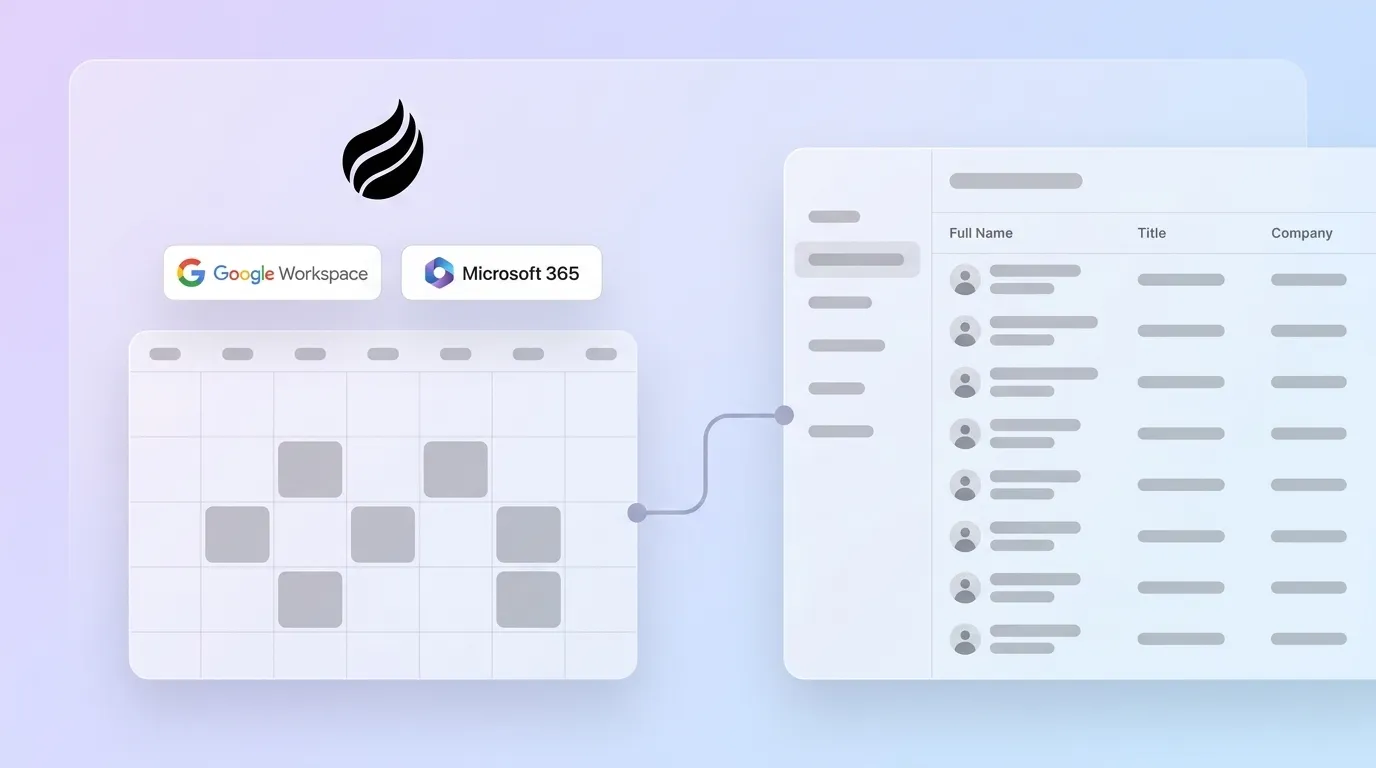
- Connect your calendar. Authenticate Google Workspace or Microsoft 365 with your chosen tool and grant read access to events and attendee details.
- Define contact creation rules. Set clear criteria for which attendees become new contacts, such as external domains, specific event types, or all invitees.
- Enable deduplication logic. Configure matching rules using email, company domain, or LinkedIn URL so the system blocks duplicates at creation.
- Configure enrichment sources. Connect licensed data partners or built-in enrichment so new contacts include job title, company size, funding, and LinkedIn profile.
- Map or delegate field population. For native and middleware tools, manually map calendar fields to CRM fields. For AI agents like Coffee, the agent handles field selection and mapping automatically.
- Set activity logging preferences. Confirm that meetings log to the contact timeline automatically, including bookings, reschedules, and cancellations.
- Validate and monitor data quality. Put ongoing enrichment routines and duplicate alerts in place, aiming for more than 80% field completion and fewer than 5% duplicates.
How to Evaluate Calendar-to-CRM Tools
Six criteria shape how these tools perform in real teams, and they fall into two groups: usability today and cost of ownership over time. Data quality and enrichment depth determine whether a new contact is ready for outreach or needs manual research. This is the primary usability driver. Implementation time and ongoing maintenance burden define how much operational effort the tool adds, with middleware often demanding the most attention when APIs or fields change. The remaining three criteria, accuracy of attendee matching, pricing transparency, and CRM compatibility, determine whether the tool scales reliably as meeting volume and tech stack complexity grow.
Native CRM Calendar Sync Tools in Practice
Setup: Native schedulers connect in minutes through OAuth. HubSpot’s meeting scheduler connects to Google Calendar, Office 365, and Exchange so prospects can see availability on scheduling pages.
How contacts are created: HubSpot uses email as the unique identifier and checks for existing contacts before creating new ones. Salesforce usually needs extra configuration or Einstein Activity Capture to log calendar events reliably. Less Annoying CRM offers basic calendar sync but does not enrich contacts.
Pricing: Calendar sync is bundled into Sales Hub tiers. HubSpot AI tools (Breeze) appear in Free, Starter, Professional, and Enterprise plans, with advanced enrichment reserved for higher tiers.
Limitations: Native syncs stay reactive. They log what was booked but do not proactively enrich attendee records before outreach. Calendly’s HubSpot integration runs one-way only, which shows how popular schedulers can still miss true bidirectional sync. Salesforce automation often needs heavy configuration, custom development, and outside consultants, which raises total cost of ownership for teams that want richer automation.
AI Agent Solutions for Calendar-Driven Contact Creation
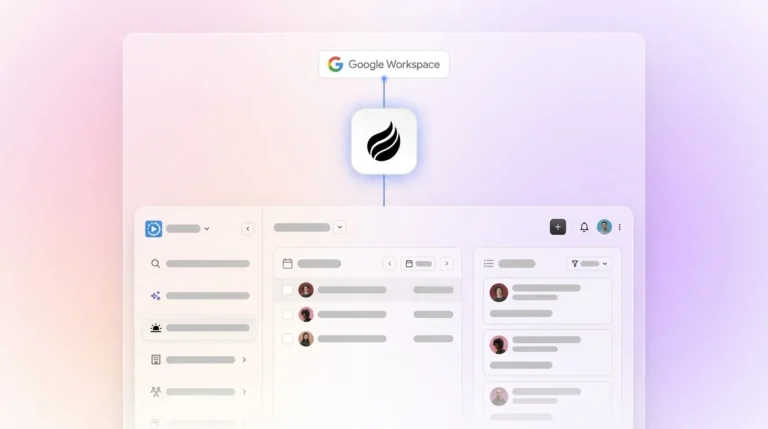
Setup: Coffee connects to Google Workspace or Microsoft 365 so its autonomous agent can scan emails and calendars and build structured CRM data without manual input. Authentication takes minutes. Once connected, the agent starts creating and enriching contacts without any field mapping.
How contacts are created: The agent works in real time. When a calendar invite arrives, it identifies external attendees, checks them against existing CRM records to avoid duplicates, and then creates contact and company records when needed. It enriches new contacts with job titles, funding data, and LinkedIn profiles through licensed data partners. The agent also logs last activity and next activity so deal state stays current. As a Companion App, Coffee writes this enriched data back into Salesforce or HubSpot, improving data quality without replacing the CRM.

Pricing: Coffee uses seat-based pricing with no metering on agent actions. Contact creation, enrichment, and activity logging all sit inside the license, with no extra per-record fees.
Limitations: AI agents depend on strong data trust. A Salesforce study of CIOs found that trust in data has become the top bottleneck for autonomous AI adoption entering 2026. Coffee addresses this with SOC 2 Type 2 and GDPR compliance, and it does not use customer data to train public models.
See Coffee’s pricing and let the agent handle contact creation from your next calendar invite.
Automation Platforms (Middleware) for Custom Workflows
Setup: Zapier and Make ask users to build multi-step Zaps or scenarios that connect Google Calendar or Outlook to a CRM. Initial setup often takes hours or days, especially when field mapping grows complex.
How contacts are created: Middleware triggers contact creation when a calendar event fires, then passes chosen fields into the CRM. Enrichment needs extra steps that connect third-party data providers, which adds latency and more potential failure points.
Pricing: Task-based pricing means costs rise with activity volume. Busy calendars can push teams past free tiers quickly.
Limitations: Native integrations between CRMs and email or calendar providers usually beat third-party connectors for reliability and lower maintenance. When calendar or CRM APIs change, middleware workflows can break and need manual fixes. These platforms do not enrich autonomously. Every data point must be mapped and maintained by hand.
Side-by-Side Comparison Table
| Tool Category | Setup Time | Enrichment Capability | Pricing Model |
|---|---|---|---|
| Coffee (AI Agent) | Minutes, no field mapping required | Autonomous enrichment: job title, company, funding, LinkedIn via licensed partners | Seat-based, agent labor included |
| HubSpot Native Sync | Minutes via OAuth, AI tools available across tiers | Basic contact creation; AI tools available in Free, Starter, Professional, and Enterprise plans with advanced features in higher tiers | Tiered, enrichment features sold as premium |
| Salesforce Native | Days to weeks, often needs a consultant | Einstein Activity Capture logs events, enrichment via paid add-ons | Per-seat plus add-on costs |
| Zapier / Make (Middleware) | Hours to days, manual field mapping required | No native enrichment, needs extra steps and third-party connectors | Task-based, scales with volume |
AI Agent vs. Traditional Sync Approaches
Traditional calendar sync tools behave passively. They wait for a booking, pass predefined fields to the CRM, and then stop. The resulting contact record is only as complete as the calendar invite. An AI agent like Coffee behaves proactively. It reads the invite, identifies the attendee, checks email and calendar history, enriches the record from external data sources, and logs the interaction before the meeting occurs. AI-native platforms act as self-updating agents rather than passive databases, which cuts manual maintenance and extends automation across email, calendar, calls, and follow-ups. AI adoption has increased entering 2026, with reported growth rates closer to 38% or 50% rather than 282%, and the gap between passive sync and autonomous agents now defines this category.

Best-Fit Use Cases by Team Stage
Early-stage teams without a CRM: Coffee’s Standalone AI-First CRM fits 1–20 person teams that have outgrown spreadsheets. The agent builds the CRM structure and fills it from day one without manual setup.
Growing teams on Salesforce or HubSpot: Coffee’s Companion App runs as an intelligent layer on top of the existing system of record. Customers report saving several hours each week after removing manual data entry. Native sync tools still work for teams with simple needs and strong HubSpot investments.

RevOps leaders managing multiple tools: Middleware platforms provide flexibility but add maintenance risk. Legacy CRM systems often constrain organizations with rigid structures that make changes slow and expensive. An AI agent that combines enrichment, activity logging, and contact creation in one layer reduces stack complexity and avoids the fragmentation middleware can create.
Operational Considerations and Risks
Data governance: Contact data decays at a 30% annual rate without active management. Any tool that creates contacts but does not keep enriching them will lose value over time. Coffee’s agent refreshes records continuously instead of leaving static snapshots.
Incomplete attendee matching: Exact-match deduplication often misses real-world duplicates. Tools that match only on email can create duplicates when attendees switch between personal and work addresses.
Hidden middleware costs: Task-based pricing in Zapier rises with calendar volume. A team with 50 meetings per week can burn through free tiers quickly, and multi-step enrichment Zaps multiply task usage.
Over-reliance on manual review: Poor CRM data leads sellers to make avoidable mistakes. Tools that require humans to review every new contact recreate the bottleneck they were meant to remove.
Scalability: Enterprises are adopting multi-agent AI systems and orchestration layers. Solutions built on rigid field-mapping logic may need frequent updates as teams and workflows grow more complex.
Decision Framework and Checklist
Use these criteria to match your situation to the right category:
- No CRM yet, 1–20 seats, want zero setup: Coffee Standalone CRM.
- Existing HubSpot or Salesforce, poor data quality, low adoption: Coffee Companion App.
- HubSpot-native team, simple contact logging only, no enrichment needed: HubSpot native scheduler.
- Custom workflow needs, developer resources available, low volume: Zapier or Make with a clear maintenance plan.
- Enterprise Salesforce with a dedicated admin team: Salesforce Einstein Activity Capture with enrichment add-ons, with higher total cost of ownership accepted.
Teams that care about enrichment depth, fast setup, and zero ongoing maintenance at the same time will find that Coffee is the only option in this comparison that meets all three.
Frequently Asked Questions
How long does setup take for calendar-to-CRM tools?
Setup time varies by category. AI agent solutions like Coffee connect to Google Workspace or Microsoft 365 in minutes through OAuth, and the agent starts creating and enriching contacts immediately without field mapping. Native CRM schedulers such as HubSpot’s meeting tool also connect quickly but usually need higher-tier subscriptions for enrichment. Middleware platforms like Zapier often require hours or days of manual workflow configuration, and enterprise Salesforce projects can involve consultants for days or weeks. Most teams see time savings within two to four weeks of proper setup, with pipeline impact showing up within 60 to 90 days.
Is my calendar and contact data secure with an AI agent like Coffee?
Coffee is SOC 2 Type 2 and GDPR compliant. Data that the Coffee agent ingests from emails, calendars, and call transcripts does not train public AI models. Teams in regulated industries or with strict data residency rules should always verify certifications before deployment. Coffee fits small to mid-market companies best. Organizations in heavily regulated sectors such as healthcare or finance that require multi-year security reviews should confirm whether their compliance needs exceed what any SaaS CRM agent currently supports.
How accurate is AI-generated contact data compared to manual entry or tools like ZoomInfo?
B2B CRMs often contain many records missing key fields when reps rely on manual entry or basic sync tools. AI agents that blend calendar data with licensed enrichment partners create more complete records at the moment of creation. Coffee’s enrichment quality is roughly comparable to dedicated enrichment tools for most use cases and comes included without per-record fees. The main accuracy advantage of an AI agent is continuous enrichment. Instead of leaving a static record that decays at roughly 30% each year, the agent refreshes data over time. Manual entry produces records that only reflect what the rep knew at the moment of entry.
Can Coffee work alongside my existing Salesforce or HubSpot instance?
Coffee operates in two modes. As a Standalone CRM, it replaces legacy systems for small teams. As a Companion App, it runs as an intelligent layer on top of Salesforce or HubSpot. In Companion mode, Coffee authenticates with the CRM, enriches incoming data, and writes clean contacts and activity logs back to the system of record. Teams already invested in Salesforce or HubSpot keep their current workflows and reporting while Coffee takes over data quality and removes manual entry.
What should I evaluate when choosing a calendar-to-CRM tool?
Six criteria matter most: data quality and enrichment depth, implementation time, ongoing maintenance burden, attendee matching accuracy, pricing transparency, and compatibility with your CRM stack. Teams that prioritize deep enrichment and zero maintenance should start with AI agent solutions. Teams with simple logging needs and strong native CRM investments may find native sync enough. Middleware fits only when custom logic is essential and developer resources exist to maintain workflows as APIs change. The clearest signal of fit is whether the tool removes human review entirely or simply shifts the bottleneck from data entry to workflow upkeep.
Conclusion: Pick the Agent That Works While You Sell
Three categories dominate calendar-to-CRM automation in 2026: native CRM sync, AI-native agents, and middleware platforms. Native sync tools handle basic logging but stay reactive and often need premium tiers for enrichment. Middleware platforms deliver flexibility but add maintenance overhead and unpredictable usage fees. AI agents stand apart by creating, enriching, and maintaining contacts autonomously from calendar invites without manual mapping or Zapier dependencies. Lead generation automation tools can give sales reps two or more hours back every day by removing repetitive tasks such as manual data entry and research. Coffee is the only solution in this comparison that acts as a truly proactive agent. It supports both standalone and companion deployments, handles structured and unstructured data, and turns every calendar invite into a clean, enriched CRM contact without human effort.
Explore Coffee’s plans and stop losing selling time to manual contact creation.