Key Takeaways for Small Teams
- Small teams lose 65% of sales time to manual data entry and admin tasks that modern automation can remove.
- Coffee saves reps 8–12 hours per week by logging emails, calendars, and calls automatically with no manual input.
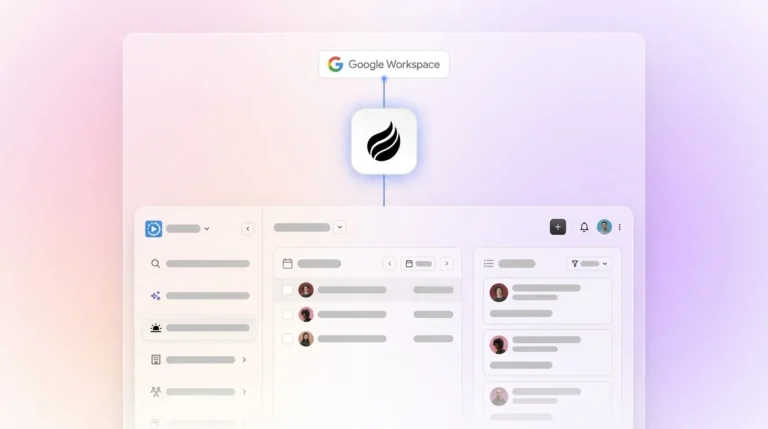
- Legacy CRMs require days or weeks of setup and ongoing manual work, while Coffee activates in minutes via Google Workspace or Microsoft 365.
- Coffee works as a standalone CRM for 1–20 person teams or as a companion layer that enriches and syncs data back to Salesforce or HubSpot.
- Stop managing your CRM and let Coffee’s agent handle it; start your free trial today.
How We Evaluated Contact Management Tools
Every tool in this guide was assessed against seven criteria relevant to 1–20 person teams:
- Hours saved per week on data entry
- Time-to-value for 1–5 person teams
- Automatic activity logging from Google Workspace or Microsoft 365
- Pipeline visibility without spreadsheets
- Mobile accessibility
- Pricing transparency
- Standalone vs. companion capability
Head-to-Head Comparison: Hours Saved per Week
The table below ranks tools by the most meaningful metric for small teams: time recovered from administrative work each week. Coffee’s autonomous agent delivers the highest savings by eliminating manual entry entirely. Legacy tools recover time only where automation features are manually configured.
| Tool | Hours Saved/Week | Setup Time | Best For |
|---|---|---|---|
| Coffee | 8–12 hours | Minutes (agent activation) | 1–20 person teams; Salesforce/HubSpot companion |
| HubSpot Sales Hub | ~3 hours (5-person team baseline) | Days to weeks | Growth-stage teams with marketing alignment |
| Pipedrive | 2–3 hours (manual automation setup required) | 1–3 days | Pipeline-focused sales teams |
| Zoho CRM | 1–2 hours (feature-dependent) | 3–7 days | Budget-conscious teams needing broad features |
| Salesforce Starter | 1–2 hours (with configured automations) | Weeks | Teams planning to scale into enterprise Salesforce |
Teams only realize these gains when someone configures automation rules, workflows, and integrations. Coffee’s agent handles that configuration automatically after you connect Google Workspace or Microsoft 365, so teams start seeing these time savings immediately. Activate your agent to start recovering that time today.
Setup Effort and Time-to-Value for Small Teams
Studies report CRM implementation failure rates between 55% and 70%, primarily due to poor user adoption and complexity. Non-technical small-business teams commonly face scattered customer data, cost concerns, and fear of disrupting the team mid-implementation. The most common reason a CRM implementation fails is that the team finds the system too work-intensive, with constant manual data entry for emails, calls, meetings, and lead status changes.
Coffee’s onboarding model works differently. Connecting a Google Workspace or Microsoft 365 account activates the agent immediately. Contacts are auto-created from emails and calendars, activities are logged without human input, and the pipeline populates from real interaction data. There is no import wizard, no field-mapping exercise, and no training curriculum required for a 1–5 person team to reach full productivity. This frictionless setup directly addresses the data quality problem that plagues traditional CRMs.

Data Capture and Enrichment Quality
Legacy CRMs operate on the assumption that humans will reliably enter data. Many traditional CRMs are designed primarily for management reporting rather than the daily workflow of sales teams, which creates systems overloaded with fields that demand extensive manual input. Sales professionals care deeply about accurate customer data, yet poor data quality still drives many bad decisions in CRM-dependent teams.
Coffee’s agent ingests emails, calendar events, and call transcripts automatically. It enriches records with job titles, funding data, and LinkedIn profiles via licensed data partners, so teams do not need separate enrichment tools. Every note and interaction links to the correct contact record without rep intervention. Automated enrichment and deduplication features keep CRM records accurate without rep intervention, which improves data quality while cutting time spent on record upkeep. This automated foundation sets up a smoother experience for both reps and managers in the next stage of work.
Everyday Usability and Manager Reporting
Only 50% of businesses with fewer than 10 employees use a CRM system, so the smallest teams remain the least served by current software. The barrier is not awareness. The barrier is friction. When a rep must serve the software rather than the software serving the rep, adoption collapses and shadow CRMs such as spreadsheets or Notion become the real workspace.
This zero-friction approach transforms the daily rep experience. Instead of logging activities, reps open Coffee to a “Today” page with meeting briefings, attendee context, and prior interaction history already filled in. After a call, the agent generates summaries, identifies next steps, and drafts follow-up emails for review. Managers see pipeline changes through the Pipeline Compare feature, which visualizes week-over-week deal movement without manual CSV exports or spreadsheet work.

Integration Complexity and Ongoing Admin Work
Many CRM buyers prioritize integration with other tools as a key selection criterion. Legacy platforms address this through marketplace add-ons, and each add-on requires its own authentication, maintenance, and cost. A typical stack might include the CRM, a data enrichment tool, a call recording tool, and a forecasting layer. Coffee consolidates those functions inside a single agent.
For teams already committed to Salesforce or HubSpot, Coffee operates as a companion layer. A simple authentication allows the agent to sync data, enrich records, and write insights back to the primary CRM, without replacing it. Because this companion mode accesses sensitive CRM data, Coffee maintains SOC 2 Type 2 and GDPR compliance, and customer data is never used to train public models.
Best-Fit Use Cases for Coffee
Standalone Coffee (1–20 employees): Teams that have outgrown spreadsheets and want a modern system of record without the implementation overhead of HubSpot or Salesforce. The agent handles all data entry, enrichment, and pipeline tracking from day one.
Coffee as Companion (Salesforce or HubSpot users): Teams with an existing CRM investment suffering from low adoption or poor data quality. The agent handles the “data in” process so the system of record stays accurate without human effort. 74% of sales teams with AI are prioritizing data hygiene to support it, and Coffee’s companion mode directly addresses that priority.
Choose your Coffee deployment mode based on whether you need a primary CRM or a companion layer.
Operational Factors: Mobile, Change Management, and Scale
81% of CRM users access their system from multiple devices, and many businesses now use mobile CRM systems, with those users more likely to exceed sales goals than desktop-only users. Mobile accessibility now functions as a baseline requirement, not a differentiator. All tools in this comparison offer mobile access, and Coffee’s agent-populated records mean mobile views stay current without manual sync.
Change management for Coffee stays minimal by design. Because the agent handles data entry, reps do not need to change their behavior. Training overhead remains low. As teams grow beyond 20 employees, Coffee’s architecture scales without requiring additional administrative staff to maintain data quality.
Risks and Limitations to Consider
Legacy CRM maintenance overhead creates a documented long-term cost. Legacy or migrated data problems such as incorrect, incomplete, or duplicate records reduce trust in the CRM and further depress usage. Teams that choose passive tools accept ongoing responsibility for data quality.
Coffee does not fit large enterprises with complex custom workflows, heavily regulated industries that require multi-year security reviews, or buyers seeking a static feature-checklist database. Third-party integrations currently run via Zapier, and deeper native integrations sit on the product roadmap.
Decision Framework for Choosing a Tool
| Team Size | Current Stack | Tolerance for Manual Work | Recommended Option |
|---|---|---|---|
| 1–5 employees | Spreadsheets / Notion | Low | Coffee Standalone |
| 5–20 employees | No CRM or early HubSpot | Low to medium | Coffee Standalone |
| 5–50 employees | Salesforce or HubSpot (committed) | Low (data quality problems) | Coffee Companion |
| Any size | Any | High (willing to maintain manually) | HubSpot, Pipedrive, or Zoho |
Frequently Asked Questions
How long does it take to implement Coffee?
For a 1–5 person team, Coffee is operational in minutes. Connecting a Google Workspace or Microsoft 365 account activates the agent, which immediately begins scanning emails and calendars to auto-create contacts and log activities. There is no data import wizard, no field mapping, and no IT involvement required. Larger teams using Coffee as a companion layer on Salesforce or HubSpot complete setup through a simple authentication flow. After that, the agent begins enriching and syncing records automatically.
Does Coffee automatically log emails and calendar events without any manual action?
Yes. After you connect Google Workspace or Microsoft 365, Coffee’s agent logs all relevant email interactions and calendar events to the correct contact and deal records. It also joins sales calls via an AI meeting bot, transcribes conversations, generates post-call summaries, identifies next steps, and drafts follow-up emails for rep review. No manual logging is required at any stage of the process.

What is the difference between Coffee’s standalone CRM and its companion mode?
The standalone CRM functions as a complete system of record powered by Coffee’s agent. It replaces tools like HubSpot or Pipedrive for teams that want a modern, agent-first platform without legacy overhead. Companion mode deploys the same agent as an intelligent layer on top of an existing Salesforce or HubSpot instance. The agent handles data entry, enrichment, and activity logging, then writes clean data back to the primary CRM. Teams keep their existing system of record while removing the manual work that causes poor adoption and data quality problems.
Is there a free version of Coffee, and what are the trade-offs?
Coffee uses seat-based pricing where the agent’s labor is included at no additional cost per action. The trade-off with free or entry-level tiers across any contact management tool usually involves reduced automation depth, contact limits, or restricted integrations. Coffee’s pricing is designed to be straightforward. You pay for human seats, and the agent handles unlimited data entry, enrichment, and pipeline tracking within that plan. Visit the pricing page for current tier details.
How does Coffee’s agent handle unstructured data like email threads and call transcripts?
Legacy CRMs rely on relational databases that store structured fields only, so historical context disappears when a field is updated. Coffee is built on a data warehouse architecture that ingests and retains both structured data such as contact fields and deal stages and unstructured data such as email text, call transcripts, and meeting notes. The agent parses unstructured inputs, extracts relevant entities and action items, and associates them with the correct records. It can also structure notes according to sales methodologies like BANT, MEDDIC, or SPICED, which ensures consistent qualification data enters the pipeline automatically.
Conclusion: Choosing the Right Contact Management Approach in 2026
Small-business owners evaluating contact management software in 2026 should focus on which tool removes manual work, not which tool lists the most features. Contact management remains one of the most-used CRM features, yet most platforms still require humans to maintain it manually.
Coffee’s autonomous agent changes that equation. By ingesting emails, calendars, and call transcripts automatically, enriching records without rep input, and delivering pipeline intelligence from clean data, Coffee recovers 8–12 hours per week that legacy tools consume. Whether deployed as your primary CRM or layered onto your existing Salesforce or HubSpot instance, Coffee meets teams where they are without forcing a rip-and-replace decision.
Let Coffee’s agent take over your CRM work so your team can focus on selling.