Key Takeaways
- Opportunity health monitoring blends stage progression, activity levels, and data completeness to predict deal outcomes and improve close rates by 20-30%.
- Core indicators include opportunity age, activity recency, probability alignment, data completeness, stage velocity, deal slippage, and touchpoint frequency.
- Salesforce tools such as Flows, Einstein scoring, and Agentforce support automated monitoring, yet they struggle with unstructured data from emails and calls.
- Agent-powered automation like Coffee removes manual data entry, keeps health scores accurate, and saves 8-12 hours per rep every week.
- Teams can implement opportunity health monitoring today with Coffee’s automated Salesforce integration for reliable pipeline visibility and forecasting.
Executive Overview of Opportunity Health Scoring
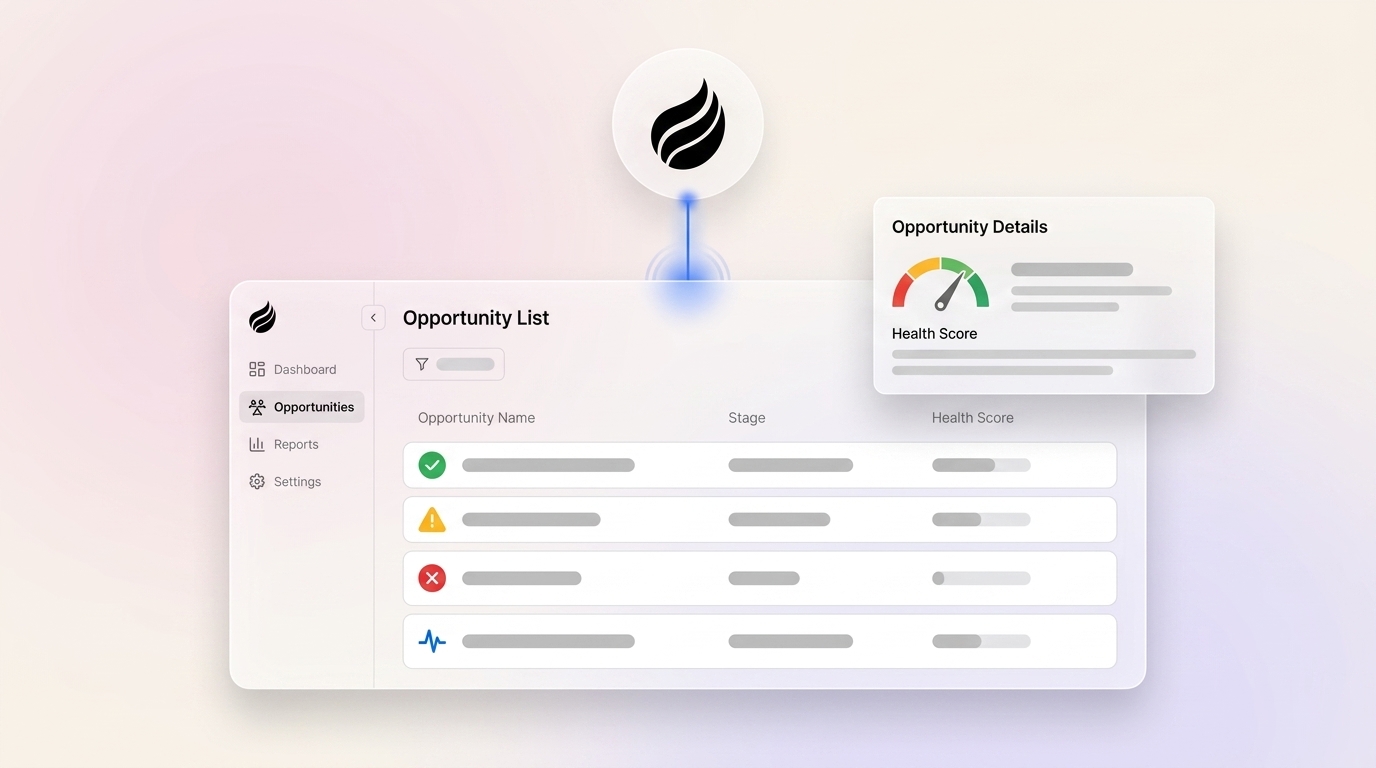
Opportunity health scoring combines stage progression, probability assessments, activity levels, and data completeness into a single metric that predicts deal outcomes. Organizations implementing comprehensive health monitoring achieve the close rate improvements mentioned above through early risk detection and intervention. The framework follows five core phases: assessment of current pipeline hygiene, implementation of native Salesforce tools, deployment of automated Flows and Einstein scoring, creation of real-time dashboards, and integration of agent-powered data capture. Coffee’s Companion App leads this agent category by automatically logging activities and enriching opportunity records, which creates the “good data in” foundation required for accurate health scores.

How Opportunity Health Monitoring Evolved
Traditional opportunity health monitoring relied on manual pipeline reviews and static probability percentages tied to sales stages. The emergence of Einstein AI and Agentforce in 2026 created a shift toward predictive, data-driven health assessment. Legacy CRM architectures still struggle with unstructured data integration, which limits this shift. Valuable insights often remain trapped in emails and call transcripts, creating blind spots in opportunity health evaluation. Agent-powered solutions like Coffee bridge this gap by automatically capturing and structuring interaction data, turning passive CRM databases into active intelligence systems that monitor deal progression without human intervention.

How Opportunity Health Monitoring Works in Salesforce
Effective opportunity health monitoring runs on continuous data collection, automated scoring algorithms, and real-time alerting systems. The process starts with structured data from Salesforce fields, such as stage, probability, and close date, then combines it with unstructured data from emails, meeting notes, and call transcripts. Deals stagnant for over 30 days without activity updates trigger automatic risk flags, and probability drift detection highlights opportunities where forecasted likelihood diverges from historical patterns. Salesforce Flows execute workflow logic, Einstein provides predictive scoring, and dashboard visualizations surface insights that sales leaders can act on quickly. Agent automation keeps data quality high by removing manual entry errors that corrupt health calculations. Automate your data capture with Coffee to eliminate these manual errors entirely.

Seven Core Components of Opportunity Health
Seven critical indicators define comprehensive opportunity health assessment:
- Opportunity Age: Deals exceeding 30 days without stage progression indicate potential stagnation.
- Activity Recency: No logged activities within 14 days signals disengagement risk.
- Probability Alignment: Win likelihood below 40% in late stages suggests qualification issues.
- Data Completeness: Missing required fields compromise forecasting accuracy.
- Stage Velocity: Slower-than-average progression through sales stages highlights process friction.
- Deal Slippage: Repeated close date extensions indicate timeline uncertainty.
- Touchpoint Frequency: Fewer than 5 touchpoints per deal correlates with lower win rates.
Once you understand which indicators matter most for your pipeline, the next decision is how to monitor them systematically.
Strategic Technology Choices for Health Monitoring
Organizations face three primary implementation approaches: native Salesforce tools, custom development, or agent-powered automation. Native solutions offer cost efficiency but struggle with unstructured data processing, which pushes many teams toward custom development. Custom development provides flexibility at significant resource cost, often requiring dedicated engineering time that smaller teams cannot spare. These cost and capacity constraints make agent automation attractive, because it delivers comprehensive data capture with minimal setup effort. The pricing models reflect these trade-offs, as Einstein licensing adds $75-150 per user monthly, while Coffee’s agent-powered approach includes unlimited data processing in seat-based pricing. The fundamental trade-off centers on manual accuracy versus automated precision, since manual processes remain inexpensive but unreliable, while agent solutions maintain high data quality through continuous automation.
Readiness and Evaluation Framework for Your Team
Teams can assess organizational readiness through four dimensions: team size, CRM maturity, data quality baseline, and manual process burden. Teams with 5 or more sales reps gain outsized value from automation. An established Salesforce instance with custom fields signals sufficient CRM maturity. Current completion rates below 80% indicate a weak data quality baseline. Teams spending 8 or more hours weekly on pipeline hygiene face a heavy manual process burden. Organizations with committed Salesforce investments and clear manual data entry challenges represent ideal candidates for agent-powered solutions like Coffee. Eliminate your manual bottlenecks with Coffee and reclaim hours of selling time each week.
Before implementing opportunity health monitoring, teams also need clarity on two native Salesforce tools that often cause confusion: Health Check and Optimizer. Each tool supports a different part of the monitoring infrastructure.
Salesforce Health Check vs Optimizer for Opportunity Monitoring
| Feature | Health Check | Optimizer |
|---|---|---|
| Scope | Security and compliance assessment | Performance and feature optimization |
| Opportunity Focus | Data security for sales records | Sales process efficiency recommendations |
| Frequency | Periodic security reviews | Performance insights through user-initiated scans that take up to 24 hours to complete |
| Output | Security and compliance findings | Actionable improvement suggestions |
While Optimizer focuses on performance, the Security Health Check plays a complementary role in opportunity health monitoring by keeping deal data protected as automation scales.
Salesforce Security Health Check for Sales Data
The Security Health Check evaluates opportunity data protection through permission audits, field-level security reviews, and sharing rule analysis. Results highlight potential data access vulnerabilities that could expose sensitive deal information. Common issues include overly permissive profile settings, missing field restrictions on confidential fields, and weak sharing rules for competitive opportunity data.
Step-by-Step Implementation Guidance
Successful opportunity health monitoring requires a phased approach that builds from baseline assessment through automation integration. The following eight-step framework keeps each component aligned so health scores stay accurate without overwhelming your sales team:
- Baseline Assessment: Run Health Check and Optimizer to establish current state.
- Flow Creation: Build automated alerts for stagnant opportunities using Process Builder.
- Einstein Integration: Enable Opportunity Insights for predictive scoring.
- Agentforce Dashboard: Configure real-time health monitoring views.
- Coffee Integration: Connect the agent for automated activity logging and data enrichment.
- Pipeline Visualization: Create executive dashboards that show health trends.
- Testing Phase: Validate alerts and scoring accuracy with historical data.
- Performance Measurement: Track a 35% increase in productive selling time.
Coffee represents a strong Salesforce integration choice, because it removes manual entry through SOC2-compliant automation that saves 8-12 hours weekly per rep. A custom AI solutions firm generating tens of millions in revenue replaced spreadsheet-based pipeline management with Coffee’s automated data capture. That team achieved consistent pipeline visibility without ongoing human effort.
Common Pitfalls in Opportunity Health Programs
Three critical failures often undermine opportunity health initiatives: incomplete data integration that leaves unstructured information unprocessed, low user adoption caused by extra manual requirements, and a narrow focus on activity quantity instead of activity quality. Manual data entry creates the significant time waste mentioned earlier, which makes automation essential for sustainable health monitoring. Coffee prevents these pitfalls by handling data capture automatically and requiring zero additional effort from sales teams.
Opportunity Health Monitoring Templates and Resources
Teams can access downloadable Salesforce Flow templates and XML configurations optimized for 2026 Agentforce integration through Coffee’s resource library. These templates include automated opportunity aging alerts, probability drift detection, and activity gap notifications designed for immediate deployment in existing Salesforce environments.
FAQ
What is the difference between Salesforce Health Check and Optimizer for opportunity management?
Health Check focuses on security and compliance aspects of Salesforce data, while Optimizer provides performance recommendations for sales processes. Health Check confirms that opportunity data stays properly protected and accessible. Optimizer suggests workflow improvements and feature adoption that enhance sales efficiency.
How does Agentforce enhance opportunity health monitoring?
Agentforce provides predictive analytics and automated insights that traditional CRM reporting cannot deliver. It analyzes patterns across the entire sales organization to identify at-risk opportunities before they stall. It also suggests optimal next actions and provides real-time coaching recommendations based on successful deal patterns.
How does Coffee compare to conversation intelligence tools like Gong or ZoomInfo for opportunity health?
Coffee functions as a comprehensive CRM agent that handles all data capture automatically, while Gong and ZoomInfo require manual integration and ongoing maintenance. Coffee removes the need for multiple point solutions by combining contact enrichment, activity logging, and opportunity scoring in a single agent that works continuously without human intervention.
Are there pre-built templates for opportunity health monitoring?
Yes, Coffee provides ready-to-deploy Salesforce Flow templates that include automated opportunity aging alerts, missing activity detection, and probability drift notifications. These templates are updated for 2026 Agentforce compatibility and can be implemented in existing Salesforce environments within hours.
What security measures protect opportunity health data?
Coffee maintains SOC 2 Type 2 compliance and GDPR adherence for all opportunity data processing. Data remains within the Salesforce environment, and Coffee’s agent accesses only necessary fields through secure API connections. No opportunity data is used for training public AI models.
What does Coffee pricing include for opportunity health monitoring?
Coffee uses simple seat-based pricing that includes unlimited agent labor for data capture, enrichment, and health scoring. There are no additional charges for LLM usage, API calls, or data processing volume, which keeps costs predictable for growing sales teams focused on opportunity health improvement.
Conclusion: Turning Pipeline Data into Reliable Forecasts
Effective Salesforce opportunity health monitoring relies on automated data capture, predictive scoring, and real-time alerting to transform pipeline visibility and forecasting accuracy. Organizations that adopt comprehensive health monitoring see meaningful gains in close rates and sales efficiency. Start monitoring opportunity health with Coffee to eliminate manual data entry and ensure your pipeline insights reflect reality.