Written by: Doug Camplejohn, CEO & Co-Founder, Coffee
Key Takeaways
- Full Salesforce migrations for mid-market teams often land in the $30,000–$150,000 range and run several months, usually with a dedicated admin on staff.
- Hidden data-cleanup, integration, and customization work frequently pushes first-year costs 30–50% above the original estimate.
- DIY tool-led migrations reduce upfront spend but still rely on manual data entry, which limits long-term gains in pipeline visibility.
- The Coffee Companion Agent sits on top of an existing Salesforce instance and continuously enriches and logs data, without migration risk.
- Teams that want clean pipeline data without a large migration budget can start with Coffee and improve Salesforce accuracy at a fraction of the usual cost and complexity.
Salesforce Migration Cost Ranges by Project Type (2026)
| Project Type | Cost Range | Typical Timeline |
|---|---|---|
| DIY (native importers) | $0–$5,000 | 2–8 weeks |
| Self-serve tools (Trujay, Import2) | $2,000–$15,000 | 2–6 weeks |
| Specialized migration service | $12,000–$80,000 | 4–12 weeks |
| Big-4 / boutique consultancy | $80,000–$500,000+ | 3–9 months |
These ranges exclude ongoing licensing. Licensing accounts for 40–60% of total Salesforce TCO, so the figures above cover only the opening chapter of a larger multi-year spend.
Salesforce Migration Costs by Company Size
| Company Size | Typical Implementation Cost | Timeline to Go-Live |
|---|---|---|
| Under 25 users | $5,000–$30,000 | 4–8 weeks |
| 25–200 users (mid-market) | $30,000–$150,000 | 3–6 months |
| 200+ users (enterprise) | $150,000–$500,000+ | 9–12+ months |
For a 20-person company, total first-year Salesforce costs including implementation typically exceed $100,000 once licensing, admin time, and integration work roll in.
Where Salesforce Migration Costs Really Come From
Hidden costs dominate the final invoice. Bad or incomplete data uncovered during migration drives unexpected cleanup work beyond simple migration estimates. The 1-10-100 rule estimates that fixing a data quality issue at entry costs $1, fixing it during migration costs $10, and fixing it after migration costs $100.
Data volume and object complexity. Salesforce orgs with multiple custom objects usually cost more to migrate than those without them at the same record volume. Activity History, including Tasks, Events, and EmailMessages, is often the largest and most time-consuming object class because extraction is rate-limited. This time pressure compounds with data quality issues. A typical B2B CRM contains 10–30% duplicate records discoverable only with fuzzy-matching deduplication tooling. On top of that, a 100,000-record CRM with moderate quality issues typically requires three to four weeks of dedicated cleansing before migration begins.
Integration and customization drivers. Each additional integration adds time for re-authentication, webhook reconfiguration, field mapping, and testing. Complex ERP or financial system integrations alone can reach $15,000–$40,000+. These integration costs often multiply after launch. Ninety-one percent of Salesforce customers use at least one AppExchange application, each with its own subscription and per-seat implementation costs. Beyond third-party apps, Salesforce issues three annual releases that require regression testing, and these annual maintenance costs can rival the original implementation cost.
Ongoing admin burden. Ongoing Salesforce administration usually requires a dedicated admin with an average salary in the low six figures. On top of salary, SaasCRMReview.com recommends budgeting 40–80% above the cost of licenses alone to reach a realistic total cost of ownership.
Salesforce Migration Timeline and Cost in 2026
A typical Salesforce implementation for a mid-market business takes several months from kickoff to go-live. The work usually breaks into phases: Discovery and Planning (2–3 weeks), System Design (1–2 weeks), Configuration and Customization (4–8 weeks), Data Migration (2–4 weeks), Integrations (2–6 weeks), Testing and UAT (2–3 weeks), Training (1–2 weeks), and Go-Live and Stabilization (2–4 weeks).
Big Bang and Phased approaches carry different risk profiles. Phased ERP implementations achieve 70–85% success rates compared to 55–65% for Big Bang approaches. Phased rollouts usually extend timelines and increase cost. Optimal parallel-run windows last 6–18 months, while shorter periods hurt adoption and longer periods risk two drifting sources of truth.
Timeline slippage is common rather than rare. CRM migrations often run late and over budget. Poor data quality without proper cleansing can add 2–3 months to expected timelines. At the same time, many CRM implementations exceed their budgets by 30–50% primarily because of scope creep.
When to Migrate to Salesforce vs Use Companion Tools
Three realistic paths exist for a 30–80-person company with an existing Salesforce instance and deteriorating data quality. The table below compares them on the same criteria.
| Criteria | Full Migration | DIY Tool-Led | Coffee Companion Agent |
|---|---|---|---|
| Upfront cost | $25,000–$150,000+ | $2,000–$15,000 | Seat-based subscription, no migration fee |
| Data-cleanliness effort | High, with pre- and post-migration cleanup required | Moderate, with manual deduplication still required | Low, because the agent continuously enriches and logs data automatically |
| Integration complexity | High, with re-authentication and field remapping per integration | Moderate, limited to supported connectors | Low, with a single authentication that writes back to the existing Salesforce instance |
| User-adoption risk | High, and studies indicate that 60–70% of CRM implementations fail to meet their intended objectives | Moderate, because new tooling requires retraining | Low, since reps keep existing workflows and the agent handles data entry |
| Ongoing admin burden | High, with a dedicated admin often required | Moderate, with periodic manual maintenance | Low, because the agent automates contact creation, activity logging, and enrichment |
| Pipeline-visibility gains | High when adoption succeeds and data stays clean | Moderate, and dependent on ongoing human input quality | High, since Pipeline Compare delivers week-over-week changes automatically from day one |
Full migration fits companies that are switching CRM platforms entirely, have executive sponsorship for a multi-month change program, and have budgeted for a dedicated admin. If you are staying on the same platform but need targeted fixes, DIY tool-led migration suits teams with clean, low-volume data and strong internal technical capacity. However, when the platform works but data quality and pipeline visibility have broken down, the Coffee Companion Agent offers the lowest-disruption path for teams already on Salesforce.
Decision Framework for a Lower-Risk Salesforce Path
| Scenario | Current Data Quality | Change Tolerance | Recommended Path |
|---|---|---|---|
| Switching CRM platforms entirely | Clean or low volume | High | Full migration (Big Bang) |
| Staying on Salesforce, poor adoption | Moderate to poor | Low to moderate | Coffee Companion Agent |
| Staying on Salesforce, isolated field issues | Mostly clean | Moderate | DIY tool-led cleanup |
| Mid-market, multiple integrations, messy data | Poor | Low | Coffee Companion Agent |
| Enterprise, regulated industry, multi-cloud | Variable | High with long runway | Full migration (Phased) |
Risks and limitations. Underestimated cleanup hours remain the most common budget killer. Post-migration data cleanup costs 3–10 times more than pre-migration cleaning for the same records, which reinforces the value of early data work. Consultant scope creep is structural. Changing requirements mid-project almost always increases implementation costs, and only a minority of CRM implementations hit their planned objectives, timeline, and budget together. On the AI-agent side, Coffee’s current third-party integrations run via Zapier, with deeper native integrations on the roadmap. Teams with highly customized Salesforce orgs should validate connector coverage before committing.
Frequently Asked Questions
How long does it take to set up the Coffee Companion Agent on an existing Salesforce instance?
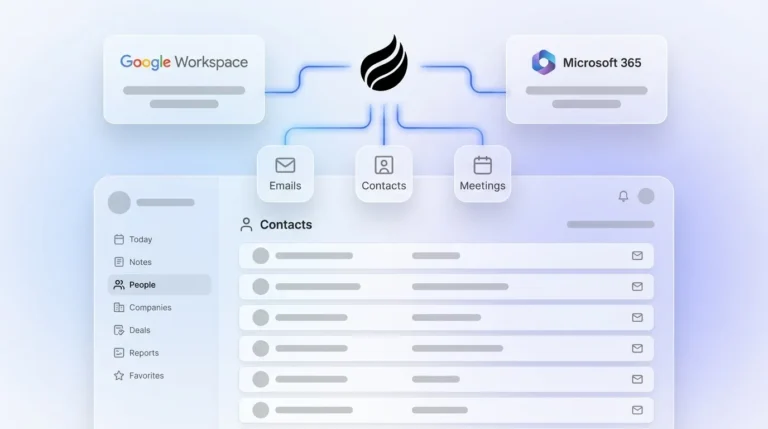
Setup uses a single authentication step that connects Coffee to your Salesforce org and your Google Workspace or Microsoft 365 account. The agent begins auto-creating contacts, logging activities, and enriching records immediately after connection. There is no data migration phase, no parallel-run window, and no cutover risk. Most teams operate with clean, enriched data within the first week.
What internal expertise does the Coffee Companion Agent require to operate?
No Salesforce admin, developer, or data engineer is required to run Coffee. The agent handles data unification, enrichment, activity logging, and pipeline tracking autonomously. A Head of Sales or RevOps lead can configure and manage the agent without technical support. This setup contrasts with a full Salesforce implementation, which typically needs a dedicated certified admin to maintain the org on an ongoing basis.
Is the Coffee Companion Agent secure and compliant?
Coffee is SOC 2 Type 2 certified and GDPR compliant. Data processed by the agent is not used to train public AI models. Teams in regulated industries such as healthcare or financial services with multi-year security review requirements should confirm that their compliance frameworks are satisfied before deployment.
Can the Coffee Companion Agent scale as the sales team grows?
Coffee uses seat-based pricing, so you pay for human seats and the agent’s labor is included without metering on LLM usage or automated processes. As headcount grows, the agent scales with it. This model contrasts with Salesforce’s per-seat Enterprise licensing, where headcount growth becomes a direct and immediate licensing expense.
Does Coffee replace Salesforce, or does it work alongside it?
The Coffee Companion Agent works on top of an existing Salesforce instance. It writes enriched contacts, logged activities, meeting summaries, and pipeline intelligence back into Salesforce. This approach keeps the system of record intact while removing the manual data entry burden that degrades data quality. Teams that want to replace Salesforce entirely can also use Coffee’s Standalone CRM, while the Companion model serves organizations committed to their current Salesforce investment.

Conclusion: Clean Salesforce Data Without a Costly Migration
Full Salesforce migrations bring significant one-time implementation costs, multi-month timelines for mid-market teams, ongoing admin requirements, and a failure rate that leaves many projects short of their goals. DIY tool-led approaches lower upfront spend but leave the core issue in place, because humans remain unreliable data entry clerks.
The Coffee Companion Agent tackles the same core problem of poor data quality and inaccurate pipeline visibility by running an autonomous agent on top of the Salesforce instance a team already owns. No migration. No cutover risk. No dedicated admin. The agent captures emails, transcripts, and calendar data automatically, enriches every record, logs every activity, and surfaces week-over-week pipeline changes without a spreadsheet.

For a 30–80-person sales team already on Salesforce, migration often becomes the wrong question. The better question asks whether the data quality problem can be solved without the cost, timeline, and organizational risk of starting over.