Key Takeaways
-
Mid-market sales teams in 2026 can either replace Salesforce or add an agent layer that fixes data quality without migration.
-
Traditional migration tools and full CRM replacements move existing problems into a new system instead of solving manual data entry.
-
Coffee’s Agent Layer beats alternatives on data quality, implementation effort, workflow fit, adoption, and automation depth.
-
Teams with 25–200 Salesforce users see the strongest ROI when an autonomous agent removes manual entry while Salesforce stays the system of record.
-
Explore Coffee’s pricing to see how quickly the agent can run on your existing Salesforce instance.
Two Paths for Fixing CRM Data in 2026
Traditional migration routes, such as data migration tools like Unito or Jitterbit or full CRM replacements like HubSpot, Pipedrive, Dynamics, Zoho, Attio, or Close, move the same data problem into a new platform. Agent augmentation instead adds an autonomous layer on top of the existing Salesforce instance to remove manual entry and restore data quality. The matrix below shows how these paths compare.
Eight Criteria to Judge Migration vs Agent Layer
Eight criteria determine whether a migration or augmentation project delivers measurable ROI. These are data quality outcomes, implementation effort, workflow fit, user adoption, integration complexity, reporting visibility, automation depth, and ongoing administrative burden. Every option in the comparison table below is rated against these eight dimensions using a Low, Medium, or High scale. High is desirable for data quality, adoption, automation depth, and reporting visibility. Low is desirable for implementation effort, integration complexity, and administrative burden.
Side-by-Side Comparison of Migration, Replacement, and Coffee
The table below shows how Coffee’s agent layer consistently outperforms both migration tools and full CRM replacements across all eight criteria. Coffee reaches High ratings on every outcome dimension such as data quality, adoption, automation, and reporting while staying Low on cost dimensions like implementation effort, integration complexity, and admin burden. No traditional migration or replacement path matches this combination.
|
Criterion |
Migration Tools (Unito / Jitterbit) |
Full CRM Replacement (HubSpot / Pipedrive / Dynamics / Zoho / Attio / Close) |
Coffee Agent Layer (Companion App on Salesforce) |
|---|---|---|---|
|
Data quality outcomes |
Low, syncs existing dirty data as-is |
Medium, clean at launch, degrades without ongoing human entry |
High, autonomous capture from email, calendar, and call transcripts removes manual entry at the source |
|
Implementation effort |
Medium, mapping and field reconciliation required |
High, mid-market CRM migrations typically take 3–6 months |
Low, single OAuth authentication, agent begins syncing immediately |
|
Workflow fit |
Low, no native workflow logic, requires destination platform rules |
Medium, new platform requires process redesign and retraining |
High, agent works within existing Salesforce workflows, no redesign required |
|
User adoption |
Low, reps still enter data manually in the destination system |
Low to Medium, studies indicate 60–70% of CRM implementations fail to meet objectives, often due to low user adoption |
High, reps interact with an agent co-pilot rather than a data-entry form |
|
Integration complexity |
High, each connector requires maintenance as APIs change |
High, re-integrating the full stack (enrichment, sequencing, recording) into a new platform adds months |
Low, agent consolidates enrichment, recording, and forecasting into one layer, broader integrations via Zapier |
|
Reporting visibility |
Low, dependent on destination platform’s data completeness |
Medium, accurate only if adoption holds post-migration |
High, Pipeline Compare surfaces week-over-week changes automatically from a built-in data warehouse |
|
Automation depth |
Low, field sync only, no AI-driven capture or summarization |
High, agent handles transcription, summarization, contact creation, enrichment, and follow-up drafting autonomously |
|
|
Ongoing admin burden |
High, connector maintenance, deduplication, and schema drift are continuous |
High, many Salesforce instances carry 20–40% technical debt, and the destination platform accumulates its own technical debt over time |
Low, agent handles data maintenance, no dedicated admin required for day-to-day data quality |
See Coffee’s pricing to understand what this agent-layer ROI looks like for your team size.
What Each Rating Means in Daily Operations
The comparison table above shows Coffee’s advantages at a glance, and each rating reflects a concrete operational difference. The sections below explain what Low implementation effort or High automation depth look like in real workflows. Use these examples to connect the table’s scores to your team’s daily experience.
Setup and onboarding. Data mapping accounts for about 30% of a Salesforce migration project timeline before a single record moves. Full CRM replacements compress that work into a defined window, but that window still lasts months. The Coffee Companion App authenticates against an existing Salesforce org and begins writing enriched data back within the same session.
Data capture and maintenance. AI automation features for transcription and scheduling can reduce manual data entry burden when layered onto existing CRMs, but research shows only select AI features deliver measurable value, which confirms that narrow, well-scoped agent layers outperform broad feature lists. Coffee’s agent focuses on these high-ROI tasks and captures contacts, activities, and call summaries from email, calendar, and meeting transcripts without rep involvement.

Frontline usability. Employee resistance to manual data entry remains one of the biggest CRM adoption challenges in 2026. Switching platforms relocates that resistance instead of removing it. An agent that removes the data-entry obligation changes the rep’s relationship with the system entirely.
Manager visibility. Reporting accuracy depends on data completeness. Migration tools transfer whatever data exists, and full replacements start clean but degrade as adoption slips. Coffee’s Pipeline Compare feature tracks week-over-week deal movement from a built-in data warehouse and produces accurate pipeline reviews without manual CSV exports.
Integration complexity. Re-integrating enrichment tools like ZoomInfo, sequencing tools like Salesloft, and recording tools like Gong into a new CRM creates a second migration project. Coffee consolidates those functions into the agent layer and reduces the number of vendor contracts and API dependencies.
Customization and long-term flexibility. Customization in Salesforce has become technical debt, with conflicting validation rules and undocumented automations making minor changes risky and expensive. Adding an agent layer does not increase that debt. Salesforce’s own Spring ’26 release introduces Setup with Agentforce and natural-language Flow Builder enhancements, which shows that the platform is moving toward agent-assisted administration, a direction Coffee already occupies at the data-capture layer.
Agent Model Compared to Traditional Migration
The core failure mode of every CRM, legacy or modern, stays the same when humans must enter data and then do not. Sales teams using AI are 1.3x more likely to see revenue growth than teams without AI, and data entry and processing automation can deliver strong ROI with payback periods of just a few months. Teams can capture these gains without a platform migration.
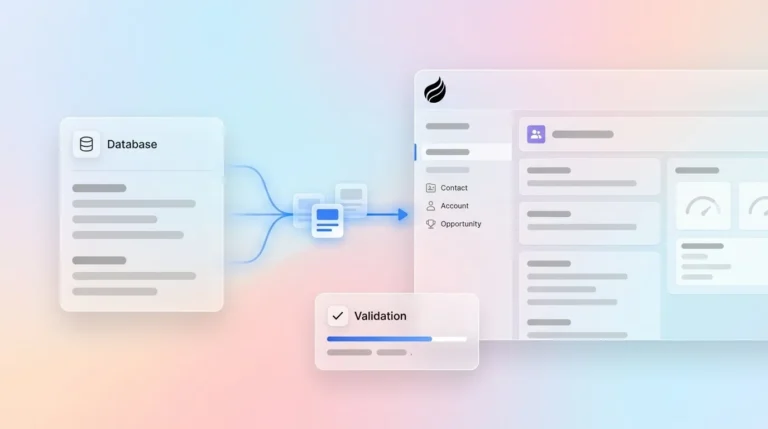
Coffee’s Companion App deploys the agent as an autonomous worker on top of an existing Salesforce instance. The agent ingests emails, calendar events, and call transcripts, creates and enriches contact and company records, logs activities, drafts post-meeting summaries and follow-up emails, and writes all structured output back to Salesforce. The system of record stays intact. The manual entry obligation disappears.

This model follows a simple rule of good data in and good data out. Because the agent guarantees input quality, every downstream report, forecast, and pipeline review reflects ground-truth data instead of whatever a rep remembered to log on Friday afternoon.
2026 Keep-vs-Migrate Matrix by Team Profile
Understanding how the agent model works explains the mechanics, and the next step is deciding whether it fits your team. The matrix below maps Coffee’s two products, the Companion App and the Standalone CRM, to three common mid-market profiles based on team size, Salesforce investment, and customization depth.
Early-stage teams (1–25 users, pre-Salesforce). Coffee’s Standalone CRM is the right path. There is no migration cost, no legacy debt, and the agent manages the system of record from day one.

Growing mid-market teams (25–100 users, committed to Salesforce, low adoption). The Coffee Companion App is the highest-ROI option. A full migration at this size takes three to six months with no guarantee of better adoption. The agent addresses the root cause, manual entry, at a fraction of the cost and in days, not months.
Established mid-market teams (100–200 users, high Salesforce customization). Migration risk peaks in this segment. Many Salesforce instances carry 20–40% technical debt, and Gartner predicts over 40% of agentic AI projects will be canceled by the end of 2027 due to escalating costs, unclear business value or inadequate risk controls. The Coffee Companion App stabilizes data quality without disturbing existing customizations and buys time for a deliberate architecture decision instead of a reactive one.
Migration Checklist for Teams That Still Switch
-
Audit source data before export, deduplicate contacts, close or delete stale opportunities, and document all custom fields in use.
-
Map every custom object and field to the destination schema before configuration begins.
-
Run a parallel pilot with 10–15 reps on the destination platform for 30 days before full cutover.
-
Re-integrate enrichment, sequencing, and recording tools into the new platform before go-live, not after.
-
Define adoption metrics such as login rate, activity log rate, and pipeline coverage and measure them weekly from day one.
-
Assign a dedicated admin or implementation partner for the first 90 days post-migration.
-
Plan for a 60–90 day productivity dip as reps learn the new system.
Risks, Limitations, and Common Misconceptions
Hidden maintenance costs. Salesforce’s total cost of ownership keeps climbing because many teams pay for add-ons, dedicated admins, and consulting partners on top of licensing. Destination platforms accumulate similar costs over time when the underlying data-entry problem remains unsolved.
Incomplete automation. AI features succeed at automation tasks such as call transcription and scheduling but fail at judgment tasks such as email writing or deal scoring. Vendors that market AI-everything capabilities overstate what narrow automation can deliver.
Integration gaps. Coffee’s broader integrations currently run through Zapier, and deeper native integrations sit on the roadmap. Teams with highly customized middleware stacks should validate connector coverage before committing.
Software alone does not fix process problems. The 40 percent cancellation rate Gartner forecasts for agentic AI projects stems from deploying technology without clear success criteria. Teams that cannot describe what good data looks like for their sales motion will struggle to measure ROI. Any migration or augmentation decision must therefore start with a clear definition of what good data means before vendor evaluation begins.
Decision Framework Summary for Mid-Market Teams
Teams with 25–200 Salesforce users that face low adoption and poor data quality should deploy the Coffee Companion App before they evaluate any migration. The agent removes the root cause of CRM failure, manual entry, without the high implementation cost, long timeline, or adoption risk of a full platform switch. Teams that have already decided to migrate should complete the checklist above and plan for a 90-day stabilization period. Teams that have not yet adopted a CRM should evaluate Coffee’s Standalone product as the agent-first alternative to passive database platforms.
Frequently Asked Questions
How long does it take to deploy the Coffee Companion App on an existing Salesforce instance?
Deployment requires a single OAuth authentication that connects Coffee to the existing Salesforce org. The agent begins scanning emails and calendar events and writing enriched data back to Salesforce within the same session. There is no data migration phase, no field mapping project, and no dedicated implementation partner required. Most teams are operational within a single business day, compared to the three-to-six-month timeline typical of a full CRM migration at the same company size.
Does Coffee replace Salesforce, or does it work alongside it?
Coffee operates in two distinct modes. The Companion App deploys the Coffee Agent as an autonomous layer on top of an existing Salesforce or HubSpot instance. Salesforce remains the system of record, and Coffee handles the data-in process by capturing contacts, activities, call summaries, and enrichment data and writing them back automatically. The Standalone CRM is a separate product for teams that have not yet adopted a legacy platform and want the agent to manage the system of record directly. Mid-market teams already committed to Salesforce use the Companion App exclusively.
How does Coffee handle data security and compliance?
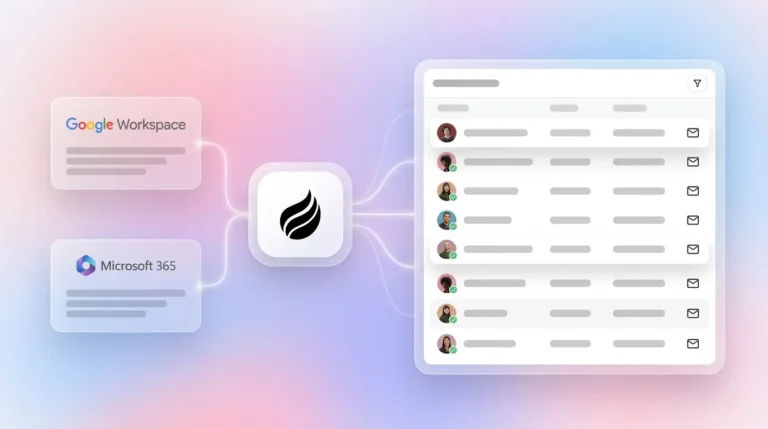
Coffee is SOC 2 Type 2 certified and GDPR compliant. Data processed by the Coffee Agent is not used to train public AI models. The agent connects to Google Workspace or Microsoft 365 through standard OAuth protocols, and all data written back to Salesforce respects the existing permission structure of the org. Teams in heavily regulated industries such as healthcare or finance that require multi-year security reviews sit outside Coffee’s current ideal customer profile.
What happens to data quality if reps do not change their behavior?
The agent model exists to remove that dependency. Coffee does not require reps to change behavior because the agent captures data from the systems reps already use, such as email, calendar, and video calls, without any manual input. Contact records are created automatically from email signatures and calendar invites. Activities are logged from sent and received messages. Call summaries and next steps are generated after meetings and written to the CRM record. The agent’s output quality stays independent of rep compliance, which is why the good data in and good data out model produces durable results where traditional CRM adoption programs do not.
Is Coffee a viable long-term alternative to a full Salesforce migration for a 100-person sales team?
For mid-market teams in the 25–200 user range with existing Salesforce customizations, the Coffee Companion App addresses the main drivers of migration consideration, such as low adoption, poor data quality, and rising total cost of ownership, without the implementation risk or productivity disruption of a full platform switch. The agent consolidates enrichment, recording, and forecasting functions that teams currently purchase as separate point solutions and reduces stack complexity and cost. Teams with genuinely broken Salesforce architectures, such as undocumented automations, conflicting validation rules, or data models that cannot support AI integration, may still require a reimplementation, but the Coffee Companion App can stabilize data quality during that evaluation period instead of forcing an immediate decision under pressure.