Key Takeaways for RevOps and Sales Leaders
- Automated data-entry tools can reclaim up to 60% of a sales rep’s week that is currently lost to manual CRM admin work.
- Native Salesforce tools like Einstein Activity Capture and Agentforce handle post-entry automation but leave gaps in capturing unstructured data from calls and emails.
- Third-party AI companion agents such as Coffee’s Companion App fill those gaps by writing structured and unstructured data directly back into existing Salesforce records.
- Implementation is fastest with Coffee: simple OAuth authentication, no Apex or Flows required, and the agent begins syncing within an hour.
- Teams ready to eliminate manual Salesforce data entry can explore Coffee’s pricing and connect their instance.
How to Automate CRM Data Entry with AI Agents
Salesforce data entry can be automated in two primary ways in 2026: native Salesforce capabilities and third-party AI companion agents. Each operates at a different layer of the data pipeline and solves different parts of the problem.
- Native Salesforce tools (Einstein Activity Capture, Agentforce): Einstein Activity Capture automatically syncs emails, meetings, and contacts from Outlook or Gmail to Salesforce in the background with no manual logging required. However, Einstein Activity Capture historically stored activities in an AWS data store rather than natively in Salesforce, limiting activity reporting, though the Summer ’25 release introduced native storage via Sync Email as Salesforce Activity. Agentforce automates post-entry tasks such as routing leads, updating records, and triggering follow-ups in Salesforce while also connecting to external data sources and generating leads from websites before CRM record creation.
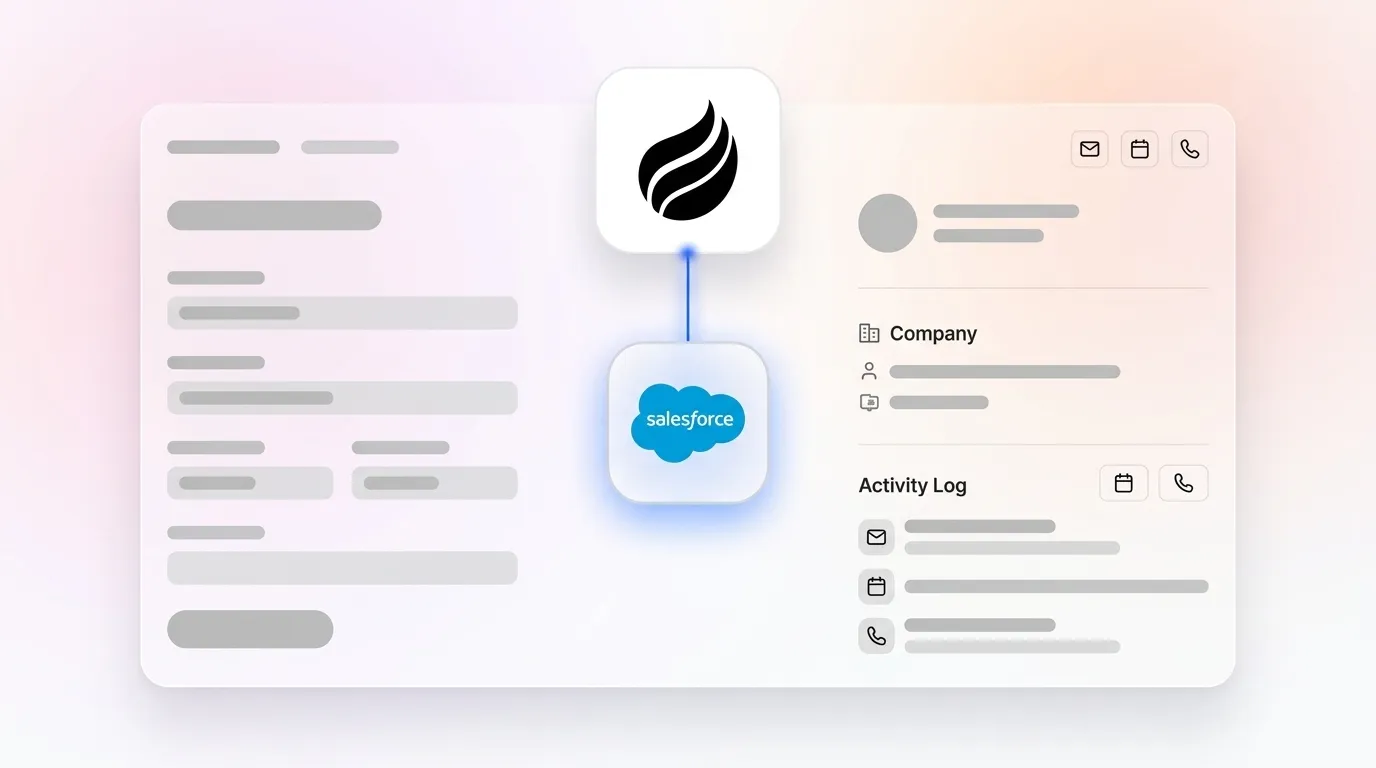
- Third-party AI companion agents: Tools like Coffee’s Companion App act as an intelligent layer on top of Salesforce. They capture structured data such as contacts, companies, and activities along with unstructured data such as email text and call transcripts at the same time. The agent then writes enriched records back to Salesforce automatically. Native Salesforce Einstein does not automatically write to CRM fields from call content, which creates a gap that third-party agents are designed to close.
- Point solutions (Gong, Oliv.ai, Cirrus Insight): These tools handle specific capture tasks such as call recording or email tracking. They usually require separate licenses, separate logins, and manual reconciliation back into Salesforce, which adds stack complexity instead of reducing it.
Salesforce’s own 2026 predictions describe a shift toward an “orchestrated workforce” model where a primary agent directs specialized sub-agents. Coffee’s Companion App follows this architecture. One agent handles data capture, enrichment, meeting management, and pipeline intelligence at once and writes everything back to the Salesforce instance the team already owns. To understand how this orchestrated approach compares to native Salesforce tools and point solutions in practice, the next section evaluates all three categories on the dimensions that matter most to RevOps leaders.

AI Data Entry in Practice: Tool Comparison
The table below compares three tool categories on dimensions that matter to RevOps leaders evaluating Salesforce automated data entry tools. All figures are sourced inline.
| Tool | Data Quality & Coverage | Implementation Effort | Automation Depth |
|---|---|---|---|
| Salesforce Agentforce / Einstein Activity Capture | Structured CRM data only; native AI outputs reflect gaps in existing CRM data including duplicated or inconsistently structured records | Requires Flows, Apex, or Einstein 1 Studio setup for advanced configurations, and data must be cleansed before implementation | Automates post-entry tasks (routing, follow-ups) but does not capture unstructured data from calls or emails into CRM fields; Agentforce for Service is available at $125/user/month with unmetered usage or via consumption-based pricing at $2 per conversation |
| Gong / Oliv.ai (point solutions) | Strong call transcript capture; limited contact and company enrichment; requires manual sync or separate integration to write back to Salesforce fields | Moderate; separate license, separate onboarding, and Salesforce integration configuration required per tool | Deep within their specific domain (conversation intelligence) but narrow; post-call CRM field write-back is a key differentiator that not all tools deliver |
| Coffee Companion App | Captures both structured and unstructured data (emails, calendars, transcripts); auto-creates contacts, companies, and activities; enriches records with job titles, funding, and LinkedIn profiles via licensed data partners | Simple authentication to existing Salesforce instance; no Apex or Flows required; agent begins syncing immediately after connecting Google Workspace or Microsoft 365 | End-to-end: pre-meeting briefings, live call recording and transcription, post-call summaries and follow-up drafts, pipeline compare, and visitor identification, all writing back to Salesforce automatically; SOC 2 Type 2 and GDPR compliant |
Why Native Salesforce and Coffee Handle Data Differently
Real-Time Email, Calendar, and Call Capture
Einstein Activity Capture links activities to matching records and provides AI-driven insights for activity patterns via automatic two-way sync. The architectural limitation mentioned earlier, Einstein’s historical use of AWS storage, still constrains reporting and historical analysis even after the Summer ’25 update. Because Einstein’s AWS storage limits historical reporting, teams that want to analyze activity patterns over time often need a separate Data Cloud license. Coffee’s Companion App stores interaction history in a built-in data warehouse instead. This approach preserves full context for pipeline intelligence queries and avoids the additional Data Cloud license cost.

Data Quality and Deduplication
Salesforce Data 360 creates a single, continuously updated customer profile that aggregates interactions, transactions, and behavioral signals. As one CX executive noted, “most organizations don’t actually have clean, connected real-time data—even when systems are integrated, latency and data quality issues limit how actionable that data is.” Coffee addresses this upstream. The agent enriches records at the point of creation, not after the fact, so deduplication and field completion happen before bad data enters the system of record. That upstream data quality enables Coffee’s pipeline intelligence features because every interaction is captured accurately from the start.
Pipeline Intelligence Once Data Entry Is Solved
94% of sales leaders who use AI sales agent software say it is critical to meeting business demands, but that intelligence is only as strong as the data feeding it. Coffee’s Pipeline Compare feature visualizes week-over-week deal changes such as progressed opportunities, stalled deals, and new additions automatically, which replaces manual CSV exports. Because the agent has captured every interaction, the output relies on complete records instead of whatever a rep remembered to log.
Implementation Steps and ROI for Salesforce Teams
For teams with 5–50 Salesforce seats and low CRM adoption, the primary ROI driver is time recovery. When each rep eliminates 8–12 hours of manual entry per week, a ten-person team recovers 80–120 hours weekly. That time can shift from admin work to selling activities. This shift matters because many sales teams already use AI to automate repetitive admin tasks including CRM updates and meeting summarization. Teams that have not yet automated now operate at a structural disadvantage against competitors who spend that recovered time on revenue-generating work.
Implementation checklist for Coffee Companion App:
- Authenticate Coffee with the existing Salesforce instance using OAuth, with no Apex required.
- Connect Google Workspace or Microsoft 365 for email and calendar sync.
- Configure a sales methodology template such as BANT, MEDDIC, or SPICED for structured note capture.
- Deploy the meeting bot to Zoom, Teams, or Google Meet.
- Install the visitor identification pixel for anonymous traffic conversion.
- Review the first Pipeline Compare output at the end of week one.
Implementation checklist for native Agentforce:
- Audit and cleanse existing Salesforce data before activation (inconsistent data from workarounds poses problems for AI agents).
- Provision a Data Cloud license if unified customer profiles are required.
- Configure Agent Builder with natural language instructions or adapt existing templates.
- Map Flex Credit consumption against projected action volume to forecast costs.
- Establish a governance board, following MIT Sloan’s recommendation to treat agentic AI monitoring as a permanent operational expense.
Compare pricing and start your one-hour Coffee setup.
Decision Framework: Matching Tools to Your Constraints
Use the following criteria to match your situation to the right approach.
- Already on Salesforce Enterprise+ with Data Cloud: Agentforce provides native automation for post-entry workflows like routing leads and triggering follow-ups. However, Agentforce does not capture unstructured data from calls and emails into CRM fields and only acts on data that already exists in Salesforce. Add Coffee’s Companion App to close that upstream gap by automatically writing call transcripts, email summaries, and meeting notes into Salesforce records before Agentforce automation runs.
- On Salesforce without Data Cloud, experiencing low adoption: Coffee’s Companion App delivers a fast path to clean records. Simple authentication, no Flows or Apex, and the agent begins capturing immediately.
- Running multiple point solutions (Gong + ZoomInfo + Fathom): Coffee consolidates call recording, enrichment, meeting management, and pipeline intelligence into one agent layer, which reduces license cost and integration complexity.
- Concerned about data security: Coffee is SOC 2 Type 2 and GDPR compliant, and data is not used to train public models. Agentforce similarly keeps all customer data within the Salesforce environment and does not share it with third-party AI models.
- Budget-constrained mid-market team: Coffee uses simple seat-based pricing with no Flex Credit metering. Agentforce’s consumption-based pricing, detailed in the comparison table above, can feel unpredictable for high-volume teams, while Coffee keeps costs tied to seats instead of actions.
Frequently Asked Questions
How long does implementation typically take?
Coffee’s Companion App connects to an existing Salesforce instance via a simple OAuth authentication, with no custom development, Apex code, or Flows required. Most teams complete the core setup in under an hour by authenticating Salesforce, connecting Google Workspace or Microsoft 365, configuring the meeting bot, and optionally installing the visitor identification pixel. The agent begins capturing contacts, activities, and interactions immediately. A meaningful first Pipeline Compare output usually appears within the first week of use.

What internal expertise is required?
No Salesforce administrator or developer resources are required to deploy Coffee’s Companion App. The authentication flow is designed so a Head of Sales or RevOps leader can complete it independently. Configuring sales methodology templates such as BANT, MEDDIC, or SPICED happens through a guided interface, not code. Teams that want to extend Coffee’s data via API for custom briefings or bespoke workflows can do that, but this extension is optional and not required for core automation benefits.
How does Coffee handle migration effort and integration with existing Salesforce instances?
Coffee’s Companion App is additive, not a migration. It sits on top of the existing Salesforce instance and writes enriched data back to it. Contacts, companies, activities, call summaries, and next steps all populate the records already in Salesforce. There is no data migration, no parallel CRM to maintain, and no disruption to existing Salesforce workflows, reports, or dashboards. The Salesforce instance remains the system of record, and Coffee acts as the agent that keeps it accurate and complete without human effort.
What security and compliance standards does Coffee meet?
Coffee is SOC 2 Type 2 certified and GDPR compliant. Customer data is not used to train public AI models. The agent processes emails, calendar events, and call transcripts to populate CRM records, and that data remains within the customer’s environment under Coffee’s compliance framework. For teams in lightly regulated industries evaluating AI tools for Salesforce data entry, Coffee’s compliance posture meets standard requirements without the multi-year security review cycles common in heavily regulated sectors such as healthcare or finance.
Conclusion: Keep Salesforce as the System of Record and Remove Manual Work
Manual CRM data entry is a solvable problem in 2026. With sales professionals losing the majority of their week to non-selling activities, as noted earlier, the tools to reclaim that time already exist. Native Salesforce capabilities handle post-entry automation well but leave the upstream capture problem, unstructured data from calls, emails, and meetings, largely unaddressed. Point solutions fill narrow gaps but add stack complexity. Coffee’s Companion App is an agent-led solution that captures both structured and unstructured data, enriches records automatically, and writes everything back to the Salesforce instance the team already owns without a rip-and-replace migration or Salesforce developer support.
The result is what every RevOps leader needs: good data in, accurate insights out, and a sales team that spends time on selling rather than data entry.
Eliminate manual Salesforce work—see Coffee pricing and connect your instance.