
Written by: Doug Camplejohn, CEO & Co-Founder, Coffee | Last updated: June 17, 2026
Key Takeaways for Automated Contact Enrichment
- Sales reps lose 8–12 hours weekly to manual contact creation, and incomplete CRM records create unreliable forecasts and wasted selling time.
- Effective auto-enrichment workflows require email OAuth access, CRM admin rights, domain blocklists, and minimum field validation before any records are created.
- The core process connects your inbox, applies sender filters, maps signature data, adds an enrichment layer, and then monitors data quality on an ongoing schedule.
- Native CRM tools like HubSpot and Salesforce handle basic auto-create but lack deep external validation, while rule-based tools like Zapier create ongoing maintenance burdens.
- Autonomous AI agents eliminate manual data entry entirely. Activate Coffee’s autonomous enrichment and turn on contact enrichment in minutes.
Prerequisites and Readiness Checklist for Auto-Enrichment
Confirm these requirements before configuring any enrichment workflow.
- Gmail (Google Workspace) or Microsoft 365 account with admin access to authorize OAuth connections
- A live CRM instance (HubSpot, Salesforce, Dynamics 365, or standalone) with at least one admin seat
- Email sync enabled or ready to enable within the CRM
- A clear understanding of your CRM’s contact vs. lead object model (Salesforce separates Leads from Contacts, while HubSpot uses a unified Contacts object)
- A domain blocklist prepared: internal company domains, known no-reply patterns, and generic providers (noreply@, info@, support@) that should never auto-create records
- Defined required minimum fields (first name, last name, business email, company) that a parsed record must satisfy before being written to the CRM, working in tandem with the blocklist to keep only valid, complete contacts.
5-Step Workflow for Automatic Contact Enrichment
- Connect your email account. Authorize your Gmail or Microsoft 365 inbox to your CRM via OAuth. This connection grants the CRM read access to incoming messages and enables activity logging.
- Enable auto-create rules with filters. Configure the CRM or integration to create new contact records from inbound emails. Then apply domain blocklists and sender-pattern exclusions to prevent junk records.
- Map signature and body fields. Define which parsed elements (name, title, phone, company, LinkedIn URL) map to which CRM fields. Set unmatched fields to blank, and avoid placeholder values that pollute reports.
- Add an enrichment layer or agent. Supplement parsed signature data with a third-party enrichment source or an autonomous AI agent that cross-references licensed data partners to fill gaps and validate accuracy.
- Test and monitor data quality. Run the workflow against a sample of real emails, audit duplicate rates weekly, and schedule rule reviews because sender templates and formats change over time.
Try Coffee’s autonomous enrichment and skip manual configuration entirely, as the Coffee Agent executes this entire workflow from the moment you connect your inbox.
HubSpot Setup: Conversational Enrichment and Workflows
HubSpot’s native email sync connects via Settings > Integrations > Email Integrations, where admins authorize Google or Microsoft accounts. Once connected, HubSpot logs email activity against existing contact records and can auto-create new contacts from inbound messages when no matching record exists.
To enable auto-create, navigate to Settings > Objects > Contacts > Automation and toggle “Create contacts for new email senders.” Apply exclusion filters immediately by adding internal company domains, no-reply prefixes, and role-based addresses (billing@, support@, careers@) to the exclusion list. HubSpot Workflows can then trigger enrichment actions, such as populating job title from a connected data source, when a new contact is created via email sync.
Common mistakes: Failing to exclude internal domains causes every internal email thread to generate duplicate internal contacts. Skipping required-field validation allows records with only an email address to enter the CRM, which produces low-quality data that degrades segmentation and reporting.
Salesforce Setup: Einstein Activity Capture and Flow
Einstein Activity Capture (EAC) is enabled by navigating to Setup > Einstein Activity Capture > Settings, selecting Google or Microsoft as the email provider, and completing OAuth 2.0 connected-app configuration. Salesforce recommends starting with one-way sync from mail clients to Salesforce and enabling bi-directional sync only after validating data quality.
Admins should exclude internal domains and sensitive addresses such as HR or legal mailboxes in EAC exclusion settings before go-live. Use permission sets rather than profiles to assign EAC access for granular control. Einstein Activity Capture historically stored synced data in a separate external data store, but since the Summer ’25 release it can store emails as native Salesforce records, meaning standard SOQL queries and backup tools do not capture those EmailMessage records.
For duplicate detection, build a before-save Flow on the Contact object that queries existing records by email address before insert. Test EAC in a sandbox environment first and monitor OAuth token health, as expired tokens are a leading cause of sync failures.
Microsoft Dynamics 365 and Standalone CRM Workflows
Dynamics 365 uses Server-Side Synchronization (Settings > Email Configuration > Mailboxes) to connect Exchange or Microsoft 365 mailboxes. Auto-create rules are configured under Settings > Email Configuration > Email Configuration Settings, where admins enable “Automatically create records in Microsoft Dynamics 365” and select the record type (Contact or Lead) to create from incoming messages.
Apply duplicate detection rules under Settings > Data Management > Duplicate Detection Rules, targeting the Email field on Contact records. For standalone CRMs without native enrichment, the same 5-step workflow applies: connect the inbox, filter senders, map fields, attach an enrichment layer, and monitor weekly.
Third-Party Automation Alternatives Compared
When native CRM tools lack sufficient enrichment depth, teams often turn to third-party options. The table below compares three common approaches across maintenance burden, accuracy, and scalability.
| Approach | Maintenance | Accuracy | Scalability |
|---|---|---|---|
| Native CRM (HubSpot/Salesforce EAC) | Low initial setup, with rule reviews needed as sender templates change over time | Signature-only, with no external validation, and EAC stores data outside standard storage, limiting reporting | Limited to connected users, with no cross-source enrichment |
| Zapier / Rule-Based Integration | High, because brittle rules break when email formats change and manual intervention is required per failure | Dependent on exact field-match rules, and parsers should leave fields blank when no match is found to avoid garbage values | Scales with zap volume, but each new source requires a new rule set |
| Autonomous AI Agent (e.g., Coffee) | Near-zero, as the agent self-adjusts to format changes and re-enriches on every interaction | High, because layered enrichment combining third-party data and AI agents can improve usable contact rates | Scales across all inboxes, CRMs, and data sources without additional rule configuration |
Regardless of which automation approach you choose, each one still depends on strong filtering and validation to keep CRM data clean.
Filtering and Data-Quality Guardrails
Filtering protects your CRM from junk contacts and noisy data. Use a dedicated inbox for email parsing instead of a shared mailbox to prevent unrelated messages from creating false matches or junk contacts. Configure parsers to leave fields blank when no match is found rather than inserting guessed values.
Apply validation rules before pushing parsed records into downstream CRM systems to improve data quality and reduce errors from unstructured email content. These validation rules should enforce minimum required fields before a record is written: business email address (not a free provider), first name or company name, and at least one additional field (title, phone, or LinkedIn URL). This three-field minimum keeps each contact actionable for sales outreach.
For deduplication, identify duplicates using the email Message-ID header rather than the subject line for reliable deduplication. Schedule weekly rule reviews because sender templates and email formats change over time due to form-builder updates or website redesigns. Re-enrichment triggers should fire whenever a contact’s email domain changes, a new job title appears in a signature, or 90 days have elapsed since last enrichment.
AI-Powered Agent Workflow for Enrichment
AI agents now form a distinct category of contact enrichment tools that read CRM-internal assets such as call notes, email threads, meeting transcripts, and deal histories to extract structured data already present but not captured in fields. Autonomous agents interpret unstructured content contextually instead of relying on fixed parsing rules.
A layered workflow works best: apply third-party enrichment first for company-level and obvious person-level data, then run an AI agent pass over internal records to catch role changes, project timelines, and buying-committee details that external databases cannot know. AI agents can update or correct multiple fields per contact record when enough internal history exists.
AI-driven enrichment improves accuracy over time through continuous learning from corrections and feedback, enabling the system to identify which sources and patterns are most reliable while also inferring missing attributes via pattern recognition. A growing number of marketing teams now apply agentic AI systems to automation tasks, including enrichment.
How Coffee Delivers Automatic Contact Enrichment
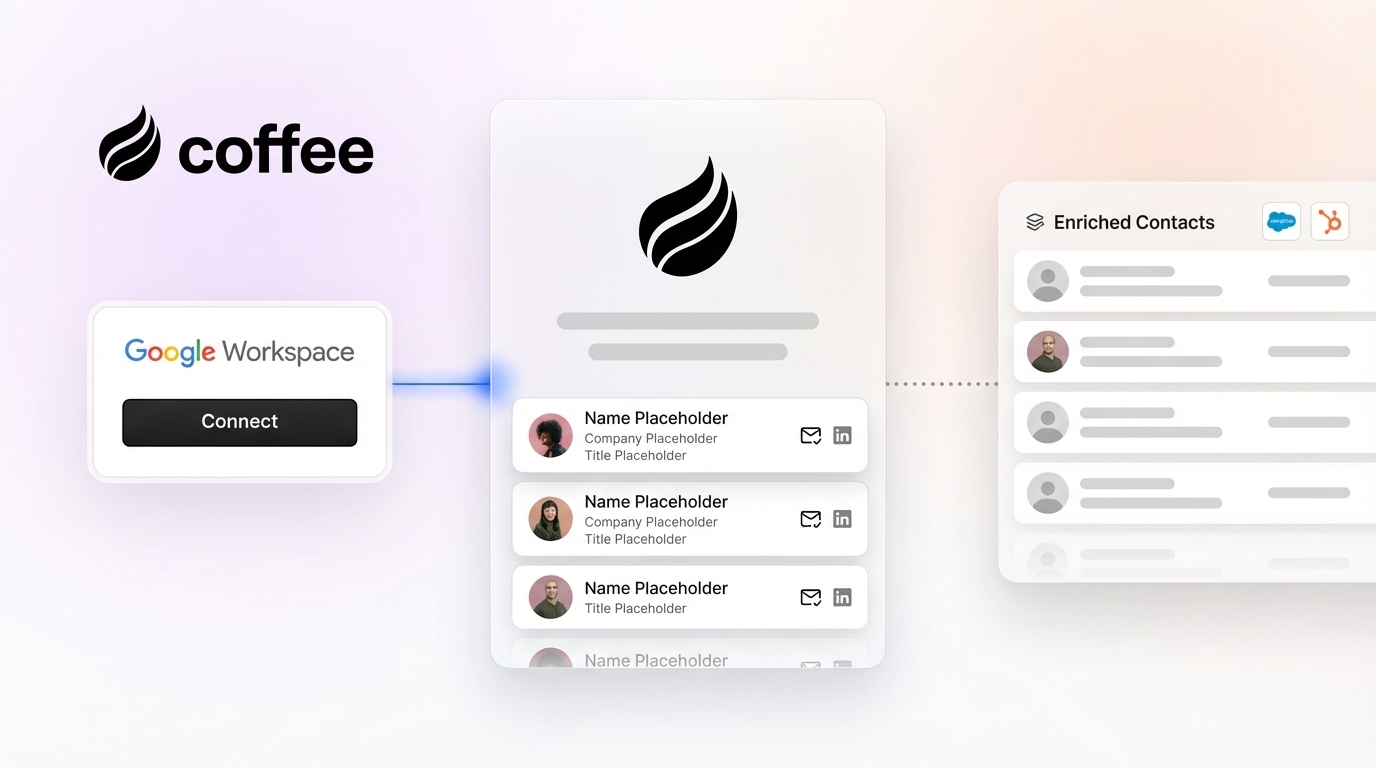
Coffee connects to Google Workspace or Microsoft 365 via a single OAuth authorization. From that point, the Coffee Agent scans incoming and outgoing emails and calendar events to auto-create contact and company records without any manual input. Built-in filtering excludes internal domains, no-reply addresses, and role-based senders automatically.
The agent augments every parsed record with job titles, funding data, and LinkedIn profiles via licensed enrichment partners, which removes the need for separate tools like Apollo or ZoomInfo. Re-enrichment runs automatically on every new interaction with a contact, so records stay current without scheduled batch jobs or manual triggers.

Coffee operates in two modes: as a Standalone CRM for small to mid-sized teams replacing legacy systems entirely, or as a Companion App that layers the Coffee Agent on top of existing Salesforce or HubSpot instances. In companion mode, enriched data writes back directly to the primary CRM, keeping the system of record accurate without human effort. Coffee is SOC 2 Type 2 and GDPR compliant, and data is never used to train public models.

Connect Coffee to your inbox to activate autonomous contact enrichment in minutes.
Validation and Success Metrics for Enrichment Programs
Post-enrichment validation should include sampling records to verify accuracy of added data, confirming enriched fields display correctly in the CRM, testing that workflows and automations function properly with the new data, and monitoring actual usage by sales and marketing teams. These checks work together to confirm that enrichment improves outcomes instead of just adding more fields.
Track the following metrics weekly during the first 30 days and monthly thereafter:
- Duplicate rate: percentage of new contacts flagged as duplicates at creation
- Fill rate: percentage of required fields populated on auto-created records
- Email deliverability rate: bounce rate on enriched email addresses, per ZoomInfo’s enrichment evaluation framework
- Time saved: hours per week reclaimed from manual data entry, using your baseline estimate for current effort
- Lead response time: reduction in time from first email to first CRM-logged touch
Ongoing maintenance should track source quality trends over time, monitor team adoption rates, collect user feedback on data usefulness, and refresh data according to a defined schedule.
Scaling Enrichment for Different Team Sizes
Small teams (1–20 seats) gain the most from a fully autonomous standalone agent that removes setup complexity. The Coffee Standalone CRM fits this profile well: connect an inbox, and the agent handles the rest with no Flows, Zaps, or rule configurations to maintain.
Mid-market teams already invested in Salesforce or HubSpot should deploy Coffee as a Companion App. This approach preserves existing CRM architecture, including quotas, forecasting hierarchies, required fields, and custom objects, while adding the Coffee Agent as the data-in layer. Many marketing teams using AI agents apply them to lead routing and qualification workloads, and the companion model extends that same agentic logic to contact enrichment without a CRM migration.
As email volume grows, rule-based integrations require proportionally more maintenance. Agentic workflows scale with inbox connections rather than with rule sets, which makes them a durable choice for teams expecting growth.
Frequently Asked Questions
How do I prevent junk or internal contacts from being auto-created?
Configure a domain blocklist before activating any auto-create rule. At minimum, exclude your own company domain, all known no-reply patterns (noreply@, donotreply@, notifications@), and role-based addresses (billing@, support@, hr@, legal@). Set a minimum required-field threshold so that a record is only written to the CRM when at least a business email address and one additional field are present. Use a dedicated parsing inbox rather than a shared team mailbox to reduce false matches. Review and update the blocklist weekly, as sender formats change when vendors update their email templates or form builders.
Can I manually edit a contact that the agent auto-created?
Yes. Coffee-created contacts are standard CRM records and can be edited manually at any time. In companion mode, edits made directly in HubSpot or Salesforce are preserved. The Coffee Agent re-enriches records on each new interaction but does not overwrite fields that have been manually set to a higher-confidence value. A rep who corrects a job title from a signature will not have that correction reverted on the next email sync.
How does auto-enrichment work with shared inboxes like sales@ or info@?
Shared inboxes create deduplication and attribution challenges. The recommended approach excludes shared role-based addresses from auto-create rules entirely and instead routes emails from those inboxes through a dedicated parsing address that applies stricter validation before writing records. If shared inbox coverage is required, configure the enrichment layer to assign a default owner, such as the first available SDR, and flag the record for manual review rather than writing it directly to a live pipeline stage.
How often does Coffee re-enrich existing contact records?
The Coffee Agent re-enriches a contact record on every new interaction. Each inbound email, outbound reply, or calendar event involving that contact triggers a fresh enrichment pass. This event-driven model keeps records current without scheduled batch jobs. For contacts with no recent interactions, Coffee applies a 90-day refresh cycle by default to catch role changes, company moves, and updated LinkedIn profiles that external databases surface over time.
Is Coffee secure enough for teams handling sensitive customer data?
Coffee is SOC 2 Type 2 certified and GDPR compliant. Email and CRM data processed by the Coffee Agent is not used to train public AI models. For teams in regulated industries such as healthcare or financial services with multi-year security review requirements, Coffee recommends evaluating whether its current compliance posture meets internal procurement thresholds before deployment. For most small-to-mid-market B2B sales teams, the existing certifications satisfy standard vendor security reviews.
Conclusion: Moving to Autonomous Contact Enrichment
Auto-enriching CRM contacts from incoming emails follows a clear progression: connect the inbox, apply filtering guardrails, map fields, add an enrichment layer, and monitor quality continuously. Native CRM tools like HubSpot’s auto-create and Salesforce Einstein Activity Capture handle the first layer but leave significant gaps in enrichment depth and ongoing accuracy. Rule-based integrations via Zapier or Clay fill some gaps but introduce brittle maintenance overhead that scales poorly.
Autonomous AI agents provide a more durable approach. By continuously monitoring inboxes, parsing unstructured content, cross-referencing licensed enrichment partners, and writing back to any CRM without human intervention, agents remove the manual data entry burden documented earlier. Coffee delivers this capability as both a standalone CRM and a companion layer for Salesforce and HubSpot, meeting teams where they are without requiring a migration.
Deploy Coffee’s contact enrichment agent and let it manage contact creation and updates from your first connected inbox.


