Key Takeaways for Startup CRM Enrichment
- Clean CRM data drives accurate forecasts and relevant outreach in B2B startups, so your enrichment method directly affects team efficiency.
- In 2026, three main enrichment options exist: manual entry, standalone tools like Apollo or ZoomInfo, and agent-native CRMs, each with clear trade-offs in cost, setup, and data quality.
- Agent-native enrichment keeps records fresh with continuous, automatic updates instead of one-time or batch jobs that quickly go stale.
- Startups cut admin work and scale more easily when enrichment lives inside the CRM and avoids per-lead fees or Zapier-based workflows.
- Teams ready for continuous, automatic CRM enrichment can start a Coffee trial and be live in under 30 minutes.
How Data Enrichment Works for Early-Stage Startups
Data enrichment augments raw contact and company records with verified, structured attributes such as job title, funding stage, LinkedIn profile, and technographic signals. Sales teams then qualify, route, and engage prospects without spending hours on manual research. For early-stage B2B teams, the real decision centers on how continuously and automatically that enrichment runs.
The before-and-after impact shows up in the calendar. Manual research on contacts consumes substantial SDR time that automated waterfall enrichment completes in minutes. B2B SaaS reps spend 28% of their working week selling, and a 10-person team that recaptures five hours per rep per week through automated enrichment gains the equivalent of more than one additional full-time rep without adding headcount. On the output side, combining behavioral signals with enriched contact data produces higher reply rates than enriched data alone.
Evaluation Criteria for Small-Team Enrichment
Six criteria determine whether an enrichment approach works for a sub-20-person team. The first two, data quality and freshness plus implementation time under 30 minutes, show whether the solution delivers value quickly. The next three, workflow fit for teams without dedicated RevOps, native CRM integration, and ongoing administrative burden, determine whether your team can realistically maintain the setup. The final criterion, total cost of ownership including hidden per-lead fees and Zapier overhead, reveals the true financial impact beyond the sticker price. Every approach below is assessed against these six dimensions.
Side-by-Side Comparison of Three Enrichment Approaches
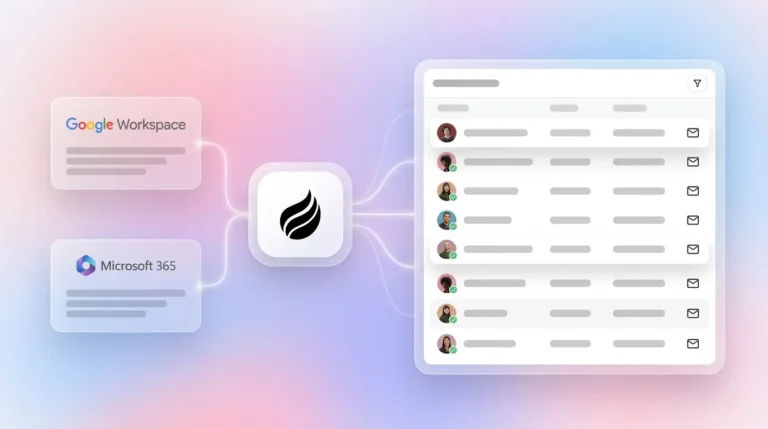
Setup and onboarding speed. Manual entry requires no software setup but demands immediate and ongoing human labor. Standalone tools such as ZoomInfo or Apollo require account provisioning, CSV imports or API configuration, and field mapping to the CRM, which can take from a few days to several weeks depending on complexity. Agent-native enrichment activates through a single authentication to Google Workspace or Microsoft 365 and begins populating records immediately, with no field mapping or import workflow required.
Continuous versus one-time enrichment. Manual entry is neither continuous nor reliable. Standalone tools perform enrichment on demand or in scheduled batch jobs, but B2B contact data decays at roughly 2.1% per month, so nearly a quarter of records become inaccurate within 12 months if enrichment runs only once. ZoomInfo itself recommends continuous enrichment over one-time batches because one-time enrichment decays quickly as contacts change jobs and companies evolve. Agent-native enrichment runs continuously in the background and updates records as new emails, calendar events, and call transcripts arrive.
Structured and unstructured data unification. Manual entry and standalone tools handle structured fields such as name, title, company, and email but cannot parse unstructured data like email threads or call transcripts. Agent-native systems ingest both types of data and automatically associate meeting notes, follow-up drafts, and transcript summaries with the correct contact record. This distinction matters because automated enrichment can sharply reduce the share of contacts with critical missing or incorrect fields. Those gains require continuous processing of every new interaction to hold.

CRM-native versus external maintenance. Standalone tools sit outside the CRM and require ongoing sync logic, Zapier workflows, or custom API calls to write enriched data back to the system of record. Each additional integration layer introduces failure points and maintenance work. Agent-native enrichment writes directly to the CRM, or in Coffee’s Companion App model, writes enriched data back to an existing HubSpot or Salesforce instance, which removes the external sync layer entirely.
Long-term scalability. Manual entry does not scale past a handful of reps. Standalone tools scale in coverage but add per-seat and per-credit costs that compound as the team grows. Agent-native enrichment uses seat-based pricing where the agent’s labor is included, so enrichment volume grows without incremental cost.
Best-Fit Enrichment Models by Growth Stage
Pre-seed and seed teams on Notion or spreadsheets. These teams have outgrown manual tracking and view legacy CRMs like HubSpot or Pipedrive as expensive administrative burdens. Coffee’s Standalone AI-First CRM fits this stage directly. The agent creates contacts from email and calendar automatically, enriches records with job titles, funding data, and LinkedIn profiles via licensed data partners, and logs every activity without human input.

Post-seed teams already on HubSpot or Salesforce. These teams have invested in a system of record and cannot migrate easily. Coffee’s Companion App deploys the agent as an intelligent layer on top of the existing CRM. A single authentication allows the agent to sync data, enrich records, and write insights, including meeting summaries structured to BANT, MEDDIC, or SPICED, back to HubSpot or Salesforce without disrupting existing workflows.
RevOps leads needing ICP scoring and routing without added headcount. CRM data maintenance consumes significant manual effort that automation can absorb. Coffee’s visitor identification feature extends enrichment upstream. A single tracking pixel identifies anonymous website visitors by name, title, email, and LinkedIn profile, then surfaces the two or three highest-fit contacts inside the visiting company based on the configured buyer persona. Those contacts route directly into outbound sequences without manual list building.

2026 Cost Comparison for Sub-20-Seat Teams
| Approach | Tooling Cost (per rep/month) | Hidden Costs | Enrichment Model |
|---|---|---|---|
| Manual + Spreadsheets | ~$0 tooling | Significant SDR time lost to data tasks instead of selling | One-time, human-dependent |
| Standalone Tools (Apollo, ZoomInfo, Clay + CRM) | Varies significantly by number of tools | Per-lead credits, Zapier seats, integration maintenance | Batch or on-demand, decays between runs |
| Agent-Native CRM (Coffee) | Seat-based, agent labor included | No per-lead fees, no Zapier overhead for core enrichment | Continuous, automatic |
For a 10-rep team, moving from a fragmented 7–10 tool stack to a consolidated architecture saves up to around $140,000 per year in tooling costs alone. For a sub-20-person startup, the compounding effect of per-lead credits, Zapier task limits, and integration maintenance hours creates a significant hidden cost that seat-based agent pricing removes.
Risks, Misconceptions, and Compliance Requirements
Data staleness is structural, not incidental. Single-source data providers achieve 50–70% coverage rates on average, while waterfall enrichment pushes coverage to 85–95%. Even high-coverage enrichment degrades without continuous refresh. The 2.1% monthly decay rate mentioned earlier makes continuous enrichment structural, not optional. Batch-only approaches require manual re-runs that teams consistently defer, so the CRM degrades on a predictable schedule.
Shorter forms and real-time visitor identification are 2026 signals. Progressive profiling and intent-based enrichment mean that signup forms now capture an email and let the enrichment layer fill in the rest. Coffee’s visitor identification pixel turns this into a concrete workflow. Anonymous traffic becomes named, qualified prospects with company, title, and LinkedIn profile pre-filled before any form is submitted.
Compliance is non-negotiable. Coffee is SOC 2 Type 2 and GDPR compliant. Data ingested by the agent is not used to train public models. For early-stage teams evaluating enrichment tools, the absence of these certifications in a vendor creates a procurement risk that grows as the company scales toward enterprise customers with strict vendor security requirements.
The hidden labor of multiple tools is underestimated. Teams lose up to five hours weekly toggling between apps. The context-switching overhead mentioned earlier, five hours per rep per week, compounds across every rep when each point solution adds another app to toggle between.
Decision Checklist: Match Your Stack to the Right Model
Use the following guidance to match your current stack and constraints to a practical enrichment approach.
Choose manual entry only if your team has fewer than 50 contacts total, no outbound motion, and zero budget for tooling. This approach does not scale and fails for any team with an active pipeline.
Choose standalone point solutions if you have a dedicated RevOps resource to manage integrations and a CRM that is already deeply customized. In this situation, you may require enrichment coverage from a specific enterprise data provider and have budget for per-lead fees plus integration maintenance. The combination of RevOps capacity and provider preference makes a point-solution stack workable despite its overhead.
Choose Coffee’s Standalone AI-First CRM if you are on spreadsheets or Notion with 1–20 employees. At this stage, you lack a true system of record, so you benefit from enrichment and CRM in a single agent with no integration layer to manage. Because you have no legacy data to migrate and no rigid workflows to preserve, you can be operational in under 30 minutes as the agent reads your email and calendar history to build the CRM from scratch.
Choose Coffee’s Companion App if you are committed to HubSpot or Salesforce and your CRM data quality is poor. In this case, reps often skip activity logging, so pipeline visibility suffers. The Companion App lets the agent handle enrichment, meeting notes, and pipeline tracking while your existing system of record stays in place. This pairing improves data quality and reporting without a disruptive migration.
Frequently Asked Questions
How long does agent-native enrichment take to implement?
Coffee connects to Google Workspace or Microsoft 365 through a single authentication step. Once connected, the agent begins the auto-creation and enrichment process described in the comparison section above. Because it reads directly from your existing email and calendar history, there is no manual data entry or import step, and the CRM builds itself from your team’s actual communication patterns. Most teams are fully operational within 30 minutes of signing up. The Companion App for HubSpot or Salesforce follows the same authentication model and writes enriched data back to the existing CRM without requiring a migration or data export.
What migration effort is required when switching from spreadsheets or point tools?
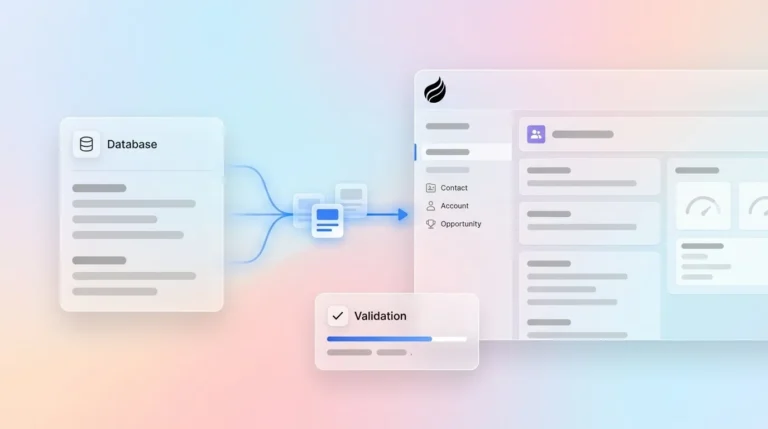
For teams moving from spreadsheets or Notion, Coffee’s agent handles the initial population of the CRM by reading existing email and calendar history. That approach removes any manual import for contacts and companies already present in your inbox. For teams switching from a standalone enrichment tool layered on top of HubSpot or Salesforce, the Companion App model removes migration entirely. The agent simply begins enriching and logging on top of the existing system of record, while historical deal data and custom fields in the legacy CRM remain intact.
Which security certifications does Coffee maintain?
Coffee is SOC 2 Type 2 certified and GDPR compliant. Data processed by the Coffee Agent is not used to train public AI models. For startups selling into mid-market or enterprise accounts where vendor security reviews are part of procurement, these certifications satisfy the most common requirements. Teams in heavily regulated industries such as healthcare or finance with multi-year security review cycles fall outside Coffee’s current ideal customer profile.
How can I evaluate fit without a lengthy procurement process?
Coffee uses straightforward seat-based pricing with no complex metering on enrichment volume or AI usage. The agent’s labor, including contact creation, enrichment, activity logging, meeting summaries, and pipeline tracking, is included in the seat price. Evaluation can begin immediately through the pricing page, and setup takes under 30 minutes, so teams can assess real enrichment output on their own live data before committing to a full deployment. No enterprise sales cycle is required for sub-20-person teams.
Conclusion: Why Continuous, Automatic Enrichment Wins
Manual entry fails because humans make inconsistent data entry clerks. Standalone point solutions improve coverage but introduce integration overhead, per-lead costs, and batch-only enrichment that decays between runs. Agent-native CRM enrichment solves both problems. The agent runs continuously, writes directly to the system of record, processes structured and unstructured data, and scales on seat-based pricing without hidden fees.
Coffee’s dual deployment model, Standalone AI-First CRM for teams leaving spreadsheets and Companion App for teams committed to HubSpot or Salesforce, lets the agent meet teams where they are instead of forcing a platform migration first. Coffee’s January 2026 Stripe integration, for example, automatically imports customers and companies, enriches them, and adds paid invoices to deals as Closed Won. That workflow shows how agent-led enrichment extends beyond contact data into the full revenue picture. For a 1–20 person B2B startup where every hour of selling time matters, continuous automatic enrichment becomes the operational foundation that keeps everything downstream reliable.
Try Coffee’s agent-native CRM, built for continuous data enrichment from day one.