Key Takeaways
- Bad data drives high bounce rates. Enrichment adds firmographics, intent signals, and verified contacts, which can boost reply rates up to 5x.
- Traditional waterfall workflows rely on manual coordination across tools like Apollo, Clearbit, and Hunter, which slows teams down.
- Coffee’s AI agent automates the full pipeline from list building to CRM sync and typically saves each rep 8-12 hours every week.
- Leading tools include Coffee (autonomous agent), Clay ($149/month), Apollo ($49/user), and ZoomInfo ($15K/year), each serving different needs.
- Startups and mid-market teams can reach enterprise-level performance without tool sprawl. Start a free Coffee trial to automate enrichment.
How Data Enrichment Powers Modern Outbound
Data enrichment for outbound adds firmographics, technographics, intent signals, and verified contact details directly onto your prospect lists. Firmographics include company size and funding, while technographics capture the software stack your prospects use.
Intent signals highlight buying behavior such as hiring spurts or product launches, and contact details cover verified emails and mobile numbers. These layers give reps the context they need to write specific, relevant outreach instead of generic sequences.
For example, you can append recent funding data and open with a line like “Hey [Name], saw your $10M Series A.” You can also identify decision-makers at companies that recently visited your website and prioritize them in your next outbound sequence.
Enriched data drives 20-50% reply rate improvements and supports 2-3x higher conversion rates. Teams usually reach these gains through two main approaches: traditional waterfall enrichment and real-time agent automation.
Waterfall enrichment queries multiple databases one after another to fill missing fields. Real-time agent automation connects to your existing systems and pulls data from integrated sources continuously, without manual work.
2026 Outbound Enrichment Workflow: Waterfall vs Coffee Agent
Outbound teams save the most time when enrichment, verification, and sync run in a single automated flow. Traditional waterfall workflows spread these steps across several tools, while AI agents like Coffee consolidate them into one continuous process.
The table below shows how Coffee replaces five separate manual steps with one agent-driven workflow. This consolidation typically removes 8-12 hours of weekly manual work per rep and reduces errors from CSV handling and stale lists.

| Step | Traditional Waterfall | Coffee Agent | Key Advantage |
|---|---|---|---|
| 1. ICP List Building | Manual CSV uploads | Natural language List Builder | Auto-suggests from Visitor ID |
| 2. Data Enrichment | Apollo, Clearbit, Hunter chain | Auto from Workspace/365 plus partners | No credits, handles unstructured data |
| 3. Email Verification | ZeroBounce manual upload | Built-in verification | Lower bounce rates versus stale lists |
| 4. CRM Synchronization | Manual CSV imports | Auto writeback (SF/HubSpot) | 8-12 hours per week saved per rep |
| 5. Outbound Execution | Manual campaign setup | Suggested Leads then personalize | Scales volume significantly |
The waterfall approach often introduces accuracy gaps and extra costs because every step depends on separate tools and human coordination. Coffee’s agent removes those gaps by running enrichment, verification, and sync as one unified automated workflow.
Top Data Enrichment Tools for Outbound Sales in 2026
1. Coffee – Coffee acts as an autonomous CRM agent that handles enrichment, verification, and CRM sync without manual intervention. Seat-based pricing removes credit constraints and typically saves each rep 8-12 hours per week through continuous automation.

2. Clay – Clay offers waterfall enrichment across more than 75 providers with a flexible workflow builder. The starter plan at $149/month suits teams that have technical resources and want to design custom enrichment flows.
3. Apollo.io – Apollo combines prospecting and sequencing with built-in enrichment at $49/month per user. This option works well for budget-conscious teams that want an all-in-one sales engagement platform.
4. ZoomInfo – ZoomInfo provides an enterprise-grade database with deep org charts and intent data at $15,000+ annual pricing. Large organizations with complex account structures usually get the most value here.
5. Clearbit – Clearbit focuses on HubSpot-native enrichment with strong firmographic accuracy. It supports real-time form enrichment and company data append for marketing and sales teams.
6. Cognism – Cognism’s Diamond Data offers human-verified mobile numbers, especially valuable for EU markets where phone outreach remains critical.
7. Lusha – Lusha starts at $49/month per user. Its Chrome extension enables instant LinkedIn lookups and quick contact discovery.
8. RocketReach – RocketReach provides a database of more than 700 million profiles with flexible monthly plans that fit smaller teams and contractors.
| Tool | Pricing | Email Accuracy | CRM Sync | Best For |
|---|---|---|---|---|
| Coffee | Seat-based | Built-in | Auto (SF/HubSpot) | Automation and no tool sprawl |
| Clay | $149/month | Varies | Manual | Custom workflows |
| Apollo | $49/user/month | Integrated | Native | Budget prospecting |
| ZoomInfo | $15K/year | Enterprise | Native | Enterprise |
Coffee stands out through agent automation that removes the manual coordination traditional tools still require. See how Coffee fits your stack with a free trial and experience autonomous enrichment in your own workflow.
Budget-Friendly Stacks and Verification Strategies for Startups
Teams that cannot yet adopt a full agent solution still need a reliable way to control bounce rates and protect sender reputation. The most practical path is a budget-conscious stack that pairs enrichment with verification at each growth stage.
The table below outlines common combinations for startups, mid-market teams, and enterprises. Each tier balances monthly cost against expected bounce rates so teams can choose a realistic setup before moving to an autonomous agent like Coffee.
| Stack Tier | Tools | Monthly Cost | Bounce Rate |
|---|---|---|---|
| Startup (<$100) | Apollo free plus Hunter | $0-50 | Elevated |
| Mid-Market | Clay plus ZeroBounce | $200 | Low |
| Enterprise | ZoomInfo plus Cognism | $2K+ | Very low |
Coffee Companion acts as a stack-killer by delivering enterprise-grade verification and enrichment in one product. Teams replace multiple point tools and monthly credit packs with a single agent that keeps data clean and verified automatically.
Why AI Agents Like Coffee Change Enrichment Forever
2026 marks a clear shift from passive databases to active agents that manage enrichment end to end. AI-driven enrichment now goes beyond static field appending to dynamic, workflow-aware intelligence that supports personalized outbound at scale.
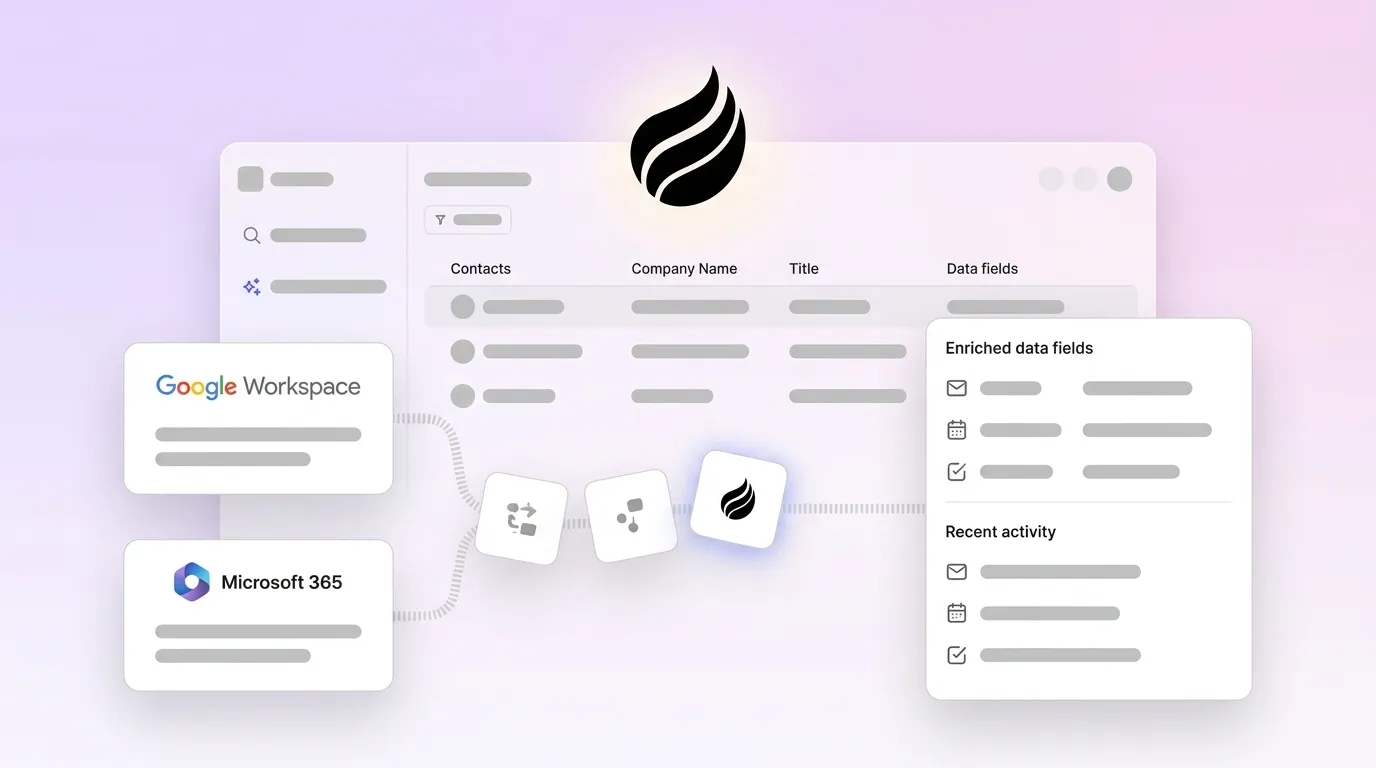
Coffee’s agent automatically enriches emails and calendar data, which it then uses to convert website visitors into Suggested Leads. From there, teams build targeted lists through natural language commands, so reps avoid manual data entry and spreadsheet work.

This end-to-end automation enabled an AI solutions firm to retire spreadsheets completely. Coffee now handles their contact creation, enrichment, and pipeline tracking, which frees their sales team to focus on conversations instead of admin tasks.
Unlike competitors that rely on manual database queries, Coffee proactively maintains a data warehouse that captures historical context and unstructured data. The agent connects firmographic enrichment, intent signal detection, and CRM synchronization into one continuous flow while maintaining SOC2 compliance.
This passive versus active distinction explains why Coffee can maintain data quality continuously, while traditional repositories depend on periodic manual refresh cycles. Coffee behaves like an autonomous teammate that keeps “Good Data In, Good Data Out” without constant human oversight.
Best-Fit Use Cases and Practical Decision Framework
Teams should choose their enrichment approach based on size, CRM maturity, and appetite for automation. The right fit depends on whether you need a standalone system, a companion agent, or a hybrid with an existing enterprise database.
The framework below builds on the earlier tool comparisons and budget stacks. It translates those options into concrete recommendations for startups, mid-market teams, and enterprises.
| Team Size | CRM | Budget | Top Pick |
|---|---|---|---|
| Startup (1-20) | None or basic | <$100/month | Coffee Standalone |
| Mid-Market (20-200) | Salesforce or HubSpot | $100-500/month | Coffee Companion |
| Enterprise (200+) | Complex Salesforce setup | $1K+/month | ZoomInfo plus Coffee |
Startups benefit from Coffee’s Standalone CRM with built-in enrichment because they avoid buying and integrating several point tools. Mid-market teams usually see the best results by deploying Coffee Companion on top of Salesforce or HubSpot to automate enrichment and sync.
Enterprises often pair ZoomInfo’s deep database with Coffee’s agent. ZoomInfo supplies broad coverage, while Coffee keeps day-to-day records accurate through continuous enrichment and verification.
Risks, Limitations, and How to Implement Safely
Data decay remains a persistent challenge for every outbound team. Contact databases degrade at 22-30% annually, which forces teams to run constant refresh cycles to maintain accuracy.
Coffee addresses this problem through a built-in data warehouse that tracks changes over time and preserves historical context. The agent updates records as new signals appear, so enrichment becomes a continuous background process instead of a quarterly project.
Tool sprawl introduces integration complexity and rising costs as teams stitch together enrichment, verification, and CRM sync tools. Each additional product adds another contract, another data flow, and another potential failure point for your outbound engine.
Coffee consolidates these functions into a single agent that manages the entire workflow autonomously. This consolidation reduces coordination overhead, simplifies security reviews, and often lowers total spend compared with maintaining several overlapping tools.
Ready to simplify enrichment? Start a Coffee trial to remove enrichment complexity and keep “Good Data In, Good Data Out” for every outbound campaign.
Frequently Asked Questions
What is waterfall enrichment and how does it work?
Waterfall enrichment sequentially queries multiple data providers to maximize match rates and coverage. When the first provider, such as Apollo, does not find a contact’s email, the system moves to the second provider, such as Clearbit, then to a third, such as Hunter.
The process continues until it finds the data or exhausts all sources. This approach usually reaches 85-95% coverage compared with 50-70% from single-source tools, but it requires manual setup and coordination across several platforms.
How does Coffee compare to ZoomInfo for outbound enrichment?
ZoomInfo functions as a passive database that depends on manual queries and exports, while Coffee operates as an autonomous agent that enriches data directly from your existing email and calendar systems. ZoomInfo typically costs $15,000 or more per year with per-seat limits.
Coffee uses seat-based pricing without credit constraints, which simplifies budgeting and usage. Coffee also processes unstructured data such as email content and call transcripts, which ZoomInfo does not handle effectively.
How quickly can I set up automated enrichment with Coffee?
Coffee setup usually takes only a few minutes through Google Workspace or Microsoft 365 authentication. Once connected, the agent begins scanning emails and calendars to create and enrich contacts automatically.

Traditional tools often require CSV uploads, API configurations, and waterfall setup before they provide value. Coffee starts working immediately without technical implementation work from your team.
Is Coffee secure for handling sensitive customer data?
Coffee maintains SOC2 Type 2 compliance and follows GDPR requirements. Customer data does not train public AI models, and all processing runs inside secure, audited infrastructure.
The agent accesses only the data required for enrichment and CRM synchronization. Teams also receive clear visibility into data usage and retention policies.
What reply rate benchmarks can I expect with enriched data?
Teams that use verified, enriched contact data often reach 8-12% reply rates compared with the 3.1% industry average for cold outreach. The main drivers are accurate data that keeps bounces below 2%, personalization powered by firmographic context, and timing informed by intent signals.
Coffee users typically see these improvements within the first month of implementation because the agent maintains data quality continuously instead of relying on occasional list cleanups.