Key Takeaways
- Top GitHub CRM repos like Twenty, SuiteCRM, and Frappe CRM give indie devs and small teams free lead tracking and pipeline management.
- Popular stacks include TypeScript/React (Twenty), Python/Frappe, PHP/Laravel, and Django, each with its own Docker, pip, or bench setup flow.
- GitHub scripts rely on manual data entry and developer maintenance, and they lack AI enrichment, which creates scalability issues as teams grow.
- Coffee’s AI agent automates visitor identification, activity logging from emails and calendars, and pipeline intelligence with no ongoing upkeep.
- Try Coffee’s free pixel for instant CRM tracking without GitHub script complexity.
Top 10 CRM Tracking Scripts & Repos on GitHub (2026 Edition)
Marmelab’s January 2026 open-source CRM benchmark evaluated nine projects that showed healthy GitHub activity, with multiple contributors, regular releases, and fast security fixes. The table below highlights how the top repositories differ in technical stack and community health, which directly affects long-term reliability and how easily you can customize each option.
| Repository | Language/Framework | Community Status | Primary Use Case |
|---|---|---|---|
| Twenty | TypeScript/React/PostgreSQL | Active repository with many contributors | Modern leads and pipeline tracking with API and webhooks |
| SuiteCRM | PHP | Active community | Activity feeds and advanced reporting |
| EspoCRM | PHP | One-man project with regular updates | Custom entities and lead management |
| Frappe CRM | Python/Frappe Framework | Integrated with ERPNext ecosystem | Activity logging and pipeline visualization |
| Krayin CRM | PHP/Laravel | Irregular update frequency | Marketing automation and lead capture |
| Atomic CRM | React/Supabase | Small community | Lightweight pipeline tracking |
| Odoo CRM | Python | Healthy GitHub activity | Integrated business suite with CRM module |
| OroCRM | PHP/Symfony | Enterprise-focused | B2B customer segmentation and workflows |
| ERPNext | Python/Frappe | Large ecosystem | Unified CRM with accounting and inventory |
| Axelor | Java | Enterprise platform | Business process automation |
Twenty scores 9/10 in Marmelab’s benchmark and supports contacts, companies, deals, notes, tasks, workflows, and Zapier integrations. These repositories give you powerful, free alternatives to paid CRM platforms, although they still need developer setup and ongoing maintenance.
Skip deployment headaches with Coffee’s automated tracking instead of managing complex GitHub scripts.

Setup Guides for the Top 3 GitHub CRM Scripts
The three setup guides below cover Django CRM, Twenty, and Frappe CRM, which represent the most popular options for small technical teams. Walking through these steps gives you a clear sense of the real implementation effort before you commit to any self-hosted path.
Django CRM Setup
Django-based CRM scripts suit Python developers who want robust lead and activity tracking with familiar tooling.
- Clone the repository:
git clone https://github.com/DjangoCRM/django-crm - Install dependencies:
pip install -r requirements.txt - Run migrations:
python manage.py migrate - Create superuser:
python manage.py createsuperuser - Start server:
python manage.py runserver
Twenty CRM Deployment
Twenty’s TypeScript/React/PostgreSQL stack runs smoothly with Docker, which simplifies local deployment for front-end and full-stack teams.
- Clone:
git clone https://github.com/twentyhq/twenty - Set up environment:
cp .env.example .env - Run with Docker:
docker-compose up -d - Access at
localhost:3000
Frappe CRM Installation
Frappe Framework delivers Python-based CRM with built-in activity logging and tight ERPNext integration.
- Install Frappe Bench:
pip install frappe-bench - Create new site:
bench new-site crm.local - Install CRM app:
bench get-app crm - Install on site:
bench --site crm.local install-app crm
Pros: Free, customizable, and fully open source
Cons: Ongoing maintenance, no built-in AI enrichment, and a need for developer expertise
These GitHub scripts give you strong foundations but also introduce long-term technical upkeep for your team. Or eliminate setup entirely with Coffee’s one-line pixel if you prefer to avoid this complexity.

Framework Spotlights for CRM Builders
Best Django CRM GitHub Repos
Django-based CRM tracking scripts excel at rapid prototyping and tight Python integration, usually focusing on lightweight lead capture and activity logging. Grow CRM, built on the Laravel framework, offers a useful contrast by bundling contact management and pipeline tracking into a more feature-complete package. That Laravel approach trades some of Django’s rapid iteration strengths for a heavier, all-in-one toolset.
Frappe CRM and ERPNext in the Frappe Ecosystem
Frappe CRM delivers lead scoring, email campaigns, and Kanban-style pipeline visualization with deep ERPNext integration. The underlying Frappe Framework supports rapid custom app development, which helps teams build specialized tracking features without starting from scratch.
ERPNext extends this stack by combining CRM with accounting, HR, and inventory for unified sales pipeline tracking. Teams that adopt ERPNext gain a single system of record, although they also take on more configuration and infrastructure work.
Python CRM Tracking Scripts Beyond Frameworks
Standalone Python scripts and microservices support API-friendly automation for lead ingestion and activity logging from external sources. These options fit engineering teams that prefer to stitch together custom workflows instead of adopting a full CRM framework.
While each framework and script family has strengths, they all share one limitation. Every option still depends on developers for data entry workflows, enrichment logic, and ongoing maintenance.
GitHub Scripts vs. Modern AI Tracking: Comparison Matrix
The comparison below shows the core trade-off between GitHub scripts and an AI-powered platform. GitHub options require manual effort for data entry, enrichment, maintenance, and scaling, while Coffee automates these tasks from end to end.
| Solution | Data Entry | Lead Enrichment | Maintenance | Scalability |
|---|---|---|---|---|
| Twenty (GitHub) | Manual input required | Basic contact fields | Developer updates needed | Self-hosted scaling |
| Django CRM Scripts | Form-based entry | Custom field creation | Code maintenance required | Server management needed |
| Frappe CRM | Manual lead creation | Basic company data | Framework updates | Infrastructure scaling |
| Coffee AI Agent | Automatic from emails and calendar | LinkedIn, funding, job titles | Zero maintenance | Cloud-native scaling |
Many open-source CRMs take 8 to 16 weeks to implement and demand substantial developer effort for activity logging and pipeline tracking. This implementation burden comes directly from the manual work shown in the table, which Coffee removes through automated capture and enrichment.
Why Choose Coffee’s AI Agent for CRM Tracking
GitHub CRM scripts provide free starting points but still depend on constant developer maintenance and manual data entry. Coffee’s AI agent removes both burdens by automating the capture and enrichment work that GitHub scripts leave on your plate.
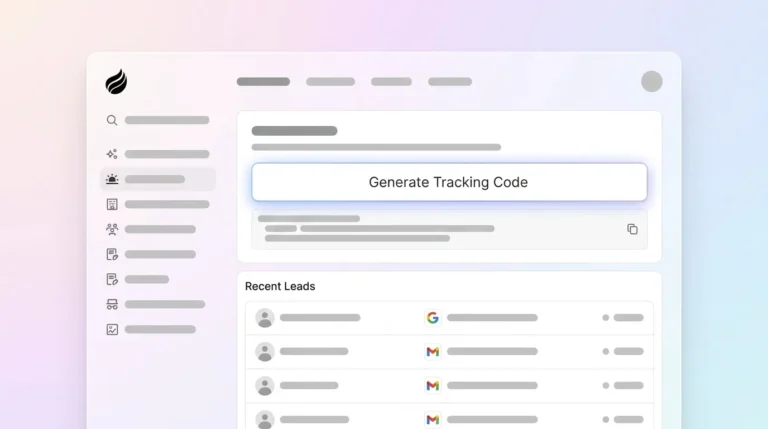
Visitor Identification: A single tracking pixel in your website’s <head> tag automatically identifies anonymous visitors. It captures names, emails, LinkedIn profiles, and company data without forms or manual entry.

Automatic Activity Logging: Coffee’s AI search on deals answers natural-language prompts like “Which deals are stuck in negotiation?” or “What is closing this month?” The agent logs interactions from emails, calendars, and meetings automatically, so your pipeline stays current.

Pipeline Intelligence: Coffee’s Stripe integration imports customers and companies, enriches them, and adds paid invoices to deals as Closed Won. Coffee tracks deal progression automatically, instead of relying on manual pipeline updates.
Zero Maintenance: Coffee’s Intelligence layer lets you define business context for tailored AI suggestions and insights. This approach replaces the code updates and server maintenance that GitHub scripts require.
Start your free Coffee trial to see automated enrichment in action and experience automated lead capture without GitHub deployment work.

Common Pitfalls and How Coffee Helps
GitHub CRM tracking scripts run into recurring problems that become more painful as your team and pipeline grow.
Stale Code: Krayin CRM shows irregular update frequency, which leaves security vulnerabilities and compatibility issues unresolved. This lag increases risk and adds pressure on your own developers to patch gaps.
Manual Upkeep: Many open-source CRM implementations fail because users stop keeping them updated. Teams often abandon scripts once the maintenance overhead outweighs the value they get from the system.
Data Quality Issues: Incomplete enrichment leads to missing fields and spotty activity logs. Seventy-nine percent of marketing leads never convert into sales due to poor qualification and inconsistent follow-up. Weak data and manual workflows make that problem worse.
Conclusion: When to Use Scripts and When to Use Coffee
GitHub CRM tracking scripts like Twenty, SuiteCRM, and Frappe CRM give indie developers and small teams flexible, no-subscription starting points. You gain control over lead capture, activity logging, and pipeline management, along with full access to the source code.
As discussed, these benefits come with trade-offs in maintenance, implementation time, and data quality. Developer overhead grows as your pipeline scales, and manual enrichment struggles to keep up with real-world sales activity. Coffee’s AI agent addresses these gaps through automated capture, intelligent enrichment, and a zero-maintenance cloud architecture.
Transform your CRM from manual scripts to intelligent automation with Coffee’s free trial and see how much time a fully automated pipeline can save your team.
Frequently Asked Questions
What is the best free CRM tracking script on GitHub?
Twenty stands out in 2026 with a TypeScript/React architecture, active community support, GraphQL APIs, and a modern interface. Python developers often prefer Frappe CRM for its pipeline visualization and ERPNext integration. SuiteCRM remains the most feature-complete choice for teams that need advanced reporting and workflow automation. All of these options, however, still require significant developer setup and ongoing maintenance compared with automated platforms like Coffee’s AI agent.
How do I set up Django CRM tracking from GitHub?
Django CRM setup involves cloning the repository, installing Python dependencies with pip, running database migrations, creating a superuser account, and starting the development server. You need Python 3.10+, MySQL 8.0.11+ or PostgreSQL 14+ for regular use, along with basic Django knowledge. You should also plan time for customization, deployment configuration, and integration with email and calendar systems. Long term, you must handle security updates, dependency management, and new feature development.
What are the main differences between Frappe CRM and ERPNext on GitHub?
Frappe CRM focuses on sales pipeline tracking, lead management, and customer interactions as a dedicated CRM app. ERPNext offers a broader business suite that includes CRM alongside accounting, inventory, HR, and project management modules. Frappe CRM usually delivers simpler deployment and faster performance for teams that only need sales tracking. ERPNext provides unified business management but introduces more complexity and higher resource requirements.
Can GitHub CRM scripts integrate with modern AI tools?
Most GitHub CRM scripts expose REST APIs and webhooks that allow integration with AI tools for lead scoring, automated follow-ups, and enrichment. These integrations still require custom development and regular maintenance as both the CRM and AI tools evolve. Modern projects like Twenty and Atomic CRM offer stronger API documentation and modular designs, which make AI agent connections easier. The ongoing challenge is keeping these integrations stable without dedicating significant developer time.
Why should I consider Coffee instead of GitHub CRM scripts?
Coffee removes the core challenges that come with GitHub CRM scripts, including setup complexity, ongoing maintenance, and manual data entry. GitHub scripts demand developer expertise for deployment, customization, and updates, while Coffee’s AI agent starts working after a simple tracking pixel installation. The agent captures visitor information, enriches leads with LinkedIn profiles and company details, logs activities from emails and meetings, and syncs with existing CRM systems. This automation can save 8 to 12 hours per week compared with manual script maintenance and delivers more complete, reliable data.