Key Takeaways for CRM Email Tracking in 2026
- CRM tracking script email integration captures opens, clicks, replies, and metadata automatically, which improves pipeline visibility and reduces manual CRM updates.
- SMB sales teams gain better data accuracy, less admin work, and fewer shadow CRMs such as spreadsheets and personal Notion boards.
- Manual setups rely on JavaScript, API configuration, and webhooks, while no-code agents like Coffee launch quickly without engineering support.
- Coffee Agent delivers autonomous logging, contact enrichment, real-time alerts, and seamless scaling across Gmail, Outlook, HubSpot, and Salesforce.
- Ready to automate your CRM tracking? Try Coffee’s autonomous email integration for effortless setup and more selling time.
Why CRM Tracking Script Email Integration Matters for SMB Sales Teams
SMBs struggle with CRM adoption and data quality because manual Gmail and Outlook data entry into Salesforce or HubSpot drains time and attention. This repetitive work increases the risk of stalled deals, missed follow-ups, and inaccurate forecasts. Many SMBs now use marketing automation platforms, which shows how strongly leaders value automation.
RevOps managers, sales reps, and Heads of Sales gain more accurate pipelines, lighter administrative workloads, and clearer visibility into prospect engagement with automated email tracking. The integration replaces shadow CRMs such as spreadsheets and Notion databases that appear when official systems feel too painful to update.
Readiness Checklist Before You Integrate Email and Your CRM
Teams need basic access and permissions in place before they roll out CRM tracking script email integration. Confirm that you have CRM access for HubSpot, Salesforce, or another platform, Google Workspace or Microsoft 365 connectivity, and administrative rights for script deployment or agent authentication. Manual script work requires structured setup and testing, while autonomous agents like Coffee streamline deployment through guided flows.
Technical prerequisites for manual builds include JavaScript skills, webhook configuration experience, and API access to your CRM. No-code options remove these requirements and replace them with simple authentication steps that non-technical operators can manage.
Popular CRM Email Tracking Options Compared
The table below shows how common CRM email tracking tools differ in setup style, feature depth, and fit for SMB teams. Focus on setup type and scalability, because those factors determine how well a tool will support your team as it grows.
| Tool | Setup Type | Email Tracking Features | SMB Suitability |
|---|---|---|---|
| HubSpot Sales Hub (4.4/5 G2 rating) | Manual syncs | Opens, clicks, replies | Mid-market focused |
| Streak CRM | Gmail sidebar | Basic opens tracking | Limited scalability |
| Monday CRM | API/Zapier integration | Email notifications | Good for growing teams |
| Coffee Agent | No-code authentication | Auto-logging with enrichment | Unlimited scaling potential |
Method 1: Manual CRM Tracking Script Setup (Free Example)
Manual implementation follows five core steps that deliver basic email tracking for opens, clicks, and replies. Each step builds on the previous one to capture events, attach context, and sync data into your CRM.
1. Deploy tracking pixel code: Insert JavaScript tracking pixels into email templates to capture opens and clicks. A simple version embeds a 1×1 pixel image with unique identifiers that link each open or click back to specific contact records.
2. Configure Gmail or Outlook integration: The tracking pixel records engagement events, but you still need the full email context. Set up sidebar applications or API connections to capture metadata such as sender, recipient, timestamp, and subject line information.
3. Establish webhook synchronization: Configure Zapier or direct API webhooks to move captured data from email platforms into your CRM. Map fields carefully so that contacts, companies, and deals receive the correct events and timestamps.
4. Test tracking accuracy: Confirm that opens, clicks, and replies log to the right contact records with accurate timestamps and engagement metrics. Run tests across multiple inboxes and devices to catch edge cases.
5. Set up automated alerts: Configure notifications for high-priority engagement events such as multiple opens or repeated link clicks within short time windows. Route alerts into Slack or email so reps can respond quickly.
Common troubleshooting tasks include fixing CORS errors in browser-based implementations and resolving Gmail sync failures caused by authentication problems. These issues often require developer time and repeated testing.
Skip the technical complexity with Coffee’s no-code alternative and remove deployment work from your sales and RevOps teams.
Method 2: Coffee Agent Integration for No-Code Email Tracking
Coffee’s agent-based approach replaces manual scripts with intelligent automation that connects email, calendar, and CRM in a few guided steps. The agent handles authentication, enrichment, logging, and notifications without custom code.
1. Simplified authentication: Connect Google Workspace or Microsoft 365 through secure OAuth authentication. This connection grants immediate access to email and calendar data while avoiding complex API configuration and token management.

2. Automatic contact creation and enrichment: The agent scans emails and calendars to create and update CRM records for people and organizations. It enriches those records with job titles, funding data, and LinkedIn profiles through licensed data partners.

3. Intelligent activity logging: All email interactions, including opens, clicks, replies, and thread context, log automatically with correct contact and deal association. Reps see current deal states without manual updates or spreadsheet backups.

4. Real-time Slack notifications: Configure instant alerts for high-priority engagement events so teams can follow up with hot prospects or intervene on at-risk deals. Notifications surface context directly in Slack channels or DMs.
5. Comprehensive pipeline dashboard: Coffee provides unified views of email interactions, engagement trends, and pipeline changes through built-in analytics and reporting. Leaders gain a clear picture of activity volume and deal momentum.
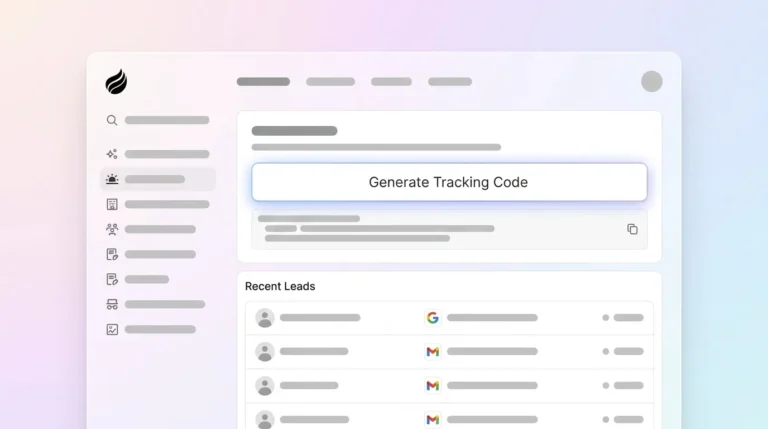
Coffee stands out by processing unstructured data from email content and call transcripts, using Suggested Leads to surface high-fit prospects from website visitors, and integrating cleanly with existing Salesforce or HubSpot instances. Recent case studies show SMBs moving from spreadsheet-based sales management to automated CRM workflows, with teams reporting more time available for direct selling.
Common Mistakes and Troubleshooting Tips
Teams often run into the same issues when they connect email and CRM, especially with manual or semi-manual setups. Address these areas early to avoid data gaps and user frustration.
- Gmail permission failures: Configure OAuth scopes correctly and secure administrative approval for workspace-wide deployments.
- Low tracking accuracy: Improve data quality with enrichment and consistent field mapping, which Coffee handles automatically for most use cases.
- HubSpot or Streak scaling limitations: Move to agent-based solutions when sidebar tools or basic trackers can no longer support team size or activity volume.
- Webhook reliability issues: Add error handling and retry logic for API-based synchronization so temporary outages do not cause data loss.
- Contact deduplication problems: Define clear matching rules based on email addresses and domains, then enforce them across tools.
Reddit communities frequently discuss these technical challenges, with users sharing solutions for CORS errors, authentication timeouts, and data synchronization failures. Autonomous agents like Coffee remove most of this troubleshooting work by managing integration complexity behind the scenes.
Validation and Success Criteria for Your Integration
Successful CRM tracking script email integration delivers automatic logging for all relevant email interactions, real-time engagement alerts, and complete activity timelines for each contact and deal. Key metrics include better selling time allocation and removal of manual data entry tasks.
Validation involves testing open tracking accuracy, verifying click-through capture, confirming correct contact and deal association, and checking that alerts arrive within acceptable timeframes. Teams should also see measurable pipeline accuracy gains through fewer forecasting errors and clearer visibility into deal progression.
Scaling CRM Email Tracking for Different Team Sizes
Standalone CRM implementations support teams of roughly 1 to 20 sales reps effectively, especially when they start from a clean slate. Companion mode integrations work better for mid-market organizations that already rely on Salesforce or HubSpot and want Coffee to enhance those systems.
Advanced setups can include Coffee’s List Builder for targeted prospect discovery and automatic enrollment into outbound campaigns. This approach turns tracked engagement into structured outreach without extra manual steps.

Scaling plans should cover user seat management, data storage needs, and integration complexity as headcount grows. No-code agent solutions usually scale more predictably than custom scripts because they centralize configuration and maintenance. See Coffee’s scalable pricing that grows with your sales team.
FAQ
What is a free CRM tracking script email integration example?
A simple free setup embeds JavaScript tracking pixels in email templates, configures Gmail API access for metadata capture, and uses Zapier webhooks to sync data into your CRM. This approach works for basic tracking but demands ongoing maintenance, troubleshooting, and technical skills. Coffee’s agent offers a more reliable alternative with automatic setup, enrichment, and dedicated support.
How does Coffee compare to HubSpot email tracking?
HubSpot provides strong email tracking inside its own ecosystem, while Coffee delivers autonomous data capture across multiple platforms without manual configuration. Coffee’s agent processes unstructured data, enriches contacts automatically, and applies intelligent lead scoring that manual HubSpot workflows cannot easily match. Coffee also supports both standalone CRM mode and companion mode for existing HubSpot users.
What do Reddit users recommend for CRM tracking script email integration?
Reddit discussions often highlight frustration with manual script setups, including CORS errors, authentication failures, and scaling limits with tools like Goldmine and Streak. Many users recommend automated solutions that remove technical overhead. Coffee addresses these pain points through no-code deployment and autonomous data management.
How long does Coffee setup take compared to manual scripts?
Manual CRM tracking script implementation requires initial configuration plus recurring maintenance for troubleshooting and updates. Coffee’s agent setup uses a short OAuth flow and guided configuration, with no ongoing technical maintenance for most teams. The time savings compound over months as the system runs quietly in the background.
Is Coffee secure for SOC 2 compliance?
Coffee maintains SOC 2 Type 2 certification and GDPR compliance standards. The platform processes data securely and does not use customer information to train public AI models. This security posture makes Coffee suitable for organizations with strict compliance requirements that manual script implementations often struggle to meet.
Conclusion: Move From Manual Scripts to Coffee Agent
Manual CRM tracking script email integration demands significant technical effort, ongoing maintenance, and frequent troubleshooting that pull attention away from revenue work. Coffee’s agent-based approach removes these obstacles through no-code deployment, automatic data enrichment, and intelligent pipeline management that scales with growing sales teams.
Transform your sales team’s productivity with Coffee through autonomous data management and reliable CRM email tracking.