Written by: Doug Camplejohn, CEO & Co-Founder, Coffee
Key Takeaways
- Agent-driven CRMs capture and structure sales data from email, calendar, and call transcripts automatically, so reps avoid manual entry that legacy systems like Salesforce still require.
- Legacy CRMs suffer from low adoption and inaccurate pipelines because reps must manually log every interaction, consuming significant weekly time on data entry.
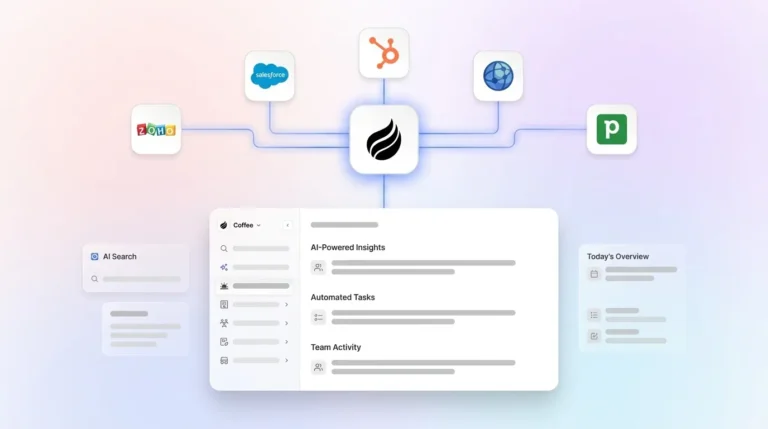
- Coffee stands out with deep integrations, real-time pipeline intelligence, visitor identification, and structured field mapping that modern alternatives like Clarify and Day.ai do not match.
- Teams can deploy Coffee as a standalone CRM for early-stage groups or as a companion layer on top of existing Salesforce or HubSpot instances without complex migrations.
- Eliminate manual CRM data entry and consolidate your sales stack. Explore Coffee’s pricing and features.
Evaluation Criteria for Zero-Manual-Entry CRMs
This comparison evaluates each platform against nine criteria that matter for teams targeting zero-manual-entry CRM automation.
- Depth of automatic data capture (email, calendar, transcripts)
- Elimination of manual entry
- Pipeline-update accuracy
- Implementation effort
- Integration complexity
- User adoption
- Reporting visibility
- Security and compliance
- Total cost of ownership
Legacy, Modern, and Coffee Compared Side by Side
| Criteria | Legacy CRMs (Salesforce, HubSpot, Pipedrive) | Modern Alternatives (Clarify, Day.ai) | Coffee |
|---|---|---|---|
| Automatic data capture | Email and calendar sync available, and call logging and contact enrichment require manual triggers or add-ons. | Unstructured data capture for emails and notes, with limited structured field mapping. | Automatic contact, company, and activity creation from Google Workspace or Microsoft 365, with transcripts mapped to structured fields. |
| Elimination of manual entry | Salesforce State of Sales reports reps spend 70% of their time on non-selling tasks including manual data entry. | Partial elimination, with productivity focus but no deep field-level automation. | Agent handles contact creation, activity logging, and enrichment autonomously. Reps review instead of typing. |
| Pipeline-update accuracy | Marketers are not fully satisfied with their ability to unify customer information across systems. | Accuracy improves over legacy, yet gaps remain when structured integrations are absent. | Pipeline Compare feature tracks week-over-week changes automatically from a built-in data warehouse. |
| Implementation effort | Traditional CRMs often take months to set up with manual configuration of fields and workflows. | Faster than legacy, with limited enterprise integration depth. | Authentication to Google Workspace or Microsoft 365, and a Companion App that connects to existing Salesforce or HubSpot via simple auth. |
| Integration complexity | Native ecosystems are broad, and Salesforce requires dedicated administrators and significant training. | Limited Salesforce and HubSpot integration depth for quotas, forecasting, and required fields. | Deep Salesforce and HubSpot integration including quotas, forecasting, and required fields, plus broader integrations via Zapier. |
| User adoption | CRM data entry consumes several hours per week, which creates rep resentment and shadow CRMs. | User experience improves over legacy, and adoption depends on workflow fit. | Agent removes the data-entry burden, so reps interact with briefings, summaries, and pipeline views instead of blank fields. |
| Reporting visibility | Reporting is reactive, and teams gather insights from records after the fact. | Real-time visibility exists for unstructured signals, while structured pipeline reporting remains limited. | Real-time pipeline intelligence comes from the data warehouse, with week-over-week deal progression available without CSV exports. |
| Security and compliance | SOC 2 and GDPR compliance are standard across major vendors. | Security posture varies by vendor, and early-stage certifications may be incomplete. | SOC 2 Type 2 and GDPR compliant, with data excluded from training public models. |
| Total cost of ownership | A team of 20 HubSpot users can exceed $3,000/month when combining sales, marketing, and service hubs, and add-ons for enrichment and intelligence compound costs. | Base cost is lower, while add-on requirements vary. | Seat-based pricing includes enrichment, recording, and pipeline intelligence, so no separate ZoomInfo, Gong, or Fathom licenses are required. |
See how Coffee eliminates manual data entry across your entire sales workflow.
The comparison table above highlights the main differences across platforms. The next sections walk through the most important automation capabilities in detail and show how each one removes the data-entry work that consumes most rep time.
Automatic Contact and Company Creation
Email sync connects a Gmail or Outlook account so sent and received emails are logged automatically, and calendar sync writes meetings into the CRM linked to the relevant deal record. Legacy platforms support these syncs, yet they only surface raw communication data. A human still decides which contacts and companies to create, and enrichment usually relies on a separate tool like Apollo or ZoomInfo.
Coffee’s agent scans connected Google Workspace or Microsoft 365 accounts and automatically creates contact and company records. It associates every note and interaction with the correct record and enriches profiles with job titles, funding data, and LinkedIn profiles via licensed data partners. CRM agents capture information from emails, calls, and meetings automatically and update contact records and activity logs without manual typing. Coffee uses this architecture as its foundation rather than as a bolt-on feature.

Activity Logging and Call Transcription to Structured Fields
Salesmotion’s breakdown of a Forrester activity study of 3,031 sales reps allocates roughly 6.8 hours (17% of the week) to CRM data entry. A large share of that time sits in post-call note entry, where reps summarize conversations, identify next steps, and update deal fields manually.
Legacy CRMs log that a call occurred only when a rep manually marks it complete. Coffee’s agent joins Zoom, Teams, or Google Meet calls, records and transcribes the conversation, and maps outputs to structured CRM fields using BANT, MEDDIC, or SPICED frameworks. After the call, the agent generates summaries, identifies next steps, and drafts follow-up emails for rep review. Automated data capture improves data freshness and accuracy because reps no longer manually enter notes hours later, giving leadership a cleaner, more reliable view of engagement and pipeline health.

Meeting Intelligence and Pipeline Compare Features
Legacy CRMs provide no pre-meeting intelligence layer. A rep preparing for a call opens the contact record, scrolls through activity history, cross-references notes, and checks the deal stage. Each step is manual, and post-meeting updates require another visit to the CRM.
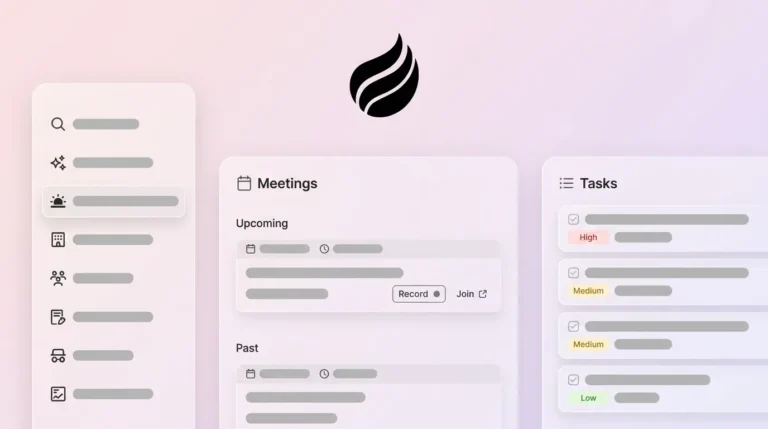
Coffee’s agent generates a “Today” page briefing before each meeting that surfaces attendee roles, past interaction context, and open action items. After the call, the agent writes the summary back to the record. The Pipeline Compare feature then visualizes week-over-week changes, including progressed deals, stalled opportunities, and new additions, directly from the data warehouse. This real-time visibility replaces monthly reporting cycles and gives teams predictive insights on deal progress and pipeline health without waiting for scheduled reports. Research on AI-powered CRM implementations shows the broader impact, with organizations seeing lead generation increase by more than 50% and costs reduced by up to 60%.

Visitor Identification and Anonymous Traffic Conversion
Legacy CRMs do not include native visitor identification. Standalone tools like RB2B and Warmly surface either company-level data or undifferentiated people lists, which forces a rep to research and qualify each contact before outreach.
Coffee’s visitor identification uses a single tracking pixel. The agent infers visitor name, title, email, and LinkedIn profile alongside company, pages visited, time on site, and visit frequency. Real-time Slack notifications surface high-fit visitors, and one click adds the prospect to Coffee with enrichment pre-filled. Coffee’s Suggested Leads feature goes further. Instead of a raw list, the agent uses the buyer persona to recommend the two or three specific individuals inside a visiting company most likely to convert, with LinkedIn profiles ready for immediate outreach or auto-enrollment into a drip campaign.

Best-Fit Use Cases for Early-Stage and Mid-Market Teams
Standalone AI-first CRM: Teams of 1–20 people that have outgrown spreadsheets or Notion but view legacy CRMs as expensive, manual chores benefit from this model. The Coffee agent manages the full system of record, including contacts, companies, activities, and pipeline, without requiring a CRM administrator. CRM agents start delivering value within weeks by learning from existing data and adapting to current processes rather than requiring process changes.
Companion agent layer: Teams of 10–50 committed to Salesforce or HubSpot that struggle with low adoption, poor data quality, and fragmented point solutions fit this approach. Coffee connects via simple authentication, handles all data-in tasks, and writes enriched insights back to the primary CRM. This setup removes the need for separate ZoomInfo, Gong, and Fathom licenses while preserving existing Salesforce or HubSpot workflows, quotas, and forecasting configurations.
Find the right Coffee deployment model for your team size and current stack.
Operational Factors: Change Management, Governance, and Scale
Change management creates the main adoption risk for any CRM rollout. Legacy CRM projects fail most often because reps resist another data-entry obligation. Coffee reverses this pattern because the agent removes work from reps instead of adding it. Training focuses on reviewing agent outputs rather than learning data-entry workflows.
Data governance sits at the capture layer. AI systems in CRM platforms extract information directly from emails and documents to automatically populate CRM fields, and autonomous data management requires continuous duplicate detection, automated enrichment, and intelligent validation to maintain clean records without human intervention. Coffee’s agent applies this logic continuously, so governance becomes structural instead of procedural.
Scaling remains headcount-free. Because the agent’s labor is included in seat-based pricing, added pipeline volume or new reps do not require proportional increases in administrative overhead. Gartner predicts that by 2029, AI agents will autonomously resolve 80% of common customer service issues without human intervention, resulting in a 30% reduction in operational costs.
Risks and Limitations of Agent-Driven CRMs
Integration gaps represent the most common implementation risk. Coffee’s current third-party integrations beyond Salesforce, HubSpot, Google Workspace, and Microsoft 365 route through Zapier, with deeper native integrations on the roadmap. Teams with highly customized middleware stacks should validate specific workflow compatibility before committing.
Hidden maintenance costs affect legacy platforms more heavily. Salesforce typically requires substantial configuration and customization effort, creating administration overhead that can overwhelm smaller or mid-size teams lacking dedicated resources. Agent-driven platforms reduce this overhead but introduce a dependency on the vendor’s model quality and data partner agreements for enrichment accuracy.
Vendor reliance remains a real consideration for any AI-native platform. Coffee’s enrichment data is described as roughly on par with ZoomInfo for most use cases, yet teams with highly specialized data requirements, such as niche verticals or non-English markets, should test coverage before full deployment. Coffee does not suit large enterprises with complex custom workflows or heavily regulated industries that require multi-year security reviews.
Decision Framework and Checklist
Use the following criteria to match your team to the right Coffee deployment.
- Current stack: No CRM or spreadsheet-based setups point to Standalone Coffee CRM. Existing Salesforce or HubSpot stacks point to the Coffee Companion App.
- Team size: Teams with 1–20 reps align with Standalone. Teams with 10–50 reps and an existing stack align with Companion.
- Manual-work tolerance: Reps losing the equivalent of a full workday each week to CRM data entry need agent-led automation instead of incremental workflow rules.
- Data quality baseline: Sales reps spend 27.3% of their time working with inaccurate contact data, equating to roughly 546 hours per year per rep, so enrichment at the capture layer becomes non-negotiable.
- Pipeline visibility requirement: Teams running weekly pipeline reviews from CSV exports can replace that workflow entirely with Pipeline Compare.
- Stack consolidation goal: Teams paying separately for enrichment, call recording, and forecasting tools can consolidate all three into Coffee’s seat-based pricing.
Coffee is the only platform in this comparison that satisfies both standalone and companion requirements, handles structured and unstructured data, and operates on a data warehouse architecture that preserves historical context, which is the prerequisite for accurate pipeline intelligence.
Compare your team’s requirements against Coffee’s automation capabilities.
Frequently Asked Questions
How long does Coffee take to implement?
For the Standalone CRM, implementation begins immediately after authenticating Google Workspace or Microsoft 365. The agent starts scanning emails and calendars to create contacts, companies, and activity logs within hours of connection, with no field configuration or data mapping required from the user. For the Companion App on Salesforce or HubSpot, a simple authentication connects Coffee to the existing instance. The agent begins syncing, enriching, and writing data back to the primary CRM without requiring a dedicated administrator or a multi-month configuration project. Most teams see the agent actively populating records on day one.
How difficult is it to migrate existing CRM data to Coffee?
For teams adopting the Standalone CRM, Coffee’s agent begins building a clean record set from live email and calendar data immediately, which makes historical migration optional rather than mandatory. Teams that want to carry over existing pipeline records can import them, and the agent then enriches and maintains those records going forward. For Companion App users, no migration is required because Coffee layers on top of the existing Salesforce or HubSpot instance and writes enriched data back into it, preserving all historical records, custom fields, quotas, and forecasting configurations already in place.
How does Coffee’s enrichment data quality compare to ZoomInfo?
Coffee’s enrichment, sourced via licensed data partners, focuses on the core data points most sales teams need, including job titles, company funding, LinkedIn profiles, and contact details. For most use cases at small to mid-sized U.S. tech companies, the quality is roughly on par with ZoomInfo. The practical difference is that Coffee’s enrichment is built into the agent and included in seat-based pricing, which removes a separate ZoomInfo license and the manual workflow of exporting and importing enrichment data between tools. Teams operating in highly specialized verticals or requiring deep international coverage should test Coffee’s enrichment against their specific target accounts before fully replacing a dedicated enrichment vendor.
What security certifications does Coffee hold?
Coffee is SOC 2 Type 2 certified and GDPR compliant. Data processed by the Coffee agent is not used to train public AI models. For teams in heavily regulated industries such as healthcare or finance that require multi-year security reviews or custom data processing agreements, Coffee is not the recommended fit at this stage.
How is Coffee priced?
Coffee uses seat-based pricing, so organizations pay per human user, and the agent’s labor, including data capture, enrichment, meeting recording, transcription, pipeline intelligence, and visitor identification, is included without additional metering on AI usage or automated processes. This model removes the compounding cost structure common in legacy stacks where enrichment, call recording, and forecasting tools each carry separate per-seat or per-usage fees. Full pricing details are available at coffee.ai/pricing.
Conclusion
Legacy passive CRMs share an architectural problem: they were built to store data that humans enter, not to capture data autonomously. In 2026, that architecture still produces the same outcome, with reps spending the equivalent of a full workday each week on data entry, pipelines that reflect what was logged rather than what happened, and forecasts built on incomplete records. Agent-driven platforms address this at the source by treating automatic data capture from email, calendar, and transcripts as the default state instead of an add-on feature.
Coffee is the only platform evaluated here that operates as a true agent across both deployment models. It functions as a standalone system of record for early-stage teams and as a companion automation layer for teams committed to Salesforce or HubSpot, while handling structured and unstructured data on a data warehouse architecture that retains historical context. For sales leaders and RevOps professionals whose teams are losing hours each week to manual CRM work, the fit is direct.
Start automating your CRM data capture with Coffee’s agent-driven platform.