Written by: Doug Camplejohn, CEO & Co-Founder, Coffee
Key Takeaways for US Sales Leaders
- AI-powered CRM agents capture and structure data from emails, calls, and calendars without manual input, unlike legacy passive database systems.
- Legacy CRMs like Salesforce and HubSpot suffer from poor data quality and low adoption because they depend on extensive manual data entry by sales reps.
- Agent CRMs deliver proactive automation, transcribing calls, updating deal stages, and adjusting forecasts in real time, while passive systems rely on subjective rep input.
- Team size shapes deployment: smaller teams benefit from standalone Coffee CRM, while larger organizations can layer Coffee as a companion on existing Salesforce or HubSpot instances.
- Start using Coffee to eliminate manual data entry and unlock AI automation for your sales workflow today, and explore pricing and get started.
Why Legacy CRMs Fail US Sales Teams
Field sales reps lose large blocks of time to manual CRM data entry, and few field teams have fully automated this work. The downstream effect is clear: the average seller spends only 35% of their time actually selling, with the rest consumed by administrative tasks. Coffee’s market data confirms this 35% selling time, and 71% of reps report an excessive data-entry burden.
The root cause is architectural. Salesforce carries 25 years of legacy design decisions. HubSpot started as a marketing tool and had a CRM bolted on later. Neither platform was designed as a unified intelligence system. Poor CRM data quality costs the average company up to $15 million per year. When reps must serve the software instead of the software serving them, adoption collapses and “shadow CRMs” such as spreadsheets and Notion documents become the real system of record.
Many sales leaders working with AI report that tech silos delay or limit their AI initiatives. These silos arise from fragmented stacks where reps toggle between a CRM, an enrichment tool, an outreach platform, and a call recorder with no agent unifying the data flow.
Agent Architecture vs Passive Database Architecture
These failures stem from a fundamental architectural choice. Traditional passive CRM systems function as systems of record that require manual data entry, manual field updates by reps, and forecasting based on subjective rep estimates. The result is a familiar vicious cycle: bad data in, bad forecasts out, low adoption, and further data degradation.
AI CRM systems are proactive and adaptive by design, with AI agents that understand context, identify opportunities, and take action to move work forward without waiting for human input. In practical terms, after a sales call where a prospect expresses urgency, an AI agent can transcribe the call, identify the urgency signal, update the deal stage and close date, create prioritized activities, and adjust the revenue forecast within minutes, with no rep involvement.
The implications for data quality are significant. Automated data entry typically reduces CRM data entry time by 35-55%, and sales teams using accurate customer information close deals faster and generate higher revenue. Generative AI shifts CRM usage from reactive tracking to proactive decision intelligence by forecasting revenue, identifying churn risks early, and recommending next-best actions. Passive databases structurally cannot deliver these capabilities.
Choosing Coffee by Team Size and Stack
Team size, existing stack investment, and tolerance for change determine the right Coffee deployment model. The matrix below maps each segment to the appropriate Coffee configuration.
| Team Size | Recommended Model | Rationale |
|---|---|---|
| 1–10 employees | Coffee Standalone CRM | Founders and early hires have outgrown spreadsheets and need zero-maintenance automation, not a legacy platform that demands a dedicated admin. |
| 11–25 employees | Coffee Standalone CRM | Growing sales teams gain an AI CRM for sales tracking that auto-creates contacts, logs activities, and delivers pipeline intelligence without a RevOps hire. |
| 26–50 employees | Coffee Standalone or Companion on HubSpot/Salesforce | Teams at this stage may have a nascent Salesforce or HubSpot instance. Coffee’s companion layer adds AI automation CRM capabilities without a rip-and-replace migration. |
| 51–100 employees | Coffee Companion on Salesforce or HubSpot | Committed Salesforce or HubSpot users gain an agent CRM advantage. Coffee writes enriched data back to the existing system of record, improving adoption and forecast accuracy. |
| 100+ employees | Coffee Companion on Salesforce or HubSpot | Mid-market teams with established CRM governance use Coffee as the AI data-entry and enrichment layer, preserving existing workflows while eliminating the manual data burden. |
Coffee: Agent-First CRM for US Teams
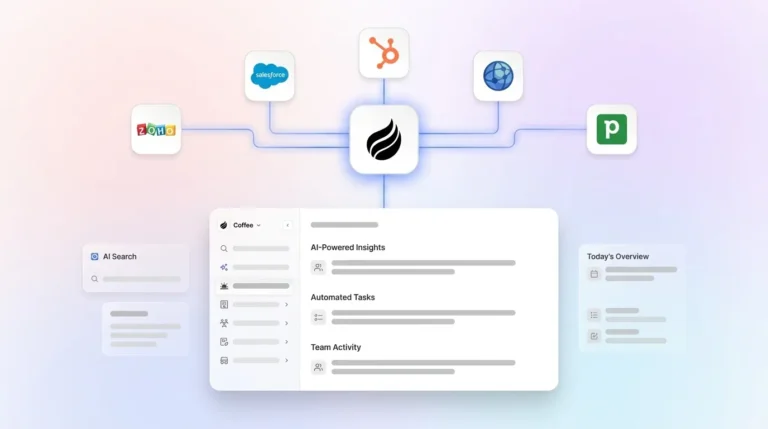
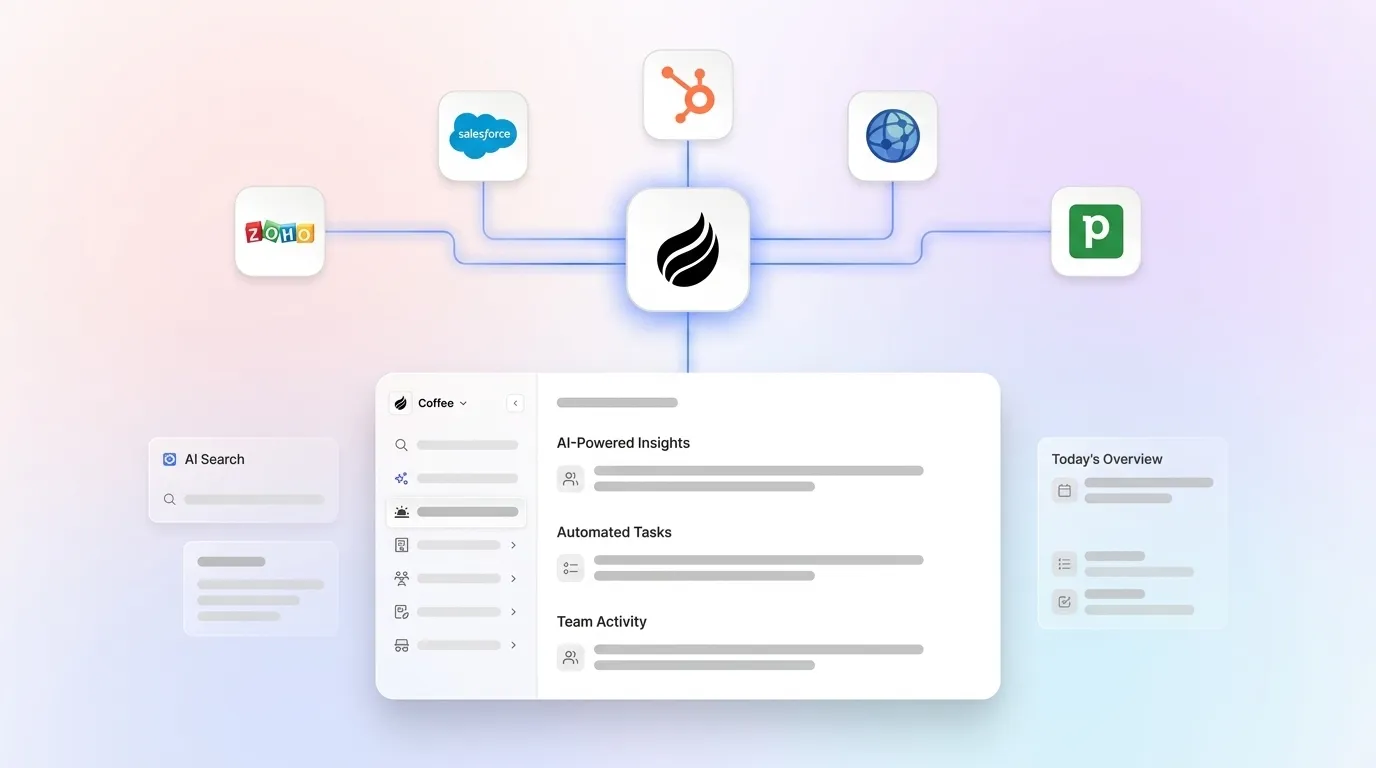
Coffee is the only solution in this comparison built from the ground up as an autonomous agent rather than a database with AI features added later. After connecting Google Workspace or Microsoft 365, the Coffee Agent scans emails and calendars to auto-create contacts and companies, logs last and next activity autonomously, and enriches records with job titles, funding data, and LinkedIn profiles via licensed data partners. It also joins calls on Zoom, Teams, or Meet to transcribe and generate structured summaries in BANT, MEDDIC, or SPICED format. Coffee’s AI search on deals, released in January 2026, answers natural-language questions such as “Which deals are stuck in negotiation?” or “What’s closing this month?”. These insights stay accurate because the agent ensures good data at the point of capture.


On US compliance, Coffee completed SOC 2 Type II re-certification in January 2026 and maintains GDPR compliance. Beyond these baseline certifications, Coffee addresses a newer concern: customer data is not used to train public models, a requirement that enterprise buyers increasingly demand as a non-negotiable AI-specific control.
Coffee uses transparent seat-based pricing. The human seat is billed, and the agent’s labor is unlimited and included. There are no metered LLM charges and no add-on fees for enrichment, recording, or forecasting. Coffee’s Companion App deploys via simple authentication that allows the agent to sync data, enrich it, and write insights back to Salesforce or HubSpot, which creates a low-friction path to AI automation CRM for teams already invested in those platforms.
Salesforce Einstein and Agentforce
Salesforce Agentforce deploys goal-oriented autonomous AI agents that can independently follow up with leads, schedule meetings, update records, and close support cases. The platform’s automation depth is substantial for organizations already standardized on Salesforce. Salesforce rebuilt the Agentforce runtime with enhancements that achieved a 70% reduction in agent latency for production CRM workflows, improving responsiveness for complex deployments.
Salesforce maintains enterprise-grade US compliance certifications including SOC 2 and FedRAMP for government customers. Satisfaction with the ability to unify customer information across Salesforce systems remains limited, and the platform’s 25-year-old architecture means unstructured data handling requires significant configuration investment.
Total cost of ownership is the primary constraint for 10–50 person teams. Salesforce Einstein features sit in higher-tier plans, and the platform’s complexity typically requires dedicated admin resources or a consulting engagement. For small sales teams evaluating the best AI powered CRM solutions for US sales teams, the per-seat cost plus implementation overhead frequently exceeds budget.
HubSpot AI and Breeze Agents
HubSpot Breeze Copilot serves as an embedded generative assistant for drafting emails and summarizing records, while Breeze Agents operate as autonomous workflows that handle entire tasks such as prospecting and outreach end-to-end. HubSpot Breeze Prospecting Agent is included with Sales Hub Professional and Enterprise plans and uses HubSpot CRM data to automate lead research, email drafting, and outreach sequencing natively.
HubSpot holds SOC 2 Type 2 certification and supports GDPR compliance tooling. Its US data-residency options appear on Enterprise tiers, which adds cost for smaller teams. The platform’s compliance posture suits most 10–50 person US sales organizations, though the patchwork of twenty US state privacy laws now in force means buyers must verify HubSpot’s automated decision-making disclosures independently.
HubSpot’s pricing scales steeply as teams add AI features, contacts, and seats. Because HubSpot was built as a marketing platform, its CRM architecture was not designed for unified intelligence, and unstructured data from call transcripts often requires third-party integrations to flow into pipeline records reliably.
Zoho CRM Plus and Zia
Zoho CRM Plus includes Zia, its AI assistant, which provides sales predictions, anomaly detection, and workflow suggestions. Automation depth covers standard structured data fields but relies on human-configured rules instead of an autonomous agent that captures unstructured data from emails and transcripts without prompting. Traditional rule-based CRM automation relies on fixed rules and triggers, whereas generative AI enables context-aware, dynamic automation that adapts to each customer interaction. This distinction limits Zia’s practical impact on data-entry reduction.
Zoho maintains SOC 2 Type 2 and ISO 27001 certifications. US data residency is available, and GDPR tooling is included. For teams with strict compliance requirements, Zoho’s certifications are adequate, though its AI governance documentation is less transparent than Coffee’s or Salesforce’s regarding model training data usage.
Zoho CRM Plus is competitively priced per seat and bundles multiple Zoho applications. For teams already in the Zoho ecosystem, the total cost of ownership stays low. For teams outside it, the integration surface with non-Zoho tools introduces complexity that partially offsets the pricing advantage.
Pipedrive AI for Pipeline-First Teams
Pipedrive introduced AI-powered sales assistance features including deal summaries, email generation, and lead scoring. Its automation capabilities focus on pipeline visualization and activity reminders rather than autonomous data capture. Traditional CRMs function as glorified spreadsheets that excel at storing contact information and logging activities but require sales reps to spend hours on manual data entry, lead qualification, and follow-up emails. This description still applies to Pipedrive’s core architecture despite its AI additions.
Pipedrive holds SOC 2 Type 2 certification and is GDPR compliant. US data residency options exist on higher tiers. For the best CRM for sales tracking among small teams that prioritize pipeline visualization, Pipedrive’s compliance posture is sufficient.
Pipedrive’s per-seat pricing is accessible for small teams. Achieving meaningful AI automation CRM capabilities, however, requires add-ons that increase the effective cost. The platform does not offer a companion deployment model for teams already on Salesforce or HubSpot, which limits its applicability to the 26–100 employee segment.
Microsoft Dynamics 365 AI for Enterprise Buyers
Microsoft Dynamics 365 Sales includes Copilot features that summarize meetings, generate emails, and surface pipeline insights using Azure OpenAI. AI CRM reduces manual workload to scale decision-making and maintain service consistency as teams and data volumes grow, but requires strong data quality, governance, and team training to function effectively. These requirements make Dynamics 365 most viable for organizations with existing Microsoft 365 infrastructure and IT resources to manage configuration.
Dynamics 365 carries enterprise-grade US compliance certifications including FedRAMP High, SOC 2, and HIPAA eligibility, which makes it the strongest compliance option in this comparison for regulated industries. For standard 10–50 person US sales teams, this compliance depth exceeds requirements and adds to implementation complexity.
Total cost of ownership for Dynamics 365 is the highest in this comparison when implementation, licensing, and ongoing administration are included. The platform is not designed for teams without dedicated IT or a Microsoft partner, which places it outside the practical range for most companies in the 10–50 employee segment evaluating AI CRM for US sales teams data entry reduction.
How to Evaluate Companion Agents on Salesforce or HubSpot
Teams committed to Salesforce or HubSpot should evaluate companion agents on three technical dimensions before deployment. First, authentication must use OAuth or API key connections without admin-level credential sharing, and the connection should be revocable without data loss. Second, data sync direction matters. A true companion agent writes enriched, structured data back to the primary CRM instead of creating a parallel record store that diverges over time. Coffee’s improved summary templates, released in November 2025, are customizable and writable back to Coffee, HubSpot, or Salesforce, which preserves the system of record while adding agent-driven enrichment.
Third, required-field handling must align with real-world CRM complexity. Salesforce and HubSpot instances at 26–100 person companies typically enforce required fields, validation rules, and custom objects built over years of RevOps configuration. Newer alternatives often lack an understanding of how sophisticated and complicated Salesforce and HubSpot integrations are, with quotas, forecasting, required fields, and more. A companion agent that cannot handle required fields will either fail silently or create incomplete records that trigger data quality alerts. Coffee’s companion deployment is built with explicit awareness of these constraints.
2026 US Data-Residency and Compliance Checklist
Security and compliance now sit at the center of CRM selection for many US buyers. Some teams have removed vendors from consideration after identifying security risks. The following checklist covers the minimum requirements for US sales teams evaluating AI-powered CRM solutions in 2026.
- SOC 2 Type 2 certification: Confirm the vendor holds a current report, not just Type 1. Coffee completed SOC 2 Type II re-certification in January 2026.
- GDPR compliance: Required for any team handling data from EU contacts or prospects, regardless of company location.
- US data residency: Confirm customer data is stored in US-based data centers if required by internal policy or sector regulation.
- No model training on customer data: Enterprise buyers increasingly require verifiable Do Not Train commitments when procuring AI systems. Coffee does not use customer data to train public models.
- State privacy law coverage: Twenty US states now enforce comprehensive privacy laws, and Colorado’s revised AI Act (SB 26-189) takes effect January 1, 2027. Verify the vendor’s automated decision-making disclosure practices.
- CCPA configuration: CRM systems must be configured to collect, store, and process data in accordance with CCPA for any team with California-based customers or prospects.
Risks and Limitations of Current AI CRM Options
Hidden maintenance work often becomes the largest unplanned cost in AI CRM deployments. Many enterprises that have piloted chatbots or copilot tools report limited measurable improvements in support operations. Integration and data connectivity challenges frequently sit behind these disappointing results. Layering an AI feature onto a fragmented CRM stack does not resolve the underlying data quality problem. It amplifies that problem, because poor or incomplete CRM data directly reduces generative AI accuracy and output quality.
Incomplete automation of unstructured data creates a second major risk. Most platforms in this comparison handle structured fields adequately but struggle with email threads, call transcripts, and meeting notes, which contain the highest-value sales context. A CRM that cannot ingest unstructured data reliably will produce forecasts based on an incomplete picture of deal health.
Integration gaps between companion agents and primary CRMs form a third category of risk. An agent’s harness, including data integration, permission sets, knowledge base quality, and trust layer governance, determines success more than model choice. Teams that select a companion agent without validating required-field handling, sync direction, and authentication security will encounter data integrity failures that erode the ROI case for AI automation.
One-Page Decision Checklist for Coffee
Use the following questions to identify the right Coffee deployment model for your team.
- Current stack: Teams on Salesforce or HubSpot with established workflows, custom objects, and required fields should choose Coffee Companion App. Teams on spreadsheets, Notion, or a CRM they are willing to replace should choose Coffee Standalone.
- Team size: For 1–25 employees, Coffee Standalone is the best AI powered CRM solution for US sales teams at this scale. For 26–100 employees, evaluate Companion if Salesforce or HubSpot is entrenched and Standalone if migration is acceptable.
- Primary pain point: Manual data entry that consumes rep time is addressed in both models through the Coffee Agent’s automatic contact creation, activity logging, and enrichment, saving 8–12 hours per rep per week. Poor forecast accuracy stems from the same root cause as the data-entry burden. The agent’s data warehouse and Pipeline Compare feature deliver reliable pipeline intelligence because the agent controls data quality at ingestion, removing both the manual work and the accuracy problems that follow incomplete human input.
- Compliance requirement: Teams that require SOC 2 Type 2 can rely on Coffee’s certification as of January 2026. Teams that require GDPR can rely on Coffee’s compliance. Buyers that require no model training on customer data receive a confirmed commitment.
- Pricing tolerance: Teams that want seat-based pricing with no metered AI charges will find that Coffee’s pricing model matches. Buyers that reject complex per-feature licensing gain a unique benefit, because Coffee’s model is the only one in this comparison with no add-on fees for enrichment, recording, or forecasting.
Only Coffee meets all five evaluation criteria, which include automation depth, integration quality, US compliance, measurable time savings, and transparent pricing, in both standalone and companion configurations. Get started with Coffee to see which deployment model fits your stack.
Frequently Asked Questions
How much time can AI CRM automation realistically save US sales reps?
The range varies by tool and deployment quality. Coffee’s agent saves reps 8–12 hours per week by automating contact creation, activity logging, meeting summaries, and follow-up drafting. Broader market data supports significant time recovery. Automated data entry can typically reduce CRM data entry time by 35-55%, and CRM automation through mobile access and AI has been shown to save sales teams 4–5 hours per week in studies focused on partial automation. Given that reps currently spend only 35% of their time actually selling, the full Coffee agent deployment, which covers email, calendar, call transcription, and enrichment simultaneously, targets the higher end of that range because it eliminates manual work across every data source rather than automating a single workflow.

What is the practical difference between an agent CRM and a passive database CRM?
A passive database CRM relies entirely on human input. When reps skip logging a call or forget to update a deal stage, the system has no mechanism to detect or correct the gap. An agent CRM captures data autonomously from emails, calendars, call transcripts, and enrichment sources, then writes structured records without human prompting. Because the agent controls data quality at ingestion, the outputs such as forecasts, pipeline comparisons, and deal summaries reflect ground-truth activity rather than whatever a rep remembered to log. Coffee’s Pipeline Compare feature illustrates this difference by visualizing week-over-week pipeline changes automatically, based on a complete, timestamped record of every deal interaction.
Can Coffee work alongside an existing Salesforce or HubSpot instance without replacing it?
Yes. As mentioned earlier, the Companion App connects via simple authentication. The key advantage is preservation of existing workflows, required fields, custom objects, validation rules, and forecasting configurations in Salesforce or HubSpot. The agent layers intelligence on top without disrupting established processes. Coffee’s companion deployment is specifically built to handle the complexity of mature Salesforce and HubSpot instances, including required fields and quota structures, where newer AI CRM tools frequently fail silently or create incomplete records.
What US compliance certifications should I require from an AI CRM vendor in 2026?
At minimum, require the baseline certifications covered in the checklist above, including SOC 2 Type 2 with a current report date, GDPR compliance, and a no-training commitment on customer data. For teams with California-based customers, verify CCPA configuration support. Vendors should also document their automated decision-making disclosure practices in light of Colorado’s revised AI Act (SB 26-189) taking effect January 1, 2027. Twenty US states now enforce comprehensive privacy laws, and the patchwork is expanding. A vendor that cannot produce clear documentation on state-level compliance posture represents a procurement risk. Coffee holds current SOC 2 Type II certification, is GDPR compliant, and does not use customer data to train public models.
Conclusion: Why Coffee Leads Agent-First CRMs
The 2026 AI CRM market divides into two categories: passive databases with AI features added on top, and proactive agents built to capture, enrich, and structure data autonomously. Legacy platforms including Salesforce, HubSpot, Zoho, Pipedrive, and Dynamics 365 belong to the first category. Their AI additions improve specific workflows but do not resolve the foundational problem that data quality depends on human input, and humans do not input data reliably.
Coffee belongs to the second category. Its agent handles data entry, meeting intelligence, enrichment, and pipeline tracking without human prompting, which produces accurate forecasts because it controls the quality of data at ingestion. It is the only solution in this comparison that meets all five evaluation criteria, covering automation depth, integration quality, US compliance, measurable time savings, and transparent seat-based pricing, in both standalone and companion deployment models. Get started with Coffee and put an agent to work on your pipeline today.