Written by: Doug Camplejohn, CEO & Co-Founder, Coffee
Key Takeaways
- A contact creation workflow automates capture, validation, enrichment, deduplication, assignment, and nurture enrollment so CRM records stay accurate and complete.
- Legacy CRMs force reps to spend 20–30% of their week on manual data entry, which creates incomplete records and costs organizations millions in lost productivity and bad data.
- The 7-step blueprint covers signal capture, deduplication, formatting, enrichment, assignment, nurture enrollment, and activity logging to remove every manual step.
- Coffee’s autonomous agent ingests email and calendar signals, creates and enriches contacts in real time, prevents duplicates, and triggers nurture without human intervention.
- Eliminate manual contact creation from your workflow entirely with Coffee.
How a Contact Creation Workflow Actually Works
A contact creation workflow is an automated sequence that starts the moment a new contact record enters a CRM. It governs data capture, validation, enrichment, deduplication, assignment, and downstream nurture enrollment. Effective workflows capture intent signals such as inquiry type, company size, and role through dedicated fields to enable relevant follow-up actions. The workflow then routes the contact to the right rep with the right context at the right time.
Legacy CRMs treat this workflow as a human responsibility, which slows everything down and introduces errors. Coffee’s autonomous agent eliminates that burden entirely, so you connect your workspace once and let the agent handle contact creation from day one.
Why Legacy CRMs Break Contact Creation
A sales rep earning $150K per year who spends 10 hours per week on CRM data entry incurs roughly $36,000 per year in opportunity cost. At a 20-person team, that figure exceeds $720K annually, before you even factor in the downstream cost of bad data. The 1-10-100 rule states that it costs $1 per record to prevent dirty data, $10 to clean it after the fact, and $100 per record when no data quality practices are in place at all.
Legacy architectures compound this problem structurally. Salesforce carries 25 years of technical debt. HubSpot was bolted onto a marketing tool rather than built as a unified intelligence system. Neither can process unstructured data such as email text, call transcripts, and calendar context without human translation. Incorrect CRM data often leads to missed sales opportunities, and poor data quality costs organizations an average of $12.9 million annually, with no established average percentage of revenue lost specifically to manual data entry errors. The architecture is the liability.
The 7-Step Contact Creation Workflow Blueprint
To eliminate these structural failures, organizations need a systematic approach that automates every stage of contact creation. The following 7-step blueprint defines what a complete contact creation workflow must accomplish, whether executed manually or by an autonomous agent.
Step 1 — Signal Capture (Contact Created Trigger). Every workflow begins with a trigger event. A contact created trigger activates whenever a new contact is added to the CRM, regardless of creation method, including manual entry, form submission, API creation, or integration. A common failure mode appears when bulk imports accidentally fire mass automations. Protect the system by explicitly excluding import events from trigger logic.
Step 2 — Deduplication Check. The system must verify that no matching contact already exists before any record is written. A robust matching engine evaluates six fields simultaneously, including company name, person name, phone number, domain, email, and address, with tie-breaking logic running in real time as records enter the system. Automated workflows merge new submissions with existing contact records rather than creating duplicates, preserving prior email conversations, notes, and deal history. Matching on email alone often misses contacts who submit with a personal address, so multi-field logic is essential.
Step 3 — Data Formatting and Validation. Raw input rarely arrives clean. Organizations should standardize data and run deduplication and validation rules before it enters the CRM, not after, to prevent downstream routing errors, inflated lead counts, and broken attribution. Required fields, format checks, and picklist constraints enforce a minimum viable record. Optional fields left blank at creation are rarely backfilled later, so front-loading validation protects long-term data quality.
Step 4 — Enrichment. A name and email address do not create a workable record. A workable record includes a valid email and phone, matched to the correct account, accurate company information, an assigned active owner, and key enrichment fields populated above the minimum GTM threshold. Enrichment appends job title, company size, funding stage, and LinkedIn profile automatically. When enrichment runs as a separate batch job hours after creation, reps follow up blind and lose momentum.
Step 5 — Lead Assignment. Round-robin assignment of new contacts to team members can be configured based on criteria such as location, tags, or contact type. Routing rules automatically assign ownership by category, urgency, or customer segment to prevent delays from manual triage. Assignment rules that reference rep capacity data which never updates route leads to overloaded or inactive owners, so capacity inputs must stay current.
Step 6 — Enrollment Trigger for Nurture. Once assigned, the contact should enter the appropriate sequence immediately. HubSpot workflows can automatically enroll contacts into sequences based on triggers such as form submissions or page views. A first-touch workflow for a new contact created from a website form immediately sends a confirmation email and automatically logs it to the contact record for sales visibility. Enrollment triggers that fire before enrichment completes send generic messages that ignore known firmographic data, which weakens early engagement.
Step 7 — Activity Logging and Notification. The assigned rep needs to know a contact exists and must receive full context immediately. Contact creation workflows assign a sales rep, create a follow-up task with a due date, and send a notification to the owner. Notifications that arrive without context force reps to open the CRM record manually before they can act, which slows response times and reduces follow-through.
How Coffee’s Agent Automates All Seven Steps
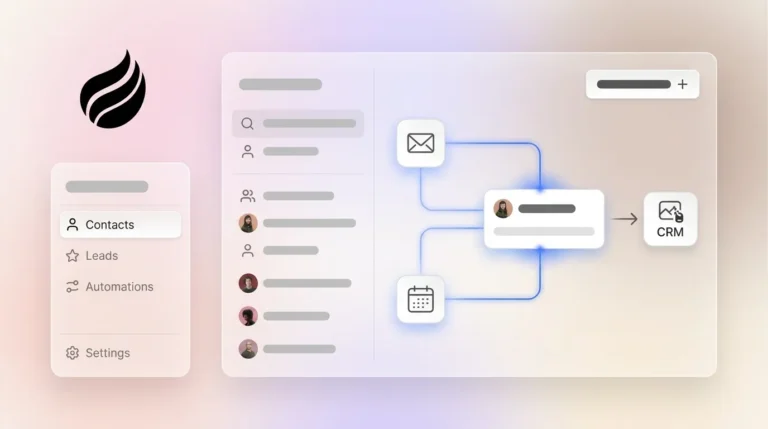
Coffee connects to Google Workspace or Microsoft 365 and immediately begins executing all seven steps without a single human click. The agent scans emails and calendar events to detect new relationships, auto-creates contact and company records, and associates every interaction with the correct record automatically. It then enriches those records with job titles, funding data, and LinkedIn profiles via licensed data partners, which removes the need for separate tools like Apollo or ZoomInfo.

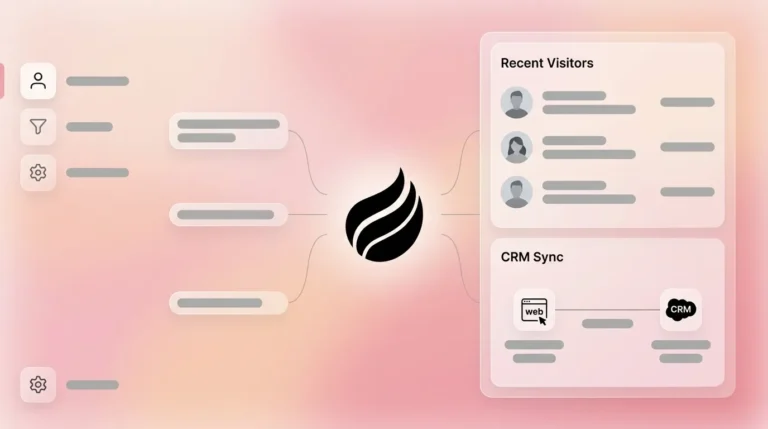
Activity logging, including last activity, next activity, and meeting outcomes, is handled autonomously so deal state always stays current. When Coffee’s Visitor Identification pixel detects a named prospect on your website, that signal feeds the same workflow. The contact is created, enriched, and surfaced to the assigned rep via Slack with full context pre-filled. Nurture enrollment follows immediately and is timed correctly because enrichment has already completed before the trigger fires.

Ready to automate your entire contact creation workflow? Connect Coffee to your workspace and watch the agent execute all seven steps without a single manual click.
Coffee Agent Workflow, Step by Step
Email / Calendar Signal → Deduplication Check → Record Creation → Enrichment (Title, LinkedIn, Funding) → Lead Assignment → Slack Notification to Rep → CRM Record Written → Nurture Enrollment Triggered
Every node in this diagram is executed by the Coffee agent, so no human touches any step. If a duplicate is detected at node two, the agent merges the new signal into the existing record and updates activity history without creating a conflicting entry.
B2B SaaS Case Study: Automatic Week-Over-Week Pipeline Visibility
A company generating tens of millions in revenue building custom AI solutions was managing its entire sales operation in spreadsheets. Manual entry was no longer scaling. The team evaluated Salesforce and HubSpot and rejected both because too much manual work was required to keep records accurate. They hired the Coffee agent instead.
After connecting Google Workspace, contact creation became fully automatic. Every new relationship surfaced from email and calendar was written to the CRM with enrichment pre-filled. The Pipeline Compare feature then automated weekly reviews entirely, visualizing week-over-week changes and highlighting progressed deals, stalled opportunities, and new additions without a single CSV export. Pipeline reviews shifted from interrogation sessions into strategic discussions. The team also used Coffee’s API access to script custom briefings on top of the clean data the agent produced, a capability no legacy CRM could support without significant custom development.
Legacy Workflow Triggers Compared to Coffee’s Agent
| Dimension | GoHighLevel / HubSpot Manual Triggers | Dynamics 365 / Ontraport Rules | Coffee Agent |
|---|---|---|---|
| Trigger Sources | Manual entry, form submission, API, integrations | Record creation, field changes, form submissions, survey responses | Email, calendar, web pixel, API, all ingested automatically without human configuration per contact |
| Deduplication | Merge suppresses re-trigger, matching limited to email or phone | Rules-based, requires manual configuration of matching fields | Real-time multi-field matching at ingestion, with no human configuration required per record |
| Enrichment Timing | Requires separate tool (ZoomInfo, Apollo), runs after creation | Requires third-party integration, batch or manual | Enrichment runs at creation via licensed data partners, so the record is complete before assignment fires |
| Nurture Enrollment | Workflow-triggered, requires rep to have Sales seat, manual enrollment at non-Enterprise tiers | Trigger-based, each trigger is a separate entry point requiring individual configuration | Automatic enrollment post-enrichment, with timing controlled by the agent rather than rep availability |
Best Practices for Duplicates, Assignment, and Nurture Timing
Duplicate Prevention. Automation is essential for deduplication at scale because manual processes cannot keep pace with high lead volume and omnichannel data sources. Implement matching logic that evaluates domain, company name, and phone in addition to email. High-performing RevOps teams design systems so that clean data becomes the default outcome through proactive prevention rather than reactive cleanup. As described in the deduplication step above, matching logic must run at ingestion, not as a downstream batch job, to prevent duplicates from ever entering the system.
Real-Time Assignment. Assignment rules must reference live capacity and territory data to stay accurate. Meltwater’s RevOps team assigned 3,800 accounts after addressing Salesforce data quality and routing issues. Document Rules of Engagement that define naming conventions, required fields before routing, and procedures for rep reassignment so the system remains accurate as the team changes.
Nurture Timing. When workflows and sequences are properly aligned, organizations experience faster sales cycles and reduced manual work compared with relying on manual sequence enrollment. Enrollment triggers must fire after enrichment completes, not simultaneously, so the first message reflects known firmographic context. Given the 2% monthly decay rate mentioned earlier, enrichment at creation, not at follow-up, is the only defensible approach.
Validation Criteria for Data Quality and Time Saved
A contact creation workflow only succeeds when it produces measurable outcomes. Track fill rate on critical fields, percentage of records with inactive owners, and duplicate rate as new records enter the system. Automating email and calendar capture eliminates the manual data entry burden that consumes rep time. This automation directly translates to measurable time savings, because Coffee’s agent delivers 8–12 hours per week back to each rep by eliminating manual contact creation, enrichment, activity logging, and follow-up drafting entirely. At a fully loaded labor rate, CRM data cleanup work represents significant labor costs, which disappear when an agent handles data quality at ingestion.
Frequently Asked Questions
How long does it take to set up Coffee’s contact creation workflow?
Setup requires a single authentication step connecting Coffee to Google Workspace or Microsoft 365. Once connected, the agent begins scanning emails and calendars immediately and starts auto-creating contacts without any manual workflow configuration. There are no trigger rules to build, no field mappings to define per contact type, and no enrichment integrations to wire together separately. Most teams see clean, enriched contacts appear in their CRM within minutes of authentication.
Is Coffee secure enough for a sales team handling sensitive prospect data?
Coffee is SOC 2 Type 2 certified and GDPR compliant. Data ingested by the agent is not used to train public AI models. The agent accesses only the email and calendar data required to perform contact creation, enrichment, and activity logging. For teams in regulated industries or with specific security review requirements, Coffee’s compliance documentation is available on request.
Can Coffee work alongside an existing Salesforce or HubSpot instance, or does it require replacing the current CRM?
Coffee operates in two distinct models. As a Companion App, the Coffee agent deploys as an intelligent layer on top of an existing Salesforce or HubSpot installation. It handles the data-in process, including contact creation, enrichment, and activity logging, and writes clean records back to the existing system of record. Teams keep their current CRM, quotas, forecasting, and required fields intact while the agent eliminates the manual work that was degrading data quality. As a Standalone CRM, Coffee replaces the existing system entirely for teams that have outgrown spreadsheets or find legacy CRMs too burdensome to maintain.
How does Coffee handle scaling as the contact volume grows?
Coffee uses seat-based pricing. The agent’s labor, including contact creation, enrichment, deduplication, assignment, and activity logging, is unlimited and included at every tier. There is no metering on the number of contacts processed, signals ingested, or enrichment calls made. As pipeline volume grows, the agent scales automatically without additional configuration or cost per record. Teams moving from dozens of new contacts per week to hundreds experience no degradation in data quality or assignment speed.
Conclusion: Stop Making Reps Act as Data Clerks
A contact creation workflow that depends on human execution is not a workflow, it is a list of tasks that will be skipped, delayed, or completed incorrectly under the pressure of a full sales day. The result is a CRM that nobody trusts, pipeline reviews that require manual reconciliation, and reps who build shadow systems in spreadsheets because the official system of record has failed them.
Coffee’s autonomous agent replaces every manual step in this workflow. It ingests signals from Google Workspace and Microsoft 365, creates and enriches contacts in real time, prevents duplicates at ingestion, assigns leads to the correct rep instantly, and triggers nurture enrollment with full firmographic context already populated. Reps receive a Slack notification with everything they need to act. The CRM record is complete before the first follow-up is sent.
The 7-step blueprint above describes what a contact creation workflow should do. Coffee is the agent that executes it without asking a human to intervene at any step. Connect your workspace to Coffee today and eliminate manual contact creation from your workflow entirely.