Written by: Doug Camplejohn, CEO & Co-Founder, Coffee
Key Takeaways
- Sales teams connect ChatGPT to CRMs in four main ways in 2026: native connectors, middleware tools like Zapier, direct APIs, and autonomous agents. Each path trades off setup speed, data quality, and ongoing maintenance.
- Native connectors and middleware flows still need human oversight for field mapping, error handling, and schema changes, which creates a permanent RevOps workload.
- Agent-based approaches remove most manual intervention by ingesting emails, calendar events, and transcripts, then writing structured data back to the CRM on their own.
- Direct API integrations give maximum control but require engineering time up front and continuous code updates as APIs and schemas change.
- Teams ready to remove the human from the loop can use Coffee for a fully autonomous CRM agent that handles data entry and enrichment without extra overhead.
Quick Start: 5 Steps to Any ChatGPT-CRM Link
- Identify your CRM’s native ChatGPT or OpenAI app in its marketplace and install it.
- Authenticate with your OpenAI API key and set permission scopes.
- Map the CRM fields you want ChatGPT to read or write, such as contact name, deal stage, and notes.
- Create a trigger in Zapier or Make if no native connector exists for your workflow.
- Test with a live record and confirm data lands in the correct fields.
These five steps get a basic connection running in under an hour. The real friction appears after the integration moves from setup to production. Field mappings break when CRM admins rename custom fields, which forces someone to re-map every affected workflow. Those repairs generate error logs that pile up, especially when API rate limits interrupt syncs during busy periods. The result is a maintenance queue that never empties for RevOps. Skip the maintenance queue with Coffee’s autonomous agent.
That maintenance burden shows up differently in each CRM, but the pattern stays the same. The next sections walk through HubSpot, Salesforce, Pipedrive, Zoho, Dynamics 365, Zapier-based flows, and direct API builds to show how each option still leaves teams with recurring manual work.
ChatGPT HubSpot Integration: Fast Setup, Ongoing Review
HubSpot makes it easy to connect ChatGPT, yet reps still review AI notes and admins still chase schema changes. The table below highlights how native and middleware paths both improve data capture while keeping humans in the loop.
| Native App | Middleware Path | Data-Quality Outcome | Remaining Manual Effort |
|---|---|---|---|
| ChatGPT plugin available in HubSpot App Marketplace, reads contact and deal records via OAuth | Zapier “New Contact in HubSpot → ChatGPT prompt → Update HubSpot Property” zap, 3–5 steps | Structured fields populate, while unstructured call transcripts and email threads require separate parsing logic | Rep must trigger or review each AI-generated note, and field mapping maintenance appears on every HubSpot schema change |
ChatGPT Salesforce Integration: Powerful but Admin-Heavy
Salesforce offers deep integration options, yet that depth comes with heavy admin ownership. The table shows how standard objects work smoothly while custom objects and org changes keep admins busy.
| Native App | Middleware Path | Data-Quality Outcome | Remaining Manual Effort |
|---|---|---|---|
| Third-party OpenAI connectors available on AppExchange | Zapier or Make flow from Salesforce trigger to OpenAI action, with custom field mapping required per object type | Standard objects such as Lead and Opportunity populate reliably, while custom objects and required fields demand extra configuration | Salesforce admin must maintain flows after every org update, and quota or forecasting fields rarely auto-populate |
ChatGPT Pipedrive Integration: Helpful Notes, Manual Deal Data
Pipedrive users can add AI-generated notes quickly, yet deal details still depend on reps. The table outlines how notes improve while core fields like value and close date remain manual.
| Native App | Middleware Path | Data-Quality Outcome | Remaining Manual Effort |
|---|---|---|---|
| Pipedrive Marketplace lists OpenAI-adjacent apps, but no first-party ChatGPT connector as of mid-2026 | Zapier “Deal Stage Changed → ChatGPT summarize → Add Pipedrive Note” zap, straightforward for simple pipelines | Notes and activity logs populate, while deal value and close-date fields still require rep input | Rep reviews and corrects each AI note before saving, and Zapier task usage scales with deal volume |
ChatGPT Zoho CRM Integration: Complex Relationships, Fragile Links
Zoho’s flexible modules create rich data models, yet that same flexibility makes AI integrations fragile. The table shows how contacts and leads sync while multi-module relationships demand constant care.
| Native App | Middleware Path | Data-Quality Outcome | Remaining Manual Effort |
|---|---|---|---|
| Zoho offers its own Zia AI layer, while a third-party ChatGPT connection requires Zoho Flow or Zapier | Zoho Flow or Zapier bridge with moderate setup complexity due to Zoho’s module naming conventions | Contact and lead modules populate, but multi-module relationships such as Contacts ↔ Accounts ↔ Deals require manual linking | Module relationship mapping breaks on Zoho edition upgrades, which drives ongoing admin review |
ChatGPT Dynamics 365 Integration: Enterprise-Grade, High Overhead
Dynamics 365 pairs well with Microsoft’s AI stack, yet that power comes with licensing and configuration overhead. The table highlights how structured data flows smoothly while flows and licenses still need hands-on management.
| Native App | Middleware Path | Data-Quality Outcome | Remaining Manual Effort |
|---|---|---|---|
| Microsoft Copilot for Sales integrates natively into Dynamics 365 and requires an M365 Copilot license | Power Automate flows connect Dynamics entities to Azure OpenAI, which offers enterprise-grade control with high configuration overhead | Strong for structured entity data, while Teams call transcripts require a Copilot license to ingest automatically | Power Automate flow maintenance remains ongoing, and license cost per seat adds up quickly for 10–50 person teams |
ChatGPT Zapier CRM Workflow: Flexible but Fragile Flows
Zapier gives teams a universal way to bolt ChatGPT onto almost any CRM. The table shows how this flexibility improves text fields while creating formatter sprawl and error monitoring work.
| Native App | Middleware Path | Data-Quality Outcome | Remaining Manual Effort |
|---|---|---|---|
| Zapier’s native ChatGPT action supports prompt-in, text-out, and connects to any CRM Zapier supports | Multi-step Zaps with a CRM trigger, ChatGPT action, and CRM update action, with 3–7 steps typical | Text fields populate well, while structured data such as dates, currencies, and picklists require extra formatter steps | Zap error monitoring remains necessary, formatter logic breaks on edge-case inputs, and task limits apply on lower Zapier tiers |
ChatGPT API CRM Integration: Maximum Control, Maximum Maintenance
Direct API integrations give teams full control over prompts, parsing, and data models. The table below shows how this approach can reach the highest data completeness while locking engineering into long-term ownership.
| Native App | Middleware Path | Data-Quality Outcome | Remaining Manual Effort |
|---|---|---|---|
| No native app, only direct REST API calls from custom code to OpenAI and CRM APIs | Custom scripts in Python or Node.js hosted on AWS Lambda or similar, with the highest flexibility and highest build cost | Highest potential data completeness when prompts and parsers are well engineered | Engineering team owns maintenance, and prompt drift, API version changes, and CRM schema updates all require code updates |
Side-by-Side Comparison of Integration Methods
The pattern across all four methods shows a clear trade-off. As data completeness improves, maintenance load increases for native, middleware, and custom API paths, while the agent approach breaks that link.
| Method | Setup Time | Data Completeness | Maintenance Load |
|---|---|---|---|
| Native Connector | 1–4 hours | Structured fields only, with unstructured data excluded | Low at first, then spikes after CRM updates |
| Middleware (Zapier/Make) | 4–16 hours | Moderate, with formatter steps needed for non-text fields | Medium, with ongoing error monitoring and flow repairs |
| Custom API | 40–200 hours engineering | High when well built, then degrades without maintenance | High, with engineering ownership required indefinitely |
| Agent (Coffee) | Minutes with OAuth connection | High, as it ingests email, calendar, and call transcripts automatically | None for reps, because the agent self-maintains |
Costs vary widely across team sizes and existing licenses, so a single number does not fit every case. Native connectors often come bundled with CRM tiers but still consume admin time. Middleware costs rise with task volume. Custom API builds carry engineering labor costs that continue over time. Coffee uses seat-based pricing with no extra metering on agent tasks or LLM usage.
Cost and setup time matter, yet the Maintenance Load column reveals the deeper issue. Every traditional integration method, including native, middleware, and custom API paths, depends on ongoing human intervention.
The Agent Alternative: Removing Humans from CRM Data Chores
That maintenance burden described earlier is the structural flaw every traditional integration shares. Remove the human from the loop with Coffee.
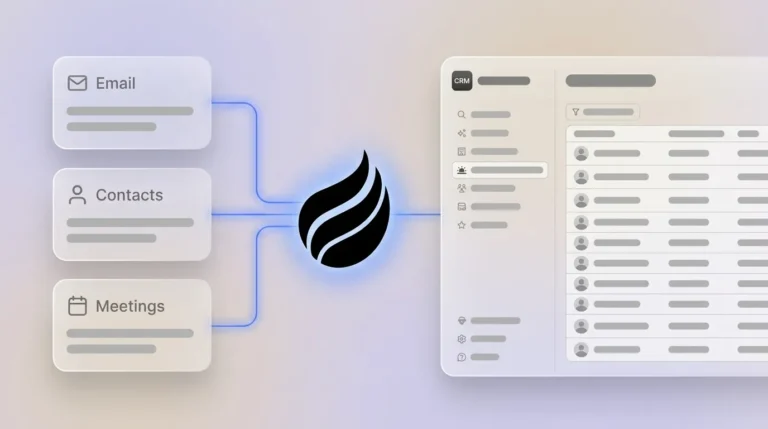
Coffee deploys as either a Standalone CRM or a Companion App layered on top of an existing Salesforce or HubSpot instance. After OAuth connection to Google Workspace or Microsoft 365, the Coffee Agent scans emails and calendar events to auto-create contacts and companies, with no rep action required. Improved summary templates stay customizable to match common sales methodologies and can write back directly to your CRM automatically. A Stripe integration launched in January 2026 automatically imports customers, enriches their records, and marks paid invoices as Closed Won deals. A QuickBooks integration followed in February 2026 and syncs invoices and payment statuses in real time.

Three workflows show how the agent removes manual work at different stages of the sales cycle. First, auto-created contacts cover prospecting. The agent scans Google Workspace continuously, populates the CRM with every new person and organization it encounters, and enriches each record with job title, funding data, and LinkedIn profile via licensed data partners, which removes the need for separate enrichment tools. Second, AI meeting briefings and follow-ups support active deals. Before each call, the agent surfaces a briefing with attendee history and deal context. After the call, it generates a summary, identifies next steps, and drafts a follow-up email in Gmail for one-click review. Third, Pipeline Compare helps leadership. The agent visualizes week-over-week pipeline changes such as progressed deals, stalled opportunities, and new additions, which replaces manual CSV exports and spreadsheet reviews.


Shadow CRMs such as spreadsheets and Notion documents exist because reps avoid systems that demand effort. When the agent handles all data entry, the CRM becomes the most accurate record in the organization, and shadow systems fade away. Coffee is SOC 2 Type 2 and GDPR compliant, and data is not used to train public models.
Frequently Asked Questions
Is Coffee secure enough for a sales team handling sensitive deal data?
Coffee is SOC 2 Type 2 and GDPR compliant. Data processed by the Coffee Agent is not used to train any public AI models. The agent connects to Google Workspace or Microsoft 365. Teams in heavily regulated industries such as healthcare or finance should consult their compliance team before deployment, as multi-year security reviews may apply.
How deeply does Coffee integrate with Salesforce and HubSpot compared with a native connector?
Native connectors typically read and write standard objects and fields. Coffee’s Companion App goes further and understands Salesforce-specific constructs such as required fields, forecasting categories, and quota tracking, then writes enriched data back to both standard and custom objects. This depth addresses a gap that newer AI-native CRMs such as Day.ai and Clarify have not yet closed for established Salesforce and HubSpot environments.
How does Coffee’s enrichment data compare to ZoomInfo?
Coffee’s built-in enrichment, including job titles, funding rounds, and LinkedIn profiles, is sourced from licensed data partners and is roughly on par with ZoomInfo for most use cases at 10–50 person tech companies. The practical difference is consolidation. Coffee delivers enrichment inside the same agent that handles data entry, meeting notes, and pipeline analysis, which removes the need to pay for and maintain a separate enrichment subscription.
Does Coffee connect to tools outside Salesforce and HubSpot?
Current third-party integrations beyond Salesforce, HubSpot, Google Workspace, and Microsoft 365 run through Zapier, with deeper native integrations on the product roadmap. The January 2026 Stripe integration and February 2026 QuickBooks integration show that direction clearly, with financial and billing data flowing into the CRM automatically without middleware configuration by the user.
Evaluation Checklist for Agent Readiness
Use the checklist below to score your current situation. The more items you check, the stronger the case for an agent-based approach.
- Reps spend more than two hours per week logging calls, emails, or meeting notes manually.
- CRM data completeness is below 80 percent, with missing contacts, blank fields, or outdated deal stages.
- A spreadsheet or Notion document serves as the real pipeline tracker for at least one team member.
- A Zapier or Make workflow has broken in the last 90 days and required manual repair.
- Pipeline reviews involve exporting data to a spreadsheet before the meeting.
- Enrichment data lives in a separate tool such as ZoomInfo or Apollo that requires manual copy-paste into the CRM.
- Your team has fewer than 50 seats and cannot justify a dedicated Salesforce admin or RevOps engineer.
Teams checking four or more items carry a manual data-entry burden that native connectors and middleware will not remove. Let Coffee’s agent handle the data chores so your reps can focus on selling.