Key Takeaways for Your 2026 LinkedIn Prospecting
- Define a clear ICP using industry, company size, roles, and pain points to consistently target high-fit prospects on LinkedIn.
- Use Sales Navigator filters and Boolean searches and follow the 5-3-2 rule to avoid restrictions and build healthy lists.
- Export and enrich data compliantly with licensed tools, and avoid ToS-violating scrapers like PhantomBuster for sustainable prospecting.
- Segment lists by triggers like funding or job changes, then personalize outreach to lift acceptance and reply rates.
- Automate the full workflow to automate the full workflow with AI for CRM-ready leads, visitor ID, and 8-12 hours of weekly time savings.
Why High-Quality, Compliant Lists Matter Now
Poor prospect lists stall pipelines because bad data enters your CRM and clogs every stage. Compliant and enriched lists do the opposite and lift reply rates across your sequences. LinkedIn Sales Navigator users experience improvements in pipeline generation, while social sellers achieve their sales quota 78% of the time compared to 38% for traditional sellers. Sales and RevOps teams must now automate legally as AI regulations remove risky scraping tools from the market.
Before diving into the seven-step process, make sure you have the basics in place so you can execute without friction.
Readiness Check: What You Need Before You Start
You need LinkedIn and Sales Navigator access, a clearly defined Ideal Customer Profile, Google Workspace or Microsoft 365 integration, and website access for visitor pixel installation. The complete setup usually takes 30 to 60 minutes and does not require any coding.
Step 1: Define Your ICP for LinkedIn Prospecting
Your Ideal Customer Profile forms the foundation of effective LinkedIn prospecting. LaGrowthMachine recommends identifying industry and company size, job titles and functions of decision-makers, seniority levels, geographic location, and specific pain points your solution addresses. These abstract criteria become far more useful when you translate them into concrete targeting parameters.
| Criterion | Example |
|---|---|
| Role | VP Sales, Head of RevOps |
| Company Size | 50-200 employees |
| Funding Stage | $10M+ raised |
| Technology Stack | Salesforce, HubSpot |
Coffee’s AI List Builder enables natural-language ICP refinement through queries like “Find VPs of Sales in North America at $10M+ funded companies using Salesforce.” When you craft these queries, resist the urge to over-narrow your criteria at the start. Begin with a broader audience, then refine based on actual response data so you do not accidentally filter out strong prospects who sit slightly outside your assumptions.

Step 2: Use 2026 Sales Navigator Filters and Boolean Searches
LinkedIn Sales Navigator offers more than 30 advanced filters for precise targeting. Many LinkedIn Sales Navigator subscribers use advanced search weekly and rely on job changes, company growth signals, and active engagement patterns to find buyers who are ready to talk.
The LinkedIn 5-3-2 rule helps maintain account health while you prospect. Post 5 pieces of content, comment on 3 posts, and send 2 connection requests each day. This pattern mimics natural human behavior and reduces the risk of account restrictions.
Boolean operators sharpen your searches. Use AND for multiple requirements (“Marketing AND director”), OR for alternatives (“Marketing OR sales operations”), NOT to exclude terms (“VPs NOT managers”), and quotes for exact phrases (“Sales Manager”). These simple rules keep your searches focused on the people who match your ICP.
Step 3: Build Your First List Manually
Start with manual list building so you can understand your target market in detail. LinkedIn Sales Navigator does not offer the option to export lead information into a CSV file. Save promising searches and review them weekly for new prospects who match your criteria. This manual foundation sets your quality bar and gives AI automation a reliable baseline to scale.
Step 4: Export and Enrich Data Without Breaking ToS
Traditional scraping tools like PhantomBuster violate LinkedIn’s Terms of Service. LinkedIn’s User Agreement explicitly prohibits copying, using, or distributing information obtained from LinkedIn services without consent. Any tool that scrapes LinkedIn directly puts your account and your company at risk.
Compliant alternatives work differently and stay within LinkedIn’s rules. They rely on native CSV exports from Sales Navigator where available and licensed data enrichment through approved partners. This approach still gives you complete prospect profiles while avoiding bans and legal exposure.
Coffee’s built-in enrichment provides verified emails and phone numbers without scraping risks. You stay compliant and still receive complete prospect records that are ready for outreach and CRM sync.
Step 5: Segment Lists and Personalize Outreach
Effective segmentation turns a generic list into a set of targeted campaigns. Group prospects by industry pain points, company size, or recent trigger events such as funding rounds or leadership changes. Sales reps who personalize LinkedIn connection requests are more likely to achieve higher acceptance rates than those who send the same message to everyone.
Create message templates that speak to each segment’s specific challenges. Keep room for personal touches like recent company news, shared communities, or mutual connections so every message feels tailored, not robotic.
Step 6: Automate Prospecting with AI List Building
AI now handles the heavy lifting in compliant LinkedIn prospecting. Sales reps using AI extensively for LinkedIn prospecting book 3.5× more meetings than those who do not. Coffee’s AI agent turns natural-language instructions into generated, enriched, and CRM-ready prospect lists.
Instead of running manual searches, describe your ideal prospect in plain language: “Find marketing directors at SaaS companies in California with recent funding.” The AI agent handles the complex filtering, enrichment, and CRM integration automatically. As noted earlier, Sales Navigator users already see strong pipeline improvements, and those gains multiply when you add AI-powered insights to the mix.
Step 7: Turn Website Visitors into LinkedIn Prospects
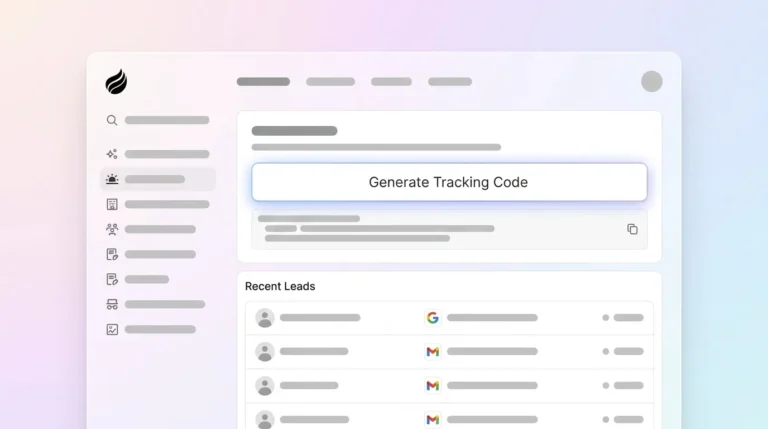
Website visitor identification turns anonymous traffic into named prospects you can reach on LinkedIn. Coffee’s visitor pixel identifies who visits your website, enriches their profiles, and suggests persona-matched LinkedIn outreach opportunities. This creates a complete loop where website visitors become LinkedIn prospects, then CRM contacts, and finally customers.

The system sends real-time Slack notifications for high-fit visitors and recommends specific individuals within visiting companies who match your buyer persona. You can then install the visitor pixel and turn your website into a steady lead generation engine.
Validation: Check List Quality and Pipeline Impact
Track list quality with enrichment rates above 90 percent, successful CRM synchronization, and measured reply rates. Monitor pipeline contribution from LinkedIn-sourced prospects and use those insights to refine your ICP, filters, and messaging for future list building.
Scaling for Different Team Sizes
Small businesses gain from Coffee’s standalone CRM with integrated prospecting, which keeps tools simple and connected. Mid-market teams can deploy Coffee as a Salesforce or HubSpot companion, keeping existing workflows while adding AI automation on top. Zapier integrations support custom drip campaigns and multi-channel sequences when you want more advanced plays.
Tools Comparison for LinkedIn Prospecting
| Tool | Compliant | CRM-Native | Natural Language | Time Saved/Week |
|---|---|---|---|---|
| Coffee | Yes | Yes (SF/Hub/Standalone) | Yes | 8-12 hours (see pricing) |
| PhantomBuster | No (ToS violations) | Partial | No | Variable/risky |
| RB2B | Partial | No | No | N/A |
| Warmly | Partial | No | No | N/A |
FAQ
What is the LinkedIn 5-3-2 rule?
The 5-3-2 rule, detailed in Step 2, is a daily activity pattern that mimics natural human behavior. It helps you avoid account restrictions while you build a consistent professional presence on LinkedIn.
What are the best Sales Navigator filters for 2026?
The most effective filters include job changes in the past 90 days, company growth signals like recent funding or hiring spikes, technology usage filters, and geographic targeting. Combine these filters with Boolean searches for precise targeting, and always save successful filter combinations for future use.
How does Coffee compare to traditional scraping tools?
Coffee operates compliantly through licensed data partnerships and native integrations, which removes the risk of account bans that comes with scraping tools. It supports natural-language list building, automatic CRM synchronization, and visitor identification features that scraping tools cannot provide safely.
How do I define an effective ICP for SaaS prospecting?
Start with your best current customers and identify shared traits such as company size, technology stack, growth stage, and decision-maker roles. For SaaS, pay close attention to companies using complementary tools, growing quickly, or showing signs of scaling challenges that your solution can solve.
What are LinkedIn’s current export limits?
Sales Navigator does not provide native CSV export, as mentioned in Step 4. Use integrated platforms like Coffee for compliant enrichment so you can build complete prospect profiles without manual copying or scraping.
Conclusion: Turn LinkedIn into a Predictable Pipeline Source
This seven-step process turns LinkedIn prospecting from a manual grind into an automated, data-driven system. When you combine compliant data practices with AI automation, your team removes hours of busywork and improves both lead quality and conversion rates. Coffee’s agent-powered approach keeps good data flowing in and out, which supports prospecting workflows that scale with your business.
Start your free trial and experience the future of compliant LinkedIn prospecting today.