Written by: Doug Camplejohn, CEO & Co-Founder, Coffee
Key Takeaways for HubSpot-to-CRM Integrations
- HubSpot-to-CRM sync failures create duplicate contacts, overwritten fields, and silent data loss that cost U.S. businesses trillions annually.
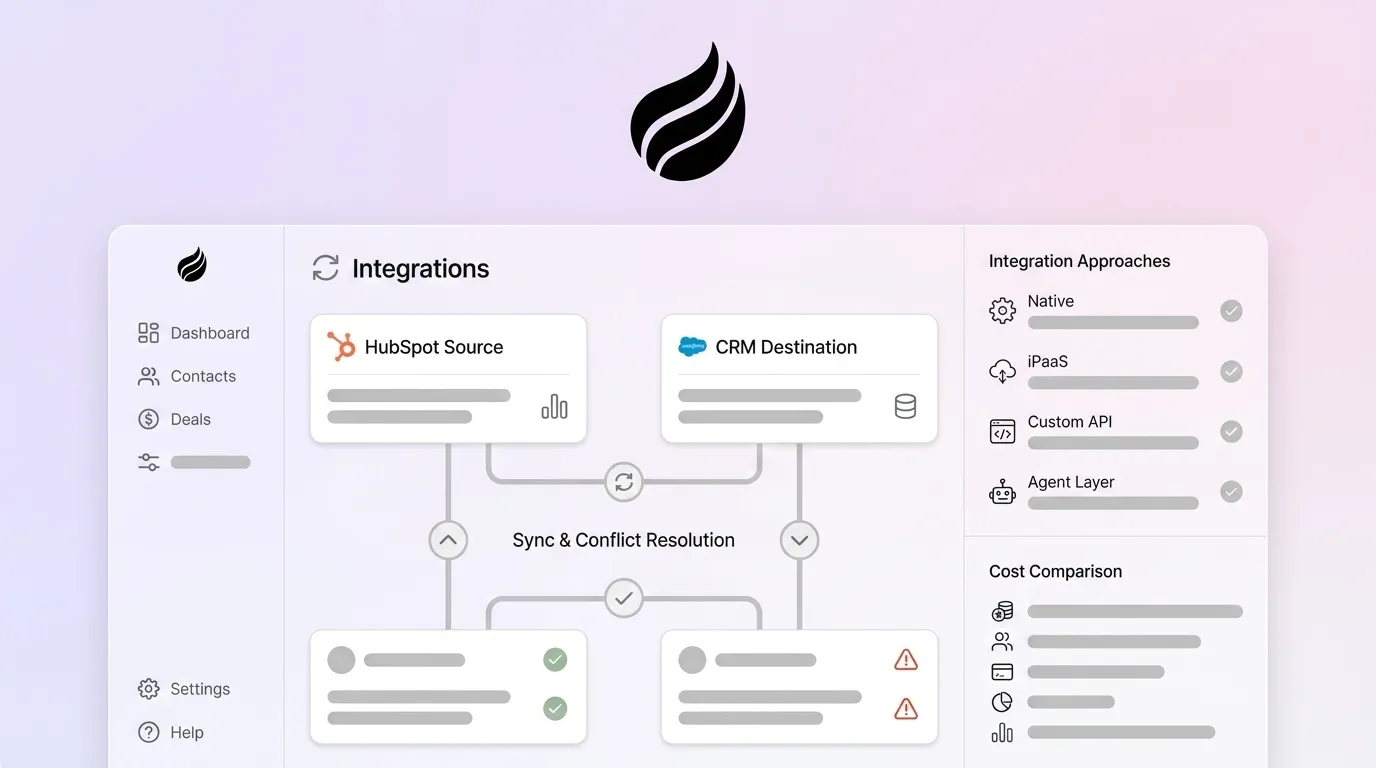
- Four integration methods, native connectors, iPaaS, custom APIs, and agent layers, differ sharply in data quality, effort, maintenance, and scalability.
- Native and iPaaS solutions struggle with unstructured data and mapping drift, while custom APIs demand heavy development resources and ongoing upkeep.
- An intelligent agent layer like Coffee captures and structures data at the source, which prevents sync conflicts before they reach HubSpot or the CRM.
- Eliminate manual data entry and protect your HubSpot records, explore Coffee’s pricing and features.
Setting a Clear Source of Truth Between HubSpot and Your CRM
A 2026 CRM rollout should appoint a dedicated data governance owner before go-live and form a cross-functional committee with explicit authority over field definitions and integration rules. A typical mid-sized company now runs many different software tools, which turns the CRM into a historical archive rather than a live decision-making system unless ownership is explicit.
Once governance ownership is in place, the next step is validating the data those owners will manage. Before any integration goes live, audit each entity against completeness, accuracy, cross-system consistency, and recency. 45% of organizations report their CRM data is not prepared for AI use, so source-of-truth rules become a prerequisite for any automation layer.
| Data Type | HubSpot Ownership | Salesforce / Dynamics Ownership | Recommended Sync Direction |
|---|---|---|---|
| Contacts | Marketing-sourced leads, website visitors | Sales-qualified and customer records | HubSpot → CRM on MQL, CRM → HubSpot on close |
| Companies | Enrichment, firmographics | Account hierarchy, contract data | Bi-directional with HubSpot as enrichment master |
| Opportunities | Pipeline visibility only | Authoritative deal record | CRM → HubSpot (read-only mirror) |
| Activities | Email, meeting, call logs | Task completion, case notes | HubSpot → CRM for marketing touches, CRM → HubSpot for sales notes |
| Custom Objects | Campaign-specific objects | Quotes, orders, service records | System of origin → receiving system, no automatic bi-directional |
Common HubSpot-to-CRM Sync Conflicts and Practical Fixes
Three failure modes dominate HubSpot-to-CRM integrations. Duplicate records appear when both systems generate a contact independently. Field overrides occur when last-write-wins logic destroys accurate data. Historical data loss happens when a field update replaces prior values with no audit trail.
Organizations should target low sync error rates to maintain acceptable data consistency. Native connectors handle deduplication only at the email-address level and offer no conflict resolution logic beyond timestamp priority. iPaaS tools improve on this baseline by adding configurable rules, but they still require manual mapping maintenance whenever schemas change. Custom APIs can implement fully deterministic merge logic, yet this control comes at the cost of developer time for every edge case. An intelligent agent layer takes a different approach and resolves conflicts at the data-capture stage, before a bad record is written, by structuring unstructured inputs like call transcripts and emails into clean, deduplicated records that sync outward rather than inward.
Comparing Native, iPaaS, Custom API, and Agent Layer Approaches
| Method | Data Quality | Implementation Effort | Maintenance Burden | Automation Depth |
|---|---|---|---|---|
| Native Connector | Medium, structured fields only | Low, days to deploy | Low, vendor-maintained | Low, scheduled sync, no logic |
| iPaaS (Zapier / Workato) | Medium, depends on mapping quality | Low-Medium, 1–5 days | Medium, mapping drift over time | Medium, conditional logic, no AI |
| Custom API | High, purpose-built logic | High, 6–12 weeks | High, API versioning, ongoing dev | High, full control |
| Agent Layer (e.g., Coffee) | Highest, structured + unstructured | Low, auth-based setup | Lowest, agent self-maintains | Highest, autonomous capture + enrichment |
Native connectors, available through the HubSpot App Marketplace with setup in 5–30 minutes via guided OAuth flow, suit standard tools with simple data flows. They sync on scheduled intervals of 5–30 minutes rather than true real-time and hit API rate limits at high volumes. The native HubSpot-Salesforce connector supports bi-directional sync of contacts, companies, and opportunities but needs custom extensions for custom objects or non-standard lifecycle properties.
iPaaS platforms like Zapier, Make, and Workato add conditional logic and multi-step workflows without code. They are faster to configure than custom APIs but accumulate mapping debt as field schemas evolve. Per-task pricing walls emerge when handling high volumes such as 10,000+ records per day.
Custom APIs fit when business logic, custom objects, or proprietary systems cannot be served by marketplace connectors. Custom integrations typically take 4–12 weeks depending on complexity and carry ongoing monitoring costs whenever APIs or requirements change. In 2026, HubSpot implemented date-based API versioning with changes only in March and September, so any existing key-based integration requires immediate remediation.
The agent layer operates differently from all three. Instead of moving records between systems on a schedule, an agent like Coffee captures data at the source, such as emails, calendar events, and call transcripts, then structures and enriches it and writes clean records back to HubSpot without human input. This approach removes the root cause of sync conflicts because bad data never enters the pipeline.

See how Coffee automates data capture from emails, calls, and meetings without developer resources.

Cost Comparison: Zapier, Workato, Native Connectors, Custom APIs, and Agent Layers
HubSpot Operations Hub Professional tier, which includes Data Sync among its features, costs $720/month on annual billing. Custom API builds carry significant upfront investment. Agent-layer pricing usually follows a seat-based model with no per-task metering.
| Tool / Method | Monthly Cost Range | Typical Timeline | Scalability Limit |
|---|---|---|---|
| Native HubSpot Connector | Free to $50/month | Under 1 day | API rate limits, no custom object support |
| iPaaS (Zapier / Workato) | $20–$2,000+/month | 1–5 days | Per-task pricing walls at 10K+ records/day |
| Custom API Build | $15,000–$150,000 one-time + ongoing dev | 6–12 weeks | High, limited by dev capacity and API versioning |
| Agent Layer (Coffee) | Seat-based, no per-task metering | Hours, auth-based activation | Scales with headcount, no record-volume ceiling |
By 2026, 90% of organizations will face critical IT talent shortages, which increases the real cost of custom API maintenance beyond the initial build invoice. iPaaS platforms soften this with low-code interfaces, but their per-task economics deteriorate as deal volume grows.
Best-Fit Integration Methods by Company Size
The data integration market is projected to grow steadily through 2031, driven by low-code interfaces and pay-as-you-go pricing. Method selection should reflect both current headcount and the expected 12-month growth trajectory.
| Company Size | Recommended Method | Rationale |
|---|---|---|
| Under 20 employees | Agent Layer or Native Connector | No dedicated RevOps, agent handles data entry autonomously, native connector suits simple, single-direction flows |
| 20–100 employees | Agent Layer + iPaaS for edge cases | Growing deal volume needs deeper automation, agent preserves HubSpot data quality, iPaaS fills workflow gaps without dev resources |
| 100+ employees | Agent Layer + Custom API for complex objects | Most enterprise HubSpot implementations use a hybrid approach combining native connectors for standard processes with custom solutions for business-critical requirements, and the agent layer removes manual entry burden across the full rep base |
Operational Ownership and Long-Term Integration Health
Integration ownership erodes without explicit cross-team accountability. Sales, marketing, IT, and customer service stakeholders should drive data governance decisions from the start because source-of-truth rules affect every department that touches CRM data.
Hidden maintenance is the most underestimated cost of native and iPaaS approaches. Field schema changes in either HubSpot or Salesforce or Dynamics break mappings silently. 95% of IT leaders cite integration issues as impeding AI adoption, and that friction compounds as deal volume and headcount grow. 88% of the most successful companies were using AI as part of their CRM strategy in 2024, with adoption projected to reach 100% of Fortune 500 companies by the end of 2026. Together, these trends mean any integration architecture that cannot support AI-ready, structured data will require replacement on a short horizon.
Rep adoption creates a separate failure mode. Sales teams have varying AI usage rates. An integration that still requires reps to log calls, update fields, or reconcile duplicates will see the same low adoption that plagued the pre-integration state. The agent layer removes the rep from the data-entry loop entirely, which provides a structural fix for adoption failure.

Decision Framework Summary for 2026 HubSpot Integrations
- Budget under $500/month, standard tools, simple flows: Native connector. Accept sync interval limitations and no custom object support.
- Budget $500–$2,000/month, moderate complexity, no dev resources: iPaaS. Plan for mapping maintenance and per-task cost ceilings.
- Complex custom objects, proprietary systems, or Salesforce/Dynamics enterprise deployments: Custom API. Budget $25K–$80K and 6–12 weeks. Pair with an agent layer to remove ongoing manual entry.
- Primary goal is data quality and rep adoption with HubSpot as system of record: Agent layer. Activate through authentication, scale with headcount, and capture unstructured data that no connector or API can reach.
- 100+ employees with complex pipeline logic: Agent layer as the data-in foundation, custom API for object-level fidelity, iPaaS for workflow edge cases.
Frequently Asked Questions About HubSpot CRM Integrations
How long does each integration method typically take to implement?
Native connectors deploy in under one day for standard tools. iPaaS configurations typically take one to five days depending on workflow complexity. Custom API builds run six to twelve weeks and cover discovery, development, testing, and training. An agent layer like Coffee activates through a standard authentication flow that connects Google Workspace or Microsoft 365 and begins capturing and syncing data within hours of setup with no development work required.
What internal expertise is required for native connectors versus agent layers?
Native connectors require a RevOps administrator who is comfortable with HubSpot’s App Marketplace and basic field mapping. No engineering resources are needed for standard deployments, though custom object extensions require developer involvement. An agent layer requires no technical expertise to activate. The Coffee Companion App connects to an existing HubSpot or Salesforce instance through a simple OAuth authentication. Ongoing operation needs no maintenance from IT or RevOps because the agent handles data capture, enrichment, and logging autonomously.
How much migration effort is involved when switching from iPaaS to an agent solution?
Migration effort is lower than most teams expect. Because the agent layer writes clean data into HubSpot rather than replacing HubSpot, existing records remain in place. The primary migration task is disabling duplicate sync jobs in the iPaaS platform to prevent double-writes. Historical records do not need re-import. The agent begins enriching and updating records from the activation date forward, and Coffee’s pipeline intelligence features surface data quality gaps in existing records so teams can prioritize remediation without a full audit.
What data security and compliance standards apply to agent-based CRM integrations in 2026?
Agent-based integrations must meet the same compliance standards as any CRM data processor. Coffee is SOC 2 Type 2 certified and GDPR compliant. Data ingested by the Coffee Agent, including email content, calendar metadata, and call transcripts, is not used to train public AI models. For teams in regulated industries, the relevant questions to ask any agent vendor are: Does the vendor maintain SOC 2 Type 2 certification? Is data processed in-region for GDPR purposes? Are model training data policies contractually enforceable? Coffee answers yes to all three.
Conclusion: Choosing the Right Integration Path for HubSpot
Native connectors, iPaaS platforms, and custom APIs all move data between systems, but none of them fix the upstream problem that humans still create the records. The revenue impact of poor data quality, referenced earlier, persists regardless of which connector is in place if reps are not logging activities consistently.
The intelligent agent layer addresses this root cause. Coffee’s Companion App deploys on top of an existing HubSpot instance, captures every email, meeting, and call automatically, enriches records without human input, and writes accurate data back to HubSpot while preserving it as the authoritative system of record. Gartner predicts 40% of enterprise applications will include task-specific AI agents by the end of 2026. The integration architecture built today needs to support that future, not fight it.