Key Takeaways
- Sales reps lose 71% of their time to non-selling work such as manual data entry, while AI agents now capture data directly from emails, calendars, and calls.
- Coffee leads as the top-rated AI agent (10/10) for full automation and delivers the weekly time savings referenced throughout this guide.
- HubSpot, monday CRM, and ZoomInfo provide partial automation but still depend on more manual setup and configuration than true AI agents.
- Core buying criteria include automation depth, data quality, setup simplicity, and total cost compared with a traditional Salesforce stack.
- Ready to eliminate data entry and reclaim selling time? Start your free Coffee trial and turn those hours back into pipeline.
Scope of This Lead Management Comparison
This evaluation focuses on platforms that excel at automated data entry and enrichment. These tools capture unstructured data from emails, calendars, and conversations, then convert it into complete CRM records without human input. We compare standalone CRMs, add-on solutions, and AI agents that address Salesforce’s long-standing reliance on manual data entry. The criteria emphasize automation depth, data quality, setup simplicity, and cost-effectiveness versus traditional Salesforce implementations.
Evaluation Criteria for Automated Data Entry Tools
Each platform is assessed across seven dimensions: automation depth (scored 1-10, with 10 representing full AI agent capabilities), data quality and accuracy, setup ease for non-technical teams, pricing competitiveness compared to Salesforce, integration compatibility, user adoption trends, and scalability for growing teams. These 2026 benchmarks reflect the shift from passive databases to active AI agents that proactively manage lead data. The comparison table below highlights three of these factors for quick scanning: automation score, pricing, and each platform’s primary differentiator.
Top 9 Salesforce Lead Management Alternatives for Automated Data Entry in 2026
#1 Coffee – The Complete AI Agent Solution
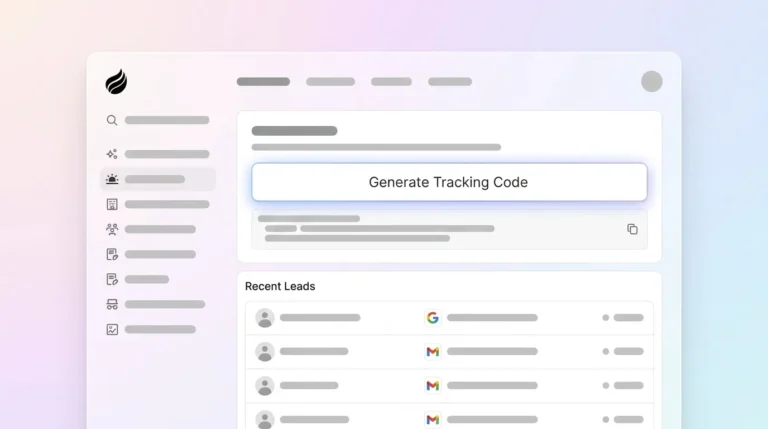
Coffee operates as a true AI agent that automatically creates and enriches contacts from Google Workspace or Microsoft 365 connections. The agent scans emails and calendars to populate CRM records, logs activities on its own, and prepares meeting briefings with context from past interactions. Coffee’s Stripe integration automatically imports customers and adds paid invoices as Closed Won deals, while visitor identification turns anonymous website traffic into named prospects with suggested leads that match your buyer persona.

Coffee delivers the time savings mentioned above through complete automation of data entry tasks. The platform works as a standalone CRM for small teams or as a Salesforce Companion that enhances existing implementations with an automation layer. Pricing follows a simple seat-based model that includes unlimited AI agent labor, so teams pay for human users while automation scales with no extra metering.

#2 HubSpot with Breeze AI
HubSpot’s Breeze AI provides partial automation through AI-powered features including predictive lead scoring, automated email sequences, and form-based lead capture. The platform offers unified activity timelines and behavioral trigger automation. It still requires more manual configuration and ongoing management than full AI agent solutions.
#3 monday CRM
monday CRM includes AI autofill across text, status, and dropdown columns to speed up data entry at scale. Integration with Crunchbase automatically enriches leads with company data, while web forms capture and route leads instantly with automatic qualification in a single view. Automation focuses on structured fields rather than full unstructured data processing.
#4 ZoomInfo
ZoomInfo’s native Salesforce and HubSpot connectors enable automatic enrichment through bi-directional sync, updating records with firmographic and technographic data from their database of 321 million contacts. ZoomInfo’s Enrichment uses custom waterfall logic across more than 60 data vendors to deliver comprehensive lead intelligence.
#5 Apollo
Apollo combines a 275+ million contact database with CRM integrations that sync activity and performance data automatically. AI-assisted prospecting can reduce the time spent per lead, while Apollo’s email verification process has a 91% accuracy rate for verified emails. Automation centers on prospecting efficiency and data accuracy.
#6 Freshsales
Freshsales’ Freddy AI automatically enriches new leads with LinkedIn information and company details upon creation. It then scores them based on fit criteria and auto-enrolls qualified prospects in personalized email sequences. This workflow reduces manual research and follow-up tasks for sales teams.
#7 Pipedrive
Pipedrive offers workflow automation for lead routing and basic data capture, with limited AI-powered enrichment compared to newer platforms. The system focuses on pipeline visualization and provides some automated activity logging, which helps teams maintain consistent deal tracking.
#8 Zoho CRM
Zoho CRM provides the Zia AI assistant for basic automation tasks such as lead scoring and email scheduling. It supports integration with third-party providers for additional data enrichment. Automation depth remains moderate and often depends on custom configuration.
#9 Close
Close emphasizes communication automation with built-in calling and email features. It offers basic lead capture and activity logging with limited AI-powered enrichment capabilities. The platform suits teams that prioritize outreach workflows over advanced data automation.
The table below summarizes how the top four platforms compare on automation capability, pricing, and their primary competitive advantage.
| Platform | Auto-Entry Score (/10) | Pricing (per user/month) | Key Differentiator |
|---|---|---|---|
| Coffee | 10 | Contact for pricing | Full AI agent with visitor ID |
| HubSpot | 7 | additional core seats start at $45 per month per user | Partial Breeze AI automation |
| monday CRM | 6 | starts at $21 per seat/month, billed annually | AI autofill with Crunchbase |
| ZoomInfo | 8 | Custom pricing | 321 million contact database |
How AI Agents Automate CRM Data Entry
Modern AI agents like Coffee eliminate manual data entry through three core steps. They connect to existing business tools such as Google Workspace and Microsoft 365. They then scan and enrich contact data automatically. Finally, they log activities autonomously in the CRM. Knowledge workers using AI agents can save several hours per week, and sales development roles specifically save 5.4 hours weekly.

The strongest automation appears when AI agents process unstructured data from emails, calendars, and call transcripts, then convert this information into CRM-ready records. This method outperforms traditional form-based capture because it records the full context of customer interactions without manual input from sales representatives. To illustrate the impact, the table below compares time savings, cost, and ROI timelines across three leading automation solutions.
| Solution | Weekly Hours Saved | Cost per User/Month | ROI Timeline |
|---|---|---|---|
| Coffee Agent | 8-12 | Contact for pricing | Several months |
| HubSpot Breeze | 3-5 | additional core seats start at $45 per month per user | 12+ months |
| monday CRM | several hours | starts at $21 per seat/month, billed annually | 8-10 months |
Best-Fit Use Cases and Migration Considerations
Coffee excels for small to mid-sized businesses using its dual-mode approach, whether as a complete CRM replacement or as the automation layer for existing Salesforce instances. A company generating tens of millions in revenue, building custom AI solutions, migrated from spreadsheets (rejecting Salesforce and HubSpot) to Coffee and adopted an agent-driven approach that removed manual data entry while preserving pipeline visibility.

Teams that remain committed to Salesforce can use Coffee’s Companion mode as an automation layer that legacy systems lack. The agent connects through simple authentication, syncs and enriches data, and writes insights back to the primary CRM. This approach preserves current workflows while upgrading automation depth.
Salesforce to Coffee Migration Checklist
Salesforce customers can follow four clear steps to migrate to Coffee with minimal disruption. First, authenticate Coffee with existing systems so the agent can access current data. Second, sync historical data and contacts to create a unified record of past activity. Third, enable automatic enrichment of incomplete records so the agent can fill gaps and standardize fields. Fourth, compare pipeline intelligence between old and new systems to validate data quality and confirm reporting accuracy. Coffee maintains SOC 2 Type 2 compliance and supports Zapier integrations, which help teams handle custom workflow requirements during the transition.
Decision Framework for Choosing an Automation Platform
Teams that spend significant time on manual data entry should prioritize Coffee’s full AI agent capabilities, which deliver the deepest automation. Organizations that require extensive customization beyond standard lead management workflows may prefer HubSpot or ZoomInfo, although they will trade some automation depth for flexibility. Budget-conscious teams willing to accept more limited automation can consider monday CRM for basic capabilities at a lower price point. Ultimately, the key differentiator remains automation depth, moving from passive databases to active agents that proactively manage lead data. If maximum automation is your priority, explore Coffee’s AI agent capabilities and see how they fit your stack.
FAQ
Does Coffee integrate with Salesforce?
Yes, Coffee operates as both a standalone CRM and a Salesforce Companion. The Companion mode connects to existing Salesforce instances to provide AI agent capabilities for automated data entry, enrichment, and activity logging while maintaining your current system of record.
How much time does automated data entry save?
AI agents like Coffee significantly reduce time spent on contact creation, data enrichment, and activity logging. Teams shift a large share of their week from non-selling work toward relationship building and deal advancement, which increases revenue potential without adding headcount.
What makes Coffee’s visitor identification superior to RB2B?
Coffee provides Suggested Leads that match your specific buyer persona, recommending two or three specific individuals within visiting companies along with their LinkedIn profiles for immediate outreach. This approach goes beyond company-only identification and enables targeted, personalized engagement with the right decision makers.

What is Coffee’s 2026 pricing structure?
Coffee uses seat-based pricing where you pay for human users while the AI agent’s unlimited labor is included. This structure removes complex metering on AI usage or data processing and keeps costs predictable as teams expand automated lead management.
Which CRM offers the strongest automated data entry in 2026?
Coffee leads the market as the only true AI agent solution that handles both structured and unstructured data automatically. While platforms like HubSpot and ZoomInfo offer partial automation, Coffee’s agent proactively manages the complete lead lifecycle from initial capture through deal progression without human intervention. To experience this hands-free approach, get started with Coffee and see the impact on your team’s productivity.