Key Takeaways for Salesforce Teams
- Coffee ranks #1 as the agent-powered Leadinfo alternative and automates Salesforce record creation and lead enrichment from website visitors.
- Traditional tools like Leadinfo require manual data entry, while modern alternatives deliver person-level identification and automated workflows.
- Salesforce integration carries the most weight in this evaluation, followed by visitor accuracy and automation depth for stronger ROI.
- Coffee’s Suggested Leads feature matches visitors to buyer personas and saves sales teams 8–12 hours per week on admin tasks.
- Upgrade your Salesforce workflow and move from manual updates to proactive lead generation with Coffee’s agent-powered automation.

How Leadinfo Alternatives Serve Salesforce Users
Website visitor identification tools replacing Leadinfo fall into two categories: basic company-level identification and advanced person-level matching with automation. Traditional solutions like Leadinfo provide company names from IP addresses but still require manual Salesforce data entry. Modern alternatives use AI to identify individual visitors and trigger CRM workflows without extra clicks. Website visitor identification tools use IP data, cookies, and AI insights to uncover names, job titles, and high-intent purchase signals, which enables sales teams to reach prospects with contextual messaging at the right moment. But with dozens of tools claiming these capabilities, Salesforce teams need a clear way to see which options actually deliver.
Evaluation Criteria for Salesforce-Focused Visitor Identification
We evaluated each Leadinfo alternative across five weighted criteria specifically for Salesforce environments. Salesforce Integration carries 40% of the total weight, which is double any other factor, because native or reliable connectivity determines whether a tool saves time or creates new bottlenecks.
| Criteria | Description | Weight |
|---|---|---|
| Salesforce Integration | Native AppExchange/Companion vs. Zapier connections | 40% |
| Visitor Accuracy | Person-level identification rates and data quality | 20% |
| Automation Depth | Suggested leads, auto-enrichment, workflow triggers | 20% |
| Pricing Value | Cost per identified lead and ROI potential | 10% |
| Setup Ease | Installation time and compliance features | 10% |
No B2B website visitor identification tool achieves 100% identification rates, so Salesforce teams should treat accuracy and automation as the main differentiators when comparing tools.
Side-by-Side Comparison: Top Leadinfo Alternatives
The table below highlights a clear split between tools that automate actions in Salesforce and tools that mainly sync data while relying on manual workflows.
| Tool | Salesforce Integration | Person-Level Accuracy | Automation Level | Starting Price |
|---|---|---|---|---|
| Coffee | Zapier and opportunity import integration | Person-level identification | Full agent automation | Seat-based |
| Dealfront | Native integration | identifies up to 45% of companies visiting your website | Basic sync | $99/month |
| ZoomInfo | Bi-directional native | 321 million contact profiles | Manual workflows | $10,000+/year |
| Snitcher | Snitcher’s Salesforce integration uses a 30-minute sync cycle with regular polling | Company-focused | Limited automation | $49/month |
The table above focuses on the four tools with the strongest Salesforce integration capabilities. The next section ranks all seven alternatives in more detail so you can match each option to your specific needs.
Detailed Rankings: Best Leadinfo Alternatives for Salesforce
#1 Coffee – The Agent-Powered Leader
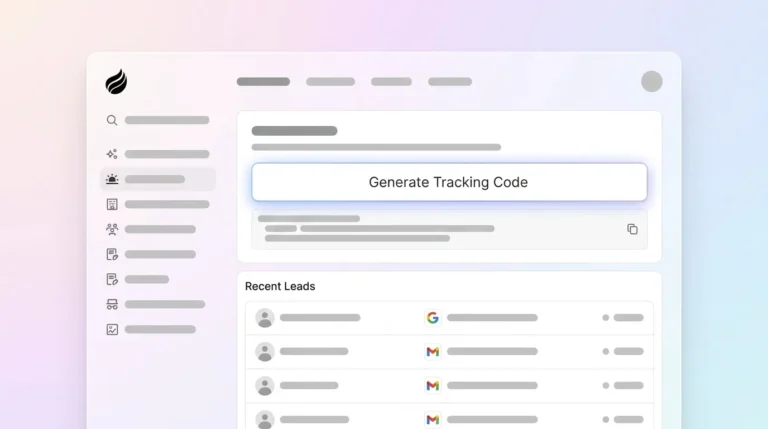
Coffee turns website visitor identification from passive data collection into active lead generation through its AI agent. The platform installs with a single tracking pixel and immediately starts identifying individual visitors with names, titles, emails, and LinkedIn profiles. Coffee’s key differentiator is its Suggested Leads feature, which analyzes visiting companies and recommends specific individuals who match your buyer persona for outreach.

The Coffee agent automatically creates Salesforce records, enriches contact data, and logs activities without manual intervention. These automated records use summary templates, which Coffee improved in November 2025 so teams can customize them and write them back to Coffee, HubSpot, or Salesforce. By eliminating data entry tasks, this automation delivers the 8–12 hour weekly savings mentioned earlier. Experience agent-powered visitor identification with a Coffee trial and compare it to your current workflow.
#2 Leadfeeder (formerly Dealfront)
Leadfeeder provides solid Google Analytics integration with deep CRM integrations including Salesforce for automatic data export. The platform focuses on company-level identification with basic lead scoring and email alerts. This setup works well for established processes but lacks the person-level matching and automation depth that agent-powered tools provide.
#3 ZoomInfo WebSights
ZoomInfo uses its large database of 321 million contact profiles for visitor identification. The platform offers bi-directional Salesforce integration to automatically push and pull visitor identification and enrichment data. Workflows remain largely manual, so teams need significant setup and ongoing management to get consistent results.
#4 Snitcher
Snitcher performs well in European markets with company identification and Salesforce synchronization using a 30-minute sync cycle with regular polling. The platform offers a clean interface and straightforward setup but provides limited automation beyond basic data sync. Snitcher suits teams that want simple visitor identification and do not require complex workflow automation.
#5 Albacross
Albacross focuses on GDPR compliance and strong European data coverage. The platform connects to Salesforce through Zapier integrations and provides company-level visitor identification with basic lead scoring. Compliance-focused organizations can use it effectively, although it lacks the advanced automation and person-level matching that newer tools deliver.
#6 Clearbit (now Breeze Intelligence)
Clearbit offers real-time visitor identification and enrichment through API connections. Clearbit identifies website visitors and matches them to company records, providing real-time firmographic and technographic enrichment that integrates with Salesforce and HubSpot. The platform requires technical implementation and does not provide the guided, agent-style automation that non-technical sales teams often prefer.
#7 Lead Forensics
Lead Forensics delivers comprehensive B2B visitor identification with Salesforce integration capabilities. The platform provides detailed visitor analytics and lead scoring but functions mainly as a data provider instead of an automated workflow engine. Teams usually need significant manual configuration to achieve strong Salesforce integration.
Use Case Recommendations by Company Profile
Coffee works best for RevOps teams that want complete automation from visitor identification through Salesforce record creation. The agent-powered approach fits SMBs and mid-market companies that prioritize efficiency and reduced admin work. ZoomInfo suits data-heavy enterprises with dedicated operations teams that can manage complex workflows. Snitcher fits European companies that need quick implementation and basic automation without heavy customization. See how Coffee’s Salesforce automation compares to your current stack and decide whether full agent support matches your roadmap.
Coffee vs. Leadinfo: Why Agent Automation Wins
Coffee’s proactive agent approach differs sharply from Leadinfo’s passive data collection. Leadinfo requires manual Salesforce data entry and provides only company-level identification, while Coffee automatically identifies individual visitors, suggests specific outreach targets, and creates enriched Salesforce records. Person-level visitor identification tools achieve 5–20% match rates, identifying individuals with names, emails, phones, and LinkedIn profiles, compared to company-level visitor identification tools that have 30–65% match rates. This automated approach removes the manual workflow bottlenecks that slow down traditional visitor identification tools.
Implementation Checklist for Salesforce Integration
Salesforce teams can use the checklist below to compare Leadinfo alternatives and quickly see which tools reduce manual work instead of adding more.
| Requirement | Coffee | Traditional Tools |
|---|---|---|
| Same-day Salesforce sync | Yes | Varies |
| Automated data entry | Yes | Manual |
| Person-level identification | Yes | Limited |
| Suggested lead matching | Yes | No |
Avoid solutions that require extensive manual configuration or lack reliable Salesforce integration. Since salespeople already spend a large share of their week on non-selling tasks like admin, updating records, researching prospects, and preparing calls, choosing a tool that adds more manual work only compounds the productivity problem that automation should solve.
Frequently Asked Questions
Does Coffee integrate with Salesforce better than Leadinfo?
Yes, Coffee provides Zapier and opportunity import integration that goes beyond basic data sync and automatically creates and enriches records. Leadinfo relies on manual data export or simple Zapier connections. Coffee’s agent manages the full workflow from visitor identification through Salesforce record creation, which removes the manual data entry that slows sales teams.
What accuracy rates can I expect from Coffee compared to Leadinfo?
Coffee delivers person-level identification with individual names, emails, and LinkedIn profiles. Leadinfo typically provides only company-level identification, so teams must perform extra research to find specific contacts. Coffee’s AI agent and enrichment capabilities support more precise lead identification and faster outreach.
Is there a free Leadinfo alternative for Salesforce?
No comprehensive visitor identification tool offers full functionality for free because data licensing and infrastructure costs remain high. Coffee provides trial access so teams can evaluate the agent-powered approach before committing. Free tools usually lack the accuracy and automation that effective Salesforce workflows require.
How do I migrate from Leadinfo to Coffee?
Migration involves replacing the Leadinfo tracking pixel with Coffee’s script and authenticating Salesforce access. Teams can complete this process quickly. Coffee’s agent then starts identifying visitors and creating Salesforce records without data migration work, because the system builds new enriched records automatically.
What makes Coffee better than Leadfeeder for Salesforce users?
Coffee provides person-level identification and automated Salesforce record creation, while Leadfeeder focuses on company-level data with basic export functionality. Coffee’s Suggested Leads feature recommends specific individuals for outreach based on buyer personas, which removes much of the research phase that traditional tools require.
Conclusion: Move from Manual Processes to Agent-Powered Automation
The 2026 landscape for Salesforce visitor identification favors agent-powered automation instead of manual data collection. Coffee leads this shift by turning anonymous website traffic into qualified leads through intelligent automation and by removing the data entry burden that reduces sales productivity. Traditional alternatives like Dealfront and ZoomInfo still provide strong functionality but depend on ongoing manual management that Coffee’s agent can handle automatically.
Salesforce users who want maximum pipeline velocity with minimal manual effort gain the most from Coffee among Leadinfo alternatives. Transform your sales workflow from reactive data collection to proactive lead generation and start your Coffee trial today.