Key Takeaways
-
Sales reps waste 71% of their time on manual data entry, and AI automation like Coffee removes that burden.
-
HubSpot’s marketing-first design adds clutter and misses core sales contact management needs.
-
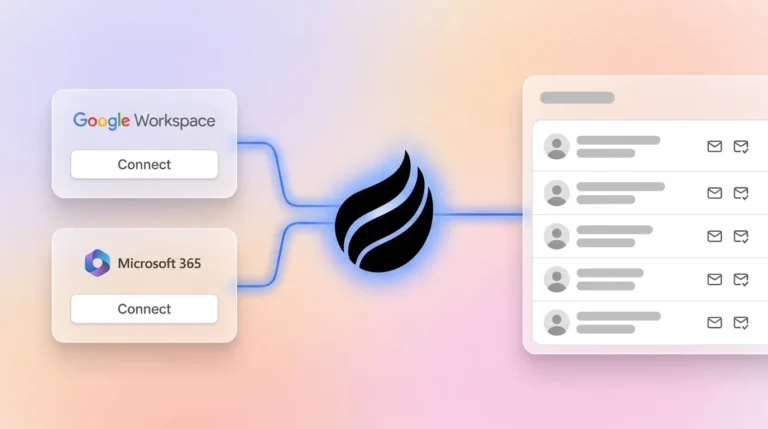
Coffee’s AI agent creates contacts, enriches data, and logs activities directly from Google Workspace or Microsoft 365.
-
Strong alternatives include Pipedrive for pipeline views, Copper for Google integration, and Salesflare for straightforward automation.
-
Ready to automate your sales workflow and cut admin work? Get started with Coffee today.
Why HubSpot Struggles With Sales Contact Management
HubSpot assumes busy sales reps will consistently enter contact data, yet most reps do not keep up. Sales reps spend only 35% of their time actively selling, which leaves little room for manual updates. HubSpot’s older architecture also loses historical context when fields change, and its relational database has trouble handling unstructured data from emails and call transcripts.
The platform started as a marketing tool, and CRM features came later, which created a cluttered interface for sales teams. CRM systems often require more manual work and data entry from salespeople, according to Salesflare’s CEO Jeroen Corthout. Many sales teams therefore fall back to spreadsheets and “shadow CRMs” even after buying large, feature-heavy platforms.
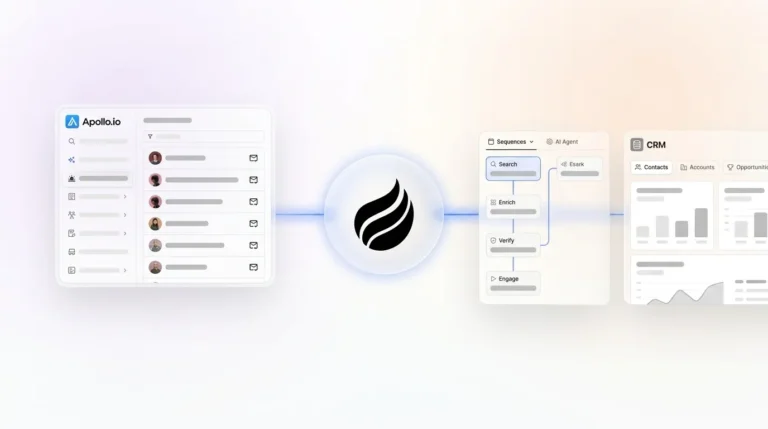
Modern sales teams need AI agents that quietly handle busywork instead of passive databases that demand constant updates. Coffee’s agent-led approach fixes these issues by automating contact creation, enrichment, and activity logging inside the tools your team already uses.

How We Evaluated HubSpot Alternatives for Sales Teams
To find HubSpot alternatives that actually solve sales contact management problems, we focused on sales-specific needs instead of marketing features or enterprise complexity.
|
Criterion |
Weight |
Description |
|---|---|---|
|
Contact Automation Depth |
High |
|
|
Sales Pipeline Visibility |
High |
Week-over-week changes and clear pipeline intelligence |
|
Setup Time & Cost per User |
Medium |
Under 30 minutes setup and under $30 per user each month |
|
HubSpot Migration Ease |
Medium |
Support for sync and companion app setups |
Top 9 HubSpot Alternatives for Sales Contact Management
1. Coffee: AI Agent for Hands-Off Contact Management
Coffee uses an autonomous AI agent that removes manual contact management from your team’s to-do list. After you connect Google Workspace or Microsoft 365, the agent creates contacts and companies from emails and calendar events, enriches records with job titles and LinkedIn profiles, and logs every activity without human input.

Pros:
-
Recovers 8–12 hours per rep each week through full automation
-
Supports both Standalone CRM and Companion modes for current HubSpot users
-
Combines CRM, enrichment, recording, and forecasting in one platform
Cons:
-
Newer platform that often relies on Zapier for integrations
-
Limited customization for very large or complex organizations
-
Requires Google Workspace or Microsoft 365 as the data source
Best for: SMB sales teams with 1–50 reps that feel stuck in manual data entry and want an AI agent to run contact management.
Case study: A $10M AI solutions company replaced spreadsheets with Coffee’s agent and now runs automated pipeline reviews and contact enrichment with no manual effort.

2. Pipedrive
Pipedrive focuses on visual pipeline management and activity-based selling for sales teams. The Pipedrive Lite plan starts at $14 per user each month when billed annually, and most SMB teams choose the Growth plan (formerly Advanced) for workflow automation.
Best for: Teams that care more about clear pipeline visualization than deep contact automation.
3. Copper
Copper serves Google Workspace users with a Gmail sidebar and tight Google integration. The Copper Basic plan at $23 per seat each month, billed annually, includes automatic data capture from Google apps.
Best for: Google-focused teams that want simple, built-in automation.
4. Salesflare
Salesflare automates data entry from email and calendar interactions and includes built-in contact enrichment. Pricing starts around $29 per user each month for access to full automation features.
Best for: Teams that want automation but prefer to avoid complex AI setups.
5. Zoho CRM
The Standard plan at $14 per user each month includes the Zia AI assistant for lead scoring and next-action suggestions.
Best for: Budget-conscious teams that still want basic AI support.
6. Freshsales
The Freshsales Growth plan at $9 per user each month, billed annually, includes built-in phone features, AI lead scoring, and workflow automation.
Best for: Small teams that need CRM plus integrated calling and messaging.
7. Close
The Startup plan at $49 per user each month combines CRM with built-in calling and email automation.
Best for: Inside sales teams that rely on high call volumes every day.
8. Attio
Attio’s paid plans start at $29 per user each month with annual billing, or $36 with monthly billing, and offer a modern interface plus flexible data models for startups.
Best for: Design-focused startups that value a polished user experience.
9. Day.ai
Day.ai is an AI-powered CRM that focuses on unstructured data processing and productivity automation. Pricing depends on AI usage levels and team size.
Best for: Teams that generate large volumes of unstructured sales data, such as call notes and long email threads.
|
Tool |
Automation Depth |
Price/User (2026) |
Migration Ease |
|---|---|---|---|
|
Coffee |
AI agent with full automation |
Seat-based |
Companion or Standalone |
|
Pipedrive |
Pipeline-focused with basic automation |
$14+ |
Medium |
|
Copper |
Google sync automation |
$23+ |
High for Google users |
Coffee Deep Dive: How the AI Agent Handles Contact Management
Coffee’s AI agent turns contact management from a manual chore into an automated workflow that runs in the background. The agent supports two modes: Standalone CRM for teams with 1–20 reps, and Companion mode that enhances existing HubSpot setups. Core features include automatic contact enrichment with titles and LinkedIn profiles, an AI meeting bot for call summaries, and Pipeline Compare for week-over-week pipeline analysis.

The platform holds SOC 2 Type 2 compliance and offers Visitor ID, which converts anonymous website traffic into named prospects with suggested outreach steps.
|
Aspect |
Legacy (Passive DB) |
Coffee (Proactive Agent) |
|---|---|---|
|
Data Entry |
Manual, consumes most of a rep’s time |
Automatic, recovers many hours each week |
|
Contact Enrichment |
Requires external enrichment tools |
Handled through built-in automation |
|
Activity Logging |
Manual logging after each interaction |
Automatic logging from your workspace |
Teams that want to remove manual contact management can get started with Coffee and let the AI agent take over routine busywork.
Migration Checklist and Best-Fit Scenarios for Coffee
Migration steps:
-
Authenticate Google Workspace or Microsoft 365 so Coffee’s AI agent can access email and calendar data securely.
-
Install the visitor identification pixel on your website to help the agent recognize anonymous visitors and match them to contacts.
-
Configure CRM sync in Companion mode to keep HubSpot as your system of record while Coffee automates the data work.
-
Review automated contact creation and enrichment to confirm that the agent captures and updates the right information.
Best-fit scenarios:
-
SMBs with 1–20 reps that want Standalone mode to replace HubSpot completely.
-
Mid-market teams with 20–50 reps that use Companion mode to enhance an existing HubSpot setup.
-
Teams that currently spend more than 10 hours each week on manual contact management.
Not suitable for: Large enterprises that need deep custom development or heavily regulated industries that require multi-year security reviews.
Frequently Asked Questions About HubSpot Alternatives
What is the best free HubSpot alternative for sales teams?
Coffee offers a trial period so teams can experience AI-powered contact automation before committing. For ongoing free options, HubSpot’s free tier supports 1,000 marketing contacts for up to 2 users, and Zoho CRM offers basic features for up to 3 users. These free plans usually lack the automation needed to fix HubSpot’s core contact management issues.
How does Pipedrive compare to HubSpot for contact management?
Pipedrive delivers strong pipeline visualization and costs less than HubSpot’s paid tiers, yet it still relies on manual contact entry and activity logging. Both platforms leave reps with a heavy administrative workload. Coffee’s agent removes that burden by handling contact creation and logging automatically.
Does Coffee integrate with existing HubSpot installations?
Yes. Coffee’s Companion mode runs alongside HubSpot and automates contact creation, enrichment, and activity logging while syncing data back to your current system. This setup lets you keep HubSpot as the system of record and still remove manual data entry from your team’s day-to-day work.
What are 2026 pricing comparisons for contact management tools?
Entry-level CRMs typically range from $9 to $30 per user each month. Freshsales starts at $9, Zoho at $14, Pipedrive at $14, and Copper at $23. Mid-tier tools usually cost $30 to $60 per user each month, and enterprise platforms often exceed $100 per user. Coffee uses seat-based pricing that includes unlimited AI agent work.
Can AI really replace manual contact management?
Modern AI agents can create contacts from email signatures, enrich records with job titles and company data, log meeting activities, and track pipeline changes. Coffee’s agent shows this in practice by reclaiming the hours that teams previously spent on manual contact management tasks.
Conclusion: Move Beyond Manual Contact Management
Manual contact management no longer matches how modern sales teams work. Traditional CRMs like HubSpot still expect constant human input, while AI agents like Coffee handle contact creation, enrichment, and activity logging on their own. For sales teams that want to spend more time selling and less time on admin work, Coffee stands out as a strong HubSpot alternative with real automation.
Stop pouring hours into manual data entry. Get started with Coffee and experience contact management that finally keeps up with how sales teams operate in 2026.