Written by: Doug Camplejohn, CEO & Co-Founder, Coffee
Key Takeaways for Small Sales Teams
- Small sales teams often underestimate true CRM costs because onboarding fees, required add-ons, and manual data entry push total ownership far beyond the advertised per-seat price.
- Across the six platforms compared, entry-level annual per-user rates range from $108 (Freshsales) to $300 (Salesforce Starter), yet these sticker prices exclude major implementation and ongoing labor costs.
- Reps lose 8–12 hours per week to manual CRM work. Coffee’s agent-driven automation recovers this time by auto-capturing emails and calls and enriching records without rep effort.
- Teams already using Salesforce or HubSpot can add Coffee as a companion layer to improve data quality and pipeline accuracy without migrations or rip-and-replace projects.
- Teams ready to cut hidden CRM costs should explore Coffee pricing for seat-based plans that include agent labor and avoid onboarding surprises.
How This Comparison Evaluates CRM Options for 2–20 Reps
This analysis uses six criteria: 2026 per-user annual cost, data-entry time saved per rep per week, pipeline visibility quality, integration effort, scaling path from 5 to 20 users, and total cost of ownership including hidden admin hours. The review covers platforms as standalone systems and, when relevant, as companion layers on top of existing infrastructure. Seat-based pricing serves as the primary comparison unit because teams in this size range most often buy that way and can project costs as headcount grows.
2026 Seat-Based Pricing Snapshot
| Platform | Entry Annual Per-User Rate | 5-User Annual Cost | 10-User Annual Cost |
|---|---|---|---|
| HubSpot Starter | $20/user/mo ($240/yr) | $1,200 | $2,400 |
| Pipedrive Lite (formerly Essential) | $14/user/mo ($168/yr) | $840 | $1,680 |
| Zoho CRM Standard | $14/user/mo ($168/yr) | $840 | $1,680 |
| Freshsales Growth | $9/user/mo ($108/yr) | $540 | $1,080 |
| Salesforce Starter | $25/user/mo ($300/yr) | $1,500 | $3,000 |
| Coffee | Seat-based, agent labor included, see current pricing | See pricing page | See pricing page |
License fees alone do not capture true cost. HubSpot applies mandatory onboarding fees to its Professional and Enterprise plans, and HubSpot’s Enterprise onboarding fees are reported as $3,500–$7,000 depending on the source and date. Zoho CRM’s Jumpstart implementation service offers fixed-price packages such as 20 hours for ₹40,000. Salesforce implementation commonly starts at $10,000 for small businesses or basic projects and typically requires a dedicated admin or consultant. These one-time costs can easily double a small team's first-year budget before a single deal is logged.
See Coffee plans, with seat-based pricing that includes agent labor and avoids hidden onboarding tiers.
Setup and Onboarding Effort by Platform
Salesforce Starter carries the heaviest onboarding burden in this group. The implementation costs noted earlier make it a poor fit for teams without dedicated RevOps resources. HubSpot is faster to configure at the Starter tier but escalates sharply at Professional, where the mandatory onboarding fees discussed above can extend timelines by weeks. Pipedrive and Freshsales are lighter to configure, with self-serve setups viable for most small teams, though advanced automation requires plan upgrades. Zoho CRM offers a broad feature set, yet its configuration depth means most teams rely on the paid Jumpstart service. Coffee connects to Google Workspace or Microsoft 365 through a single authentication step. The agent then auto-creates contacts, logs activities, and enriches records immediately, without a migration consultant.
Automated vs. Manual Data Capture Impact
Sales reps spend only 28–30% of their time actually selling, with roughly 70–72% going to non-selling tasks, according to Salesforce’s 2026 State of Sales report. Sales reps spend 20–30% of their work week on manual data entry tasks such as typing into CRM fields instead of selling. For a rep earning $150K annually, 10 hours per week on CRM data entry represents roughly $36,000 per year in opportunity cost.

HubSpot, Pipedrive, Zoho, Freshsales, and Salesforce all operate as passive databases that store data humans enter. None of them autonomously capture email interactions, enrich contact records from unstructured sources, or log call outcomes without rep action. Activity capture tools and AI-powered CRM features can reduce CRM administration time by 30–50%, reclaiming 2–3.5 hours per week for a rep spending 7 hours on CRM tasks, yet those tools sit as add-ons, not native features in the base plans compared above.

Coffee's agent handles this work natively. After connecting to a calendar and email, the agent auto-creates contacts and companies, logs last and next activity, enriches records with job titles and funding data via licensed partners, joins calls to transcribe and summarize, and drafts follow-up emails for rep review. The result is 8–12 hours saved per rep per week, which returns directly to selling. At a 10-rep team, that equals 80–120 hours of recovered selling capacity every week without adding headcount.

Usability for Reps and Manager Reporting
As established earlier, reps spend the majority of their time on non-selling tasks such as CRM updates, internal meetings, email, scheduling, and research. Low adoption of passive CRMs compounds this problem because skipped data entry makes pipeline reports unreliable and pushes managers back to spreadsheet exports for weekly reviews.
Pipedrive's visual pipeline is the most rep-friendly of the legacy options and requires minimal training. HubSpot's interface stays clean at the Starter tier but becomes complex as features accumulate. Salesforce's reporting depth is unmatched, yet it demands admin configuration that small teams rarely have capacity to maintain. Zoho and Freshsales provide adequate dashboards but depend entirely on rep-entered data for accuracy.
Coffee's Pipeline Compare feature visualizes week-over-week changes automatically, including progressed deals, stalled opportunities, and new additions, because the agent has already captured the underlying data. Pipeline reviews shift from interrogation sessions to strategic discussions. Manager forecast accuracy improves not through harder training, but because the agent removed the manual step entirely.
Integration Complexity and Long-Term Flexibility
Connecting a CRM to other tools frequently requires expensive add-ons or custom development work, creating recurring integration costs. Outgrowing an entry-level CRM forces a complete system overhaul, resulting in costly mid-year vendor switches and significant time and capital spent on data migration.
Salesforce has the deepest native integration ecosystem but also the highest configuration overhead. HubSpot integrates well within its own suite but adds cost as teams bolt on Sales Hub, Marketing Hub, and Operations Hub separately. Pipedrive and Freshsales cover common integrations through marketplace apps, with gaps filled by Zapier. Zoho's ecosystem is broad but inconsistent in depth.
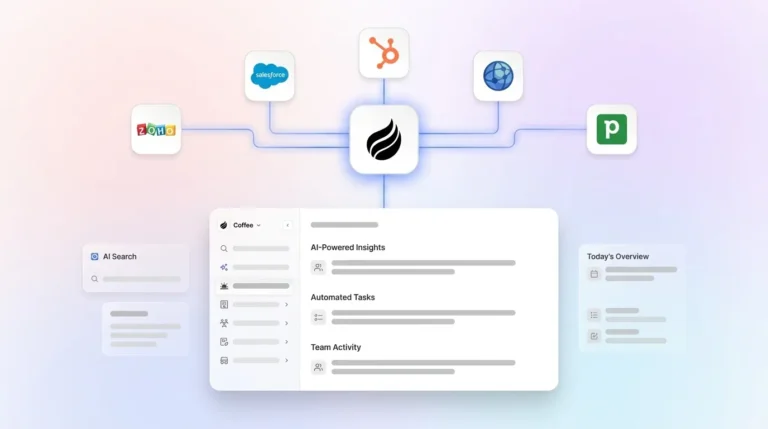
Coffee operates in two modes that match different scaling paths. As a standalone CRM, it serves teams of 1–20 replacing spreadsheets or lightweight tools. As a companion app, it deploys the agent on top of an existing Salesforce or HubSpot instance, handling data capture and enrichment while the legacy system remains the system of record. This dual path lets teams already committed to Salesforce or HubSpot add Coffee's agent without a rip-and-replace migration. Current third-party integrations run via Zapier, with deeper native integrations on the roadmap.
Compare Coffee as CRM or companion and choose the mode that fits your stack.
Best-Fit Use Cases by Team Stage
Early-stage teams (2–5 reps) replacing spreadsheets: Freshsales and Zoho CRM offer the lowest entry price points. Coffee's standalone CRM suits teams that want automation from day one and want to avoid a manual-entry habit that compounds as the pipeline grows.
Growing teams (6–15 reps) needing pipeline visibility: Pipedrive scales cleanly through its mid-tier plans. HubSpot works well when the team already uses the HubSpot marketing ecosystem. Coffee standalone or Coffee as a companion layer on HubSpot both address the data-quality problem that appears as deal volume increases.
Teams already on Salesforce or HubSpot: The sunk cost of an existing CRM instance makes a full switch impractical. Coffee's companion model deploys the agent on top of the existing system, improving data quality and pipeline accuracy without disrupting the current workflow or requiring data migration.
Operational Considerations and Risks to Watch
Common factors increasing CRM implementation costs include system setup and configuration, data migration from legacy systems, third-party integrations, customization and workflow development, and training, support, and change management. B2B contact data decays between 22.5% and 70.3% annually, requiring continuous data entry and verification to maintain usable CRM records, which creates a maintenance burden that passive CRMs place entirely on reps.
Overbuying is a real risk for small teams, but underbuying creates an equally expensive trap. Scaling surprises occur when low-cost entry plans become dramatically more expensive upon adding users, as cheap plans for five users can trigger large price jumps when a sixth team member is hired. To avoid both traps, teams should model 10- and 20-user costs before committing to any platform, not just the current headcount price.
Change management often becomes the most underestimated cost. A clunky or complicated CRM can cost small sales teams weeks of lost productivity during training. Platforms that require reps to serve the software rather than the reverse generate shadow CRMs such as spreadsheets and Notion docs that undermine the investment entirely.
Decision Framework for Choosing a CRM Path
Teams with no existing CRM and fewer than 5 reps who need the lowest possible entry cost should start with Freshsales Growth at $9/user/month or Zoho CRM Standard at $14/user/month, since both cover the basics at minimal upfront expense. However, these platforms require manual data entry from day one, which means the time-saving problem compounds as your pipeline grows. If avoiding that manual-entry habit matters more than minimizing initial license cost, Coffee's standalone tier eliminates the data-entry burden before it becomes embedded in your workflow.
Teams of 5–15 reps focused on pipeline management without heavy customization can rely on Pipedrive's Essential or Advanced plans, which are operationally straightforward. HubSpot Starter works when marketing alignment matters. Neither option removes manual data entry at the base tier.
Teams already running Salesforce or HubSpot with data quality or adoption problems benefit from Coffee's companion model, which addresses the root cause of bad data in without replacing the existing system. This path offers the lowest disruption while restoring accurate pipeline reporting.
Teams prioritizing lowest true cost of ownership over lowest sticker price should factor in the 8–12 hours per rep per week recovered by agent-driven capture. That reclaimed time, combined with no mandatory onboarding fees and no add-on requirement for enrichment or call recording, positions Coffee's total cost of ownership below platforms with lower advertised per-seat rates once labor costs enter the calculation.
Frequently Asked Questions
How long does implementation typically take for a 5-person team?
Implementation time varies significantly by platform. Freshsales and Pipedrive can be configured in a day or two for a 5-person team using self-serve setup. HubSpot Starter is similarly fast, though upgrading to Professional triggers mandatory onboarding that can extend the timeline by weeks. Salesforce Starter requires the most time, often several weeks even for small teams and frequently an external consultant. Coffee connects to Google Workspace or Microsoft 365 through a single authentication step, and the agent begins populating contacts and logging activity immediately, which creates the fastest path to a populated, usable CRM for a small team.
What is the migration effort when moving from spreadsheets?
Moving from spreadsheets to any CRM requires a data mapping exercise that matches spreadsheet columns to CRM fields, cleans duplicate or incomplete records, and imports the cleaned file. Most platforms accept CSV imports, which handles the mechanical transfer. The harder problem is ongoing data quality after migration. Passive CRMs require reps to maintain the data manually, which recreates the same decay problem that made the spreadsheet inadequate in the first place. Coffee's agent addresses this by continuously enriching and updating records from email, calendar, and call data after import, so the CRM stays current without rep intervention.
How do the listed CRMs handle data security and compliance in 2026?
Many leading CRMs maintain SOC 2 certifications and offer GDPR-compliant data handling, with enterprise tiers adding additional controls for regulated industries. Salesforce and HubSpot provide the most granular permission and audit trail configurations, which contributes to their higher enterprise price points. Coffee is SOC 2 Type 2 and GDPR compliant. Data processed by the Coffee agent is not used to train public models, which addresses a common concern for teams handling sensitive deal or customer information.
Which option scales most cleanly from 5 to 20 users without price jumps?
Pipedrive and Zoho CRM offer the most predictable per-seat scaling at their entry tiers, where adding a user adds a fixed incremental cost without forcing a plan upgrade. HubSpot's pricing structure becomes less predictable at scale because the Professional plan bundles a seat minimum and charges per additional seat, which can create step-change cost increases. Salesforce scales in cost and complexity, often requiring additional admin resources as the team grows. Coffee's seat-based model, where the agent's labor is included regardless of usage volume, scales linearly with headcount and avoids separate purchases for enrichment, call recording, or forecasting features as the team grows from 5 to 20 reps.
Conclusion: Why Agent-Driven CRM Changes the Cost Equation
Per-seat license fees form the starting point for CRM cost analysis, not the ending point. True total cost of ownership for CRM software equals direct costs such as licenses and vendor support plus indirect costs including setup, data migration, customization, integrations, training, and ongoing maintenance. For small sales teams, the largest indirect cost is the one that never appears on an invoice, which is the hours reps spend entering data instead of selling. As noted earlier, the opportunity cost of manual data entry, $36,000 per year for a single rep, dwarfs the annual license fee of any platform in this comparison.
Agent-driven automation materially changes this calculation. By eliminating manual data entry, auto-enriching records, and delivering accurate pipeline intelligence without spreadsheet exports, Coffee reduces the true cost of running a CRM for small sales teams, whether deployed as a standalone system or as a companion layer on Salesforce or HubSpot.
Review Coffee pricing and choose the CRM setup that costs less to run, not just less to buy.