What You Will Learn About Automated CRM Data Entry
- Automated data-entry CRMs capture and update contacts, activities, and pipeline records from emails, calendars, and transcripts without rep input.
- Manual CRM data entry consumes 65–72% of sales time and costs organizations millions each year in lost productivity and bad data.
- Three solution categories exist: native CRM automations, workflow connectors like Zapier, and agent-native platforms that execute full data writes.
- Coffee leads in automation depth, data quality, and deployment flexibility by ingesting structured and unstructured data in standalone or companion modes.
- Teams ready to remove manual data entry entirely can review Coffee plans and pick a starting tier today.
The Real Cost of Manual CRM Data Entry in 2026
Manual CRM work drains selling time and drags down revenue. Sales reps spend 65–72% of their time on non-selling tasks such as admin work, data entry, and preparation. For small teams, that overhead can decide whether the business grows or stalls.
Thirty-two percent of sales reps spend more than one hour per day on manual data entry alone, and poor data quality costs large organizations an average of $12.9 million per year according to Gartner. Coffee’s market data puts the per-rep loss at 8–12 hours per week, which compounds quickly on a team of five or ten.
The downstream effects hit performance as well. Seventy-six percent of CRM users report that less than half of their organization’s CRM data is accurate and complete, and many companies lose revenue because of poor CRM data quality. Overwhelmed sellers are 45% less likely to attain quota, while sellers who work with AI tools are more likely to hit their numbers.
The business case for automation is clear. The key decision now is which category of solution actually removes humans from the data-entry loop and which tools only assist them.
How Native CRM AI, Connectors, and Agent Platforms Differ
Three distinct categories compete in this space. Native CRM automations are built-in features inside platforms like HubSpot, Salesforce, or Pipedrive. They handle email sync, form capture, and basic field updates, but native AI features in tools such as Salesforce Einstein, HubSpot AI, Zoho Zia, and Freshsales Freddy primarily deliver insights, summaries, and suggestions rather than executing direct structured data writes to CRM fields.
Workflow connectors such as Zapier act as integration layers. Zapier connects over 8,000 web apps and enables multi-step automations via triggers and actions, but workflow automation tools do not inherently own the customer record or fully remove humans from updating CRM data. They move data between systems, yet they do not understand the meaning of that data.
Agent-native platforms represent a third category. An agent perceives context, reasons across structured and unstructured data, and executes multi-step actions autonomously instead of just routing a webhook. Coffee is the only platform in this guide built entirely on that architecture.
Five Criteria Used to Compare Automated Data-Entry CRMs
To help you apply these categories in practice, each solution in this guide is scored against five criteria that matter most for teams under 20 users:
- Automation Depth, which covers whether the tool writes to CRM fields autonomously or only suggests values for humans to confirm.
- Data Quality, which looks at whether the tool ingests unstructured data such as transcripts and emails alongside structured data and whether it enriches records from third-party sources.
- Implementation Effort, which reflects how long it takes before a small team is fully operational.
- Total Cost of Ownership (TCO), which includes add-ons, integration maintenance, and data reconciliation work.
- Deployment Flexibility, which considers whether the tool can run as a standalone CRM or as a companion on an existing system.
Head-to-Head Comparison Table
Scoring legend: ✅ Full / ⚠️ Partial / ❌ None or requires human action
| Solution | Automation Depth | Data Quality (Unstructured + Enrichment) | Implementation Effort | TCO (Small Team) | Deployment Flexibility |
|---|---|---|---|---|---|
| HubSpot (native AI) | ⚠️ Suggestions only | ⚠️ Structured data strong, unstructured limited | ✅ Fast onboarding | ⚠️ Free tier limited, advanced automation requires paid plans | ❌ Standalone only |
| Salesforce Einstein | ⚠️ Suggestions only | ⚠️ Strong structured, unstructured requires add-ons | ❌ Often requires significant configuration and external consultants | ❌ High, hidden costs underestimated by 40–60% | ❌ Standalone only |
| Dynamics 365 Sales | ⚠️ Suggestions only | ⚠️ Smart Paste supports unstructured input, human confirmation required | ❌ Enterprise complexity | ❌ High enterprise TCO | ❌ Standalone only |
| Zoho Zia | ⚠️ Suggestion-based, reps must execute on recommendations | ⚠️ Structured data, limited unstructured ingestion | ✅ Moderate | ✅ Low seat cost | ❌ Standalone only |
| Zapier (connector) | ⚠️ Moves structured data between apps, does not own or understand the record | ❌ No enrichment, no unstructured data handling | ✅ Fast for simple Zaps | ⚠️ Low entry, scales with task volume | ✅ Connects to most CRMs |
| Pipedrive (native) | ⚠️ Email sync and Smart Contact Data, enrichment populates public fields on contact creation | ⚠️ Structured strong, no transcript ingestion | ✅ Fast | ✅ Moderate | ❌ Standalone only |
| Coffee (agent-native) | ✅ Autonomous writes across contacts, activities, pipeline, and enrichment, no human confirmation required | ✅ Structured and unstructured data, including emails, transcripts, calendars, plus built-in enrichment | ✅ Connects via Google Workspace or Microsoft 365 auth, operational within hours | ✅ Simple seat-based pricing, agent labor included, no add-on stack required | ✅ Standalone CRM or Companion on Salesforce or HubSpot |
Compare Coffee pricing across team sizes.
Setup and Onboarding Effort for Sub-20-Person Teams
Implementation time varies widely across tools. Standalone AI platforms often need two to eight weeks for full deployment, while native CRM AI features usually activate within hours and work with existing data.
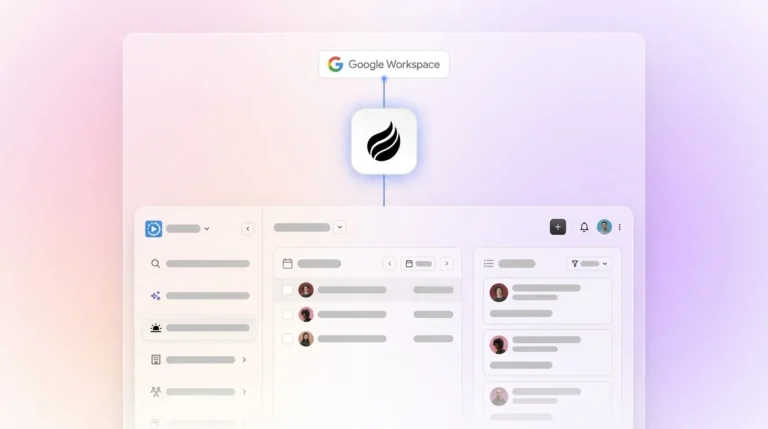
Coffee’s onboarding uses a single authentication to Google Workspace or Microsoft 365. After that step, the agent scans emails and calendars to auto-create contacts, companies, and activities. For teams adopting the Companion model on Salesforce or HubSpot, a simple API connection lets Coffee sync, enrich, and write insights back to the primary CRM without a migration project.

Data Capture and Enrichment Depth
Automated CRM data entry works best when you first audit current manual processes and remove redundant collection points. The real differentiator across solutions is whether the tool can handle unstructured data such as email threads, call transcripts, and meeting notes, because that is where most deal context lives.
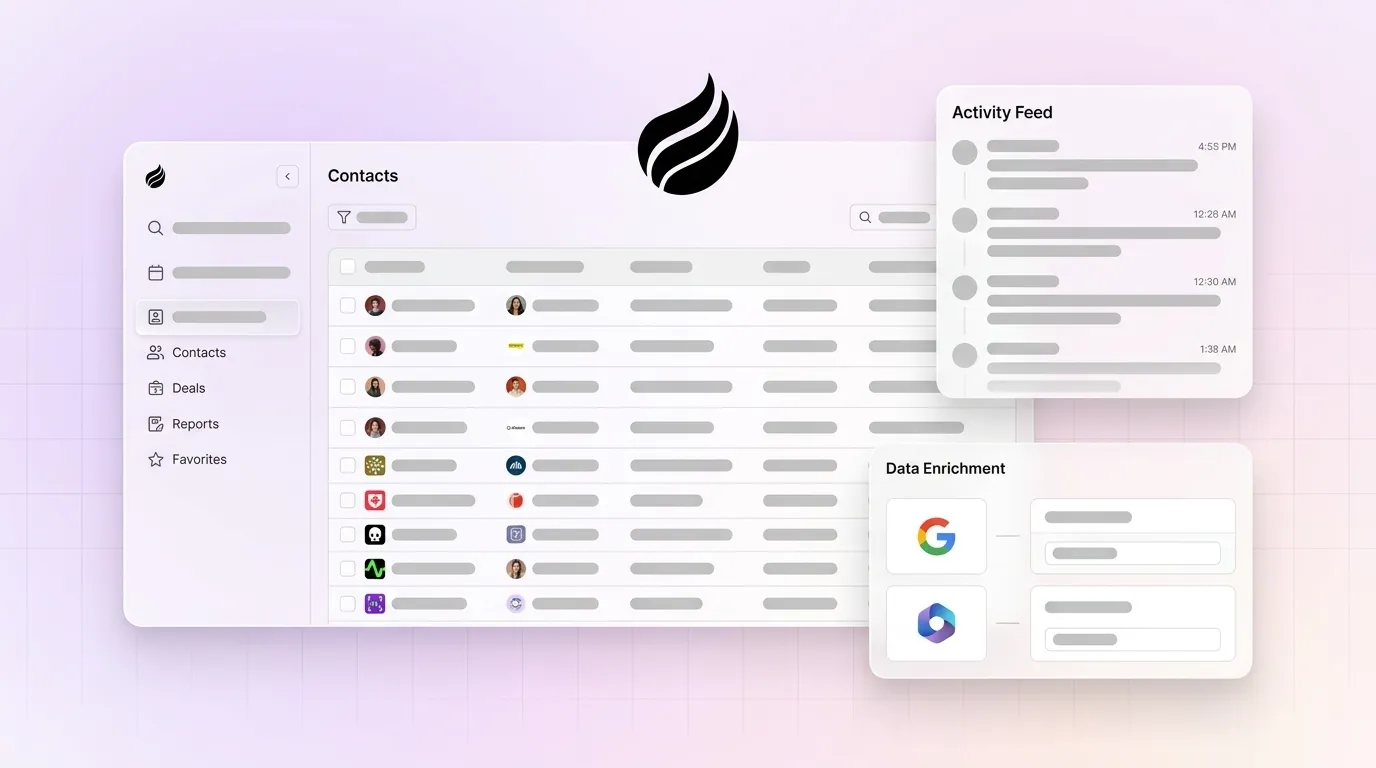
Legacy CRM architectures rely on relational databases that store structured fields. When a field is updated, historical context is lost, which makes it hard to see how a deal evolved or why a contact’s status changed. Coffee’s agent solves this by ingesting both structured and unstructured data into a built-in data warehouse, preserving full interaction history so you can always see the complete story behind each record. Enrichment such as job titles, funding data, and LinkedIn profiles comes from licensed data partners, which removes the need for separate tools like Apollo or ZoomInfo for most small-team use cases.

Meeting and Activity Automation Performance
Post-call admin work often eats several minutes per meeting and still leaves gaps in the CRM. Reps must update deal stage, next steps, and qualification fields, and those updates are easy to skip, which leads to stale pipeline data.
Coffee’s AI Meeting Bot joins Zoom, Teams, and Google Meet calls to record and transcribe. After each call, the agent generates summaries, identifies next steps, drafts follow-up emails structured to frameworks such as BANT, MEDDIC, or SPICED if configured, and logs everything to the CRM without rep involvement, which significantly reduces post-call documentation time.

Pipeline Intelligence and Forecasting Accuracy
Accurate pipeline views depend on clean, current data. A large portion of company data often remains inaccessible to sales leaders, which limits visibility and slows deals.
Because Coffee’s agent keeps data clean as it enters the system, its Pipeline Compare feature can surface week-over-week changes such as progressed deals, stalled opportunities, and new additions without manual CSV exports or expensive forecasting add-ons. Pipeline reviews shift from data-gathering sessions to strategic discussions.
Integration Complexity and Maintenance Burden
Integration work often inflates the real cost of automation. Organizations that adopt standalone AI tools frequently face hidden expenses for integration maintenance and data reconciliation, while native CRM AI tends to carry lower integration overhead.
Coffee’s current third-party integrations run through Zapier, with deeper direct integrations on the roadmap. For teams already on Salesforce or HubSpot, the Companion model removes most integration maintenance by writing enriched data back to the existing system of record.
Long-Term Scalability and Total Cost of Ownership
Coffee uses straightforward seat-based pricing that includes the agent’s labor. Unlimited data capture, enrichment, meeting management, and pipeline tracking sit inside the seat cost, with no separate metering for LLM usage or process volume.
This model contrasts with assembling a stack of point solutions such as a CRM, an enrichment tool, a conversation intelligence platform, and a forecasting add-on. AI automation with Coffee cuts manual data work significantly and lets teams scale revenue without adding headcount.
Standalone vs. Companion Deployment Models
Coffee supports two deployment paths that match different stages of growth. The Standalone CRM suits teams of 1–20 that have outgrown spreadsheets and want a modern system where the agent manages the entire system of record from day one.
The Companion App deploys the Coffee agent as an intelligent layer on top of an existing Salesforce or HubSpot instance. It handles the “data in” process so the current system of record stays accurate without human effort. No migration is required, because a simple authentication connects the agent to the primary CRM.
View pricing for standalone and companion deployments.
Pricing Reality for Small Teams in 2026
Salesforce Starter Suite begins at $25 per user per month and includes basic AI summarization. HubSpot’s free CRM tier exists, but advanced automation features require paid plans beyond the free tier.
When you add enrichment tools, conversation intelligence, and forecasting add-ons, the all-in cost for a five-person team on a legacy stack often exceeds what a fully agent-native platform costs at the seat level. Coffee’s current pricing appears at coffee.ai/pricing.
Best-Fit Use-Case Scenarios for Coffee and Alternatives
Scenario A — Founder-led team, 1–5 reps, no existing CRM: Coffee Standalone is the direct fit. The agent becomes operational within hours of connecting Google Workspace or Microsoft 365, auto-creates the contact and company database from existing email history, and removes the need to evaluate separate enrichment or recording tools.
Scenario B — 10–20-person team committed to HubSpot or Salesforce: Coffee Companion adds the agent layer without displacing the existing system of record. Low CRM adoption and missing call data improve without a platform migration.
Scenario C — Team evaluating Zapier-based automation: Zapier works well for moving structured data between defined endpoints. It does not handle unstructured data ingestion, record enrichment, or autonomous pipeline management. Teams whose core problem is data entry, not app connectivity, will hit Zapier’s limits quickly.
Operational Considerations for Change Management and Data Hygiene
Successful deployment of agentic AI CRM depends on high-quality governed data, clear ownership between humans and AI, team upskilling, and change management focused on trust and transparency. For small teams, this translates into simple recurring habits.
Schedule regular monthly data audits and configure duplicate-management rules that automatically flag or merge records based on unique identifiers such as email addresses or phone numbers. Many executives do not feel their CRM data is ready for AI, which makes automated data entry and enrichment a prerequisite before adopting AI-driven forecasting or pipeline features. Coffee’s agent addresses this prerequisite by design, because clean data becomes the input rather than the assumption.
Risks and Limitations of Automated Data-Entry Options
AI agents in CRMs are only as effective as the data they access, and outdated or incomplete records can lead to inaccurate recommendations, which requires ongoing data hygiene and governance. Native CRM AI features remain largely assistive, surfacing suggestions that humans must confirm before records update, so the human stays in the loop.
Workflow connectors like Zapier require ongoing maintenance as APIs change and Zap logic breaks. Agent-native platforms carry a different risk, because teams must trust the agent’s outputs and set review cadences for edge cases. Coffee is SOC 2 Type 2 and GDPR compliant, and customer data is not used to train public models. For heavily regulated industries or large enterprises with complex custom workflows, Coffee is not the recommended fit.
Decision Framework and Checklist for Selecting a CRM Automation Approach
Use the following checklist to identify the right category of solution:
- ☐ Your team spends more than 5 hours per week on manual CRM updates → Automation depth becomes the primary criterion.
- ☐ Call transcripts and email threads hold most deal context → Unstructured data ingestion is required, so native CRM AI and Zapier drop out.
- ☐ Your team has under 20 users with no dedicated RevOps → Implementation effort and TCO must stay low, which rules out enterprise platforms.
- ☐ You are committed to Salesforce or HubSpot → Evaluate Coffee Companion before planning a migration.
- ☐ You need enrichment, recording, and forecasting inside a single seat cost → Stack consolidation becomes a TCO lever, and agent-native platforms outperform point-solution stacks.
- ☐ SOC 2 Type 2 and GDPR compliance are required → Coffee qualifies.
Teams that check three or more boxes above are the primary fit for an agent-native platform. Teams whose main need is simple app-to-app data routing with no unstructured data requirement may find a workflow connector sufficient in the short term.
Frequently Asked Questions
How long does implementation typically take for teams under 20 users?
For Coffee’s Standalone CRM, implementation usually finishes within hours. As described in the setup section, a quick authentication connects Google Workspace or Microsoft 365 and the agent begins working immediately, with no separate configuration project. For the Companion model on Salesforce or HubSpot, a simple API authentication connects the Coffee agent to the existing system of record, and the agent enriches and logs data the same day. Native CRM AI features from HubSpot or Pipedrive also deliver fast onboarding, though automation depth stays partial. Enterprise platforms like Salesforce with full configuration often require weeks or months and external consultants.
What migration effort is required when moving from spreadsheets or another CRM?
Moving from spreadsheets to Coffee Standalone requires a CSV import of existing contacts and deals, after which the agent takes over ongoing data maintenance. Coffee’s agent also reconstructs interaction history by scanning connected email and calendar accounts, so historical context remains available even if spreadsheet records are sparse.
Moving from another CRM to Coffee involves exporting records in standard formats and importing them into Coffee, a process the Coffee team supports directly. For teams choosing the Companion model, no migration is required, because Coffee operates alongside the existing CRM without displacing it.
Which solutions meet SOC 2 Type 2 and GDPR requirements?
Coffee is SOC 2 Type 2 and GDPR compliant, and customer data is not used to train public AI models. Salesforce and HubSpot also maintain SOC 2 Type 2 and GDPR certifications at the platform level, though specific add-ons or integrations may introduce separate compliance requirements.
Teams in heavily regulated industries such as healthcare or financial services should run a full vendor security review regardless of the platform’s baseline certifications, since Coffee is not currently optimized for multi-year enterprise security review processes.
How does agent-native automation differ from workflow tools like Zapier?
Zapier and similar workflow connectors move structured data between applications based on predefined triggers and actions. They require a human to define every rule and cannot interpret unstructured content such as email text or call transcripts. When an API changes or a Zap breaks, a human must fix it.
An agent-native platform like Coffee perceives context across structured and unstructured data sources, reasons about what needs to happen, and executes multi-step actions such as creating contacts, enriching records, logging activities, and generating summaries without a human defining each rule or confirming each output. In practice, Zapier reduces manual work for specific, bounded data-routing tasks, while Coffee removes manual data entry as a category of work.
Can these tools replace dedicated data-enrichment services?
For most small teams, Coffee’s built-in enrichment, including job titles, funding data, and LinkedIn profiles via licensed data partners, covers the majority of use cases without a separate subscription to ZoomInfo or Apollo. Coffee’s data quality is roughly on par with dedicated enrichment services for standard firmographic and contact fields.
Teams with highly specialized enrichment needs, such as intent data overlays or technographic signals at enterprise scale, may still benefit from a dedicated enrichment provider. For teams under 20 users whose main problem is incomplete CRM records caused by manual entry gaps, Coffee’s built-in enrichment usually removes the need for an additional tool.
Conclusion: Matching Your Team to the Right Automated Data-Entry CRM
The 2026 landscape offers three meaningful categories. Native CRM automations assist but still require human confirmation, workflow connectors route structured data without understanding it, and agent-native platforms remove humans from the data-entry loop entirely. For small teams where every selling hour matters, this category choice becomes the core decision.
Many sales organizations now use AI to automate CRM updates, data entry, and follow-up workflows, and sales reps with AI agents often report that it frees them to focus on higher-value work. The competitive gap between teams that automate data entry and those that do not widens every quarter.
Coffee is the only solution in this guide that operates as a true agent, capturing structured and unstructured data, enriching records, managing meetings, and delivering pipeline intelligence. It works as a standalone CRM for teams starting fresh or as a companion on an existing Salesforce or HubSpot instance. The agent handles the busywork, and the rep focuses on the relationship.
Explore Coffee plans and start removing manual data entry from your sales workflow.