Written by: Doug Camplejohn, CEO & Co-Founder, Coffee
Key Takeaways for CRM-Focused Sales Teams
- AI sales enablement tools depend on clean, complete CRM data, and even advanced models fail when records are sparse or inconsistent.
- Core evaluation criteria include CRM integration depth, automated data capture, rep time saved, forecasting accuracy, and implementation effort.
- Traditional tools like Gong, Clari, and Highspot read existing CRM data but do not fix incomplete, outdated, or manually entered records.
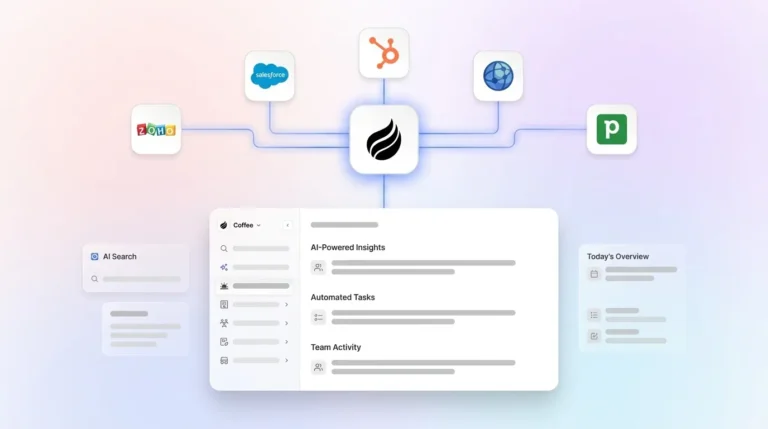
- Coffee’s Companion App acts as an agent layer that creates contacts, logs activities, and enriches records directly in Salesforce or HubSpot without rep input.
- Teams committed to Salesforce or HubSpot can deploy Coffee’s Companion App to give their AI sales enablement stack the clean CRM data it needs.
Evaluation Criteria for AI Sales Enablement Tools
RevOps and Heads of Sales should apply a consistent set of criteria before comparing specific platforms. The list below starts with factors that most affect downstream output quality.
CRM integration depth: Bidirectional CRM sync is non-negotiable for modern sales enablement platforms, which must support automatic data flow between the enablement tool and Salesforce or HubSpot to maintain accurate pipeline records. Shallow integrations force constant tab-switching and reduce adoption.
Data automation capability: AI sales platforms automatically log emails, calls, and meetings to the CRM and extract information from emails and forms to populate CRM fields, which reduces manual entry. The degree to which a tool automates this process, versus requiring rep input, determines data completeness.
Rep time saved: Personalized content recommendations from AI sales enablement tools that scan CRM data, call transcripts, and buyer personas cut rep prep time by 30–50%. Time-saved metrics should be validated against team size and workflow complexity.
Forecasting accuracy: AI improves sales forecasting accuracy by analyzing hundreds of deal signals, including engagement frequency, email sentiment, meeting attendance, content downloads, and competitive mentions, that humans cannot monitor manually. Accuracy degrades proportionally when input data is incomplete.
Implementation effort: Implementation timelines often lengthen when teams spend significant effort on data cleansing before a tool can deliver value. Evaluate whether the platform includes data hygiene support or requires a separate pre-implementation cleanup project.
Pricing by team size: Enterprise pricing for AI sales enablement platforms frequently strains budgets at small-to-mid-market companies. Seat-based models with predictable per-user costs work better for teams under 100 reps.
Security and compliance: Security and privacy concerns are common among companies implementing conversation intelligence. SOC 2 Type 2 certification and GDPR compliance are baseline requirements for any tool processing call recordings or email content.
With these criteria in place, the next sections apply them to leading platforms so you can see which tools actually reduce CRM data entry and which only consume existing data.
Side-by-Side Comparison Table
The table below highlights a shared limitation across traditional tools: they integrate with CRMs and read data, but they do not automate creation and enrichment of the records their AI models rely on.
| Tool | CRM Integration Depth | Automated Data Capture | Best-Fit Team Size |
|---|---|---|---|
| Gong | Native Salesforce, HubSpot, Dynamics bidirectional sync | Call and email activity logging, does not auto-create or enrich CRM records | Mid-market to enterprise |
| Seismic / Highspot | Salesforce, Dynamics native, content surfaced inside CRM workflow | Content engagement synced to deal records, no call-data capture | Mid-market to enterprise |
| Clari | Salesforce, HubSpot, Dynamics bidirectional sync | Activity signals aggregated for forecasting, relies on existing CRM data quality | Mid-market to enterprise |
| HubSpot / Salesforce Native AI | Native (no external sync required) | Salesforce Agentforce logs emails and meetings automatically, HubSpot AI summarizes but does not fully automate record creation | All sizes, feature depth scales with tier |
| Coffee (Companion App) | Deep Salesforce and HubSpot integration, agent writes enriched data back to existing records | Auto-creates contacts, logs activities, enriches records from email, calendar, and call transcripts without rep input, saves 8–12 hours per rep per week | Small to mid-market committed to Salesforce or HubSpot |
Which Tools Actually Reduce CRM Data Entry?
Gong captures call recordings and syncs transcripts and activity data to Salesforce or HubSpot. It reduces post-call note-taking but does not auto-create contact or company records, and it does not enrich existing records with firmographic data. Teams using Gong still rely on reps to maintain the underlying CRM records that Gong’s AI reads. Inaccurate, incomplete, or inconsistent CRM data reduces AI model accuracy and can lead to poor lead scoring and forecasting outcomes, which directly affects Gong’s deal intelligence when base records are sparse.
Seismic and Highspot focus on content enablement rather than data capture. Highspot connects every seller touchpoint to real pipeline data from the CRM, enabling contextual support without pulling sellers out of their workflow. Both platforms sync content engagement data back to deal records, but neither addresses the root problem of incomplete contact or activity data. Their AI recommendations remain only as contextual as the CRM data they read.
Clari aggregates activity signals from email, calendar, and CRM to produce forecasts. It does not perform automated data entry or record enrichment. Sales forecasting and pipeline management improve when AI aggregates signals from emails, meetings, and CRM to flag at-risk deals, yet Clari’s signal aggregation depends on those signals existing in the CRM in the first place.
HubSpot and Salesforce native AI have made meaningful progress. Salesforce Agentforce Sales includes activity capture that logs emails and meetings automatically without manual entry. However, many native CRM built-in AI features only summarize text, act as chatbots, or automate simple tasks rather than operating at the data level for deeper workflow efficiency. Neither platform’s native AI fully automates contact creation, firmographic enrichment, and cross-tool data unification without additional configuration or third-party add-ons.
Coffee addresses data entry at the source. After connecting to Google Workspace or Microsoft 365, the Coffee Agent auto-creates contacts and companies, logs all activities, and enriches records with job titles, funding data, and LinkedIn profiles without rep input. For teams already on Salesforce or HubSpot, the Companion App writes this enriched data back to the existing system of record.

AI Forecasting Tools That Fix Bad CRM Data
Forecasting accuracy reflects the quality of upstream CRM data. Poor CRM data leads to unreliable predictions such as overestimated deal likelihood in sales pipelines. Clari, Salesforce Einstein, and HubSpot’s forecasting tools all consume the deal signals described earlier, including stage, activity history, and engagement data, to generate predictions. When those inputs are manually entered, or missing entirely, the models produce confident forecasts built on incomplete evidence.
Nearly 7 in 10 enterprise AI initiatives struggle to move beyond the pilot stage, most often due to data reliability challenges rather than model limitations. For forecasting specifically, critical data quality dimensions include completeness, consistency, timeliness, accuracy, and conformity. Each dimension degrades when reps handle manual entry.
The practical implication is straightforward. A forecasting tool layered on top of a CRM with 40% field completion rates will produce forecasts with compounding error. McKinsey recommends moving from periodic data cleanup to continuous, real-time data quality management supported by AI-enabled automated validation, anomaly detection, and enrichment pipelines embedded directly into data pipelines. Coffee’s agent layer applies this principle at the CRM input level so forecasting tools consume continuously captured and enriched data instead of periodically cleaned records.
Agent Layer vs. Traditional Sales Enablement Tools
Traditional sales enablement tools act as consumers of CRM data. They read what exists in Salesforce or HubSpot and then produce outputs such as recommendations, forecasts, and coaching alerts based on that input. None of them fix the input problem, and each tool inherits whatever gaps exist in the CRM.
Coffee’s Companion App functions as a producer of CRM data. It sits between the real world of emails, calendar events, and call transcripts and the CRM, and it continuously writes clean, enriched, structured records into Salesforce or HubSpot without requiring rep action. This positions Coffee as the agent layer that downstream tools such as Gong, Clari, Highspot, and Salesforce Einstein depend on for accurate inputs. Nearly two-thirds of enterprises worldwide have experimented with agentic AI, but fewer than 10 percent have scaled agents to deliver tangible value, with eight in ten companies citing data limitations as the primary roadblock. Coffee addresses that roadblock directly.

Deploy the agent layer your downstream tools depend on and eliminate the CRM data input problem at its source.
Best-Fit Use-Case Scenarios for Coffee and Traditional Tools
Early-stage teams (1–20 reps): Teams that have outgrown spreadsheets but find Salesforce or HubSpot too maintenance-heavy are strong candidates for Coffee’s Standalone CRM, where the agent manages the entire system of record. The priority is avoiding the manual-entry trap from day one rather than inheriting it later.
Scaling teams committed to Salesforce or HubSpot (20–200 reps): Teams with existing CRM investments, established workflows, and quota structures should not migrate systems. Coffee’s Companion App connects through simple authentication, writes enriched data back to the existing CRM, and immediately improves the data quality that Gong, Clari, or Salesforce Einstein consumes. Highspot’s 2026 sales enablement guide recommends that sales operations teams ensure integration with existing tools like CRM systems is seamless to enable swift handoffs and support long-term scalability. Coffee supports that seamlessness by ensuring the CRM data those integrations depend on is complete.
Teams evaluating conversation intelligence: Many companies prefer partnering with API-first providers for conversation intelligence solutions to enable flexible integration with existing CRMs. Coffee’s AI meeting bot records, transcribes, and structures call data according to BANT, MEDDIC, or SPICED frameworks, then writes those structured notes directly into Salesforce or HubSpot. This approach removes the need for a separate conversation intelligence tool for most small-to-mid-market teams.

Operational Considerations When Scaling AI Sales Enablement
Before implementing AI in CRM systems, teams must clean duplicate records, standardize formats, assess data completeness, establish data governance rules, and document data definitions. This pre-implementation work is unavoidable for teams adopting traditional enablement tools. Coffee reduces the ongoing burden by automating continuous data capture, yet teams should still audit existing records before activating the Companion App to avoid enriching duplicate or conflicting entries.
Data preparation forms the first operational variable. Change management forms the second. Rolling out AI sales tools without proper training and rep buy-in often leads to low adoption rates and wasted investment, and successful implementations start with pilot groups of early adopters to build momentum. Because Coffee reduces rep workload instead of adding new tasks, adoption resistance is lower than with tools that require new data-entry workflows.
Early adopters of agentic data systems often report faster overall workflow cycles, with the largest gains in pipeline monitoring and data resolution quality. For RevOps leaders, this shift translates to pipeline reviews that rely on automatically captured data rather than rep-reported figures.
Decision-Framework Checklist for Selecting Your Stack
Use the following criteria to map your situation to the right tool category and sequence of investments.
If your CRM fields are less than 60% complete: No forecasting or conversation intelligence tool will deliver reliable outputs until data capture is automated. Prioritize an agent layer, such as Coffee’s Companion App for Salesforce or HubSpot users, before adding downstream AI tools.
Even when CRM completeness looks acceptable, you still need to assess the effort required to maintain it. If your reps spend more than 2 hours per day on CRM updates: Field teams using automated CRM data capture can save several hours per rep per week on manual tasks. An agent that automates data entry delivers measurable ROI before any forecasting or content tool enters the stack.
Once data quality is addressed, consider how flexible your core CRM choice is. If you are locked into Salesforce or HubSpot: Avoid evaluating standalone CRMs. Focus on tools that deepen the value of your existing investment. Coffee’s Companion App, Gong, Clari, and Highspot all operate on top of existing CRM instances.
If forecasting accuracy is the primary pain point: Audit CRM data completeness first. Then evaluate Clari or Salesforce Einstein for forecasting logic, with Coffee as the data input layer that feeds those tools.
If budget is constrained (under 50 seats): Enterprise-priced platforms like Gong and Clari may exceed budget. Coffee’s seat-based pricing includes the agent’s labor, including data entry, enrichment, meeting management, and pipeline intelligence, without separate metering for AI usage.
If security certification is a procurement requirement: Coffee is SOC 2 Type 2 and GDPR compliant, and data is not used to train public models. Revenue leaders deploying AI sales tools must ensure vendors comply with GDPR, CCPA, and TCPA, including call-recording consent laws.
See pricing and deployment options for Salesforce and HubSpot teams that are ready to automate CRM data capture.
Bringing the Evaluation Back to Your CRM Data Strategy
Every tool in this comparison depends on one shared foundation: accurate, complete CRM data. Forecasting platforms, conversation intelligence tools, and content enablement systems all perform only as well as the records they read. When reps own manual data entry, gaps in that foundation spread across the entire AI sales enablement stack.
The evaluation criteria, comparison table, and decision checklist all point to the same conclusion. Teams should first solve CRM data capture and enrichment, then layer on forecasting, coaching, and content tools. Coffee’s agent layer gives Salesforce and HubSpot teams that foundation by producing high-quality data continuously instead of cleaning it periodically.
Once the input problem is solved, traditional tools like Gong, Clari, and Highspot can finally deliver the value their models promise. Until then, any AI investment will struggle to move beyond pilots and isolated wins.
Frequently Asked Questions
How long does it take to implement Coffee alongside an existing Salesforce or HubSpot instance?
Coffee’s Companion App connects through a simple authentication flow that links your existing Salesforce or HubSpot instance and your Google Workspace or Microsoft 365 account. There is no data migration, no field remapping, and no CRM rebuild required. The Coffee Agent begins capturing and enriching data immediately after authentication. Teams are typically operational within a few business days. This timeline contrasts with traditional AI sales enablement implementations, where a substantial portion of project effort often goes to pre-deployment data cleansing before the tool can deliver value.
Does Coffee replace Gong, Clari, or Highspot, or does it work alongside them?
Coffee operates at the data input layer, while tools like Gong, Clari, and Highspot operate at the data output layer. Coffee’s Companion App writes clean, enriched, automatically captured data into Salesforce or HubSpot. Gong reads call data from the CRM to produce coaching insights. Clari reads activity and deal data to produce forecasts. Highspot reads deal stage and buyer persona data to surface content. Because Coffee improves the quality of the data those tools consume, it functions as a complement rather than a direct replacement for most mid-market teams. For small teams under 50 seats, Coffee’s built-in conversation intelligence, pipeline intelligence, and meeting management features may reduce the need for separate point solutions entirely.

What happens to CRM data quality if reps do not change their behavior after Coffee is deployed?
This scenario represents the core design premise of Coffee. Rep behavior change is not required. The Coffee Agent captures contacts, logs activities, enriches records, and structures call notes autonomously from email, calendar, and call transcript data. Reps do not need to manually enter data for the system to stay current. The agent handles the input so the CRM reflects ground-truth activity regardless of whether individual reps update records. This approach removes the adoption dependency that causes data quality to degrade in traditional CRM deployments, where low adoption directly produces incomplete records and unreliable downstream AI outputs.
How does Coffee handle security and compliance for call recordings and email data?
Coffee is SOC 2 Type 2 certified and GDPR compliant. Data processed by the Coffee Agent, including call transcripts, email content, and calendar data, is not used to train public AI models. For teams operating in jurisdictions with two-party call recording consent requirements, Coffee’s meeting bot follows standard disclosure practices consistent with CCPA and TCPA requirements. RevOps leaders evaluating Coffee for mid-market deployments should request Coffee’s security documentation during the procurement process to confirm alignment with internal data governance policies.
What is the pricing model for Coffee, and how does it scale with team size?
Coffee uses seat-based pricing. Each human seat covers unlimited agent labor, including data entry, enrichment, meeting management, pipeline intelligence, and visitor identification, without separate metering for AI usage, API calls, or processed minutes. This model stays predictable for teams under 100 seats and avoids the consumption-based pricing surprises common in enterprise conversation intelligence platforms. Teams evaluating Coffee against Gong or Clari should compare total cost of ownership across the full stack, since Coffee’s single seat price often replaces the combined cost of a CRM enrichment tool, a conversation intelligence tool, and a pipeline review tool at the small-to-mid-market tier.
Review Coffee’s pricing for AI sales enablement and see how it scales with CRM-focused teams at different stages.