Key Takeaways
-
AI agents automate CRM data entry from emails, calendars, and calls, saving sales reps 8–12 hours each week on manual tasks.
-
Teams see smoother onboarding and higher adoption when they prioritize core integrations and run staged pilots with top performers.
-
AI-powered data hygiene audits and carefully chosen mandatory fields keep CRM data clean, accurate, and aligned with sales methodologies.
-
Role-based dashboards, natural language commands, and automated follow-ups help reps stay productive and maintain a healthier pipeline.
-
Transform your sales team with Coffee’s AI agent and start automated CRM onboarding with Coffee today.
12 Automated CRM Data Entry Onboarding Best Practices for Sales Teams in 2026
These proven strategies move from core integrations to advanced AI-powered workflows that support every stage of sales onboarding.
-
Integrate Key Tools Immediately
-
Automate Data Enrichment from Unstructured Sources
-
Define Mandatory Fields and Sales-Specific Roles
-
Launch Staged Pilot with High-Performers
-
Customize Role-Based Dashboards and Briefings
-
Run Weekly Data Hygiene Audits via AI
-
Demo AI Agent Meeting Bots Live
-
Automate Follow-Ups and Next Actions
-
Track Onboarding KPIs: Adoption Rate and Data Completeness
-
Train with Natural Language Commands
-
Address Resistance: Agent as Co-Pilot, Not Chore
-
Scale with Pipeline Intelligence Outputs
1. Connect Email, Calendar, and VoIP Before Anything Else
Email and calendar systems provide the richest unstructured data streams for automated CRM population. Modern AI agents scan these sources and auto-create contacts, companies, and activities without manual input. This foundation delivers immediate value and builds user confidence in automation.
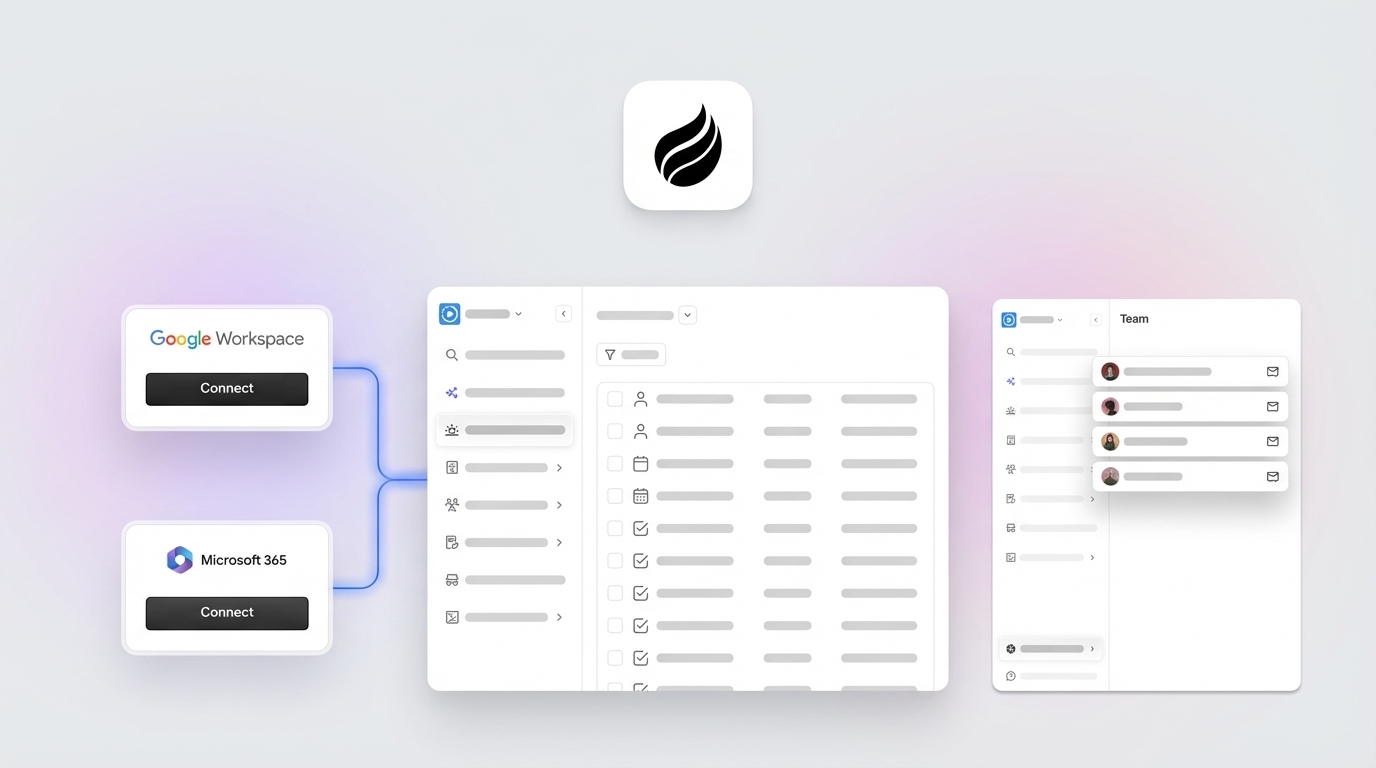
Coffee’s agent connects to Google Workspace or Microsoft 365 and populates your CRM with people and organizations from email signatures, meeting attendees, and calendar invitations. This connection removes manual contact creation and ensures every interaction is logged automatically.
Implementation Checklist:
-
Connect the primary email system (Gmail or Outlook) with full calendar access
-
Enable VoIP integration for call logging across Zoom, Teams, or Meet
-
Configure automatic contact creation from email signatures
-
Set up meeting attendee auto-import into the CRM
-
Test activity logging across all communication channels
Pitfall Warning: Avoid overwhelming users with too many integrations at once. Start with email and calendar, then add VoIP systems after initial adoption.
2. Enrich and Route Leads Directly from Unstructured Data
Traditional CRMs struggle with unstructured data such as email text and call transcripts. AI agents excel at extracting meaningful information from these sources and enriching records with job titles, company details, and LinkedIn profiles without relying on expensive third-party tools.
This approach removes the need for separate enrichment platforms while still creating comprehensive lead profiles. The agent augments records with licensed data partners and reduces reliance on tools like ZoomInfo or Apollo.
Implementation Checklist:
-
Enable automatic data enrichment from email signatures and message content
-
Configure lead scoring rules based on enriched firmographic data
-
Set up territory-based lead assignment rules
-
Implement duplicate detection and merging protocols
-
Establish data validation rules for enriched information
Pitfall Warning: Monitor enrichment accuracy during rollout and adjust confidence thresholds so low-quality data does not pollute your CRM.
3. Align Mandatory Fields with Your Sales Roles and Methodology
Clear data structure aligned with your sales methodology forms the backbone of successful CRM automation. Define mandatory fields that support BANT, MEDDIC, or SPICED qualification frameworks. Role-based field requirements ensure relevant data capture without overwhelming users with unnecessary inputs.
This structured approach enables consistent qualification data entry and supports accurate pipeline reporting. Because the agent understands your sales methodology, it can prompt for missing critical information during natural workflow moments and help reps capture qualification data without disrupting conversations.
Implementation Checklist:
-
Map mandatory fields directly to your sales qualification methodology
-
Create role-specific field requirements for SDRs, AEs, and managers
-
Configure validation rules for critical data points
-
Set up progressive field completion rules based on deal stage
-
Establish data quality scoring for incomplete or inconsistent records
Pitfall Warning: Limit initial mandatory fields to 5–7 critical items that directly affect sales outcomes.
4. Run a Staged Pilot with High-Performing Reps
Deploying customizations to a dedicated staging environment with representative key users for user acceptance testing minimizes risk and builds internal champions. Start with your highest-performing reps who embrace new technology and provide detailed feedback.
A focused 2-week pilot with 3–5 top performers helps you uncover workflow issues, refine automation rules, and create success stories for broader rollout. These early adopters become internal advocates during company-wide deployment.
Implementation Checklist:
-
Select 3–5 high-performing, tech-savvy sales reps
-
Create an isolated staging environment with a copy of production data
-
Run daily check-ins during the first week of the pilot
-
Document feedback and required workflow adjustments
-
Measure pilot group adoption rates and time savings
Pitfall Warning: Do not test new automation directly in production. A staging environment prevents irreversible errors and user frustration.
5. Build Role-Based Dashboards and Daily Briefings
Each sales role needs a different view of information to perform well. SDRs focus on prospect research and activity tracking, while AEs care more about deal progression and pipeline health. AI agents can deliver personalized daily briefings that surface the most relevant information for each role.
Coffee’s “Today” page follows this model and prepares reps with contextual briefings about meeting attendees, recent interactions, and suggested next steps. This structure cuts manual research time and helps reps enter every interaction prepared.

Implementation Checklist:
-
Design role-specific dashboard layouts for SDRs, AEs, and managers
-
Configure automated daily briefings with relevant context
-
Set up activity prioritization based on deal value and urgency
-
Implement personalized task recommendations
-
Create mobile-optimized views for field sales teams
Pitfall Warning: Avoid cluttered dashboards. Highlight 3–5 key metrics that drive daily actions for each role.
6. Schedule Weekly AI-Powered Data Hygiene Audits
Scheduling regular data reviews, such as monthly or quarterly data audits, helps clean up duplicates, fill missing fields, and remove stale deals. AI agents can automate these reviews by identifying data quality issues and suggesting corrections without manual effort.
Automated hygiene audits catch problems early and slow the data decay that undermines CRM adoption. The agent flags duplicate records, incomplete profiles, and outdated information for review or automatic correction, depending on your settings.
Implementation Checklist:
-
Schedule weekly automated data quality scans
-
Configure duplicate detection algorithms with merge suggestions
-
Set up alerts for incomplete mandatory fields
-
Implement automated data age monitoring for records older than six months without updates
-
Create data quality scorecards for individual reps and teams
Pitfall Warning: Start with human review of suggested merges. Enable automatic corrections only after you trust the system’s accuracy.
7. Show AI Meeting Bots in Live Calls
Meeting bots that join calls to transcribe, summarize, and extract action items show immediate AI value. Live demonstrations help reps see how the agent captures information they previously entered manually and build confidence in automation capabilities.
The agent structures meeting notes according to your sales methodology and automatically identifies BANT or MEDDIC insights from conversation transcripts. This approach removes post-call administrative work and improves data consistency.

Implementation Checklist:
-
Configure the meeting bot for primary video platforms such as Zoom, Teams, or Meet
-
Set up automatic meeting summary generation
-
Train the agent to identify sales methodology criteria in conversations
-
Enable automatic action item extraction and assignment
-
Demonstrate the bot live during team meetings to build trust
Pitfall Warning: Inform all meeting participants about recording and AI transcription to maintain trust and compliance.
8. Turn Follow-Ups and Next Actions into Automated Flows
Post-meeting follow-up emails consume significant rep time and often get delayed or forgotten. AI agents draft personalized follow-up emails based on meeting transcripts and can include relevant attachments and scheduling links automatically.
Coffee’s agent drafts follow-up emails in Gmail for user review and sending, which keeps communication timely while preserving a personal tone. This automation reduces follow-up delays that frequently stall deal momentum.

Implementation Checklist:
-
Configure automatic follow-up email drafting based on meeting outcomes
-
Set up a template library for common follow-up scenarios
-
Enable automatic calendar scheduling for next meetings
-
Implement task creation for identified action items
-
Create approval workflows for automated communications
Pitfall Warning: Keep a human in the loop. Require review before sending automated emails to protect relationship quality and context.
9. Track Adoption and Data Completeness as Core KPIs
Measurable metrics keep automation onboarding on track. Track CRM login frequency, data entry completion rates, and time-to-productivity for new users. These KPIs highlight struggling team members and reveal practices worth scaling.
Monitor pipeline health metrics such as deal progression velocity and forecast accuracy to show automation’s business impact. Compare performance before and after automation to quantify ROI and support continued investment.
Implementation Checklist:
-
Establish baseline metrics before automation rollout
-
Track daily and weekly CRM usage by individual reps
-
Monitor data completeness scores across mandatory fields
-
Measure time savings through activity logging automation
-
Create weekly adoption dashboards for management review
Pitfall Warning: Emphasize leading indicators such as usage and data quality during early onboarding, not only revenue outcomes.
10. Teach Reps to Use Natural Language Commands
Modern AI agents respond to natural language queries and reduce the need for complex CRM navigation training. Reps can ask for “VPs of Sales in North America at companies with $10M+ funding using Salesforce” and receive targeted prospect lists quickly.

Coffee’s List Builder follows this pattern and lets reps build prospect lists through conversational commands instead of complex filters. This approach shortens training time and improves adoption by making CRM interaction feel intuitive.

Implementation Checklist:
-
Create a library of common natural language query examples
-
Train the team on conversational CRM interaction patterns
-
Set up voice-to-text capabilities for mobile users
-
Implement query suggestion features for new users
-
Document successful query patterns and share them with the team
Pitfall Warning: Offer traditional navigation options for users who prefer structured interfaces over conversational interaction.
11. Position the Agent as a Co-Pilot, Not a Replacement
Sales teams adopt automation faster when they see AI as an assistant that handles busywork instead of a threat to their roles. Emphasize how the agent frees reps to focus on relationship building and strategic selling instead of data entry.
Address security concerns early by highlighting SOC 2 compliance and GDPR adherence. Present the agent as a productivity multiplier that enhances human capabilities and supports better performance.
Implementation Checklist:
-
Run change management sessions that focus on productivity benefits
-
Share security certifications and compliance documentation
-
Highlight time savings that shift effort toward high-value selling activities
-
Showcase success stories from the pilot group
-
Establish feedback channels for ongoing questions and concerns
Pitfall Warning: Take resistance seriously. Address specific concerns about job security and data privacy with clear, direct answers.
12. Use Clean Data to Power Pipeline Intelligence
Clean, automated data entry unlocks sophisticated pipeline intelligence that manual systems cannot support. Week-over-week pipeline comparisons, deal progression analytics, and forecast accuracy improvements highlight automation’s strategic value beyond time savings.
Pipeline reviews shift from interrogation sessions to strategic discussions when managers have accurate, real-time data about deal health and rep performance. Leaders can spend more time on coaching and revenue strategy and less on data verification.
Implementation Checklist:
-
Implement automated pipeline change tracking and visualization
-
Create executive dashboards with week-over-week comparisons
-
Set up predictive analytics for deal closure probability
-
Enable automated forecast accuracy reporting
-
Establish data-driven coaching workflows for managers
Pitfall Warning: Confirm that data quality remains consistently high before you rely on automated insights for strategic decisions.
Why Automating CRM Data Entry Onboarding Matters in 2026
Sales representatives spend only 28% of their time actually selling, with the rest lost to administrative tasks such as manual CRM updates. Automated data entry onboarding addresses this productivity gap by applying a “good data in, good data out” philosophy that removes repetitive busywork.
Agentic AI enables CRM systems to plan and execute actions autonomously, moving systems from passive record-keeping to active orchestration of revenue processes. This shift becomes essential as legacy CRMs like Salesforce and HubSpot carry architectural baggage that limits their ability to handle unstructured data from emails and call transcripts.
The benefits extend beyond time savings and include improved forecast accuracy, reduced compliance risks, and stronger team collaboration. Experience this transformation firsthand with Coffee’s AI-powered automation and see how AI agents turn CRM from a productivity drain into a strategic advantage.
Coffee: AI Agent Built for Sales Team Onboarding
Coffee offers its CRM Agent in two deployment models tailored to different team needs. Small businesses with 1–20 employees can use Coffee as a standalone CRM, while larger organizations can deploy Coffee as a Companion App for existing Salesforce and HubSpot instances. In both cases, the agent handles automatic contact creation, data enrichment, meeting orchestration, and pipeline intelligence with minimal human effort.
Recent Coffee updates include integrated billing with free 14-day trials and guided onboarding, which shows ongoing innovation in CRM data entry automation and AI agent CRM integration. One company generating tens of millions in revenue replaced spreadsheet-based sales management with Coffee’s automated workflows and achieved clean data and streamlined pipeline reviews.
Coffee’s Salesforce data entry automation removes the manual work that consumes most rep time while maintaining SOC 2 and GDPR compliance. The agent delivers the significant time savings described earlier through intelligent automation that learns from your sales processes. Explore Coffee’s plans and automate your sales team’s CRM onboarding.
Frequently Asked Questions
What is automated CRM data entry onboarding?
Automated CRM data entry onboarding is the process of using AI agents and intelligent workflows to remove manual data input during sales team CRM adoption.
Instead of asking reps to manually enter contact information, meeting notes, and activity logs, automated systems capture this information from email, calendar, and communication platforms. This approach keeps data clean and consistent while allowing sales teams to focus on selling rather than administrative work.
How does Coffee integrate with existing Salesforce and HubSpot systems?
Coffee operates as a Companion App that layers intelligent automation on top of existing Salesforce or HubSpot installations. Through simple authentication, Coffee’s agent syncs data, enriches records, and writes valuable insights back to your primary CRM.
The agent manages contact creation, activity logging, and data enrichment without disrupting current workflows or forcing a system migration. This setup preserves your existing investment while adding AI-powered automation capabilities.
What are the main benefits of automated CRM data entry for sales teams?
Automated CRM data entry delivers three primary benefits for sales teams. Reps reclaim several hours each week, data quality improves through consistent information capture, and pipeline intelligence becomes more reliable because forecasts rely on complete data.
Teams experience reduced administrative burden, faster deal progression, and better collaboration between sales and marketing. Automation also cuts down on human errors that cause embarrassing mistakes and missed opportunities.
How can sales leaders overcome team resistance to CRM automation?
Sales leaders overcome resistance by positioning AI agents as productivity co-pilots rather than job threats. Pilot programs with high-performing reps show immediate value and create internal advocates who share real results.
Leaders should emphasize how automation removes tedious data entry while preserving human judgment for relationship building and strategic decisions. Clear security documentation, such as SOC 2 and GDPR compliance, along with open feedback channels, helps address ongoing concerns and keeps the focus on time reclaimed for selling.
What compliance and security considerations apply to automated CRM data entry in 2026?
Modern CRM automation must comply with GDPR data privacy requirements, SOC 2 security standards, and any industry-specific regulations. AI agents should support data masking for sensitive information, maintain audit trails for all automated actions, and include user consent mechanisms for data processing.
Your automation platform also needs encryption in transit and at rest, regular security assessments, and clear data retention policies. Coffee maintains SOC 2 Type 2 certification and GDPR compliance and ensures customer data is never used to train public AI models.
Conclusion
These 12 automated CRM data entry onboarding best practices help sales teams move from manual data entry drudgery to strategic selling excellence. Coffee’s AI agent provides the automation capabilities required to achieve high adoption rates, clean data, and the significant time savings outlined earlier.
Start your transformation today with proven strategies that reclaim administrative time and refocus your team on selling. See how Coffee’s AI agent builds winning pipelines through intelligent automation.