Written by: Doug Camplejohn, CEO & Co-Founder, Coffee
Key Takeaways
-
Sales reps spend 71% of their time on non-selling tasks like manual CRM data entry, leaving only 35% for actual selling.
-
Legacy CRMs act as passive databases and struggle with unstructured data from emails and calls, which limits effective automation.
-
Core automation methods include email and calendar sync, AI data extraction, transcript logging, smart workflows, and third-party enrichment for zero-touch CRM updates.
-
Coffee’s AI agent automates CRM data entry in 7 clear steps, saving teams 8–12 hours per week with a no-code setup and native integrations.
-
Teams can implement Coffee via its pricing page and remove manual data entry while scaling sales productivity.
Why Legacy CRMs Fail at Automation
Traditional CRM systems like Salesforce and HubSpot operate as passive databases that require constant human input. These platforms were designed before the AI revolution and rely on outdated architectures that cannot effectively process unstructured data from emails, call transcripts, or meeting notes. Sales reps spend 71% of their time on non-selling tasks, including manual data entry, which turns the CRM into a productivity drain instead of a strategic asset.
Legacy systems also lack built-in data warehouses for historical tracking, so teams fall back on CSV exports for pipeline analysis. When fields are updated, historical context disappears permanently. Even newer platforms like Attio or Close still follow the same passive model. They store data but do not actively work to capture or maintain it.
Basic automation tools like Zapier require developer support and rigid trigger-action sequences that break when workflows change. Specialized tools like Oliv provide meeting intelligence and other capabilities, yet teams still need broader coverage for email capture and contact enrichment.
The 2026 landscape now requires AI agents that handle both structured and unstructured data while working as standalone systems or as companions to existing CRMs. Understanding these limitations shows why modern teams are shifting toward agent-based CRM automation.
Five Practical Ways to Automate CRM Data Entry
Modern sales teams can remove most manual data entry by using five core automation methods.
1. Email and Calendar Sync: Connect Gmail or Outlook to automatically log email interactions and calendar events. This setup captures every customer touchpoint without manual entry and keeps activity histories complete.
2. AI-Powered Data Extraction: Use intelligent agents that parse emails, documents, and meeting transcripts to pull out contact information, deal details, and next steps. This process turns unstructured communication into structured CRM data that reps can trust.
3. Automated Transcript Logging: Integrate with Zoom, Teams, or Google Meet to record calls and generate summaries. AI agents then highlight key discussion points, action items, and qualification criteria such as BANT or MEDDIC.

4. Smart Lead Assignment and Workflows: Set up rules-based routing that assigns leads to the right reps and triggers follow-up sequences based on prospect behavior or deal stage changes. This keeps deals moving without manual coordination.
5. Third-Party Data Enrichment: Automatically fill contact records with job titles, company information, funding data, and LinkedIn profiles using licensed data providers. This approach removes hours of manual research from each week.
AI agents like Coffee combine all five methods into one system that behaves like an autonomous workforce for your CRM. The agent handles data capture and enrichment, so your team can focus on selling instead of typing.
How Coffee Automates CRM Data Entry in 7 Steps
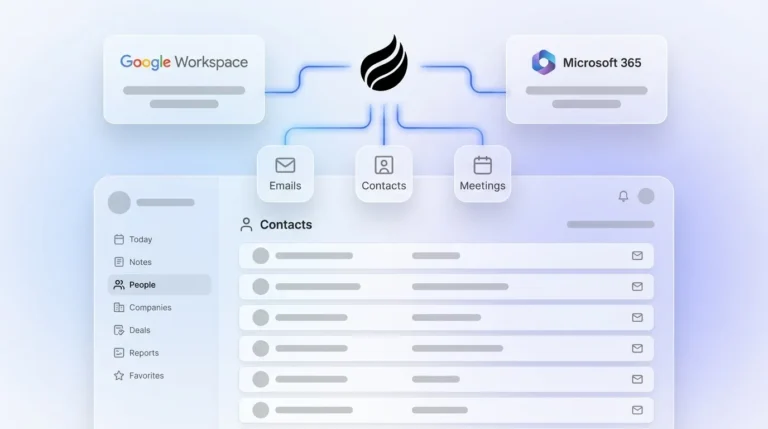
Coffee’s AI agent removes manual CRM data entry through intelligent automation that needs very little setup. The system connects to Google Workspace or Microsoft 365 and integrates with Salesforce or HubSpot, or it can run as a standalone CRM. Most teams complete implementation in minutes without writing any code.
Follow this 7-step process to deploy Coffee’s autonomous CRM agent.
1. Connect Calendar and Email: Authenticate your Google Workspace or Microsoft 365 account. Coffee then scans emails and calendar events for contact information and meeting details.
2. Authorize CRM Integration: Link Coffee to your existing Salesforce or HubSpot instance, or use Coffee’s standalone CRM. The agent immediately starts syncing data in both directions.
3. Enable Interaction Scanning: Coffee’s agent scans email threads and calendar invites to identify new contacts, companies, and deal opportunities. It creates and updates records without human intervention.

4. Activate Data Enrichment: The agent enriches contact records with job titles, company funding information, and LinkedIn profiles using licensed data partners. This removes the need for separate tools like Apollo or ZoomInfo.
5. Deploy Meeting Bot: Configure Coffee to join Zoom, Teams, or Google Meet calls for automatic recording and transcription. Coffee expanded call recording options in January 2026 via Zapier integration with tools like Fathom, Gong, and Fireflies.

6. Set Up Pipeline Compare: Turn on Coffee’s data warehouse feature to track week-over-week pipeline changes. The system highlights progressed deals, stalled opportunities, and new additions without manual CSV exports.
7. Configure Natural Language Lists: Use Coffee’s list builder to create targeted prospect lists with simple commands like “Find VPs of Sales in North America at companies with $10M+ funding using Salesforce.”

Pro tip: Coffee’s built-in data warehouse prevents duplicate records by preserving historical context that legacy CRMs lose. Coffee’s Stripe integration automatically imports customers and companies, enriches them, and adds paid invoices to deals as Closed Won. This example shows how the agent can manage complex data workflows without extra tools.
Start your 30-minute setup to put this automation framework in place.
Coffee vs. Competitors: What Actually Changes for Your Team
Coffee’s AI agent delivers better results than traditional automation tools and legacy CRM systems by unifying setup, data capture, and enrichment in one place. The following comparison highlights how Coffee’s unified AI approach removes Zapier’s setup complexity and the manual overhead of legacy CRMs while improving accuracy and time savings.
|
Feature |
Coffee |
Zapier |
Legacy CRMs |
|---|---|---|---|
|
Setup Time |
Minutes, no-code |
Variable, dev-needed |
Manual/rigid |
|
Accuracy/Savings |
100% logging, 8-12hr/week |
Linear, 58% rework |
Human errors, 71% waste |
|
Unstructured Data |
Full (emails/transcripts) |
Limited |
Poor |
|
Pricing/Security |
Seat-based, SOC2/GDPR |
Usage-based |
Expensive add-ons |
Coffee outperforms Zapier’s rigid trigger-action sequences that need developer expertise and often break when workflows change. 58% of workers spend three or more hours per week revising or completely redoing AI outputs, which shows how limited basic automation can be. Coffee’s intelligent agent adapts to changing data patterns and maintains accuracy without constant human oversight.
Measure Success and Apply Best Practices
Clear metrics help you confirm that CRM automation is working. Track these key benchmarks to validate success: 100% activity logging rate, 50% improvement in pipeline accuracy, and zero duplicate records.
Record completeness rates of 90% or higher and duplicate rates below 3% ensure optimal CRM performance. These standards matter because incomplete or duplicate data weakens forecasting accuracy and reduces trust in the system.
Consistent habits keep automation reliable over time. Implement these best practices for sustained success: conduct weekly pipeline comparisons against historical CSV exports to catch anomalies early, then establish clear rules for automated triggers and workflows so those anomalies occur less often.
Finally, re-verify contact data every 3–6 months to account for natural data decay, which keeps your automation running on accurate information. AI automation of CRM tasks saves 20 hours per month on average, and strong processes help you capture that value.
Case Study: AI Company Scales Revenue Operations
An AI solutions company generating tens of millions in revenue managed sales through spreadsheets and knew manual entry would not scale. The team rejected Salesforce and HubSpot because those tools still required too much manual work. Coffee’s autonomous agent delivered automated data capture from Google Workspace, actionable pipeline intelligence through the Compare feature, and API access for custom briefing scripts.
The result was a clean CRM without human effort and automated weekly reviews that reshaped their sales operations. The revenue team gained visibility into every deal and could coach reps using accurate, current data.
See how Coffee can transform your sales operations with the same zero-effort approach.
Frequently Asked Questions
Can AI fully automate CRM data entry?
Modern AI agents like Coffee can fully automate CRM data entry for most sales teams. The system captures emails, calendar events, and call transcripts, then extracts relevant information to create and update contact records, log activities, and enrich data without manual input. This zero-touch approach removes the heavy administrative burden that currently consumes most selling time.
How does Coffee compare to HubSpot’s built-in automation?
Coffee operates as an active AI agent, while HubSpot functions as a passive database. HubSpot depends on manual data input and basic workflow triggers. Coffee instead scans communications proactively, enriches records, and maintains data quality automatically. It can work alongside HubSpot as a companion agent or replace it as a standalone CRM with deeper intelligence.
What is the typical setup time for CRM automation?
Coffee’s AI agent can be deployed in minutes with no coding required. Setup includes connecting email and calendar accounts, authorizing CRM integration, and configuring meeting recording. The agent starts working immediately after authentication, unlike traditional automation tools that need extensive configuration and developer support.
How much time can sales reps save with automated CRM data entry?
Sales teams typically reclaim the time savings mentioned earlier, which they can reinvest in direct selling activities. The hours that once went to manual contact creation, activity logging, data enrichment, and meeting note-taking now support prospecting, discovery, and closing.
Is automated CRM data entry secure and compliant?
Enterprise-grade CRM automation solutions like Coffee maintain SOC 2 Type 2 and GDPR compliance. Data is encrypted in transit and at rest, and strict access controls and audit trails protect sensitive information. The AI agent processes data without using it to train public models, which keeps customer information private and secure.
Conclusion: Reclaim Your Week
The era of sales reps acting as data entry clerks is ending. With the majority of selling time lost to manual CRM tasks, autonomous AI agents now offer a practical path to sustainable sales productivity. Coffee’s intelligent automation removes repetitive data entry so your team can focus on building relationships and closing deals.
Begin automating your CRM today to reclaim those lost hours and refocus your team on selling.