
Written by: Doug Camplejohn, CEO & Co-Founder, Coffee | Last updated: July 1, 2026
Key Takeaways for Choosing an AI-First CRM
- An AI-first CRM uses autonomous agents to capture and structure data from emails, calendars, and transcripts in real time, which removes manual entry.
- Key evaluation criteria include automation depth, same-day setup for small teams, consolidated total cost of ownership, data quality, and flexible deployment options.
- Coffee stands out with full agent automation, seamless integrations, and the ability to function as either a standalone CRM or companion app for existing systems.
- Small teams benefit from Coffee’s rapid activation, built-in meeting intelligence, and pipeline tools that replace separate enrichment and recording subscriptions.
- Teams ready to automate their sales workflow can review Coffee’s plans and pick a starting tier today.
Five Criteria for Evaluating AI-First CRMs
1. Automation depth. The platform should capture contacts, log activities, and update deal stages without human input. Surface-level AI features, such as a chatbot or a suggested reply, do not qualify. True automation depth means the agent reads emails, joins calls, and writes records back to the system of record without prompting.
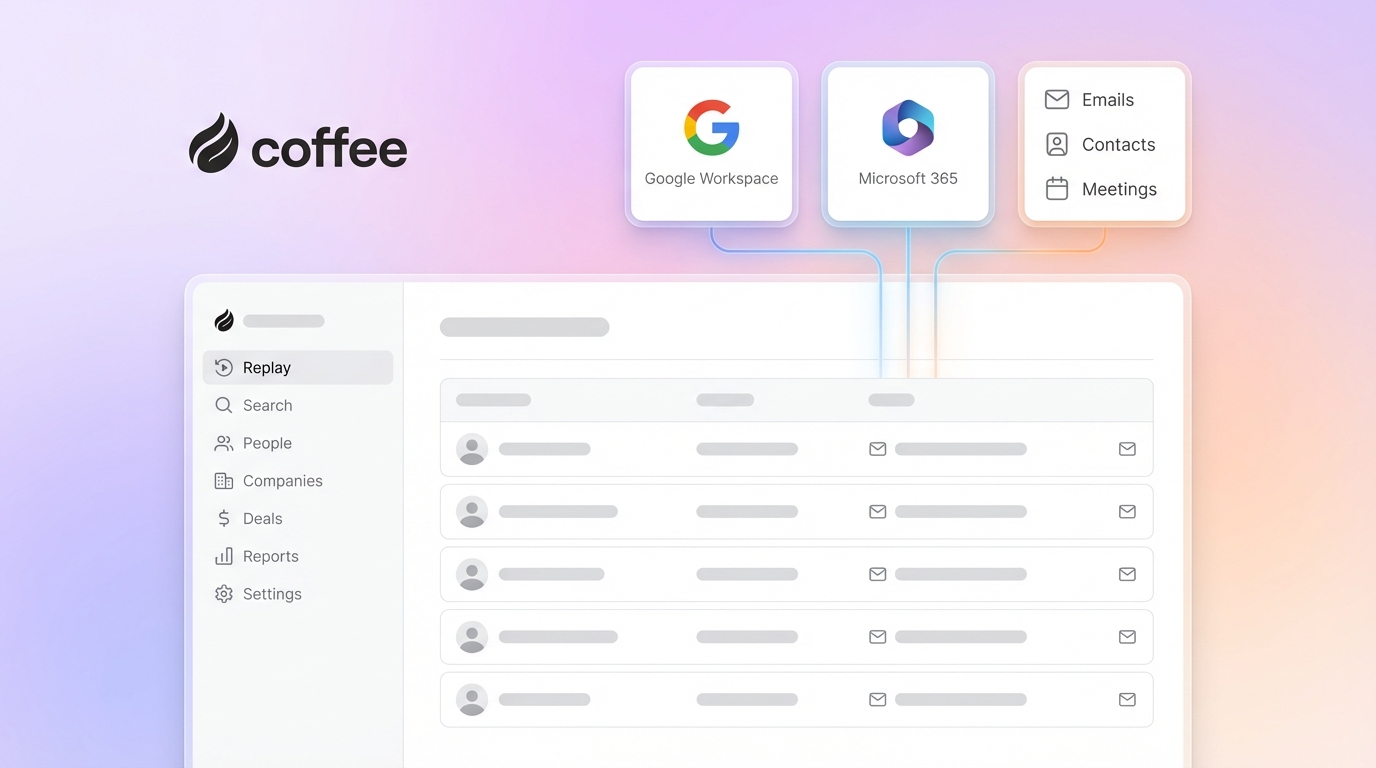
2. Implementation effort for 5–20 person teams. A small team cannot afford a six-month onboarding project. The benchmark is same-day activation via a Google Workspace or Microsoft 365 OAuth connection. The agent should begin populating the CRM within hours.
3. Total cost of ownership. Published seat prices rarely reflect real cost. Once you add enrichment tools like Apollo or ZoomInfo, recording tools like Fathom or Gong, and forecasting add-ons, the stack cost multiplies. An AI-first CRM that consolidates these functions reduces hidden spend.
4. Data quality and pipeline visibility. Accurate forecasts require accurate inputs. Platforms that depend on rep-entered data produce unreliable pipelines. Agent-captured data, drawn from ground-truth sources like sent emails and calendar events, produces higher-fidelity records.
5. Deployment flexibility: standalone vs. companion. A founder-led team of eight needs a full system of record. A 40-person team already on HubSpot needs an agent layer, not a migration. The best AI-first CRMs serve both scenarios and adapt to your existing stack.
The table below maps each platform against these five criteria and highlights which tools deliver true agent automation instead of light AI assistance.
Side-by-Side Comparison of Top AI-First CRMs
| Platform | Automation Depth | Deployment Model | Estimated Entry Price (2026) | Unstructured Data Handling |
|---|---|---|---|---|
| Coffee | Full agent: auto-contacts, activity logging, meeting bot, pipeline compare, AI deal search launched Jan 2026 | Standalone CRM or Companion App (Salesforce/HubSpot) | Seat-based; see pricing page | Emails, transcripts, calendars unified in built-in data warehouse |
| HubSpot | AI suggestions, predictive scoring, manual entry still required for most activity logging | Standalone only | Free tier available, Sales Hub Starter from ~$20/seat/mo | Limited, structured fields primary, transcript parsing via add-on |
| Pipedrive | AI sales assistant for next-action suggestions, activity logging largely manual | Standalone only | The Pipedrive plan formerly known as Essential (now Lite) starts at $14 per seat per month when billed annually | Minimal native unstructured data ingestion |
| Nutshell | AI email writing, basic automation sequences, no autonomous agent capture | Standalone only | Foundation from ~$19/seat/mo | Minimal, relies on manual field entry |
| Attio | Flexible data model with AI enrichment, passive database logic underneath | Standalone only | Plus from $29/user/mo (annual billing) or $36/user/mo (monthly) | Limited, structured data primary |
| Clarify | AI-native interface, limited depth on Salesforce/HubSpot integration complexity | Standalone only | Invite-only / early access pricing | Moderate, email parsing present, transcript depth limited |
| Day.ai | Productivity-focused, strong unstructured data capture but narrow pipeline management | Standalone only | Early access pricing | Strong on unstructured, weak on structured pipeline records |
Pricing figures reflect publicly available 2026 list rates. Verify current pricing on each vendor’s site before purchasing.
Compare Coffee’s pricing against the platforms above.
Setup and Onboarding Speed for Small Sales Teams
Coffee activates through a single Google Workspace or Microsoft 365 authentication. Once connected, the agent scans emails and calendars to auto-create contacts and companies. Most teams see meaningful pipeline data within the first business day. The Stripe integration launched in January 2026 further accelerates setup for revenue teams by importing customers and marking paid invoices as Closed Won deals.
HubSpot and Pipedrive require manual import of existing contacts, field mapping, and pipeline stage configuration before the system becomes useful. Nutshell follows a similar pattern. Attio’s flexible schema is powerful but demands configuration time that a five-person team rarely has. Clarify and Day.ai remain in limited access phases, which makes implementation timelines harder to predict.
Automatic Contact and Company Creation Depth
Coffee’s agent scans every inbound and outbound email and every calendar event to create contact and company records without rep actions. It enriches those records with job titles, funding data, and LinkedIn profiles via licensed data partners, which removes the need for a separate Apollo or ZoomInfo subscription. The QuickBooks integration released in February 2026 extends this coverage to financial records by syncing invoices and payment statuses automatically.

HubSpot creates contacts from form fills and email opens but requires reps to log calls and meetings manually unless a paid Conversation Intelligence add-on is active. Pipedrive’s automation rules can trigger contact creation from specific actions, yet unstructured data from email bodies or transcripts does not flow in natively. Attio, Clarify, and Day.ai each offer partial email parsing, but none match the breadth of Coffee’s warehouse-backed ingestion across both structured and unstructured sources.

Meeting Intelligence and Pipeline Reporting Workflow
Coffee’s agent joins Zoom, Google Meet, and Microsoft Teams calls to record, transcribe, and generate summaries. Those summaries are not generic. Custom Meeting Briefings and Summaries, introduced in February 2026, let teams define exact output formats such as executive summaries, BANT qualification notes, or granular technical breakdowns. Once the meeting ends and the summary is ready, the agent takes the next step and drafts a follow-up email in Gmail for one-click review and send.

Pipeline reporting in Coffee centers on the Pipeline Compare feature, which visualizes week-over-week deal movement, including progressed, stalled, and newly added opportunities, without a spreadsheet export. The AI deal search capability mentioned earlier lets users query the pipeline in natural language, such as “Which deals are stuck in negotiation?” or “What is closing this month?”
HubSpot offers deal forecasting at higher tiers and a conversation intelligence add-on. Pipedrive’s AI assistant suggests next actions but does not generate meeting summaries natively. Nutshell lacks a native meeting bot. Attio’s reporting is flexible but manual. Day.ai excels at meeting capture but produces thin pipeline records as output.
Integration Burden and Total Cost of Ownership
A typical SMB running HubSpot as its CRM often adds ZoomInfo or Apollo for enrichment at roughly $500–$1,000 per month, Gong or Fathom for recording at roughly $100–$1,400 per month depending on seats, plus a forecasting tool or manual spreadsheet process. Coffee consolidates enrichment, recording, meeting intelligence, and pipeline reporting into a single seat-based price, which removes those extra line items.
That consolidation comes with a trade-off in integration breadth. Coffee’s current third-party integrations run through Zapier, with deeper native integrations on the roadmap. Teams with complex webhook requirements should factor this into their evaluation. HubSpot and Salesforce provide the deepest native integration ecosystems but also the highest configuration overhead for small teams.
Best AI CRM for Startups and Established Sales Teams
Founder-led teams (1–20 employees). Coffee’s Standalone CRM fits these teams directly. There is no legacy system to preserve, no migration complexity, and the agent begins delivering value on day one. HubSpot’s free tier offers an alternative but requires manual data entry that erodes its cost advantage over time.
Established teams (20–50 employees) already on HubSpot or Salesforce. Coffee’s Companion App deploys the agent as an intelligence layer on top of the existing system of record. Reps keep their familiar interface, and the agent handles data entry and enrichment in the background. Clarify and Day.ai lack the integration depth required to handle Salesforce’s quota management, required fields, and forecasting hierarchy reliably at this scale.
Coffee’s Dual Deployment Model for Different Stacks
Coffee is the only platform in this comparison that operates in both standalone and companion modes. As a Standalone CRM, the agent becomes the system of record and captures, enriches, and reports without any other tool. As a Companion App, a simple OAuth authentication connects the agent to an existing Salesforce or HubSpot instance. The agent then writes enriched data, meeting summaries, and activity logs back to the primary CRM automatically.
Across both models, the agent saves reps 8–12 hours per week that would otherwise go to manual data entry, note-taking, and pipeline updates. That time savings compounds when the agent understands your specific business context. The Intelligence layer released in February 2026 lets teams define their ICP, product specifics, and competitive context so the agent’s suggestions reflect the actual sales motion rather than generic advice.
Explore Coffee’s standalone and companion deployment options.
Risks and Limitations of Today’s AI-First CRMs
No platform removes manual entry in every scenario. Deals sourced through offline channels, such as trade shows or phone calls without a bot present, still require some human input across all vendors reviewed here. Coffee’s Zapier-based integration layer covers most common tools but will not satisfy teams with deeply customized webhook architectures without additional development work.
Newer entrants like Clarify and Day.ai carry early-access risk because pricing, feature sets, and support SLAs are not yet stabilized for production sales teams. HubSpot and Pipedrive are stable, yet their AI layers remain bolt-on rather than foundational, which means data quality still depends heavily on rep discipline. Pricing for HubSpot’s advanced AI and forecasting features escalates sharply beyond the Starter tier.
Decision Checklist to Match Stack, Team Size, and Data-Entry Tolerance
- ☐ Team is 1–20 people with no existing CRM → Coffee Standalone CRM
- ☐ Team is 20–50 people committed to HubSpot or Salesforce → Coffee Companion App
- ☐ Reps spend more than 5 hours per week on manual data entry → Require true agent automation, not AI suggestions
- ☐ Pipeline reviews rely on spreadsheet exports → Require built-in pipeline compare with historical data warehouse
- ☐ Meeting notes are inconsistent across reps → Require AI meeting bot with structured output (BANT, MEDDIC, SPICED)
- ☐ Stack includes separate enrichment and recording tools → Evaluate consolidated TCO before renewing those contracts
- ☐ Security review required → Confirm SOC 2 Type 2 and GDPR compliance (Coffee qualifies)
- ☐ Need natural-language pipeline queries → Require AI deal search capability
Frequently Asked Questions
How long does implementation typically take for a 5–20 person team?
Coffee activates the same day through a Google Workspace or Microsoft 365 connection. The agent begins creating contacts and logging activities immediately after authentication. Most teams have a populated, working CRM within their first business day. Platforms like HubSpot and Pipedrive require contact imports, field mapping, and pipeline configuration before they are operational, which typically takes one to two weeks for a team without a dedicated RevOps resource.
What is the migration effort from spreadsheets or HubSpot?
Migrating from spreadsheets to Coffee stays straightforward. The agent enriches and structures imported contact lists automatically, and historical email context is pulled in from the connected inbox. Migrating from HubSpot to Coffee’s Standalone CRM involves exporting contact, company, and deal records as CSVs and importing them into Coffee. Teams that want to keep HubSpot as the system of record can deploy Coffee as a Companion App instead, which requires only an OAuth connection and removes migration work.
Are these platforms SOC 2 and GDPR compliant?
Coffee is SOC 2 Type 2 certified and GDPR compliant. Customer data is not used to train public AI models. HubSpot and Salesforce also maintain SOC compliance and GDPR adherence. Pipedrive and Nutshell publish GDPR compliance documentation. Attio, Clarify, and Day.ai are earlier-stage companies, so buyers in regulated environments or with enterprise security requirements should request current compliance documentation directly from those vendors before committing.
How can I evaluate automation depth without a lengthy proof of concept?
Connect the CRM to your Google Workspace or Microsoft 365 account and then check what the agent creates automatically within 48 hours, without manual input from your team. A genuine AI-first CRM will have populated contacts, logged activities, and enriched company records from your existing email and calendar history. If the system remains empty after two days and waits for a CSV import, the automation is not agent-led. Coffee’s free trial period allows this test without a long sales-cycle commitment.
What free-tier realities should SMBs expect in 2026?
HubSpot’s free tier caps contact records, removes automation features, and places HubSpot branding on outbound emails, which makes it a lead-capture tool rather than a working CRM for a sales team. Pipedrive offers a 14-day trial with no permanent free tier. Nutshell provides a trial period. Coffee’s pricing is seat-based with the agent’s labor included at every tier, and there is no feature-gated free tier that strips out the automation that makes the product valuable. Buyers should calculate the all-in cost of any free-tier platform by adding the enrichment, recording, and forecasting tools required to make it functional.
Conclusion: Choose the Agent That Ends Manual Data Entry
Legacy CRMs built on passive database architectures cannot solve the manual data-entry problem because they were not designed for that job. Bolt-on AI features from HubSpot, Pipedrive, and Nutshell improve the experience at the margins but leave reps responsible for the fundamental work of keeping records current. Newer entrants like Clarify and Day.ai move in the right direction but lack the integration depth and deployment flexibility that growing sales teams require.
Coffee is the only platform in this comparison that operates as a true agent across both a Standalone CRM and a Companion App for existing Salesforce and HubSpot instances. It handles structured and unstructured data, consolidates the enrichment and recording stack, and delivers pipeline intelligence without spreadsheets, delivering the 8–12 hours per week in time savings discussed earlier. For SMB founders, heads of sales, and RevOps leaders ready to stop acting as data-entry clerks, the decision stays straightforward.
See how Coffee’s agent eliminates manual data entry for your team


