
Written by: Doug Camplejohn, CEO & Co-Founder, Coffee
Key Takeaways
- Data enrichment appends verified firmographic, contact, and behavioral data to stale B2B email lists so outbound campaigns reach real decision-makers.
- Manual enrichment workflows that rely on CSV exports and multiple tools waste hundreds of rep hours each year that could be spent selling.
- Coffee’s autonomous CRM Agent executes the full enrichment process inside one connected system and writes records directly into your CRM without exports or extra seats.
- Teams that maintain clean, continuously enriched lists see higher reply rates, better deliverability, and up to 28% higher conversion when using technographic signals.
- Eliminate manual data work and start enriching email lists automatically with Coffee today.
Why Data Enrichment for Email Lists Matters in 2026
B2B contact data decays at 22.5% annually, roughly 2.1% per month, with 42.9% of phone numbers going inactive and 37.3% of email addresses becoming invalid within 12 months. Landbase research places the upper bound at 70.3% annual decay when all fields, including title, phone, email, and company, are tracked together.
Sales representatives lose hundreds of hours per year chasing bad prospect data. IBM research estimates U.S. businesses lose $3.1 trillion annually due to poor data quality. On the deliverability side, Google and Yahoo’s 2024 sender requirements set a 0.3% spam complaint threshold, so stale lists create direct domain-reputation risk. Teams that resolve these issues see measurable returns. B2B teams maintaining clean deliverability conditions often see more replies on cold outreach without changing email copy, and teams using technographic data see 28% higher conversion rates than those that do not.
To capture these gains, your team needs a few foundations in place before connecting Coffee’s agent. The next checklist keeps your data, systems, and targeting ready for enrichment from day one.
Readiness Checklist Before You Connect Coffee
Before connecting Coffee’s agent to your enrichment workflow, confirm the following are in place:
- An existing email list (CSV, CRM export, or inbound form data) with at minimum a work email or company domain per record.
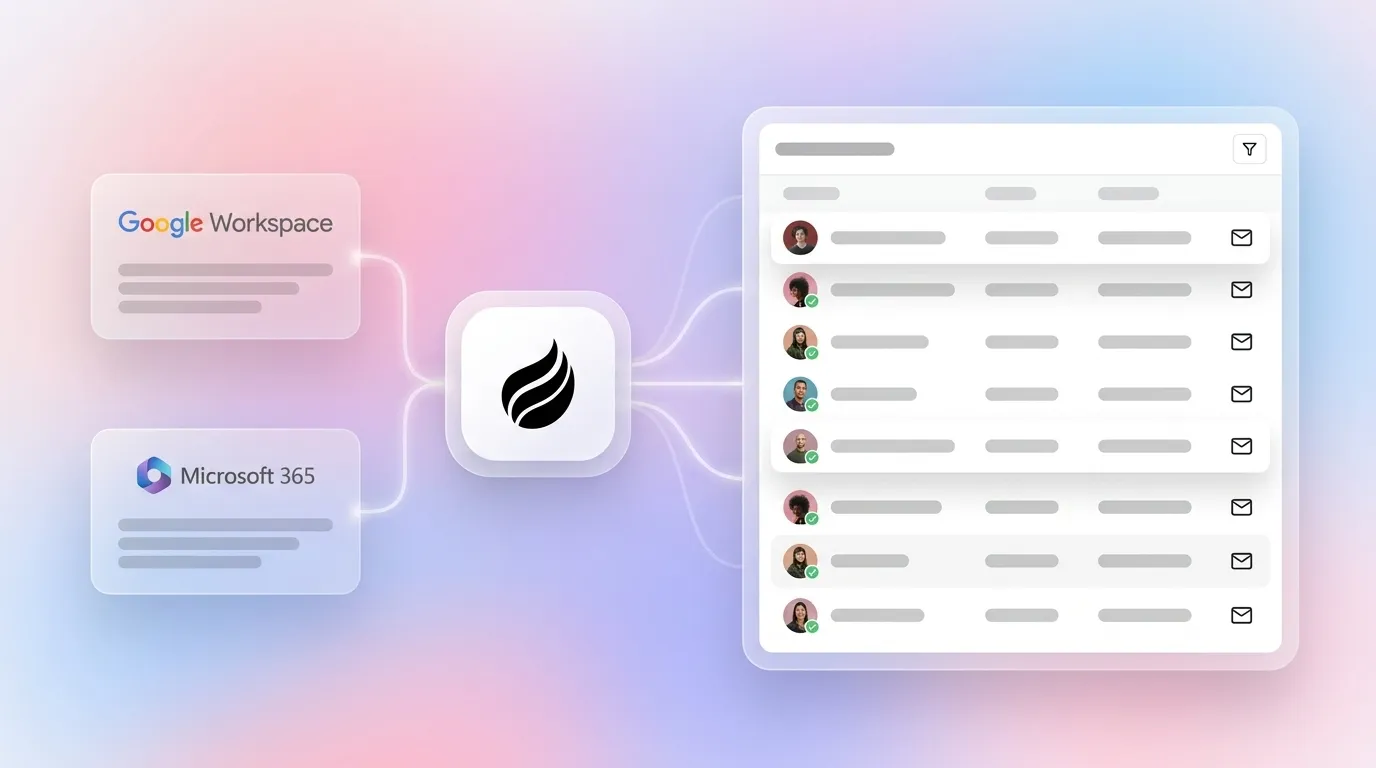
- Google Workspace or Microsoft 365 access for the agent to read email and calendar signals.
- A documented buyer persona, including industry, headcount range, seniority, and geography, so the agent applies the correct ICP filters during enrichment.
- Willingness to connect the Coffee Agent either as a Standalone CRM or as a Companion App layered on your existing Salesforce or HubSpot instance.
7-Step Workflow: How Coffee Automates Data Enrichment for Email Lists
Step 1: Connect email and calendar signals. Authenticate Google Workspace or Microsoft 365. The Coffee Agent immediately scans sent and received messages and calendar events to identify contacts and companies already in your network. Input: OAuth credentials. Output: Raw contact and company candidates. Owner: RevOps admin (one-time setup). Common mistake: Teams often skip calendar sync, which removes meeting-attendance signals that confirm active relationships.
Step 2: Auto-create and match contacts and companies. The agent parses email threads and calendar invites to create or match contact and company records without manual entry. Duplicate detection runs automatically and keeps records clean. Input: Raw signal data from Step 1. Output: Deduplicated contact and company records. Owner: Coffee Agent. Common mistake: Some teams import a raw CSV before connecting signals, which creates duplicates the agent must then resolve.
Step 3: Enrich with licensed firmographic and intent data. The agent appends firmographic attributes, including industry, employee count, revenue range, headquarters, and funding stage, alongside job titles, LinkedIn profile URLs, and intent signals via Coffee’s licensed data partners. B2B data providers often refresh firmographic and contact data monthly, and Coffee’s agent inherits that cadence automatically. Input: Matched records from Step 2. Output: Enriched records with 50+ appended fields. Owner: Coffee Agent. Common mistake: Teams that rely on a single enrichment source miss coverage. Waterfall enrichment that queries multiple data sources fills more records than the strongest single-source provider.

Step 4: Log activities and next steps automatically. The agent logs every email sent, meeting held, and call completed against the correct record. Last-activity and next-activity fields stay current without rep input. Input: Ongoing email and calendar signals. Output: Timestamped activity log per contact and company. Owner: Coffee Agent (continuous). Common mistake: Teams enrich once and then let data decay by not maintaining continuous signal ingestion.
Step 5: Apply compliance filters and consent flags. The agent applies GDPR and CCPA consent flags, suppression lists, and data-minimization rules to every enriched record. GDPR requires controllers to respond to verified erasure requests within one calendar month. CCPA imposes a similar deletion obligation but does not specify fixed automated retention timelines, so teams operating in both regions should align to the stricter GDPR standard. Coffee handles both requirements inside the workflow and applies the most restrictive rule automatically. Input: Enriched records from Step 3. Output: Compliance-flagged records ready for outreach. Owner: Coffee Agent with RevOps review. Common mistake: Some teams ignore consent flags and send to EU contacts without a documented legitimate interest assessment.
Step 6: Push enriched records into the CRM. For Standalone CRM users, enriched records already live in Coffee’s system of record. For Companion App users, the agent writes enriched data back to Salesforce or HubSpot through a simple authentication sync, so no CSV export is required. Input: Compliance-cleared records from Step 5. Output: Updated CRM records in Salesforce, HubSpot, or Coffee’s native CRM. Owner: Coffee Agent. Common mistake: Choosing tools that require ongoing CSV exports, which reintroduce manual error and delay.
Step 7: Validate output with Pipeline Compare and List Builder. Use Coffee’s Pipeline Compare feature to review week-over-week changes in enriched record quality, deliverability scores, and deal progression. The List Builder accepts natural-language queries, such as “Find VPs of Sales in North America at companies with $10M+ funding using Salesforce,” to confirm enrichment coverage against your ICP. Input: Enriched CRM records. Output: Data-quality score, field-completion rate, and deliverability lift report. Owner: RevOps lead.

Start your data enrichment for email lists workflow with Coffee and view plans.
2026 Comparison: Coffee vs. Cleanlist.ai, ZoomInfo, Clay, Apollo, and Clearbit
| Tool | Workflow Model | Pricing Structure | CRM Write-Back |
|---|---|---|---|
| Coffee | Autonomous agent, zero manual entry, enriches, logs, and syncs continuously inside one system | Seat-based, agent labor unlimited and included | Native (Coffee CRM) or direct sync to Salesforce or HubSpot via Companion App |
| ZoomInfo | Database lookup, manual export or API integration required for CRM sync | ZoomInfo Sales plans start at approximately $14,995 per year on a 12-month contract | Requires separate CRM integration setup and field mapping |
| Clay | Spreadsheet-style waterfall enrichment, requires understanding of spreadsheet formulas and data operations concepts | Credit-based, consumption difficult to predict without governance | Manual export or Zapier required for CRM push |
| Apollo | Prospecting database with sequences, enrichment separate from CRM record management | Credit-based tiers, hidden fees including charges for failed lookups and credit expiration | Native to Apollo sequences, CRM sync requires field mapping |
| Cleanlist.ai | Verification-focused, multi-source waterfall achieves 98% email accuracy but no autonomous CRM agent | Credit or subscription, standalone tool requiring separate CRM workflow | CSV export to CRM, no autonomous write-back |
ROI Example: Hours Saved and Revenue Impact
Coffee’s agent saves reps time every week by removing manual data entry, enrichment lookups, and activity logging. Across a five-person sales team, that time recovery can equal one full-time hire redirected to pipeline-generating activity.
On the data-decay side, a company with a 50,000-contact database experiencing the 22% annual decay rate discussed earlier loses approximately 11,000 valid contacts per year. Continuous enrichment via Coffee’s agent prevents that erosion by re-verifying active records on the monthly cadence inherited from data providers (described in Step 3) and by triggering enrichment on every new inbound signal. This approach matches Apollo’s recommended cadence of email validation before every campaign send and monthly re-verification of active records.
Compliance Checklist for GDPR and CCPA Email List Enrichment
Before launching your enrichment workflow, verify that your process satisfies the following compliance requirements. Coffee’s agent applies these controls automatically in Step 5, and understanding each requirement helps you document legitimate interest assessments and respond to audits.
- Accuracy principle: GDPR Article 5(1)(d) requires that personal data be accurate and kept up to date, with inaccurate data erased or rectified without delay. Sending to stale addresses creates a direct compliance violation.
- Legitimate interest assessment: The ICO’s three-part test requires documenting the purpose test, necessity test, and balancing test for each campaign before enriching email lists.
- Data minimization: The accuracy principle must be balanced with data minimization, so you collect only the fields necessary for the specified processing purpose.
- Consent flags and suppression: Opt-outs must be processed immediately via suppression lists rather than deletion to preserve audit evidence of compliance with the right to object under Article 21 GDPR.
- Deletion timelines: Coffee applies the GDPR one-month response window and CCPA permanent-erasure requirement, detailed in Step 5, automatically so your process aligns to the stricter standard across jurisdictions.
- Cross-border transfers: GDPR restricts transfers outside the EU and UK and requires Standard Contractual Clauses or an adequacy decision. Applying GDPR opt-in standards globally reduces operational risk for multi-region programs.
- Vendor DPAs: Appending firmographic data from a third-party vendor requires a signed Data Processing Agreement plus a documented legitimate interest assessment.
Validation Benchmarks and Scaling With Coffee
After completing the 7-step workflow, measure performance against clear benchmarks. Email bounce rate under 2% represents an excellent target, and realistic phone connect rates range from 8% to 25% depending on data quality. Records updated in the last 90 days, duplicate rate, and field completion rate also deserve close tracking.
Teams migrating from a standalone CRM to Coffee’s Companion App mode authenticate once, and the agent then syncs enriched data into the existing Salesforce or HubSpot instance without disrupting current workflows. For teams scaling past 10,000 contacts, Coffee’s List Builder handles natural-language segmentation queries at volume, and Pipeline Compare surfaces data-quality regressions before they affect deliverability.
Frequently Asked Questions
How long does it take to set up Coffee’s enrichment workflow?
Setup requires a single authentication to Google Workspace or Microsoft 365. Once connected, the Coffee Agent scans email and calendar signals immediately and starts creating, matching, and enriching contact and company records within minutes. There is no CSV import step, no field-mapping configuration, and no developer involvement required for the core workflow. Teams using the Companion App for Salesforce or HubSpot complete an additional authentication to their existing CRM, after which the agent writes enriched data back to those records automatically.
What data sources does Coffee use for enrichment?
Coffee’s agent appends firmographic and contact data, including job titles, LinkedIn profile URLs, funding stage, employee count, and industry classification, via licensed data partners. The agent also ingests first-party signals from email threads, calendar events, and call transcripts to build a ground-truth record of every relationship. This combination of licensed third-party data and first-party behavioral signals produces enriched records that stay more current than static database lookups. The agent continuously updates records as new signals arrive rather than relying on a single point-in-time export.
Is Coffee SOC 2 and GDPR compliant?
Coffee’s agent applies consent flags, suppression lists, and data-minimization rules at the record level as part of the standard enrichment workflow, so compliance controls stay embedded in the process rather than bolted on afterward. For teams operating across the EU, UK, and California, Coffee’s architecture supports the documentation requirements, including legitimate interest assessments and deletion timelines, needed to satisfy GDPR, CCPA, and CPRA obligations.
How does Coffee handle email lists larger than 10,000 contacts?
Coffee’s List Builder accepts natural-language queries to segment and enrich large contact sets without manual filtering. For lists above 10,000 records, the agent processes enrichment in continuous background cycles rather than a single batch run. This approach prevents the deliverability risk that comes from sending a large volume of newly enriched but unvalidated addresses simultaneously. Pipeline Compare tracks data-quality scores across the full database week over week, surfaces segments that have decayed past acceptable thresholds, and triggers re-enrichment automatically before those records enter an active sequence.
Conclusion: Start Enriching Email Lists Automatically Today
Manual data enrichment for email lists that relies on CSV exports, credit-based lookups, and fragmented tool stacks produces stale records, compliance exposure, and wasted rep hours. The 7-step workflow above replaces that process with a single autonomous agent that connects to your existing email and calendar, enriches records with licensed firmographic and intent data, applies GDPR and CCPA compliance filters, and writes clean records directly into your CRM on a continuous basis. The result is a deliverable, enriched, compliant list that improves with every signal the agent captures, without adding headcount or another SaaS seat.
Get started with Coffee and enrich email lists automatically, view pricing today.


