Written by: Doug Camplejohn, CEO & Co-Founder, Coffee | Last updated: July 24, 2026
Key Takeaways for 10–50 Person Tech Teams
- ZoomInfo’s high annual contracts ($15K–$40K) and workflow friction make it expensive for 10–50 person tech companies, so many teams now evaluate alternatives.
- Traditional enrichment platforms rely on manual queries, ongoing maintenance, and multiple integrations, while autonomous CRM agents like Coffee automate data capture and enrichment directly inside the CRM.
- Key evaluation criteria include data accuracy, total cost of ownership, implementation effort, CRM integration depth, compliance posture, and long-term scalability without extra point solutions.
- Coffee stands out by capturing ground-truth interaction data from emails, calendars, and calls, which reduces data decay and removes the need for separate enrichment tools.
- Teams that want to consolidate their stack and eliminate manual data entry can start a free trial with Coffee today.
Seven Criteria to Compare ZoomInfo Alternatives
Clear criteria keep your evaluation grounded in business impact instead of feature checklists. Evaluate every option against these seven dimensions, then layer on a “best fit” judgment for your specific team.
- Data accuracy and freshness: B2B contact data decays at 22–25% annually, so a database verified today is roughly 78% accurate in 12 months without re-verification.
- Total cost of ownership: Sticker price rarely reflects true cost because it excludes add-on modules and per-seat scaling. Series A–B companies typically spend tens of thousands per year on data tools once intent data and enrichment APIs are included.
- Implementation and maintenance effort: ZoomInfo’s opaque pricing comes with a 2–4 week onboarding cycle typical for enterprise buyers, which often includes field mapping, credit policies, and permission design.
- Workflow fit for SMB to mid-market teams: Tools built for enterprise procurement cycles impose administrative overhead that small teams cannot absorb without pulling managers and RevOps away from revenue work.
- Integration depth with existing CRMs: Shallow integrations create duplicate records, sync failures, and manual reconciliation work, which erodes trust in the CRM as a system of record.
- Compliance posture (SOC 2, GDPR, CCPA): GDPR penalties can reach €20 million or 4% of global annual revenue, and CNIL issued 10 sanctions related to commercial prospecting in 2025, so vendor posture directly affects risk.
- Long-term scalability without adding point solutions: Integrated platforms deliver measurably higher returns than fragmented stacks. Studies report revenue growth ranging from 156% to 478% for consolidated systems, while fragmented stacks impose a compounding “fragmentation tax,” the cumulative cost of maintaining multiple integrations, reconciling duplicate data, and training reps across disconnected tools.
Side-by-Side Comparison of ZoomInfo Alternatives 2026
The table below compares eight platforms across these seven criteria and adds a “Best Fit” column to summarize ideal use cases. Pricing reflects 2026 published or reported figures, and compliance certifications reflect vendor-disclosed postures. All figures are cited inline.
| Platform | 2026 Pricing (approx.) | Data Accuracy | Compliance | CRM Integration | Implementation Effort | Best Fit | Scalability Without Adding Tools |
|---|---|---|---|---|---|---|---|
| ZoomInfo | $15K–$40K+/yr | High email and mobile accuracy | ISO 27001, SOC 2 Type II, GDPR/CCPA | Native Salesforce/HubSpot connectors | 2–4 weeks typical | Enterprise, 50+ seats | Low, requires add-ons for intent and enrichment |
| Apollo.io | Free tier; $49–$119/user/mo | High email accuracy, variable mobile | Scrutiny in EU markets; weaker GDPR posture | Native Salesforce/HubSpot sync | Low, self-serve onboarding | SMB to mid-market, US-focused | Medium, sequences built in; intent costs extra |
| Cognism | ~$15K–$37.5K+/yr (platform + per-user) | Phone-verified mobile; strongest EU coverage | ISO 27001, SOC 2, LI documented, opt-out DB | Salesforce/HubSpot integrations | Medium, sales-call gated, custom setup | EU-focused teams, 10–50 seats | Low, enrichment only; no sequencing |
| Clay | $167–$446/mo (annual) for Launch and Growth plans, with Enterprise custom | Waterfall across 50+ providers; high match rates | Varies by underlying provider | Via Zapier/webhooks; no native CRM write-back | High, requires RevOps or technical setup | Technical RevOps teams building custom workflows | Medium, powerful but requires ongoing maintenance |
| UpLead | $74–$149/mo (annual); 95% accuracy guarantee | 95% accuracy guarantee on deliverable records | SOC 2; GDPR posture not prominently documented | CRM export; limited native sync | Low, self-serve | Small teams, list-building use cases | Low, list export only; no automation layer |
| Lusha | $22.45–$52.45/user/mo (annual) | Chrome extension lookups; credit-limited | ISO 27001/SOC 2; EU-native data storage | CRM push via extension; limited automation | Low, Chrome extension install | Individual reps, quick-lookup workflows | Low, no sequencing or enrichment automation |
| Demandbase | $18K–$65K+/yr; onboarding fees common | Account-level intent; contact data secondary | SOC 2, GDPR documented | Deep Salesforce/HubSpot ABM integration | High, enterprise ABM configuration | Mid-market to enterprise ABM programs | Medium, ABM-native but enrichment is add-on |
| 6sense | $50K–$100K+/yr | AI intent scoring; contact accuracy secondary | SOC 2, GDPR documented | Deep Salesforce/HubSpot integration | High, multi-week enterprise onboarding | Enterprise, 50+ seats, ABM-first | Medium, intent-native; enrichment requires add-ons |
| Coffee | Seat-based; see pricing page | Captures ground-truth data from email, calendar, calls; enriches via licensed partners | SOC 2 Type 2, GDPR compliant; data not used to train public models | Standalone CRM or Companion App for Salesforce/HubSpot | Low, connect Google Workspace or M365 and the agent activates immediately | 10–50 person tech companies; Salesforce/HubSpot users | High, replaces enrichment, recording, forecasting tools in one agent |
Setup and Onboarding Effort Across Platforms
The comparison table includes implementation effort, but the real experience behind those labels varies widely. Implementation effort is a hidden cost that comparison tables rarely surface in detail. The onboarding timeline mentioned earlier is standard for enterprise buyers and requires dedicated RevOps time to configure field mappings, credit pools, and seat permissions. Cognism is sales-call gated, so evaluation alone can take weeks before a contract is signed.
Apollo.io and Lusha are self-serve and can be operational within hours, yet they still need manual configuration of CRM sync rules, sequence templates, and credit allocation policies. Clay offers the most flexibility but demands the most technical lift, since building waterfall enrichment tables and webhook connections to CRMs becomes a RevOps project instead of a plug-and-play install.
Demandbase and 6sense carry enterprise-grade onboarding complexity, with additional implementation fees layered on top of annual licensing.
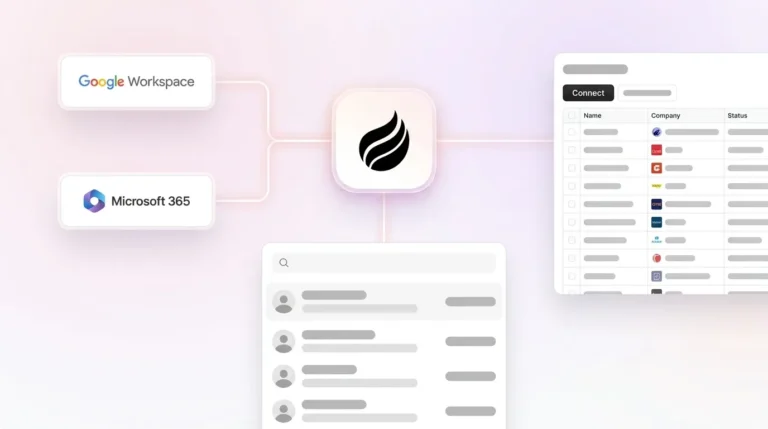
Coffee’s onboarding model works differently. Connecting a Google Workspace or Microsoft 365 account activates the agent immediately. The agent scans emails and calendars to auto-create contacts, log activities, and enrich records, with no field mapping sessions, no credit pool configuration, and no sequence template library to build from scratch.
See pricing and activate your Coffee agent today.
Data Capture and Enrichment Automation
Traditional enrichment platforms operate on a pull model. A rep identifies a prospect, queries the database, retrieves contact fields, and manually pushes them into the CRM. A single-source enrichment API returns usable data on 50–65% of records, so a substantial portion of lookups return nothing while the rep still spends time initiating the query.
The data that does return decays quickly. A typical B2B contact database loses 2.1% of its records per month, compounding to 22.5% annually. The annual decay rate mentioned earlier means static enrichment written to a CRM field is already degrading the moment it lands.
Agent-based capture inverts this model. Coffee’s agent monitors email threads, calendar invites, and call transcripts continuously. Every interaction automatically creates or updates contact and company records, logs activity timestamps, and enriches fields via licensed data partners, without a rep initiating a single query.

A controlled test of 500 inbound leads found 11.4% conversion for agent-based automation versus 4.8% for standalone enrichment tools, with the agent identifying real-time buying signals such as leadership changes and technology migrations that static enrichment tools miss entirely.
Usability for Reps and Manager Visibility
Usable systems keep reps focused on selling and give managers a reliable view of pipeline health. Disconnected systems make sales data inaccessible across tools, which means pipeline reviews rely on incomplete information. When enrichment data lives in ZoomInfo, activity data lives in a sequencer, and call recordings live in a separate tool, managers must manually aggregate data to understand deal health.
Apollo.io improves on ZoomInfo’s rep experience by bundling sequences and a dialer alongside contact data, which reduces the number of tabs a rep keeps open. Lusha’s Chrome extension is fast for individual lookups but provides no pipeline visibility to managers. Clay gives RevOps teams powerful enrichment orchestration but offers nothing directly to the rep in the field.
Coffee’s agent surfaces a “Today” page that briefs reps on upcoming meetings, including attendees, roles, and prior context. After each call, the agent generates summaries, identifies next steps, and drafts follow-up emails for rep review. The Pipeline Compare feature visualizes week-over-week deal changes automatically, so pipeline reviews shift from interrogation sessions to strategic discussions without a single CSV export.

Integration Complexity and Ongoing Administrative Burden
Standalone enrichment vendors become operational bottlenecks in agentic GTM workflows because rate limits, fuzzy name matching, and proprietary non-portable entity IDs break downstream deduplication and segmentation. Every time a company changes its name or an enrichment refresh occurs, duplicate records proliferate and RevOps spends cycles cleaning them.
Teams that consolidate enrichment vendors reduce RevOps data management costs by eliminating duplicate CRM records and manual cleaning overhead.
Coffee’s Companion App for Salesforce and HubSpot authenticates through a simple OAuth connection. The agent then writes enriched contacts, activity logs, and meeting summaries directly back to the primary CRM, with no middleware, no Zapier zaps to maintain, and no recurring field mapping sessions when Salesforce updates its API. For teams already committed to Salesforce or HubSpot, the system of record stays accurate without a parallel enrichment workflow.
Best-Fit Use Cases for Each ZoomInfo Alternative
Matching a platform to your team’s specific constraints prevents overbuying and underutilization.
- Apollo.io: US-focused SMB and mid-market teams (10–50 seats) that need a combined contact database and outbound sequencer at a predictable per-seat cost. Not recommended for teams with strict EU GDPR requirements.
- Cognism: Teams with significant EU pipeline that need phone-verified mobile numbers and a documented legitimate interest framework. Best for 10–50 seat teams willing to pay a platform fee for compliance confidence.
- Clay: Technical RevOps teams at growth-stage companies that want to build custom waterfall enrichment workflows and can dedicate engineering or RevOps resources to ongoing maintenance.
- UpLead: Small teams (1–10 seats) with straightforward list-building needs and a 95% accuracy guarantee requirement. Not suitable for teams needing CRM automation or sequencing.
- Lusha: Individual reps or small teams that need fast Chrome extension lookups for direct dials. Provides no pipeline visibility or enrichment automation for managers.
- Demandbase: Mid-market to enterprise teams running account-based marketing programs with dedicated marketing operations resources. Overkill for teams under 50 seats without an ABM motion.
- 6sense: Enterprise teams (50+ seats) with mature ABM programs and budgets exceeding $50K per year for intent data and account orchestration.
- Coffee: 10–50 person tech companies whose Head of Sales or RevOps leader wants to eliminate manual data entry, consolidate enrichment and CRM into one agent, and get accurate pipeline intelligence without extra point solutions. Works as a standalone CRM for teams under 20 or as a Companion App layered on existing Salesforce or HubSpot instances.
Operational and Long-Term Considerations
Data professionals spend 40% of their time evaluating or checking data quality. For a growing sales team, this overhead compounds as headcount increases, since more reps create more enrichment queries, more CRM fields to maintain, and more sync failures to debug.
Change management always carries a real cost for any platform switch. Enrichment tools require reps to adopt new lookup habits, while agent-based systems require reps to trust that the agent is capturing what they need. Coffee’s approach, which connects to existing email and calendar infrastructure rather than replacing it, reduces the behavioral change required.
Data hygiene ownership also shifts between models. With a standalone enrichment tool, RevOps owns the refresh schedule, the credit budget, and the deduplication logic. With Coffee’s agent, the system continuously ingests fresh interaction data, so hygiene moves from a periodic manual task to an always-on automated process.
Risks, Limitations, and Common Misconceptions
Several misconceptions drive poor purchasing decisions in this category.
- Better data does not automatically improve conversion rates. “The mistake I see most often is teams trying to solve a qualification problem with an enrichment tool. They buy ZoomInfo thinking better data will fix their conversion rates. The data does get better. The conversion rates don’t move.”
- Vendor accuracy claims are measured at build time, not at send time. Vendor marketing typically claims 85–95% accuracy, but independent benchmarks measure accuracy on matched records at build time rather than on a buyer’s full list at send time. A quarterly refresh leaves records on average six weeks stale at the time of use.
- GDPR compliance is not transferred to the vendor. Using third-party enrichment providers such as Apollo or ZoomInfo does not transfer GDPR compliance responsibility; the sales team remains the data controller.
- Seat-based enrichment pricing is economically unsuitable for always-on automation. A single agent can trigger thousands of enrichment calls per hour, which makes seat-based and per-enrichment pricing models economically unsuitable for agentic workflows.
- Autonomous agents are not a complete replacement for human judgment. Coffee’s agent drafts follow-up emails and meeting summaries for rep review and does not send autonomously. The agent handles the busywork while the rep retains control of the relationship.
Decision Framework: Match Each ZoomInfo Alternative to Your Constraints
Simple decision rules help narrow your shortlist quickly.
- If your primary constraint is EU GDPR compliance: Cognism is the strongest enrichment-only option. Coffee is SOC 2 Type 2 and GDPR compliant with data not used to train public models, and its agent-capture model reduces the volume of third-party personal data processed.
- If your primary constraint is total cost of ownership under $20K per year: Apollo.io’s Professional plan or Coffee’s seat-based pricing are realistic options. ZoomInfo, Cognism, Demandbase, and 6sense all exceed this threshold at meaningful team sizes.
- If your primary constraint is CRM data quality without adding RevOps headcount: Coffee’s agent is the only option that addresses this structurally. Every other platform requires a human to initiate enrichment queries and maintain sync configurations.
- If your primary constraint is outbound list-building at scale: Choose Apollo.io or Clay, depending on available technical resources. Apollo suits self-serve teams, while Clay suits teams that want custom waterfall workflows.
- If your primary constraint is stack consolidation: Coffee replaces enrichment tools, call recording tools, and manual pipeline reporting in a single agent. Tool consolidation delivers compounding ROI by reducing integrations to maintain, improving data cleanliness, and speeding onboarding for new reps.
View Coffee’s pricing to consolidate your stack around one autonomous agent.
Frequently Asked Questions
How long does it take to implement Coffee compared to a traditional enrichment platform?
Coffee activates immediately after you connect a Google Workspace or Microsoft 365 account. The agent begins auto-creating contacts, logging activities, and enriching records from existing email and calendar data within minutes of authentication. There is no field mapping session, no credit pool configuration, and no sequence template library to build.
Traditional enrichment platforms like ZoomInfo typically require weeks of onboarding, including CRM connector setup, seat provisioning, and credit allocation configuration. Enterprise ABM platforms like Demandbase and 6sense commonly require multi-week onboarding engagements and dedicated RevOps resources.
What happens to existing Salesforce or HubSpot data when Coffee is deployed as a Companion App?
Coffee’s Companion App connects to an existing Salesforce or HubSpot instance through a simple OAuth authentication. The agent then reads from and writes back to the primary CRM, enriching existing records, logging new activities, and adding meeting summaries, without replacing or migrating the existing data structure.
The CRM remains the system of record, and Coffee acts as the intelligent layer that keeps it accurate. Teams do not need to migrate data, rebuild pipelines, or retrain reps on a new interface, since the agent works within the existing environment.
How does Coffee’s data quality compare to ZoomInfo or Apollo?
Coffee provides enrichment data roughly on par with Apollo and ZoomInfo for most SMB and mid-market use cases, sourced via licensed data partners. The structural difference is that Coffee also captures ground-truth interaction data directly from email threads, calendar events, and call transcripts, which no external enrichment database can provide because it reflects actual conversations with real prospects.
This means Coffee’s CRM records contain both enriched firmographic fields and a continuous, accurate activity history. A ZoomInfo or Apollo record contains only the enriched fields, with activity logging dependent on rep manual entry or sequencer sync.
Is Coffee compliant with GDPR and CCPA?
Coffee is SOC 2 Type 2 certified and GDPR compliant, and data processed by the Coffee agent is not used to train public AI models. For teams prospecting into the EU, Coffee’s agent-capture model, which draws primarily from first-party interaction data such as emails, calendar events, and calls, reduces the volume of third-party personal data processed and simplifies the legitimate interest documentation burden.
Teams should still maintain their own Legitimate Interest Assessments and Data Processing Agreements as required by GDPR Article 30, regardless of which platform they use.
Can Coffee replace a dedicated call recording tool like Gong or Fathom?
Coffee can replace a separate call recording tool for many teams. Coffee’s AI Meeting Bot joins Zoom, Teams, and Google Meet calls to record and transcribe. After each call, the agent generates structured summaries, identifies next steps, and drafts follow-up emails for rep review.

The agent can structure notes according to BANT, MEDDIC, or SPICED frameworks, which ensures consistent qualification data enters the CRM. For teams currently paying separately for a call recording tool and a CRM enrichment tool, Coffee consolidates both functions, along with pipeline intelligence and visitor identification, into a single seat-based subscription.
Conclusion: Choosing the Right Path in 2026
The ZoomInfo alternatives market in 2026 splits into two fundamentally different philosophies. Enrichment platforms such as Apollo.io, Cognism, Clay, UpLead, Lusha, Demandbase, and 6sense are databases that require humans to query them, manage credits, configure syncs, and maintain integrations. They solve the data availability problem but leave the data entry problem, the data freshness problem, and the stack fragmentation problem intact.
Autonomous CRM agents solve a different problem by eliminating the human labor required to keep a CRM accurate. Sales reps currently spend only 35% of their time actually selling. The remaining time goes to data entry, tool-switching, and administrative overhead that an agent can handle automatically.
For a 10–50 person tech company evaluating this decision in 2026, the practical choice centers on operating model. The organization can keep buying point solutions that require human maintenance, or it can deploy an agent that handles the maintenance itself and consolidates enrichment, recording, pipeline intelligence, and CRM hygiene into a single system.
Explore how an autonomous CRM agent can transform your team’s workflow.