Written by: Doug Camplejohn, CEO & Co-Founder, Coffee
Key Takeaways for 2026 CRM Buyers
- Legacy CRMs like Salesforce, HubSpot, and Zoho still force sales reps to spend most of their week on manual data entry instead of selling.
- Automated data capture matters most for small teams, and Coffee’s agent removes this burden by logging contacts, activities, and transcripts automatically.
- Customization in legacy systems creates ongoing maintenance debt, while Coffee replaces it with agent orchestration that adapts without admin overhead.
- Coffee saves reps 8–12 hours per week and delivers lower total cost of ownership by including unlimited agent labor in its seat-based pricing.
- Ready to eliminate manual CRM work? See Coffee’s pricing and start your trial today.
How This CRM Comparison Evaluates Your Options
The eight criteria below reflect the operational realities facing 10–50 employee tech companies in 2026. They focus on outcomes for small teams instead of enterprise feature checklists.
1. UI and adoption reality. 55% of CRM implementations fail to meet their planned objectives, with user adoption identified as the number one cause of failure. A CRM that reps resent produces bad data by definition.
2. Automated data capture. Sales reps spend approximately 65-72% of their time on non-selling tasks, including manually entering customer notes. The degree to which a platform removes that burden is the most consequential criterion for small teams.
3. Customization versus agent orchestration. Customization creates maintenance debt. Agent orchestration creates leverage. These approaches solve different problems.
4. Pricing and TCO. The true cost of a CRM extends far beyond the sticker price. Ownership costs for HubSpot Professional and Salesforce Enterprise include licensing, feature unlocks, consultant fees, and integration costs, which often double or triple the initial budget.
5. Marketing-sales alignment. Misaligned handoffs produce stalled pipeline. The platform’s data model determines whether marketing and sales share a single source of truth or maintain parallel silos.
6. 2026 AI capabilities. Gartner predicts 40% of enterprise applications will embed AI agents by year-end 2026. The relevant question is whether those agents reduce human labor or merely assist it.

7. Manual-entry hours eliminated per rep per week. This criterion captures the combined impact of adoption, automation, and AI on rep time.
8. Scalability for 5–30 rep teams. A platform that works at five reps but requires a full-time admin at twenty is not scalable. It simply defers a future liability.
Side-by-Side Comparison Table (2026 Benchmarks)
| Criterion | Salesforce | HubSpot | Zoho | Coffee Standalone | Coffee Companion |
|---|---|---|---|---|---|
| Manual-entry hours saved/rep/week | Minimal without add-ons | Minimal without add-ons | Minimal without add-ons | 8–12 hours | 8–12 hours |
| Automated contact & activity logging | Partial (Einstein add-on) | Partial (Breeze add-on) | Partial (Zia, higher tiers) | Native, agent-driven | Native, writes back to SF/HubSpot |
| Implementation timeline | Varies, often requires admin support | Typically takes 2–12 weeks depending on complexity and company size | Varies widely | Days (Google/M365 auth) | Days (simple authentication) |
| AI capabilities included in base price | No (add-on required) | No (add-on required) | Partial (higher tiers) | Yes | Yes |
| Unstructured data ingestion (emails, transcripts) | Limited | Limited | Limited | Native | Native |
| CRM data accuracy | Can be affected by incomplete data | Can be affected by incomplete data | Can be affected by incomplete data | Agent-enforced accuracy | Agent-enforced accuracy |
| Best-fit team size | Larger teams with dedicated ops | 10-250 reps | Small to mid-sized teams | 1–20 reps | Any team on SF or HubSpot |
How Each Platform Handles Adoption, Data, and AI
UI and adoption reality. HubSpot is frequently rated highly for usability among CRM platforms, and migrating from Salesforce to HubSpot can reduce CRM spend by 25–40% while improving user engagement. Yet even HubSpot locks essential features like advanced reporting and custom objects behind Professional and Enterprise tiers, which creates a tradeoff between ease of adoption and rising costs as teams scale. Salesforce often requires an army of consultants and a six-month implementation timeline. Zoho presents a steeper learning curve and greater maintenance overhead than HubSpot. Coffee leads here because the agent removes the main reason reps avoid the CRM in the first place: manual data entry.
Data capture failures. That manual entry burden leads directly to the second critical failure point: data quality. All three legacy platforms share the same structural flaw, because they rely on humans to enter data. 76% of CRM users say less than half of their organization’s CRM data is accurate and complete, and Poor CRM data quality costs the average B2B company $12.9 to $15 million per year. Coffee’s agent ingests emails, calendar events, and call transcripts automatically, which removes the human dependency that produces these outcomes. The agent-first approach solves the data capture problem at its root.

Customization versus agent orchestration. All three legacy platforms present the same tradeoff. Teams either accept a rigid system that does not match their workflow or customize it and accept ongoing maintenance work. Salesforce requires a full-time admin to maintain fields, automations, and conflicting rules once customizations accumulate. Zoho offers no-code customization via Canvas and Blueprint, but even these tools force teams to choose between a system that does not fit and one that requires developer time for every process change. Coffee replaces this tradeoff with agent orchestration that adapts to workflow without admin overhead, giving small teams flexibility without maintenance debt.
Pricing and TCO. Zoho offers pricing at $14–52 per user per month, but its thinner integrations and variable support introduce hidden costs at scale. Salesforce Enterprise licensing can increase substantially after adding Service Cloud, Marketing Cloud, CPQ, and analytics. Coffee’s seat-based model includes unlimited agent labor with no separate AI add-on fees, so value delivered per dollar remains predictable as the team grows.
Marketing-sales alignment. Salesforce recommends integrated dashboards displaying both teams’ performance against shared revenue metrics, and its newer Marketing Cloud Growth and Advanced editions are built natively on the core Salesforce platform to reduce sync gaps. However, Marketing Cloud Engagement, the original B2C platform, runs outside the Salesforce core and requires integrations that often result in duplicated or delayed data. HubSpot lags Salesforce for complex B2B sales processes involving multi-stakeholder deals and advanced forecasting, though it remains the most user-friendly option for teams in the 10–250 rep range. Coffee’s Pipeline Compare feature delivers week-over-week pipeline visibility without CSV exports, which turns alignment reviews into strategic conversations for teams under 50 reps.
2026 AI capabilities. Salesforce Agentforce reached $1.2B ARR and provides a sophisticated AI agent framework via the Atlas Reasoning Engine. HubSpot Breeze Agents are included in core plans. Zoho Zia provides 700+ pre-built actions across the Zoho ecosystem. All three, however, treat AI as an add-on layer over a passive database. Coffee’s agent acts as the database’s operating logic, not a feature bolted on top, which allows the system to act on data without waiting for human input.
Which CRM Actually Reduces Manual Work?
Among the legacy three, none eliminates manual work by default. Administrative tasks consume the majority of a sales rep’s week according to Salesforce State of Sales data. 32% of sales reps spend more than 1 hour per day on manual data entry in their CRM, equating to roughly 250+ hours per year per rep. Zoho’s Zia reduces some of this at lower cost than Salesforce, but the underlying architecture still depends on human input for unstructured data like call transcripts and email threads.
Coffee’s agent saves reps 8–12 hours per week by automatically creating contacts, logging activities, generating post-call summaries, and tracking pipeline changes, all without human input. That figure applies whether Coffee runs as a Standalone CRM or as a Companion App on top of Salesforce or HubSpot. Coffee’s agent saves reps 8–12 hours per week by automatically creating contacts, logging activities, generating post-call summaries, and tracking pipeline changes, without any human input required. Start reclaiming those hours today.

Why Sales Reps Resist CRM Tools
The core problem is structural, not behavioral. Many CRM users cite manual data input as a major obstacle to effective CRM usage, and many say their CRM tools are inefficient. When reps must serve the software instead of the software serving them, adoption collapses.
The result is shadow CRMs in spreadsheets, Notion documents, and personal notes. These become the real workspace while the official CRM accumulates stale, incomplete records. This pattern reflects the 71% data-entry tax in practice, where reps who spend most of their non-selling time on administrative tasks have no incentive to maintain a system that creates no personal value.
When complexity and hidden costs accumulate, CRMs become systems that teams tolerate rather than actively use, leading to unlogged activities and untrusted forecasts. Coffee removes the tax by delegating data entry to an agent, which turns the CRM into a tool reps rely on instead of resent.
Best-Fit Use Cases by Team Stage
Early-stage teams (1–20 reps, no existing CRM). Coffee Standalone fits these teams best. They have outgrown spreadsheets but find legacy CRMs expensive and manual. The agent handles contact creation, activity logging, meeting briefings, and pipeline tracking from day one, with no admin overhead and no implementation project.

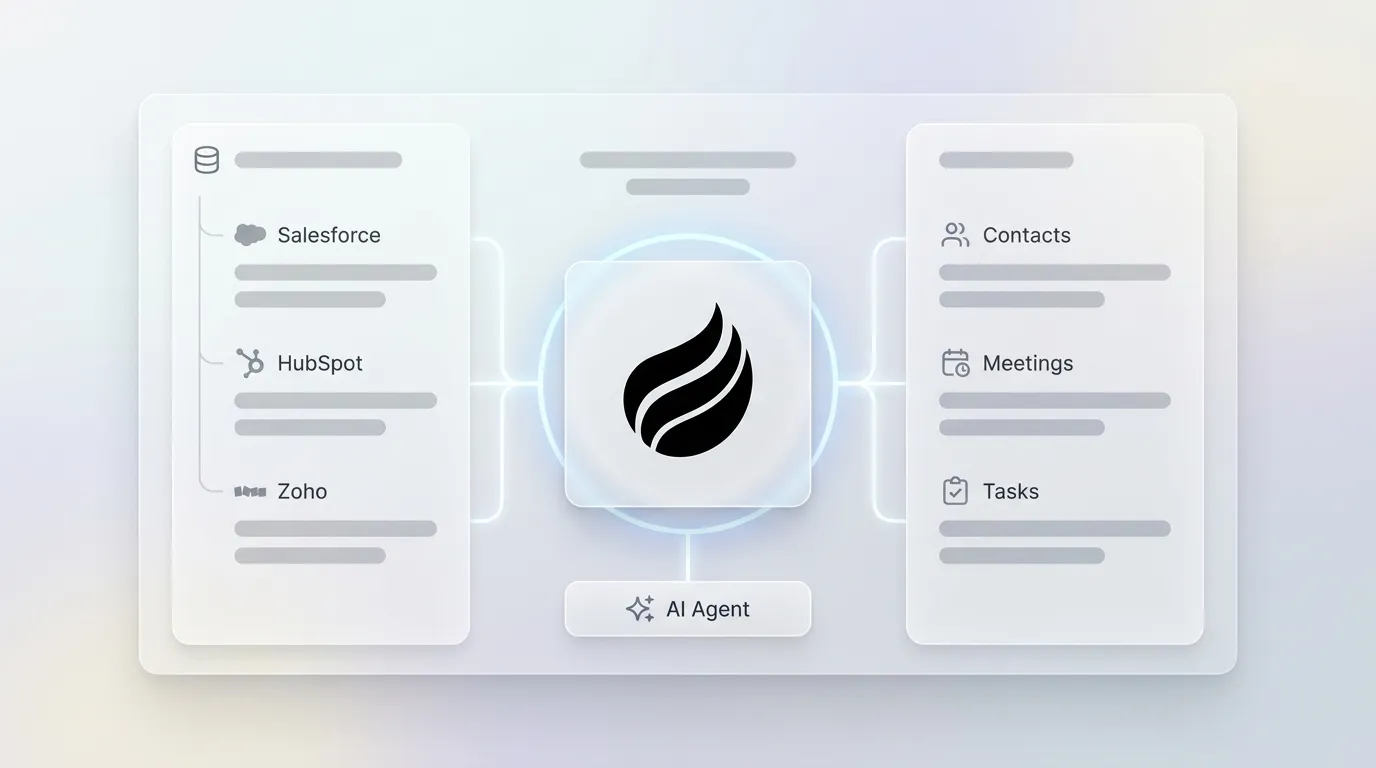
Growing teams already committed to Salesforce or HubSpot. Coffee Companion deploys the agent as an intelligent layer on top of the existing system of record. A simple authentication lets the agent sync data, enrich records, and write insights back to Salesforce or HubSpot. This preserves existing investments while removing the data-entry burden that caused adoption to fail in the first place.
When none of the legacy three are suitable. Many organizations in the 50–500 employee range find Salesforce’s complexity exceeds their needs. Zoho is less suitable when deep integrations or custom development are needed. Teams that have already cycled through one or more legacy platforms and seen adoption remain low are strong candidates for Coffee Standalone regardless of team size.
Operational Considerations and Scaling With Coffee
Change management often becomes the most underestimated cost in any CRM transition. Lack of training or CRM expertise is frequently cited as a barrier to successful implementation. Legacy platforms require structured training programs, certified admins, and ongoing governance to prevent data decay.
Implementations for these systems can span multiple months across planning, data migration, customization, integration, and training phases. Coffee’s agent-first architecture reduces change management to a single question: does the agent have access to the data sources it needs?
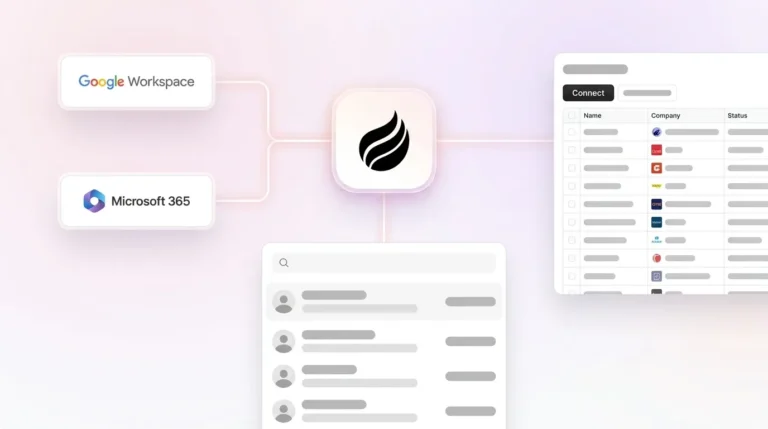
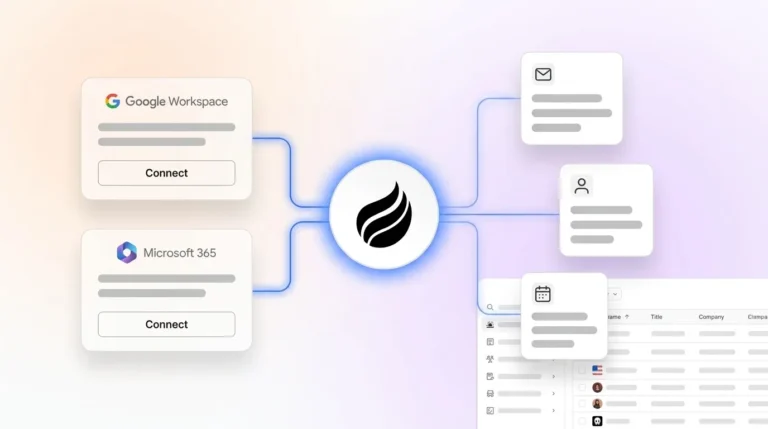
Once connected to Google Workspace or Microsoft 365, the agent begins populating records immediately. As the team scales from 5 to 30 reps, the agent’s workload scales with it, so no additional admin headcount is required. Data hygiene is maintained by the agent rather than enforced through training programs, which keeps process consistency stable as headcount grows.

Risks, Limitations, and Misconceptions About Agent-First CRMs
No software platform fixes process problems that originate in organizational behavior. Organizations with CRM data older than two years should budget 4–8 weeks and $5,000–$15,000 for data quality remediation before deploying AI agents, as poor data quality produces unreliable agent outputs regardless of platform. Coffee follows the same rule, because the agent requires clean source data from email and calendar systems to produce accurate outputs.
Integration coverage also creates real constraints. Coffee currently connects to external tools via Zapier, with deeper native integrations on the roadmap. Teams with highly customized Salesforce orgs or complex HubSpot workflow dependencies should evaluate the Companion App against their specific integration requirements before committing. The belief that an agent layer automatically resolves years of accumulated CRM debt is a misconception, since the agent accelerates good process and amplifies bad process in equal measure.
Decision Framework: Matching Your Team to the Right CRM Path
Use the following routing logic to identify the right path for your team.
No existing CRM, 1–20 reps: Coffee Standalone. The agent handles the entire system of record with no implementation project and no admin overhead.
Existing Salesforce or HubSpot, low adoption, poor data quality: Coffee Companion. The agent writes clean data back to your existing system of record, which preserves your investment while removing the manual-entry burden that caused adoption to fail.
Existing Salesforce, 50+ reps, dedicated RevOps team, complex enterprise workflows: Salesforce with Agentforce add-ons fits best. Coffee is not designed for large enterprise orgs with multi-year security review requirements.
Budget-constrained small teams with minimal integration needs: Zoho offers competitive pricing, but the manual-entry problem remains unsolved. Coffee Standalone at seat-based pricing is worth evaluating against Zoho’s TCO once the cost of poor data quality is included.
Marketing-driven team with inbound strategy: HubSpot is known for usability among legacy platforms, but advanced Sales Hub and Marketing Hub Professional tiers start at $800/month and quickly approach Salesforce pricing without matching its depth in complex B2B sales processes. Coffee Companion on top of HubSpot resolves the data quality problem without requiring a platform migration.
Compare Coffee Standalone and Companion pricing and launch without a long implementation.
Frequently Asked Questions
How long does Coffee take to implement?
Coffee Standalone and the Companion App both activate within days, not months. Once you authenticate your Google Workspace or Microsoft 365 account, the agent begins scanning emails and calendars to auto-create contacts, log activities, and populate deal records. There is no multi-week configuration project, no data migration required for new deployments, and no dedicated admin needed to maintain the system after launch.
How difficult is it to migrate existing CRM data to Coffee?
For teams adopting Coffee Standalone, standard CRM data such as contacts, companies, and deals can be imported via CSV. The agent then enriches and maintains those records going forward. Teams using the Companion App do not migrate data at all, because Coffee writes enriched data back into their existing Salesforce or HubSpot instance and leaves the system of record intact.
Does Coffee integrate with tools outside of Salesforce and HubSpot?
Coffee currently supports integrations with external tools via Zapier, which covers the majority of sales stack applications including outreach tools, enrichment platforms, and communication tools. Deeper native integrations are on the product roadmap. Teams with highly specific integration requirements should verify Zapier coverage for their stack before committing.
Is Coffee SOC 2 and GDPR compliant?
Yes. Coffee is SOC 2 Type 2 certified and GDPR compliant. Customer data is not used to train public AI models. For teams in regulated industries or those with enterprise security review requirements, Coffee’s compliance documentation is available upon request.
How does Coffee’s data enrichment quality compare to ZoomInfo or Apollo?
Coffee’s built-in enrichment, which covers job titles, funding data, and LinkedIn profiles via licensed data partners, is roughly on par with ZoomInfo and Apollo for the majority of use cases at 10–50 employee tech companies. The key difference is that enrichment is included in the seat price rather than billed as a separate line item, and it is applied automatically by the agent rather than requiring manual lookup workflows.
Conclusion: Moving From Passive Databases to Active Agents
Salesforce, HubSpot, and Zoho operate as passive databases. They store data when humans enter it and produce insights when humans maintain them. In 2026, that architecture creates the core problem. Many companies lose revenue due to poor CRM data quality, and the root cause remains the same in every case, because the system depends on busy humans to ensure accuracy while those humans have higher-priority work to do.
Coffee’s agent-first approach removes that dependency. The agent captures data from emails, calendars, and call transcripts automatically, enriches records without manual lookup, generates post-meeting summaries and follow-ups, and delivers pipeline intelligence without CSV exports. Whether your team needs a full Standalone CRM or an agent layer on top of an existing Salesforce or HubSpot instance, the outcome stays consistent: good data in, good data out, and 8–12 hours per rep per week returned to selling.