Written by: Doug Camplejohn, CEO & Co-Founder, Coffee | Last updated: June 27, 2026
Key Takeaways for 10-200 Employee Teams
- Salesforce and HubSpot both depend on heavy manual data entry, which drags down data quality and rep adoption for 10-200 employee teams.
- Salesforce demands significantly more implementation and admin effort than HubSpot, yet both still require ongoing, dedicated ownership.
- Neither platform fixes the core issue of unreliable forecasting and pipeline visibility that stems from human-dependent data capture.
- Integration complexity and hidden admin costs grow as teams scale, creating persistent operational friction and maintenance work.
- Coffee removes manual data entry entirely—see pricing and deployment options to automate your CRM and increase sales productivity.
Side-by-Side Scoring: Salesforce vs HubSpot vs Coffee Agent
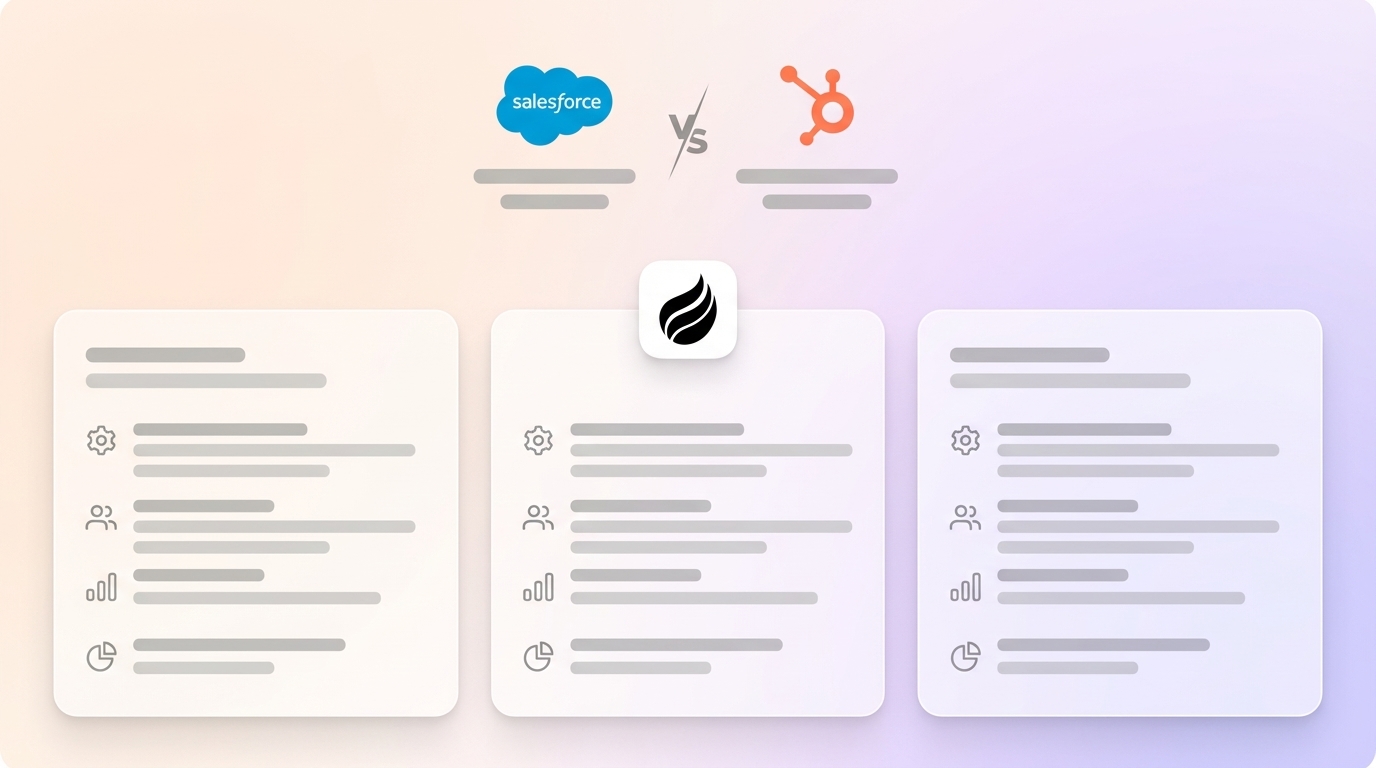
The table below scores Salesforce, HubSpot, and the Coffee Agent across seven criteria that matter most for 10-200 employee sales teams. These dimensions highlight where each platform performs well and where all three share structural limits.
| Criteria | Salesforce | HubSpot | Coffee Agent |
|---|---|---|---|
| Data Quality & Entry Burden | Low, heavy manual input required | Low, manual input required | High, agent automates data capture |
| Implementation & Admin Effort | High, requires dedicated admin or SI partner | Medium, faster setup, still needs admin ownership | Low, connects via Google Workspace or Microsoft 365 auth |
| Frontline User Adoption | Low, steep learning curve, rep resentment common | Medium, cleaner UI, but data entry friction persists | High, agent handles busywork reps avoid |
| Pipeline Visibility & Forecasting | Medium, powerful when data is clean, which is rare | Medium, accessible dashboards, same data quality risk | High, Pipeline Compare built on agent-captured data |
| Integration Complexity | High, extensive ecosystem, high configuration cost | Medium, broad native integrations, simpler setup | Low-Medium, Zapier today, deeper integrations on roadmap |
| Customization vs. Out-of-Box Usability | High customization, low out-of-box usability | Medium customization, higher out-of-box usability | High out-of-box usability, agent-configured workflows |
| Long-Term Scalability | High, enterprise-grade ceiling | Medium-High, scales well to mid-market | Medium, optimized for 1-200 employees |
How Each Platform Handles Data Capture and Maintenance
Human-Dependent Data Entry Limits Salesforce and HubSpot
Market data shared by Coffee shows that 71% of sales reps spend too much time on data entry, leaving only 35% of their working hours for actual selling. Salesforce and HubSpot both operate as relational databases that stay current only when humans update them. When a field changes, historical context disappears unless someone builds custom tracking. Neither platform natively ingests unstructured data such as call transcripts, email threads, or meeting notes without extra tools. The CRM ends up reflecting what reps remembered to log, not the full reality of the sales cycle.

Sales Team Usability and Frontline Adoption
Why Reps Feel Like They Work for the CRM
Salesforce carries years of configuration complexity. For a 20-person sales team without a dedicated Salesforce admin, the system often feels like a burden instead of a support tool. HubSpot offers a cleaner interface and faster onboarding, which explains its strength with early-stage and SMB teams. The product, however, started as a marketing automation platform with a CRM attached, not as a unified sales intelligence system. Reps on both platforms frequently describe the experience as serving the software. That dynamic pushes them into shadow CRMs such as spreadsheets and Notion docs, which quietly become their real workspace.
Manager Visibility and Forecasting Accuracy
Forecasts Only Work When the Data Is Trustworthy
Forecasting accuracy in Salesforce and HubSpot depends directly on data quality. Salesforce offers a powerful forecasting module at enterprise scale when a RevOps team enforces hygiene. For teams under 200 employees without that support, pipeline reviews turn into interrogation sessions. Managers spend time reconciling what reps logged with what actually happened. HubSpot presents deal pipeline views in a more approachable way, yet the same risk remains. Poor inputs produce unreliable dashboards and forecasts. Neither platform fixes the input problem, because both only display what humans chose to enter.
Integration Overhead and Hidden Admin Tax
How a Typical SMB Stack Creates Ongoing Maintenance Work
This data quality challenge compounds once you factor in the integration complexity required to build a functional sales stack. A standard SMB setup with a CRM, ZoomInfo, Salesloft, Gong, and a recording tool like Fathom requires manual stitching across systems. Each integration introduces sync delays, field-mapping issues, and continuous admin work. Salesforce’s AppExchange offers many options, yet every connection adds configuration and licensing costs. HubSpot ships broader native integrations, but fragmentation still appears as teams grow. The hidden admin tax for both platforms is the ongoing cost of keeping these connections healthy as headcount and process complexity increase.

Best-Fit Use Cases for Salesforce, HubSpot, and Coffee
Where Salesforce Makes Sense
Salesforce fits companies above 100 employees that run complex, multi-stage sales processes and maintain dedicated RevOps or admin staff. These teams often need deep custom object configuration and strict enterprise compliance controls. Smaller teams usually discover that Salesforce’s power ceiling does not matter yet, while its administrative floor feels punishing.
Where HubSpot Fits Best
HubSpot works well for companies in the 20-150 employee range that want fast deployment and shared contact data across marketing and sales. These teams can live with a mid-market scalability ceiling. HubSpot’s out-of-the-box usability advantage shrinks as processes grow more complex and customization needs expand.
Where Coffee Changes the Model
Coffee serves both segments through two models. The Companion App runs the Coffee Agent on top of an existing Salesforce or HubSpot instance. It handles data capture, enrichment, meeting summaries, and pipeline tracking without a migration. The Standalone CRM replaces both platforms for teams of 1-20 employees that have outgrown spreadsheets but view legacy CRMs as expensive, manual chores. In both models, the agent removes the human data entry requirement that undermines Salesforce and HubSpot.

Explore Companion App pricing to see how it connects with your current Salesforce or HubSpot setup.
Operational and Long-Term Considerations
Change Management, Ownership, and Admin Load
Change management often becomes the largest hidden cost in any CRM decision. Moving from Salesforce to HubSpot, or the reverse, requires data migration, retraining, process documentation, and a period of weaker pipeline visibility. For teams under 50 employees, that disruption rarely pays off unless they also fix the underlying data quality problem.
Cross-functional ownership matters as headcount grows because CRM data quality affects more than sales. It shapes marketing attribution, customer success handoffs, and finance forecasting. Without clear ownership and governance policies, both Salesforce and HubSpot degrade over time. This degradation accelerates as process complexity increases, which compounds the admin tax required to maintain accuracy. Teams that skip dedicated RevOps support or an agent layer for data maintenance watch CRM reliability fall as they scale.
Risks and Limitations of Salesforce, HubSpot, and Coffee
Platform-Specific Risks to Weigh
Salesforce risks: Over-customization debt builds quickly. Custom objects, validation rules, and workflows that fit one growth stage often block progress at the next. Cleaning up that debt demands significant admin time or outside consulting spend.
HubSpot risks: The mid-market ceiling eventually appears. Companies that grow past 150-200 employees with complex enterprise motions often find HubSpot’s reporting and object customization lacking. That gap triggers a costly Salesforce migration at the exact moment operational bandwidth feels tightest.
Coffee risks: The Companion App currently connects to external tools mainly through Zapier, with deeper native integrations planned. Teams with highly customized Salesforce or HubSpot setups should confirm compatibility before rollout. The Standalone CRM targets companies with 1-200 employees and does not suit large enterprises or heavily regulated industries that require long security reviews.
The shared risk across all three options is incomplete automation. No system replaces human judgment in sales. The real difference is whether the system also forces humans to act as data entry clerks, which hurts both rep performance and data quality.
Decision Framework: Matching Your Situation to a Path
The right CRM choice depends on aligning your constraints, such as team size, admin capacity, and process complexity, with each platform’s strengths. Use the decision points below to match your current situation to a practical path.
Choose Salesforce if your team exceeds 100 employees, you have or plan to hire dedicated RevOps or admin staff, your sales process needs deep custom object configuration, and enterprise compliance controls drive procurement.
Choose HubSpot if your team has 20-150 employees, marketing and sales share a contact database, you want fast deployment without a systems integrator, and your sales process complexity remains moderate.
Choose Coffee Standalone CRM if your team has 1-20 employees, you have outgrown spreadsheets, and you want an agent-managed system of record without the overhead of a legacy platform.
Choose Coffee Companion App if you already use Salesforce or HubSpot, your data quality and rep adoption are weak, and you want to fix the input problem without migrating. The agent connects through a simple authentication to your existing instance and starts capturing, enriching, and writing data back automatically.
Frequently Asked Questions
How long does implementation take for Salesforce, HubSpot, and Coffee?
Salesforce implementations for 10-200 employee companies typically run from six weeks to six months. Timelines depend on customization depth, data migration complexity, and whether you hire a systems integrator. HubSpot usually deploys in two to six weeks for straightforward sales processes, although full setup of sequences, reporting, and integrations can extend that window. Coffee’s Companion App connects to an existing Salesforce or HubSpot instance through a single authentication step and starts working immediately. The Standalone CRM activates just as quickly, with the agent populating contacts and companies from Google Workspace or Microsoft 365 on day one.
What does migration from one CRM to another involve?
A CRM migration covers exporting contact, company, deal, and activity records from the source platform, then cleaning and deduplicating that data. Teams then map fields to the destination schema, import and validate records, and retrain the team on new workflows. Activity history such as call logs, email threads, and meeting notes often gets lost or degraded because legacy CRMs store it in formats that do not transfer cleanly. Coffee’s Companion App avoids this risk for teams that want better data without a migration. The agent enriches and maintains the existing system of record in place.
How does Coffee handle data security and privacy?
Coffee is SOC 2 Type 2 certified and GDPR compliant. Data processed by the Coffee Agent does not train public AI models. Teams in regulated industries such as healthcare or finance that require long security reviews or custom data residency agreements should confirm that their needs fit Coffee’s current compliance framework before moving forward.
Will CRM reporting be accurate if my team has poor data hygiene today?
As covered in the forecasting section, reporting accuracy in Salesforce and HubSpot depends entirely on input quality. Coffee’s agent addresses this at the source by logging activities automatically, capturing meeting outcomes, and enriching records without rep effort. Because the input is agent-managed instead of human-dependent, pipeline reports, forecasts, and deal history reflect ground-truth activity.
Can Coffee scale as my team grows?
Coffee’s Standalone CRM and Companion App are designed for companies with 1-200 employees. The agent uses seat-based pricing that scales linearly with headcount, without metering AI usage or automated processes. Companies that grow beyond 200 employees with enterprise-grade compliance, complex custom objects, or multi-org needs move beyond Coffee’s current design focus. Teams on that path using the Companion App can stay on Salesforce or HubSpot while the agent continues to manage data quality.
Conclusion: Choosing a CRM While Fixing the Input Problem
Salesforce and HubSpot are not interchangeable, yet they share the foundational failure described throughout this analysis. Both rely on human-dependent data entry that breaks down at scale and undermines forecasting, adoption, and reporting. Switching between them without fixing the input problem simply recreates the same issues in a different interface.
Coffee’s autonomous agent tackles the input problem directly. As a Companion App, it runs on top of existing Salesforce or HubSpot instances and captures and enriches data without human effort. As a Standalone CRM, it gives smaller teams an agent-managed system of record from day one. In both cases, the agent delivers reliable inputs and accurate insights, which is the outcome legacy platforms promise but rarely achieve on their own.
Put an agent to work on your CRM and start capturing accurate data today.