Written by: Doug Camplejohn, CEO & Co-Founder, Coffee
Key Takeaways
- Sales stack consolidation cuts context switching across 5–10 tools and automates 2–4 hours of weekly data entry per rep, which typically unlocks 5–11.5 hours of weekly productivity.
- Teams that purchase 10–15 tools usually see reps actively use only 3–6 each day, which creates hidden costs from shelf-ware and cognitive switching overhead that averages 23 minutes per interruption.
- Agent-led consolidation keeps CRM data accuracy near 91% instead of 58% and often delivers 60–80% license cost reduction when AI replaces multiple point solutions.
- The five-step process covers a 10-tool overlap audit, cost quantification using 2026 benchmarks, comparison of consolidation paths, execution with AI data unification, and validation at 30, 60, and 90 days.
- Teams ready to consolidate their sales stack and reclaim 5+ hours per rep each week can get started with Coffee today.
How Sales Stack Consolidation Works in Practice
Sales stack consolidation means auditing every tool a revenue team uses, removing redundant or underused platforms, and unifying the remaining systems around a single source of truth. B2B sales teams purchase 10–15 tools on average, yet individual reps actively use only 3–6 daily. The gap between purchased and used software is where cost and productivity drain build up.
Sales reps move between many tools each day, which turns into significant pipeline time lost to context switching instead of selling. Each transition between applications carries a cognitive cost. UC Irvine research found the average recovery time after a workplace interruption is 23 minutes and 15 seconds, and that delay compounds across dozens of daily tool changes.
Consolidation fixes this by collapsing overlapping functions, such as enrichment, sequencing, recording, and forecasting, into fewer, deeply integrated platforms. The result is a stack where data flows automatically and reps no longer stitch information together by hand.
This shift from manual to automated data flow creates the productivity gains that make consolidation worth the effort. That connection between automation and reclaimed time sets the stage for improving sales team productivity.
Improving Sales Team Productivity with Automation
Salesforce’s 2026 State of Sales report found that sales reps spend only about 28% of their time actually selling, with the rest absorbed by admin work, internal meetings, and cross-system tasks. Raising that percentage requires removing administrative burden at the source, not asking reps to work faster.
CRM logging and notes create one of the largest single time savings when automated. When an AI agent handles activity logging, contact creation, and call transcription automatically, reps redirect that time to pipeline-generating work.
See how Coffee’s AI agent can move your team from 28% to 50%+ selling time.
The next step is choosing a consolidation approach that delivers those gains quickly without a long, disruptive migration.
5 Steps to Agent-Led Sales Stack Consolidation
- Run a 10-tool overlap audit. Build a full inventory of every tool the team uses, including shadow tools such as spreadsheets and Notion. For each tool, record the owner, the primary function, the weekly active-user count, and the annual contract value. Flag any tool where fewer than 60% of licensed users actively engage with it weekly, since that threshold matches the shelf-ware pattern described in the overview. Map tools to operating layers: data and enrichment, sequencing and outreach, conversation intelligence, CRM, and forecasting. Any layer with two or more tools performing the same core function becomes a consolidation candidate. The most common pitfall at this stage is missed shadow purchasing. Mid-market companies are especially prone to team-level shadow purchasing that reverses platform-level consolidation within 6–12 months.
- Quantify time and cost losses using 2026 benchmarks. Translate tool sprawl into dollar figures before presenting a consolidation case. A typical mid-market B2B sales team of 12 incurs approximately $14,400–$26,928 per year in sales tool licensing costs. Beyond licensing, a 45-person sales organization audit found $213K in annual hidden costs beyond visible SaaS fees, broken down as $74K in integration maintenance, $89K in context-switching productivity loss, and $50K in training and onboarding drag. These hidden costs often exceed the SaaS fees themselves, which makes the time-loss calculation critical. On a sales team with typical base salaries, a substantial portion of the workday lost to tool switching can equate to tens of thousands of dollars per rep per year in lost productivity.
- Compare manual vs agent-led consolidation paths. Manual consolidation, which relies on hand migration of data, retraining reps on new workflows, and ongoing human CRM hygiene, usually fails for a structural reason. That approach keeps reps responsible for data quality. The five structural failure patterns in sales stacks are tool sprawl tax, integration debt, data divergence, AI on fragmented data, and adoption ceiling, which occurs when sellers bypass systems with spreadsheets and private trackers. CRM data decays at roughly 30% per year through job changes and bounces, so any consolidation that pauses enrichment compounds that decay during the 6–8 week migration gap. Agent-led consolidation avoids this pattern by automating the data-entry layer from day one, so the system of record stays accurate without human effort. A SaaS team that deployed an AI automation layer on HubSpot achieved high rep adoption and removed manual CRM entry from daily workflows.
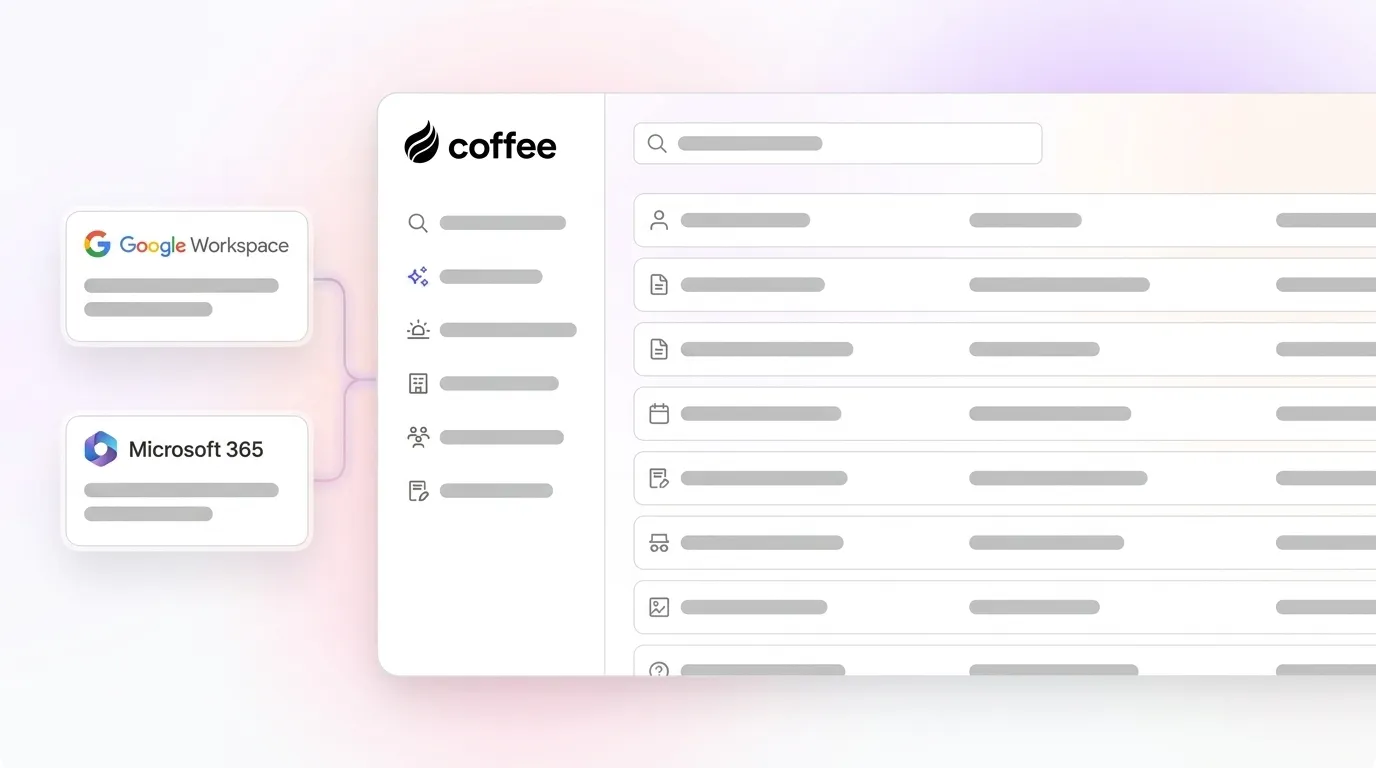
- Execute consolidation with the Coffee agent handling data unification. Coffee operates in two deployment paths that depend on the existing stack. For teams committed to Salesforce or HubSpot, the Coffee Companion App authenticates to the existing instance and immediately begins auto-creating contacts, enriching records with job titles and funding data, logging call activity, and writing summaries back to the CRM, all without manual input from reps. For teams ready to replace their CRM entirely, Coffee’s Standalone AI-First CRM serves as the system of record, and the agent manages all data in and pipeline intelligence out. In both paths, the agent connects to Google Workspace or Microsoft 365 to capture emails, calendar events, and call transcripts as ground-truth data. Checkpoints at this stage include confirming that call activity logging matches the benchmark from the case study, with near-complete capture within 15 minutes of call end, verifying that enrichment populates required CRM fields, and validating that pipeline stage changes are tracked without rep intervention.
- Validate results with pipeline-accuracy checks, ramp-time reduction, and hours-saved metrics. Measure four outcomes at 30, 60, and 90 days after consolidation. First, pipeline data accuracy, where you can target the same improvement seen in the earlier case study, moving from below 60% accuracy to above 90% once automation replaces manual CRM updates. Second, forecast variance, which should decline as pipeline data becomes more reliable. Third, rep selling time, where teams can aim to move from 28–35% of the week selling to 50% or more within two quarters. Fourth, ramp time, where industry benchmarks show 20–30% faster new-hire ramp time after consolidation, and one organization reduced ramp time after consolidating its sales tools.
Manual vs Agent-Led Consolidation: Outcome Comparison
| Metric | Manual Consolidation | Agent-Led Consolidation (Coffee) | Source |
|---|---|---|---|
| Weekly hours reclaimed per rep | 3–5 hrs (context-switching reduction only) | 5–11.5 hrs (data entry and context switching automated) | Salesmotion 2026; Amplemarket March 2026 |
| License cost reduction | 25–40% within 12 months | 60–80% when AI replaces multiple point-solution categories | Prospectory 2026; Greenway.ai analysis |
| New-hire ramp time | 3+ months to proficiency across remaining tools | Significant reduction with unified platform | Prospectory 2026 audit; Technologyinsales analysis |
| CRM data accuracy | ~58% at any moment due to asynchronous manual updates | 91% after AI automation layer writes activity in near real-time | SwiftHeadway AI case study 2026 |
These outcome differences translate directly into ROI. The next section shows how those reclaimed hours, cost reductions, and accuracy gains convert into financial impact for teams of different sizes.
2026 ROI Benchmarks for Consolidation
Analyses show strong returns for sales teams that consolidate their sales stack, combining direct cost savings, productivity gains, and performance improvements from unified data and AI. At the conservative end, a 25-user team recapturing 5 hours per week per rep at an average SDR/BDR base salary of $90,000 ($45/hour) delivers $11,250 in productivity value per rep per year across 50 working weeks.
The combined annual value of sales tech consolidation grows further when you include revenue impact from recovered selling time. At the enterprise end, a large team that replaces multiple sales tools with one platform can eliminate several vendor contracts and achieve substantial annual savings.
Companies with structured opportunity management processes achieve 43% higher win rates than their competitors. A consolidated stack with a single source of truth typically improves data accuracy by 40–60%, which supports those higher win rates.
Calculate your team’s consolidation ROI based on current headcount and tool spend.
Case Study: Cutting an 8-Tool Stack Down to 2 Platforms
A B2B software company generating tens of millions in annual revenue managed its sales pipeline across eight tools. The stack included a legacy CRM, a standalone enrichment provider, a sequencing platform, a call recording tool, a forecasting add-on, a meeting scheduler, a proposal tool, and a spreadsheet layer for pipeline review. Reps spent an estimated 2.5 hours per day on manual CRM updates, contact deduplication, and deal-stage logging.

The company deployed the Coffee agent as a Companion App on top of its existing CRM instance. Within five weeks, the agent was automatically creating and enriching contacts from Google Workspace, logging 97% or more of call activities within 15 minutes of call end, generating post-meeting summaries and follow-up drafts, and producing week-over-week pipeline comparison reports without manual CSV exports.

The enrichment provider, call recording tool, and forecasting add-on were retired. The sequencing platform was consolidated into Coffee’s outreach workflows. The stack moved from eight tools to two. Pipeline data accuracy improved from below 60% to above 90%. The VP of Sales quarterly forecast variance dropped from a 28% miss rate to under 10%. Reps recovered more than 2 hours per day that had been spent on administrative tasks and redirected that time to customer-facing activity.
Frequently Asked Questions
How long does agent-led setup typically take?
Coffee’s Companion App for Salesforce or HubSpot activates through a simple authentication that allows the agent to begin syncing, enriching, and writing data back to the existing CRM immediately. Most teams complete the core setup, which includes connecting Google Workspace or Microsoft 365, configuring the meeting bot, and verifying enrichment field mapping, within a single day. Full deployment, including a parallel run period to confirm automated logging accuracy, typically takes three to five weeks. The Standalone CRM path for teams replacing their system of record follows a similar timeline, and the agent populates the new environment from existing email and calendar history from day one.

What security and compliance standards does the agent meet?
Coffee is SOC 2 Type 2 certified and GDPR compliant. Data ingested by the agent, including emails, calendar events, and call transcripts, is not used to train public AI models. For teams in regulated industries or those with specific data residency requirements, Coffee’s compliance posture covers the standard requirements for U.S.-based mid-market sales organizations. Teams with multi-year security review requirements or highly customized governance frameworks should evaluate fit during the trial period.
How deep are the integrations with existing Salesforce or HubSpot instances?
Coffee’s Companion App is built with a deep understanding of Salesforce and HubSpot architecture, including quotas, forecasting configurations, required fields, and custom object structures. The agent authenticates to the existing instance and writes enriched contact records, activity logs, meeting summaries, and deal-stage updates back to the CRM in the correct field structure, without requiring reps to change their existing workflow. For teams using Zapier, Coffee connects to additional tools in the broader stack through that integration layer, and deeper native integrations sit on the product roadmap.
How does the approach scale as the team grows beyond 50 reps?
Coffee uses seat-based pricing where the agent’s labor, including data entry, enrichment, activity logging, meeting management, and pipeline intelligence, is included without metering on usage volume. As headcount grows, the agent scales with it. Each new rep connected to Google Workspace or Microsoft 365 is immediately covered by automated contact creation, call logging, and follow-up drafting. The Pipeline Compare feature and forecasting outputs scale with deal volume automatically, since the agent writes to a built-in data warehouse that retains historical context instead of overwriting records. Teams growing beyond 50 reps should evaluate the Salesforce or HubSpot Companion path to maintain the governance and forecasting infrastructure already in place at that scale.
Recap of Process Checkpoints
The five-step consolidation process produces measurable outcomes at each stage when an AI agent handles the data layer. The checkpoints to verify before advancing are:
- Tool audit complete, with every platform inventoried, shadow tools identified, and overlap mapped to operating layers.
- Cost quantification complete, with license fees, integration maintenance hours, context-switching productivity loss, and onboarding drag converted to annual dollar figures.
- Consolidation path selected, with manual migration risks documented and the agent-led path confirmed to avoid data decay during transition.
- Agent deployed and logging verified, with call activities captured automatically within minutes, enrichment populating required fields, and pipeline stage changes tracked without rep input.
- Results validated at 30, 60, and 90 days using the four-outcome framework detailed in Step 5.
Consolidation fails when reps remain responsible for data hygiene after the tool count drops, because no amount of training overcomes the incentive to bypass systems that require manual upkeep. The agent-led path removes that dependency by making the system self-maintaining, so data flows in automatically and reps never choose between updating the CRM and moving a deal forward. Adoption holds and productivity gains compound over time because the system works for the rep instead of demanding extra work from the rep.
Start your Coffee trial and let the agent handle data hygiene from day one, with no manual CRM updates, no adoption risk, and 5+ hours back per rep each week.