Written by: Doug Camplejohn, CEO & Co-Founder, Coffee
Key Takeaways for Automating CRM Data Entry
- Most sales enablement tools in 2026 stop at transcription or enrichment, so reps still reconcile insights with CRM records manually.
- Active write-back automation that creates or updates CRM records on its own is the main way tools differ.
- Coffee ingests both structured fields and conversational data, then writes clean records back to Salesforce, HubSpot, or its own CRM.
- Teams often reclaim 8–12 hours per rep each week by unifying emails, calls, and calendar activity into accurate CRM records.
- Review Coffee’s agentic write-back plans to see how it can remove manual CRM data entry for your team.
How We Ranked Automation Depth Across Tools
The focus here is active write-back, meaning tools that create or update CRM records without human input. Passive transcription and enrichment-only tools sit in separate categories. Seven criteria determine each tool’s ranking:
- Depth of structured data write-back, including autonomous creation and updates of contacts, companies, and opportunities.
- Unification of emails, calls, and calendar data, with all three sources feeding a single coherent record.
- Integration effort, comparing native authentication, Zapier-style middleware, and custom API work.
- Time savings delivered, based on documented hours reclaimed per rep each week.
- Data quality governance, including field-level accuracy, deduplication, and historical context retention.
- Security and compliance, such as SOC 2 Type 2, GDPR, and data-training policies.
- Total cost of ownership, including seat pricing, add-ons, and stack consolidation potential.
Automation-Strength Matrix: 2026 Tool Comparison
| Tool | Active CRM Write-Back | Unstructured + Structured Data Unification | Native Salesforce / HubSpot Integration | Standalone CRM Option |
|---|---|---|---|---|
| Coffee | Full agentic write-back (contacts, companies, activities, pipeline) | Yes, emails, calendars, call transcripts unified | Yes, native Companion App for both | Yes, AI-first standalone CRM |
| Gong | Partial, call insights and deal signals inform CRM records but do not autonomously create full structured records | Calls and some email signals, limited calendar unification | Yes, native | No |
| Avoma | Partial, call summaries and action items sync to CRM records, but no autonomous contact creation | Calls and meetings, limited email ingestion | Yes, native | No |
| Clari | Pipeline signals and forecast data written back, while activity capture still requires rep input | Calls and email signals, no full unification of conversational data | Yes, native | No |
| Salesforce Einstein | Field suggestions and opportunity scoring, and roughly half of AI-enabled sales leaders report that technology and data silos limit their AI initiatives | Structured data only, limited ingestion of conversational inputs | Native (Salesforce only) | No, requires Salesforce |
| HubSpot AI | AI-assisted field population, with manual confirmation often required | Email and meeting capture, limited transcript write-back | Native (HubSpot only) | No, requires HubSpot |
| Collective[i] | Intelligent WriteBack™ automates activity capture and CRM updates via a three-step AI process | Emails and calendar, with variable depth on call transcripts | Yes, native | No |
See how Coffee’s full write-back compares to partial solutions
What Each Tool Category Actually Automates
The matrix above shows what each tool does at a feature level. The next step is to see how each category approaches automation and what that means for your rollout.
Conversation intelligence platforms. Conversation intelligence platforms capture and analyze sales calls so revenue teams can understand what prospects ask and need. The strongest platforms turn that data into follow-up guidance and pipeline review inputs, and Gong and Avoma lead this category. However, conversation intelligence focuses on converting customer conversations into structured insights for coaching rather than acting as a general agent that maintains complete CRM records. Neither tool autonomously creates contact or company records from scratch.
Email and calendar capture tools. Collective[i]’s Intelligent WriteBack™ captures from emails and calendar events, analyzes with NLP to extract deal updates and next steps, and writes data back to the CRM. Coffee follows a similar three-step pattern, then extends it to visitor identification and autonomous contact creation, which removes the need for a separate enrichment tool.
Post-meeting action-item tools. monday CRM uses AI meeting summarization to convert conversations into actionable tasks and data points written directly into CRM workflows. Coffee’s agent generates summaries, next steps, and follow-up drafts aligned to BANT, MEDDIC, or SPICED frameworks, then writes them to the CRM record without rep intervention.

Pipeline change tracking platforms. Clari and Salesforce Einstein surface pipeline risk signals, but both depend on clean underlying data that reps still enter manually. Coffee’s Pipeline Compare feature visualizes week-over-week deal changes automatically because the agent has already captured the activity data behind each deal.
Visitor-to-lead conversion tools. RB2B and Warmly identify visiting companies or raw people lists. Coffee’s Visitor Identification uses a single tracking pixel to surface named individuals matched to a buyer persona, with enrichment pre-filled and Slack alerts that enable one-click outbound. None of the conversation intelligence tools in this comparison offer that capability.

Step-by-Step Path to Automating CRM Data Entry
Now that the tool categories are clear, you can follow a simple sequence to move from basic logging to full agentic write-back.
- Activate native CRM AI features first. Salesforce Einstein and HubSpot AI provide baseline field suggestions and email logging. Enable these features before evaluating third-party tools so you have a benchmark for data quality.
- Layer conversation intelligence write-back. Conversation intelligence platforms auto-capture call summaries, action items, and next steps and sync them to CRM records without manual entry. Tools like Gong or Avoma cover the call channel but still leave gaps for email and calendar activity.
- Add email and calendar sync. Connect Google Workspace or Microsoft 365 to a tool that logs last activity, next activity, and meeting context automatically. Cirrus Insight automatically syncs 100% of emails, meetings, and tasks to Salesforce without manual entry as one option for Salesforce-only teams.
- Deploy an agentic unification layer. Replace the fragmented stack with an agent that ingests emails, calendars, and call transcripts together, then writes structured records back to Salesforce or HubSpot. Coffee’s Companion App operates at this layer and removes the need for separate enrichment, recording, and logging tools.
- Evaluate a standalone agent CRM deployment. Teams not yet locked into Salesforce or HubSpot can adopt a standalone AI-first CRM like Coffee. This approach removes legacy maintenance and delivers the same agentic write-back from day one.
Can AI Automate Data Entry in Practice?
AI can automate data entry effectively, but only agentic solutions deliver structured write-back at the depth RevOps teams expect. In 2026, AI in sales enablement is shifting from assistive functions like summarizing calls to execution, including entering CRM data in real time so reps can focus on selling. Passive transcription tools record what was said, while agentic tools act on that information by creating and updating records.
Collective[i] reports that 70% of CRM data is incomplete and that incomplete records lead to $1M+ in lost revenue annually per organization. Its Intelligent WriteBack™ saves 5–10 hours per rep weekly. Coffee delivers on the time savings outlined earlier by unifying data sources that no single conversation intelligence tool covers alone. Teams often see early productivity gains within a few months, and revenue impact grows as forecasts and conversion rates improve.
Explore Coffee to reclaim rep time and clean up your CRM automatically
When to Use a Standalone Agent CRM vs. a Companion Layer
Standalone agent CRM for small teams. This model fits companies with 1–20 employees that have outgrown spreadsheets but view Salesforce or HubSpot as expensive and configuration-heavy. Coffee’s standalone CRM deploys the agent as the system of record from day one, so there is no legacy migration.
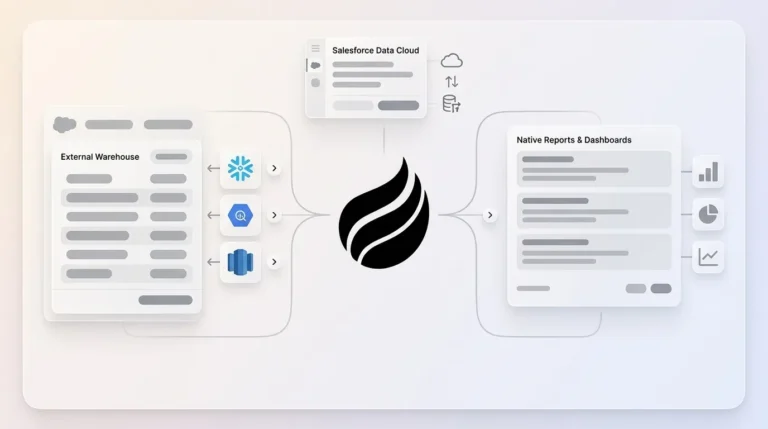
Companion layer for Salesforce or HubSpot. This model fits mid-market teams already invested in their CRM ecosystem, including quotas, forecasting hierarchies, required fields, and territory rules. Coffee’s Companion App authenticates through a simple OAuth flow and immediately begins writing enriched contacts, activity logs, meeting summaries, and pipeline changes back to the existing system. Newer alternatives like Day.ai and Clarify lack the integration depth to handle Salesforce forecasting and required-field logic reliably at this scale.
Operational Considerations and Common Risks
Change management. Gartner’s Melissa Hilbert notes that beyond a certain point, more AI does not guarantee more productivity, and winning platforms embed AI into workflows instead of layering it on top. Adoption often fails when reps must change behavior to feed the tool. Agentic solutions that work quietly in the background, reading email and calendar without rep action, tend to achieve higher adoption.
Security and compliance. Coffee is SOC 2 Type 2 and GDPR compliant, and data is not used to train public models. Any tool that receives CRM write-back access should meet the same bar, especially for teams in regulated or adjacent industries.
Integration architecture. Native integrations usually outperform Zapier-style middleware for data fidelity and latency. Coffee offers Zapier connectivity alongside its native Salesforce and HubSpot Companion App, and deeper integrations are in development.
Hidden costs. Nearly 70% of sales reps say they are overwhelmed by the number of tools, which becomes worse when teams stack specialized solutions. Stacking a conversation intelligence tool, an enrichment provider, a recording bot, and a forecasting layer creates compounding seat costs and data reconciliation overhead. Coffee consolidates these functions into one agent and reduces total cost of ownership.
Transcription-only limitations. Conversation intelligence platforms convert sales dialogue into artifacts such as summaries and action items derived directly from captured conversations, but they do not autonomously maintain contact records, enrich company data, or track pipeline changes from email signals. Teams that rely only on transcription tools still carry a manual reconciliation burden.
Decision Framework for Choosing Your Automation Path
Use the following criteria together as a quick filter, then select the path that matches your team profile and main pain point.
- Team size 1–20 with no existing CRM commitment. Deploy Coffee’s standalone AI-first CRM and skip legacy setup entirely.
- Team size 20–500 committed to Salesforce or HubSpot. Deploy Coffee’s Companion App, authenticate once, and let the agent handle write-back from day one.
- Primary pain in call coaching and rep performance. Choose conversation intelligence tools such as Gong or Avoma, then pair them with an agentic write-back layer for full CRM hygiene.
- Primary pain in pipeline forecast accuracy. Treat forecast accuracy as a data quality problem. Solve data quality first with agentic write-back, then layer forecasting tools on top of clean inputs.
- Low tolerance for manual work and fragmented stacks. Use Coffee’s agent to consolidate CRM, enrichment, recording, and pipeline tracking into one seat-based price.
- High compliance requirements. Confirm SOC 2 Type 2 and GDPR status before any CRM write-back tool accesses email or calendar data.
Frequently Asked Questions
How long does implementation typically take?
Coffee’s Companion App on Salesforce or HubSpot starts with a simple OAuth authentication to Google Workspace or Microsoft 365. The agent scans emails and calendars immediately after connection, and contacts plus activity logs begin populating in the first session. Most teams reach full operation within one business day. The standalone CRM follows the same pattern because there is no legacy data model to configure. Teams migrating from spreadsheets or Notion usually complete the transition within a week. Larger mid-market deployments with custom Salesforce field mappings may need a short configuration session, but they avoid the multi-month implementation cycles common with legacy CRM rollouts.
What is the migration effort from existing tools?
Teams adopting Coffee as a Companion App do not migrate data, because Salesforce or HubSpot remains the system of record and Coffee writes into it. The existing data model, workflows, and reporting stay intact. Teams moving to Coffee’s standalone CRM from spreadsheets or a legacy CRM can have the agent ingest historical contact and company data via import. Coffee stores data in a built-in data warehouse rather than a flat relational database, so historical context is preserved instead of overwritten, which avoids the field-update issues common in legacy CRMs.
How is data security and compliance handled?
Coffee is SOC 2 Type 2 certified and GDPR compliant. Email and calendar data processed by the Coffee Agent is not used to train public AI models, and the agent operates on your data only to populate your CRM records. Any CRM write-back tool should provide SOC 2 Type 2 attestation, a clear data processing agreement that covers GDPR obligations, and explicit confirmation that customer data stays out of model training pipelines. Coffee meets all three requirements.
How do teams measure ROI through hours saved and pipeline accuracy?
The most direct ROI metric is weekly hours reclaimed per rep. Start with a baseline by surveying reps on current manual CRM time, which industry data places between 5 and 13 hours per week depending on role and company. After deploying an agentic write-back solution, re-survey at 30 and 60 days. Coffee targets 8–12 hours of weekly savings per rep. Pipeline accuracy is measured by comparing forecast-to-close variance before and after deployment. Because Coffee’s agent ensures activity data enters the CRM from every email, call, and calendar event, pipeline reports reflect actual deal state rather than the last manual update. Teams using Coffee’s Pipeline Compare feature can track week-over-week deal progression, stalls, and new additions without manual CSV exports, which turns pipeline reviews from data-gathering sessions into strategic conversations.
Conclusion: How to Choose the Right Automation Approach in 2026
Data quality dictates AI efficacy in 2026, because instantaneous agent responses are useless when inputs are stale, scattered, or irrelevant. Conversation intelligence tools focus on the call channel. Email sync tools focus on the inbox. Enrichment providers focus on firmographic gaps. None of these options, alone or stacked, deliver the autonomous structured write-back that keeps a CRM accurate without human effort.
The core value of sales enablement in 2026 lies in execution inside live deals, with emphasis on automating work such as note-taking, CRM data entry, and basic follow-up drafting. Only agentic solutions that ingest both structured fields and conversational inputs, then write clean records back to Salesforce, HubSpot, or a standalone system, meet that bar. Coffee is built for that benchmark as a Companion App for teams already invested in their CRM or as a standalone system for teams ready to leave legacy architecture behind.