Written by: Doug Camplejohn, CEO & Co-Founder, Coffee | Last updated: July 14, 2026
Key Takeaways for AI-First Sales Teams
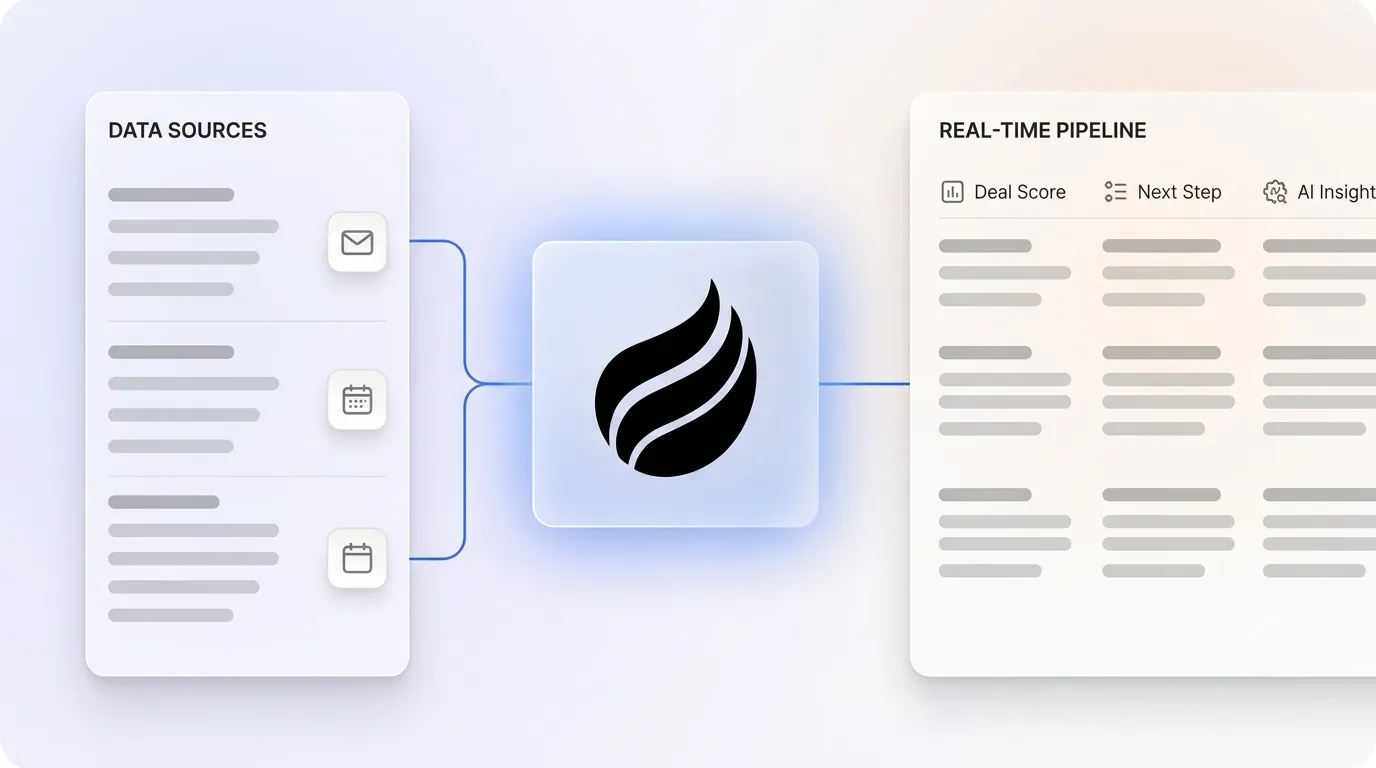
An AI-first CRM uses an autonomous agent to capture live data from emails, calls, and calendars, so reps avoid manual entry.
Real-time decisions depend on a dedicated data warehouse that preserves history instead of overwriting records like legacy CRMs.
Five core mechanisms power this model: continuous agent-led data capture, live engagement signals, predictive scoring, next-best-action recommendations, and automated pipeline intelligence.
Teams using AI-first CRMs can increase revenue per rep by 41%, cut 8–12 hours of manual work weekly, and raise data accuracy from roughly 58% to 91% or higher.
How Real-Time Decision Making Works in AI Sales Systems
Real-time decision making in AI is the process where a system ingests live data signals, scores them against historical patterns, and surfaces a recommended action within seconds of the triggering event. In a sales context, an AI agent detects that a prospect has revisited a pricing page, updates the opportunity score, and notifies the assigned rep before the session ends. The entire flow runs without human data entry at any step.
How AI Delivers Real-Time Feedback in Coffee
AI provides real-time feedback only when the underlying CRM stores interaction history in a dedicated data warehouse rather than a flat relational database. Legacy CRMs overwrite field values on update, which permanently discards prior context. Coffee’s built-in data warehouse preserves every timestamped interaction, including emails, call transcripts, and meeting notes, so its agent can compare current engagement against a complete historical baseline and return an accurate score instantly. AI systems that monitor CRM fields continuously turn the CRM into a live document rather than a historical artifact, a capability that flat-schema systems structurally cannot replicate.
Readiness Checklist for Deploying Coffee
Teams move faster when three prerequisites are in place before deploying an AI-first CRM.
Connected Google Workspace or Microsoft 365: The agent requires OAuth access to email and calendar streams to begin autonomous data capture on day one.
Defined buyer persona: Visitor identification and suggested-lead features require a documented ICP so the agent can filter anonymous traffic into qualified prospects.
SOC 2-compliant environment: Coffee is SOC 2 Type 2 and GDPR certified, so confirm your team’s data-handling policies align before connecting production inboxes.
Once these three prerequisites are in place, you are ready to deploy. Connect your workspace to Coffee and your AI agent can begin capturing data within minutes of setup.
1. Continuous Agent-Led Data Capture Across Channels
Build people lists automatically with Coffee AI CRM Agent
Common Mistake: Manual Entry Gaps Teams that rely on reps to log calls after the fact introduce hours-long data latency. Poor data quality in CRMs can cost businesses significantly each year. If the agent is not capturing at the point of occurrence, every downstream score and recommendation inherits that error.
2. Live Customer Intelligence and Engagement Signals
Captured data turns into live customer intelligence when the agent continuously monitors engagement signals and updates the deal record in real time. Coffee’s visitor identification pixel identifies named individuals browsing your site, infers their title and company, and surfaces a Slack notification with one-click prospect creation. AI-first CRMs trigger immediate sales actions automatically when specific signals occur, such as a prospect visiting a pricing page three times, which notifies the assigned rep instantly. Late follow-ups and forgotten touchpoints contribute to a significant portion of lost deals. AI CRMs that automatically detect cooling signals and trigger reminders can improve follow-through rates and prevent deals from slipping through the cracks.
Building a company list with Coffee AI
Common Mistake: Lost Historical Context Without the historical context preserved in a data warehouse, the agent cannot distinguish a re-engaged champion from a first-time contact. This gap produces false-positive scores and misdirected outreach.
3. Predictive Opportunity Scoring on Four Signal Types
With clean, continuous data flowing into a historical warehouse, the agent scores every open opportunity against four signal types: ICP fit, intent, trigger events, and engagement. ICP fit covers firmographics and technographics. Intent reflects in-market research behavior. Trigger events include funding rounds and executive changes. Engagement captures multi-stakeholder CRM activity across channels. Modern predictive opportunity scoring combines fit, intent, trigger, and engagement signals to produce scores that reflect both structural fit and current momentum. AI pipeline management can increase qualification rates, improve closing rates, and reduce sales cycle length.
Automated meeting prep with Coffee AI CRM Agent
Common Mistake: Static Scoring Models Rule-based lead scores set at deal creation never update as engagement changes, which means a prospect who was highly engaged at first contact but has gone silent can still carry a high score weeks later. Machine learning engines in AI-first CRMs continuously recalibrate scores as new engagement data arrives, so the score reflects current momentum rather than outdated assumptions.
4. Next-Best-Action Recommendations for Every Deal
Create instant meeting follow-up emails with the Coffee AI CRM agent
Trigger Signal
Recommended Action
Delivery Channel
Outcome Target
Pricing page visited 3× in 48 hours
Send ROI one-pager and request a discovery call
Slack notification plus drafted email
Advance to Proposal stage
Champion silent for 14 days
Send re-engagement email with a new case study
Gmail draft auto-created
Restore engagement signal
Economic buyer joins email thread
Schedule executive briefing and prepare business-case deck
Calendar invite drafted
Accelerate close timeline
Competitor mentioned on call transcript
Surface battle card and flag for manager review
In-app alert
Protect deal from competitive displacement
Common Mistake: Generic Follow-Up Templates Sending the same follow-up regardless of deal context wastes the signal the agent already captured. Adopting AI CRM integration can increase the rate of timely follow-ups and shorten deal cycles. Context-aware drafts, not generic templates, drive that result.
5. Automated Pipeline Intelligence and Forecasting
The fifth mechanism closes the loop between individual deal actions and portfolio-level forecasting. Because Coffee’s agent has captured every interaction into a data warehouse, it can visualize week-over-week pipeline changes without a single CSV export. The Pipeline Compare feature highlights progressed deals, stalled opportunities, and new additions automatically, which turns pipeline reviews from interrogation sessions into strategic discussions. Because the agent scores every deal based on engagement signals rather than rep sentiment, forecast accuracy improves. Weekly pipeline review prep time also drops from hours to minutes because the visualization is generated automatically from the data warehouse.
Common Mistake: Manual Pipeline Reviews Many sales leaders report that manual pipeline management can hurt forecast accuracy. When reps self-report deal status, optimism bias inflates the forecast. An agent that reads engagement signals, not rep sentiment, produces a forecast grounded in behavioral evidence.
Rep manually writes notes and drafts email 4–6 hours later
Coffee agent generates summary, action items, and Gmail draft within minutes of call end
Weekly pipeline review
Manager exports CSV, builds spreadsheet, and interrogates reps on deal status, with significant prep per review
Coffee Pipeline Compare surfaces week-over-week changes automatically, so prep time is reduced substantially
Anonymous website visitor
Visitor identity remains unknown, no action is taken, and the lead is lost
Coffee pixel identifies a named individual, infers title and company, and fires a Slack alert so the rep adds the prospect with enrichment pre-filled in one click
Coffee offers two deployment models so teams can match the platform to their current stage.
Standalone AI-First CRM (1–20 people): The Coffee agent powers the entire system of record, which makes it ideal for founders and early sales hires who have outgrown spreadsheets but find legacy CRMs too manual and expensive. Because setup requires only a Google Workspace or Microsoft 365 connection, teams can deploy a full CRM in minutes rather than weeks. The agent begins populating contacts and logging activity immediately, with no configuration, custom fields, or training required.
Companion App for Salesforce or HubSpot (20–50+ people): The Coffee agent sits on top of an existing Salesforce or HubSpot instance and handles the data-in process. It auto-creates contacts, enriches records, logs calls, and drafts follow-ups, then writes verified insights back to the primary CRM. Teams retain their existing workflows, quotas, and forecasting configurations while eliminating the manual entry burden that degrades data quality.
Frequently Asked Questions
Does Coffee integrate with tools outside Google Workspace and Microsoft 365?
Yes. Coffee currently supports integrations via Zapier, which connects the agent to hundreds of tools across the sales stack including Slack, Zoom, and outbound sequencing platforms. For teams that require faster sync speeds or more granular control, deeper native integrations with these tools are on the product roadmap. For teams already running Salesforce or HubSpot, the Companion App model provides a direct, authenticated sync that writes enriched data and AI-generated insights back to those systems without requiring Zapier as an intermediary.
How does Coffee protect customer data?
Coffee is SOC 2 Type 2 and GDPR compliant. Customer data is not used to train public AI models. The agent processes emails and call transcripts within a controlled environment, and role-based access controls ensure that sensitive deal information is visible only to authorized users. For teams in regulated industries or those undergoing security reviews, Coffee’s compliance documentation is available on request.
How does Coffee’s seat-based pricing work?
Coffee uses straightforward seat-based pricing, so organizations pay for the number of human users on the platform. The agent’s labor, including data capture, enrichment, meeting notes, follow-up drafting, and pipeline intelligence, is included without additional metering on LLM usage, API calls, or automated processes. There are no per-action charges or usage tiers that penalize high-volume teams. This model makes the cost of deploying the agent predictable and directly proportional to team size.
Conclusion: Moving from Manual CRM to Autonomous Pipeline
Legacy CRMs fail at real-time decision making because they depend on humans to supply the data that AI needs to act. The five mechanisms covered here each address a specific failure point in that human-dependent model. Continuous agent-led data capture eliminates manual entry lag. Live customer intelligence surfaces engagement in real time. Predictive opportunity scoring replaces static rules. Next-best-action recommendations provide context-aware guidance. Automated pipeline intelligence removes forecast bias and reduces review prep.
Coffee is the concrete implementation of all five mechanisms, delivered as an autonomous agent that ensures good data enters the system so that accurate forecasts, timely follow-ups, and prioritized deal actions come out. For Heads of Sales and RevOps at growing tech companies, the path from roughly 35% selling time to consistent quota attainment runs through eliminating the manual entry grind. Deploy your autonomous agent and put it to work on your pipeline today.