Written by: Doug Camplejohn, CEO & Co-Founder, Coffee | Last updated: June 25, 2026
Key Takeaways for Sales and RevOps Leaders
- Manual CRM data entry is the root cause of lost selling time and drags down meeting prep, pipeline reporting, and tool management.
- Automating data entry with a single autonomous agent reclaims 8–12 hours per rep each week by handling capture, orchestration, and tracking at once.
- Point solutions like Gong, Apollo, and Calendly add complexity and cost, while a unified Coffee Agent consolidates these functions into one low-maintenance platform.
- Both standalone Coffee CRM and Companion deployments for Salesforce or HubSpot reduce migration effort and deliver measurable ROI within the first 90 days.
- Ready to reclaim those hours now? Get started with Coffee today.
How CRM Data Entry Drains Selling Time
71% of sales reps say they spend too much time on data entry, and only 35% of their week goes to actual selling. The remaining 65% disappears into a few related drains that compound one another. Manual CRM data entry is the root problem. When reps skip logging calls, every downstream process degrades and becomes slower.
Meeting prep turns into guesswork because context is missing. Pipeline reporting needs manual CSV exports to fill gaps. Tool switching increases because reps bolt on Gong for call recording, Apollo for enrichment, and Calendly for scheduling to cover what the CRM does not handle automatically. Fixing data entry addresses all of these issues at once.

2026 Time-Audit Table: Hours Reclaimed by Category
The breakdown below quantifies how much time each drain consumes and how much time automation returns to each rep. The Coffee Agent row reflects the combined effect of automating all four drains at the same time.
| Time-Drain Category | Baseline Hours Lost / Week | Hours Reclaimed (Point Solution) | Hours Reclaimed (Coffee Agent) |
|---|---|---|---|
| CRM data entry & logging | 4–5 hrs | 2–3 hrs (partial automation) | 4–5 hrs (full automation) |
| Meeting prep & follow-up | 3–4 hrs | 1–2 hrs (single-tool coverage) | 3–4 hrs (briefings + auto-summaries) |
| Pipeline reporting | 2–3 hrs | 1 hr (dashboard add-on) | 2–3 hrs (Pipeline Compare, no exports) |
| Tool switching & stack admin | 1–2 hrs | 0 hrs (adds tools, not removes) | 1–2 hrs (stack consolidation) |
| Coffee Agent Total | 10–14 hrs | 0 | 8–12 hrs reclaimed |
Point solutions address one row at a time and leave data fragmented. The Coffee Agent addresses all four at once because a single data layer powers every output.
Choosing Between Standalone Coffee CRM and Companion for Salesforce or HubSpot
The right Coffee deployment depends on company size, existing CRM investment, and appetite for migration. Coffee supports both paths, so the decision focuses on fit instead of compromise.
| Factor | Standalone Coffee CRM | Coffee Companion (Salesforce/HubSpot) |
|---|---|---|
| Company size | 1–20 employees, early-stage sales team | SMB to mid-market, established CRM instance |
| CRM commitment | Replacing spreadsheets or lightweight CRMs | Keeping Salesforce or HubSpot as system of record |
| Migration effort | Low, agent builds the record from email and calendar | Minimal, authenticate once, agent writes back to existing records |
| Primary buyer | Founder or early sales hire | Head of Sales or RevOps leader |
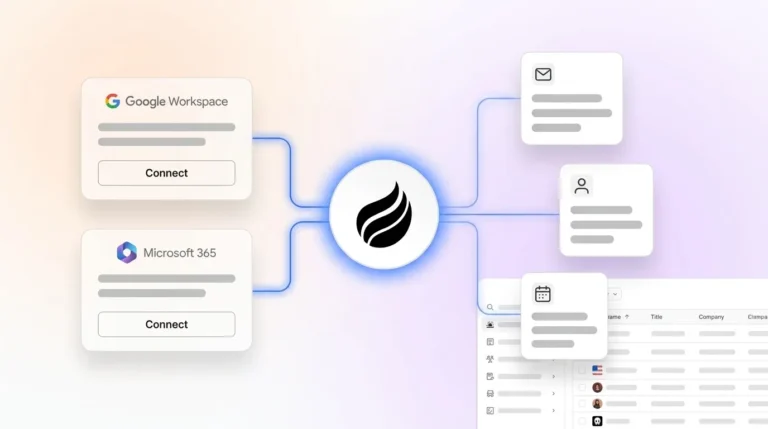
Teams already running Salesforce or HubSpot keep their current CRM and avoid a rip-and-replace project. The Coffee Companion authenticates through a simple OAuth flow, then the agent ingests emails, calendar events, and call transcripts, enriching records and logging activity without human input. This preserves your existing CRM investment while removing manual data work.
Conversely, teams that have outgrown spreadsheets but want to avoid decades of Salesforce configuration debt use the Standalone CRM. That path gives them an agent-native system of record from day one.
Replacing Gong, Apollo, and Calendly with a Single Agent
Most sales stacks in 2026 rely on Salesforce or HubSpot for records, Gong for call intelligence, Apollo for enrichment, and Calendly for scheduling. Each tool solves a narrow problem and creates new overhead through extra invoices, logins, and data silos. The comparison below shows how that fragmented stack differs from the Coffee Agent on the dimensions RevOps leaders care about most.

| Dimension | Coffee Agent | Gong + Apollo + Calendly (fragmented stack) |
|---|---|---|
| Data entry automation | Full, agent logs all contacts, activities, and interactions automatically | None, each tool captures its own silo and reps still reconcile records manually |
| Implementation effort | Low, connect Google Workspace or Microsoft 365 and the agent starts immediately | High, three separate onboarding processes and admin configuration per tool |
| Meeting intelligence | Built in, bot joins calls, generates summaries, drafts follow-ups, and maps to BANT, MEDDIC, or SPICED | Gong covers recording, while follow-up drafting needs separate tooling or manual effort |
| Ongoing admin burden | Low, agent handles enrichment, logging, and reporting continuously | High, three vendor relationships, three renewal cycles, and three integration maintenance tasks |
Coffee’s data enrichment, including job titles, funding rounds, and LinkedIn profiles, comes from licensed data partners and lives inside the agent, which removes the Apollo dependency. Call recording and transcription come from the Coffee meeting bot, which removes the Gong dependency. Scheduling runs through the agent’s calendar integration. One seat-based price replaces three separate line items.

What Frontline Reps Say About CRM Data Entry
“I spend more time updating Salesforce than I do on actual calls. My manager wants the data but the data entry is killing my pipeline time.” — anonymized, r/sales
“We bought Gong to fix our call quality and then realized we still had to manually log everything back into HubSpot. It solved one problem and ignored the actual bottleneck.” — anonymized, r/salestechniques
“The worst part isn’t the entry itself, it’s that I do it wrong or forget, and then the forecast is garbage, and then I’m in a 45-minute pipeline review explaining gaps that wouldn’t exist if the CRM just updated itself.” — anonymized, r/sales
These comments reflect the median rep experience in 2026. They describe the failure mode that passive CRM architecture creates when no agent manages the input layer.
Teams that want to break that cycle can get started with Coffee and let the agent handle inputs so reps can focus on closing.
Implementation Checklist for Small and Mid-Market Teams
Small teams (1–20 reps) deploying Coffee Standalone CRM:
- Connect Google Workspace or Microsoft 365 so the agent can start auto-creating contacts and logging activity immediately.
- Review the auto-populated pipeline within 48 hours and confirm that deal stages match your sales motion.
- Enable the meeting bot for Zoom, Teams, or Google Meet.
- Configure your buyer persona for Visitor Identification and Suggested Leads.
- Set up real-time Slack notifications for high-fit website visitors.
- Run the first Pipeline Compare review at the end of week one and skip spreadsheet prep.
Mid-market teams deploying Coffee Companion on Salesforce or HubSpot:
- Complete OAuth authentication between Coffee and your existing CRM instance so no data migration is required.
- Confirm required fields and forecast categories are mapped correctly before the agent begins writing back.
- Audit current Gong, Apollo, and enrichment tool contracts against Coffee’s built-in feature coverage.
- Brief RevOps on Pipeline Compare as the replacement for manual weekly CSV exports.
- Train reps on the “Today” briefing page, which replaces pre-call research across multiple tabs with one screen.
- Measure CRM field-completion rate at 30 days and use it as the primary adoption KPI.
Frequently Asked Questions
How long does it take to implement Coffee?
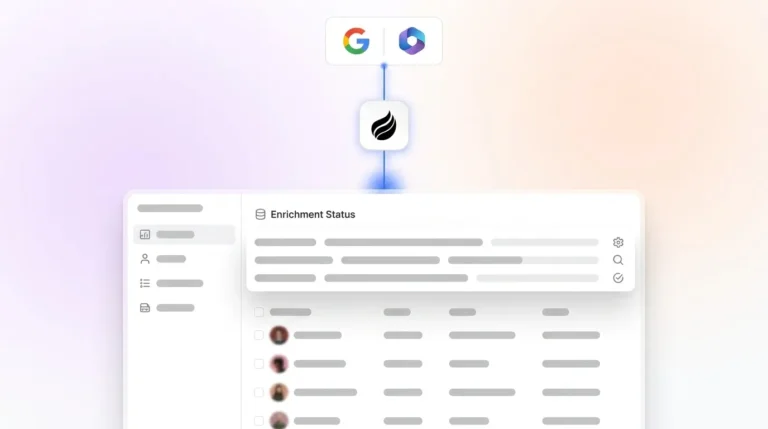
For the Standalone CRM, implementation takes minutes instead of weeks. Connecting Google Workspace or Microsoft 365 triggers the agent to scan emails and calendars immediately. Contacts, companies, and activities then populate automatically. Most small teams see a working pipeline view within 24–48 hours. For the Companion deployment on Salesforce or HubSpot, the process is a single OAuth authentication. The agent then enriches and logs data against existing records without a data migration or custom configuration project.
How much migration effort is involved if we switch from HubSpot or Salesforce?
Teams deploying the Coffee Companion do not migrate at all, because Salesforce or HubSpot remains the system of record and the Coffee Agent writes enriched data back into it. Teams choosing the Standalone CRM usually migrate from spreadsheets or lightweight tools like Pipedrive. The Coffee Agent reconstructs contact and activity history from email and calendar data automatically, which keeps manual migration work low. Historical records that exist only in a legacy CRM can be imported, and the agent then takes over all forward-looking data capture.
Is Coffee secure, and how is our data handled?
Coffee is SOC 2 Type 2 certified and GDPR compliant. Data processed by the Coffee Agent does not train public AI models. For mid-market teams with procurement or InfoSec review requirements, Coffee’s compliance documentation is available on request. The agent accesses email and calendar data only to populate and enrich CRM records. It does not store message content beyond what is needed to generate summaries and log activities.
How deeply does Coffee integrate with Salesforce and HubSpot?
Coffee’s Companion integration reflects a detailed understanding of Salesforce and HubSpot complexity, including required fields, forecast categories, custom objects, and quota structures. This depth separates Coffee from newer CRM alternatives that cannot yet support established mid-market teams. The agent reads from and writes back to the CRM. Broader third-party integrations beyond Google Workspace, Microsoft 365, and the native CRM connectors are currently available through Zapier, and deeper direct integrations are on the product roadmap.
How should we measure ROI in the first 90 days?
Three metrics give a clear 90-day ROI picture. First, CRM field-completion rate, which measures the percentage of deal records with complete activity logs before and after Coffee deployment and directly quantifies data quality improvement. Second, hours reclaimed per rep, which you can measure by surveying reps on time spent on data entry and meeting prep at day 0 and day 90, using the documented reclaimed range as a benchmark. Third, pipeline review time, which you can track by comparing the duration of weekly pipeline review meetings before and after enabling Pipeline Compare, since most teams eliminate manual prep and recover 1–2 hours of manager and rep time per review cycle.
Conclusion: Put an Agent in Front of Your CRM
The key distinction in 2026 is not which CRM has the most attractive dashboard. The real difference is whether your CRM has an agent doing the work or a human acting as a data entry clerk. Passive databases, no matter how modern their UI looks, degrade as soon as reps stop feeding them. An autonomous agent never stops. It logs every call, enriches every contact, briefs every meeting, and updates every pipeline record without being asked.
Coffee is that agent. It can operate as your system of record or as the intelligence layer on top of Salesforce and HubSpot. In both cases, it returns the hours documented above to the activity that actually closes revenue: selling.
Get started with Coffee and put an agent to work on your pipeline today.