
Written by: Doug Camplejohn, CEO & Co-Founder, Coffee | Last updated: July 1, 2026
Key Takeaways for Small Sales Teams
- Seven HubSpot alternatives under $25 per user per month support Gmail, Slack, QuickBooks, and calendar tools for small sales teams.
- Most tools still depend on manual data entry. Coffee stands out with an autonomous agent that removes 8–12 hours of weekly busywork.
- Entry pricing runs from free tiers to $19 per user, so teams of ten or fewer can adopt these tools without enterprise contracts.
- Coffee works as both a standalone CRM and a Companion App that layers on top of an existing HubSpot instance.
- Ready to cut data entry and boost selling time? See how Coffee’s agent fits your team today.
HubSpot’s Real Cost for Teams of 10 or Fewer
HubSpot’s free tier helps small teams get started, but costs rise quickly once you need deal automation, sequences, or custom reporting. Pricing jumps to the Sales Hub Starter plan at $15 per user per month when billed annually (or $20 monthly), then to Sales Hub Professional at $90 per user per month when billed annually (or $100 monthly) for features most growing teams actually use. A five-person team on Professional pays $450 per month before add-ons.
Time adds another hidden cost. 71% of sales reps report spending too much time on data entry, leaving only 35% of their working hours for actual selling. HubSpot’s architecture still expects humans to keep records current, so that data-entry burden remains.
How These HubSpot Alternatives Were Evaluated
Each tool below was evaluated against five criteria. First, pricing had to stay under $25 per user per month on a plan suitable for teams of ten or fewer. Second, the tool needed solid integration depth with Gmail, Slack, QuickBooks, Zapier, and calendar tools. Third, it had to reduce manual data entry through automated data capture. Fourth, it needed pipeline visibility without manual exports. Fifth, onboarding had to be manageable for a non-technical Head of Sales. Tools that required enterprise contracts or IT-led implementation were excluded. The seven tools below appear in order of automation strength, starting with the only platform that removes manual data entry entirely.
1. Coffee – Autonomous CRM Agent for Small Teams
Pricing: Seat-based pricing includes the agent’s work with no extra metering. Entry plans target teams under 20 seats.
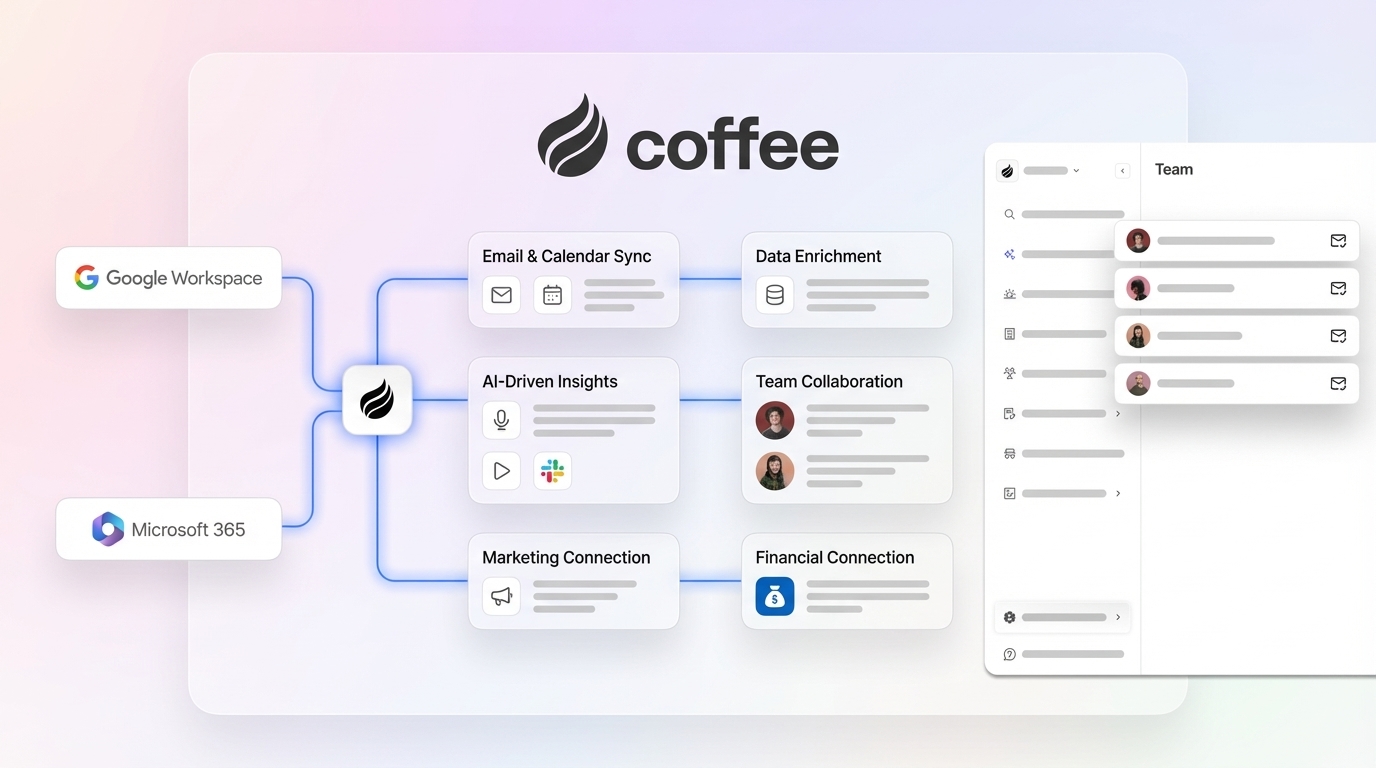
Integrations: Native Google Workspace and Microsoft 365 sync keep email and calendar data flowing automatically. QuickBooks integration launched February 2026 to sync invoices and payment statuses in real time. Zapier integration expanded in January 2026 to connect call-recording tools including Fathom, Gong, and Fireflies. Stripe integration imports customers, enriches records, and marks paid invoices as Closed Won.
Data-capture automation: The Coffee Agent scans emails and calendars, then auto-creates contacts, companies, and activities. It logs last and next activity on its own, joins calls through an AI meeting bot, and produces post-call summaries and follow-up drafts. This automation removes 8–12 hours of weekly admin work for each rep.

Pipeline visibility: The Pipeline Compare feature tracks week-over-week deal changes automatically. It highlights progressed, stalled, and new opportunities without any spreadsheet work.
Onboarding effort: Connect Google Workspace or Microsoft 365 and the agent starts populating records right away. Coffee also runs as a Companion App on top of an existing HubSpot instance, so teams can keep HubSpot while adding automation. Coffee is SOC 2 Type 2 compliant and aligns with GDPR requirements.
2. Pipedrive – Visual Pipeline for Deal-Focused Teams
Pricing: Pipedrive Lite plan starts at $14 per user per month (billed annually).
Integrations: Native Gmail and Google Calendar sync support daily workflows. Slack and QuickBooks connect through Zapier. The Marketplace lists more than 400 app connections.
Data-capture automation: Email sync logs correspondence automatically, and Smart Contact Data enriches records from public sources. Reps still enter call notes and meeting outcomes by hand.
Pipeline visibility: A drag-and-drop board supports deal management, and higher tiers add revenue forecasting. Reporting on the Essential plan remains limited.
Onboarding effort: Setup is simple, with CSV import and a guided wizard. No autonomous agent exists, so reps remain responsible for data quality.
3. Zoho CRM – Feature-Dense Budget Option
Pricing: Standard plan costs $14 per user per month (billed annually). A free plan supports up to three users.
Integrations: Native Gmail, Google Workspace, Slack, and QuickBooks integrations support core workflows. Zapier is available. Zoho’s own products, such as Books, Desk, and Campaigns, add depth for teams already using that stack.
Data-capture automation: The Zia AI assistant offers predictive scoring and anomaly detection. Activity logging still depends heavily on rep input.
Pipeline visibility: Custom dashboards and forecasting modules provide flexibility. Configuration requires more effort than most tools in this comparison.
Onboarding effort: Setup ranges from moderate to high. The broad feature set creates a steep learning curve for a five-person team without a dedicated admin.
4. Freshsales – Simple CRM with AI Scoring
Pricing: Growth plan costs $9 per user per month (billed annually). A free plan is available.
Integrations: Native Gmail and Google Calendar support email and scheduling. Slack and QuickBooks connect through Zapier. Freshworks tools such as Freshdesk and Freshchat integrate natively.
Data-capture automation: Freddy AI scores leads and suggests next actions. Email and activity logging are automated on paid plans. Call logging depends on the built-in phone add-on.
Pipeline visibility: A visual deal board and AI-powered deal health indicators appear on Growth and higher tiers.
Onboarding effort: Setup is fast. A clean interface and guided onboarding help small teams get running quickly.
5. HubSpot Free – Zero-Cost CRM Starting Point
Pricing: Core CRM features cost $0. Automation and sequences require paid upgrades starting at $15 per user per month.
Integrations: Native Gmail, Google Calendar, and Slack support daily communication. QuickBooks connects through Zapier or HubSpot’s App Marketplace.
Data-capture automation: Email logging and meeting scheduling are included on the free plan. Workflow automation sits behind paid tiers.
Pipeline visibility: A basic deal board and simple reporting are available for free. Advanced forecasting requires the Professional plan.
Onboarding effort: Initial setup is easy. Complexity grows as teams try to add automation while staying on free or Starter tiers.
6. Close – CRM for Outbound-Heavy Small Teams
Pricing: Close does not offer a Startup plan; its entry-level Solo plan costs $9 per user per month billed annually and is limited to one user. The Base plan costs $27 per user per month for larger teams, which sits slightly above the $25 threshold.
Integrations: Native Gmail sync and built-in calling and SMS support outbound work. Slack and QuickBooks connect via Zapier.
Data-capture automation: Automatic email and call logging form a core part of the product. Smart Views surface prioritized leads without manual sorting.
Pipeline visibility: Activity-based reporting is strong. Deal-value forecasting is less advanced than in dedicated pipeline tools.
Onboarding effort: Outbound teams ramp quickly. The product fits high-volume calling and emailing better than complex multi-stage enterprise pipelines.
7. Streak – Gmail-Native CRM
Pricing: Streak Pro plan costs $49 per user per month (billed annually). A free plan supports individual use.
Integrations: Streak lives inside Gmail and includes Google Calendar sync. Slack and QuickBooks connect through Zapier.
Data-capture automation: Email tracking and mail merge are built in. Users update pipeline stages from within Gmail threads. No autonomous agent exists for enrichment or call capture.
Pipeline visibility: A spreadsheet-style pipeline view appears inside Gmail. Manager-level forecasting remains limited.
Onboarding effort: Gmail-native teams adopt Streak quickly. It does not suit Outlook users or teams that need a standalone CRM interface.
Integration Checklist for Gmail, Slack, QuickBooks, and Zapier
The table below shows which tools connect natively to Gmail, Slack, QuickBooks, and Zapier. Focus on where you need native integrations versus Zapier, since that difference affects setup time and ongoing maintenance.
| Tool | Gmail / Google Workspace | Slack | QuickBooks | Zapier |
|---|---|---|---|---|
| Coffee | Native | Native (real-time alerts) | Native (Feb 2026) | Native |
| Pipedrive | Native | Zapier | Zapier | Native |
| Zoho CRM | Native | Native | Native | Native |
| Freshsales | Native | Zapier | Zapier | Native |
| HubSpot Free | Native | Native | Zapier / Marketplace | Native |
| Close | Native | Zapier | Zapier | Native |
| Streak | Native (lives in Gmail) | Zapier | Zapier | Native |
2026 Pricing Snapshot for Small Teams
This pricing table highlights entry plans for teams of ten or fewer and shows which tools include autonomous data capture. Use it to compare sticker price against how much manual work your reps still need to do.
| Tool | Entry Plan (per user/month, billed annually) | Free Tier | Autonomous Data Capture |
|---|---|---|---|
| Coffee | Seat-based (contact for pricing) | No | Yes — full agent |
| Pipedrive | $14 | No | Partial |
| Zoho CRM | $14 | Yes (≤3 users) | Partial (Zia AI) |
| Freshsales | $9 | Yes | Partial (Freddy AI) |
| HubSpot Free | $0 / $15 (Starter) | Yes | No |
| Close | $19 | No | Partial |
| Streak | $15 | Yes (solo) | No |
Category Breakdown: Setup, Data Capture, and Flexibility
Setup: Streak and Freshsales provide the fastest onboarding for Gmail-centric teams. Coffee’s agent starts working as soon as you authenticate Google Workspace or Microsoft 365, so you skip manual field mapping. Zoho CRM requires the most configuration effort.
Data Capture: Coffee is the only tool with a fully autonomous agent that captures emails, calendar events, call transcripts, and enrichment data without rep input. Other tools still expect some manual logging or rely on partial AI assistance.

Usability: Close and Streak feel simplest for daily rep use. Coffee’s agent lightens the interface load by handling busywork, so reps mainly review and act on information instead of typing it in.
Manager Visibility: Coffee’s Pipeline Compare feature gives managers automatic week-over-week deal tracking without exports. Pipedrive and Close provide strong visual pipelines but still depend on reps to keep stages updated.
Long-Term Flexibility: Coffee’s Companion App model, described earlier, lets teams adopt HubSpot or Salesforce later while keeping the same agent-driven workflow. Other tools on this list require a full migration when you outgrow them.
What Reddit Users Dislike About Popular HubSpot Alternatives
Reddit threads in r/sales and r/CRM highlight three recurring complaints. Many users describe Pipedrive’s reporting as too limited for manager-level forecasting unless they upgrade to higher tiers. Founders often criticize Zoho CRM’s configuration complexity when they lack a dedicated RevOps owner. Teams relying on HubSpot Free report frustration with aggressive upsell prompts and discover that critical features sit behind the Professional paywall. Coffee addresses these pain points by automating data quality, keeping setup simple, and offering a Companion App path that avoids forced migrations.
Decision Checklist: Match Your Team to the Right CRM
If eliminating manual data entry matters most, and you need QuickBooks or Zapier integrations that work immediately, choose Coffee. This option also fits teams that care about strong compliance and want the flexibility to run the agent on top of an existing HubSpot instance.
If visual pipeline management and deal volume sit at the top of your list, and you are comfortable connecting Slack and QuickBooks through Zapier, choose Pipedrive. This approach favors simplicity over deep automation.
If your company already uses Zoho tools such as Books or Desk and someone can own initial configuration, choose Zoho CRM. The ecosystem benefits outweigh the setup effort in that case.
If budget pressure is high and your team can work with partial AI automation instead of a full agent, choose Freshsales. You gain low pricing and basic AI support.
If you need a no-cost starting point and expect to revisit paid tiers within six months, choose HubSpot Free. This path suits teams still validating their process.
If your workflow centers on outbound calls and emails and your team has three people or fewer, choose Close. The built-in dialer and SMS tools fit that motion well.
If every part of your workflow lives in Gmail and you do not need a standalone CRM interface, choose Streak. Gmail-native users adapt to it quickly.
Compare Coffee plans and choose the right setup for your team.
Frequently Asked Questions
What is the most affordable HubSpot alternative for a team of five in 2026?
Freshsales offers the lowest published entry price at $9 per user per month. HubSpot’s free tier costs nothing but lacks automation. Coffee’s seat-based model includes the agent’s work, such as data entry, enrichment, meeting management, and pipeline tracking, within the seat price. That structure keeps total cost competitive once you factor in the point solutions it can replace, including enrichment tools, call recorders, and forecasting add-ons.
Does Coffee work if my team already uses HubSpot?
Yes. Coffee’s Companion App model deploys the Coffee Agent as an intelligent layer on top of an existing HubSpot installation. The agent handles data capture, enrichment, and activity logging, then writes accurate data back into HubSpot without extra work from reps. Teams keep HubSpot while gaining Coffee’s automation.
Which CRMs on this list have a native QuickBooks integration?
Zoho CRM offers native QuickBooks integrations. Pipedrive, Freshsales, Close, Streak, and HubSpot Free all connect to QuickBooks through Zapier, which adds a workflow step but remains reliable for most small-team needs. Coffee also supports QuickBooks through Zapier in addition to its native integration mentioned earlier.
How much time can a small sales team realistically save by switching from HubSpot to an automated CRM?
Sales reps at companies using legacy CRMs that rely on manual entry often lose 8–12 hours per week to data entry tasks. Coffee’s autonomous agent takes over contact creation, activity logging, call transcript capture, and follow-up drafting. That reclaimed time turns into more selling hours for each rep on a small team.

Is Coffee secure enough for a startup handling customer financial data?
Coffee follows SOC 2 Type 2 controls and aligns with GDPR standards. Customer data does not train public AI models. The QuickBooks and Stripe integrations, which handle invoice and payment data, operate under the same security framework. For most U.S. startups outside heavily regulated sectors such as healthcare or finance, Coffee’s security posture matches or exceeds what comparable legacy CRMs provide.
Conclusion: Choosing a HubSpot Alternative That Cuts Busywork
Legacy CRMs often charge enterprise prices while still expecting reps to handle data entry. The seven alternatives in this guide undercut HubSpot’s paid tiers and still deliver the Gmail, Slack, QuickBooks, and Zapier integrations small teams rely on. Among them, Coffee stands alone with a fully autonomous agent that captures data, enriches records, manages meetings, and tracks pipeline changes without human input, reclaiming the weekly admin time described earlier. The Companion App model mentioned above also gives growing teams a flexible path as their stack evolves. Coffee’s compliance posture and straightforward seat-based pricing remove common objections for Heads of Sales who want to switch.
Review Coffee’s pricing and deploy your autonomous agent in under five minutes.


