
Written by: Doug Camplejohn, CEO & Co-Founder, Coffee
Key Takeaways for Claude + Coffee CRM Setups
- Claude AI delivers real value only when its summaries and insights flow into your CRM instead of staying in chat.
- Native connectors for Slack, Drive, and Calendar plus the Messages API give Claude direct access to the tools reps already use.
- MCP creates a consistent way to connect Claude to internal files, databases, and tools without building one-off integrations.
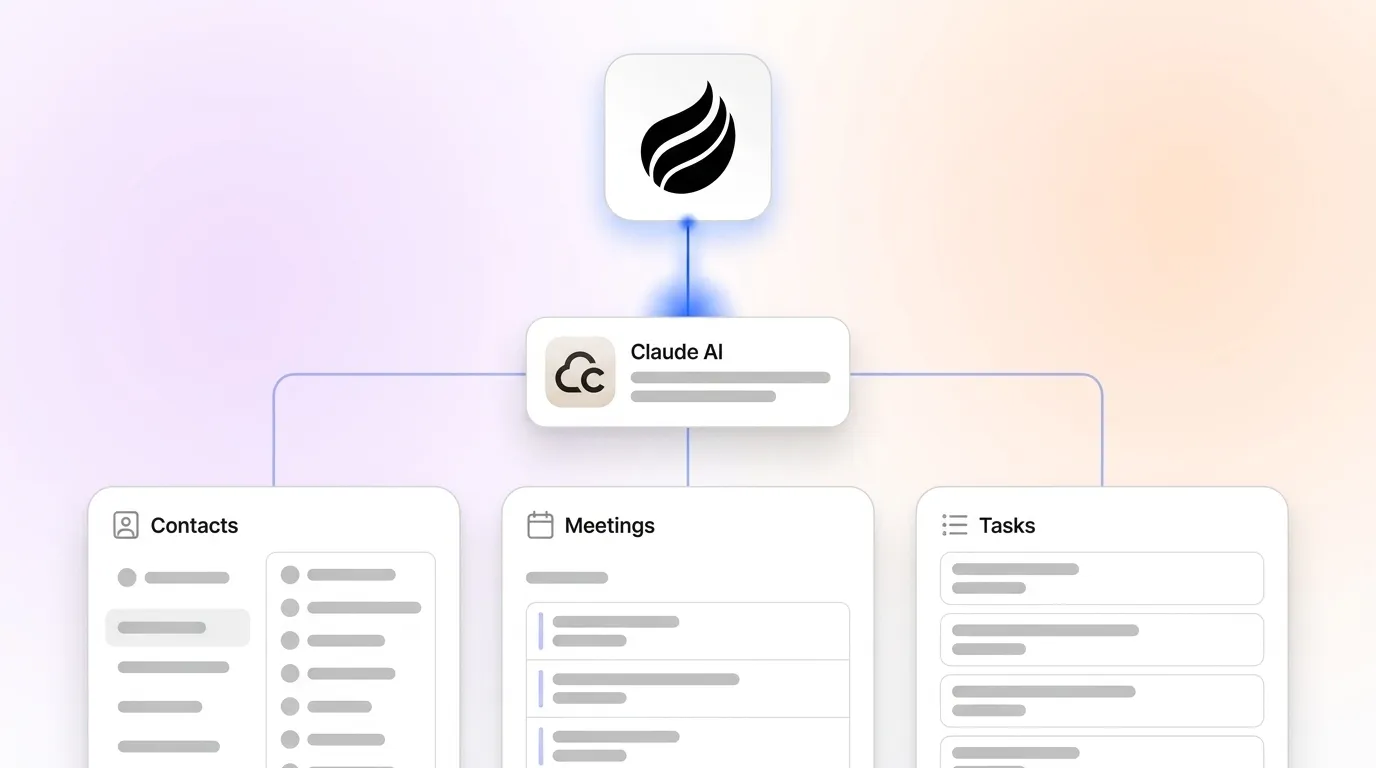
- Coffee’s agent layer turns Claude-processed emails, calls, and transcripts into structured CRM records, removing manual data entry.
- Connect your workspace to Coffee in minutes and start turning Claude outputs into revenue-grade CRM data.
Prerequisites for a Claude-Ready Sales Stack
Confirm three pieces before you start. You need an active Google Workspace or Microsoft 365 account for email and calendar ingestion. You also need an Anthropic API key from the Anthropic Console. Finally, you need an existing or planned CRM instance. Teams on Salesforce or HubSpot can keep their current setup. Teams without a CRM can use Coffee's Standalone AI-First CRM as the system of record from day one.
Connect your workspace to Coffee in minutes and lay the foundation for Claude-powered workflows.
Step 1: Connect Claude to Slack, Drive, and Calendar
Inputs required: Paid Claude plan (Pro, Team, or Enterprise), OAuth credentials for each app.
Ownership: IT admin or RevOps lead.
Expected output: Claude can read and act on Slack messages, Google Drive files, and calendar events inside the chat interface.
Anthropic launched Claude Connectors in July 2025, built on the open-source Model Context Protocol (MCP), enabling Claude to search, analyze, and take actions in connected apps rather than performing read-only lookups. The connector directory now includes over 400 curated integrations across communication, project management, finance, and more. Open Claude's connector settings, choose each app, and complete the OAuth redirect. Most connectors use OAuth, which usually takes only a few seconds.
Common Pitfall: Full connector access requires a paid Pro plan starting at $20 per month. Confirm your plan tier before you troubleshoot failed activations.
Step 2: Create Your API Key and Call the Messages API
Inputs required: Anthropic Console access, billing method on file.
Ownership: Developer or technical RevOps lead.
Expected output: A working API key that authenticates programmatic calls to Claude from internal tools or Coffee's agent layer.
Log in to the Anthropic Console, open the API Keys section, and generate a new key. Store the key in an environment variable and avoid hard-coding it in source files. A minimal Messages API call follows this pattern and highlights three required pieces for production use: authentication with the x-api-key header, a fixed anthropic-version for stability, and a correctly structured messages array that carries user prompts.
POST https://api.anthropic.com/v1/messages Headers: x-api-key: YOUR_KEY, anthropic-version: 2023-06-01 Body: { "model": "claude-opus-4-5", "max_tokens": 1024, "messages": [{"role": "user", "content": "Summarize this deal."}] }
Common Pitfall: Rate limits vary by plan and model tier. Exceeding them returns 429 errors. Implement exponential back-off in production clients and monitor usage in the Console dashboard.
Step 3: Configure MCP for Internal Files and Tools
Inputs required: MCP-compatible SDK, server definition file, target data sources such as local files, databases, or internal APIs.
Ownership: Developer.
Expected output: Claude can query internal data sources through a standardized server interface without custom connectors for each source.
MCP is an open-source framework developed by Anthropic that standardizes the way AI systems share data with external tools, services, and data sources using a client-server architecture with JSON objects and schemas. Implementing MCP involves five steps: understand the specifications, select SDKs, develop MCP servers, build MCP clients, and test and deploy the system. MCP allows vendors to build a single server that works across multiple AI assistants, reducing the need for separate custom connectors for each model.
Common Pitfall: Streamable HTTP is the transport that lets MCP servers run as remote services rather than local processes, but stateful sessions conflict with load balancers. The MCP 2026-07-28 release candidate addresses this by making the protocol stateless at the core layer, removing the initialize/initialized handshake so any request can be handled by any server instance behind a standard round-robin load balancer. Plan your server architecture for stateless operation from the start. With data access now configured through connectors, API, and MCP, you can focus on turning Claude's outputs into structured CRM records.
Step 4: Turn Claude Outputs into CRM Records with Coffee
Inputs required: Connected Google Workspace or Microsoft 365, CRM credentials (Coffee Standalone, Salesforce, or HubSpot), Claude API key.
Ownership: RevOps lead or founder.
Expected output: Contacts, activities, and pipeline records created and updated automatically from Claude-processed email, calendar, and call transcript data, with zero manual entry.
This stage converts isolated Claude context into revenue-grade CRM data. Coffee's agent ingests emails, calendar events, and call transcripts, sends them through Claude, and writes structured records directly into the CRM. Coffee's improved summary templates, released in November 2025, are customizable to match specific workflows and writable back to Coffee, HubSpot, or Salesforce. Coffee's AI search on deals, released in January 2026, answers natural-language questions such as “Which deals are stuck in negotiation?” or “What's closing this month?” and pulls from data the agent has already structured and stored.

Coffee introduced an Intelligence layer in February 2026 that allows users to define and store deep context on business model, product specifics, ICP, and competitors for tailored AI suggestions and insights. That context shapes every Claude output so that summaries and next-step recommendations mirror your real sales motion instead of generic AI responses.
Common Pitfall: Teams that connect Claude without an agent layer still rely on copy-paste to move outputs into CRM fields. Coffee closes this gap by writing directly to contact, activity, and deal records on behalf of each rep.
Start automating CRM workflows with Coffee today and let the agent handle your first end-to-end process.
Step 5: Support Developers with the Claude VS Code Extension
Inputs required: VS Code, Anthropic API key, Claude extension from the VS Code Marketplace.
Ownership: Developer or technical founder.
Expected output: Claude available inline during code authoring for CRM integration scripts, webhook handlers, and API clients.
Install the Claude extension from the VS Code Marketplace and add your API key in the extension settings. Claude then provides inline suggestions, code review, and documentation generation without leaving the editor. For teams building custom Coffee integrations, such as scripting bespoke briefing prompts against Coffee's API, this workflow speeds up development. One Coffee customer building custom AI solutions used API access to script their own prompts for bespoke briefings directly against Coffee's data layer.
Common Pitfall: Context window limits can affect large codebases. In large installations, Claude experiences frequent hallucinations once the context window limit is reached, requiring human review of generated code. Maintain a project context file, similar to a CLAUDE.md, that documents architecture decisions and load it at the start of each session.
Step 6: Control Cost, Rate Limits, and Security
Inputs required: Anthropic Console billing dashboard, security policy documentation.
Ownership: RevOps lead, IT admin, or CFO.
Expected output: Defined cost ceilings, rate-limit handling logic, and a documented data residency position.
Anthropic bills by token consumption, so set spend limits in the Console before you deploy any autonomous agent. For rate limits, add retry logic with exponential back-off at the API client layer. On security, Salesforce and Anthropic maintain the deepest enterprise partnership, with Anthropic as the first LLM provider whose models are fully contained within Salesforce-managed virtual private clouds and protected by Salesforce security controls. Coffee is SOC 2 Type 2 and GDPR compliant, and data processed through Coffee's agent does not train public models.
Common Pitfall: OAuth 2.1 integration with enterprise identity providers such as Okta is already implemented as of mid-2025. Teams should confirm that their current authentication approach matches the latest standards.
Validate Successful Claude and Coffee Integration
A correctly integrated Claude-plus-Coffee stack produces clear signals within the first week. The most immediate signal is zero manual activity logging, because reps stop entering call notes or email summaries by hand and the agent handles that work automatically. That automated logging powers the second signal, which is accurate week-over-week pipeline compare reports that replace manual CSV exports, with Coffee's Pipeline Compare feature visualizing deal progression, stalled opportunities, and new additions in real time. These two changes create the third signal, which is measurable hours saved per rep, typically 8 to 12 hours per week recovered from data entry and meeting prep busywork. If any of these signals are missing, revisit Step 4 and confirm that the agent has write permissions to the correct CRM objects.

Scale from Coffee Standalone CRM to Companion App
Teams that start on Coffee's Standalone CRM and later adopt Salesforce or HubSpot can keep their integration intact. Coffee's Companion App deploys the same agent as an intelligent layer on top of the new system of record. Authentication uses a single OAuth connection, and the agent then syncs data, enriches records, and writes insights back to Salesforce or HubSpot without disrupting existing workflows, quotas, or required fields. The same automated data-flow logic that powers features like the Stripe integration also applies when you migrate to the Companion App model.
Frequently Asked Questions
How long does the full integration take to set up?
Most small to mid-sized teams connect Google Workspace or Microsoft 365 to Coffee and activate Claude's native connectors in under an hour. The Coffee agent begins auto-creating contacts and logging activities immediately after authentication. MCP server configuration for custom internal data sources usually adds one to three days of developer time, depending on the complexity of the target systems. Teams using Coffee's Standalone CRM with no existing CRM migration can often go live the same day.
Where does my CRM and sales data reside, and is it used to train AI models?
Coffee is SOC 2 Type 2 and GDPR compliant, and data processed by the Coffee agent does not train public AI models. For teams on the Companion App that connect to Salesforce, Salesforce's own data residency and security controls apply to records stored in that platform. Anthropic's API processes data according to its published data usage policies, which exclude customer API data from model training by default on paid plans. Teams in regulated industries should review both Coffee's and Anthropic's data processing agreements before deployment.
How do workflows change as the sales team grows?
Coffee uses seat-based pricing, so the agent's labor scales with the team without extra per-process or per-token fees. As headcount grows, the agent continues auto-creating contacts, logging activities, and generating pipeline intelligence for each new seat. Teams moving from 5 to 50 reps often shift from Coffee's Standalone CRM to the Companion App model, layering the Coffee agent on top of Salesforce or HubSpot to keep the existing system of record while removing manual data entry at scale. The Intelligence layer, which stores context on ICP, competitors, and product specifics, applies across all seats without reconfiguration.
What happens to CRM data quality if reps stop entering data manually?
Data quality improves when reps no longer own manual entry. Legacy CRM data quality degrades because it depends on busy reps typing everything in. Coffee's agent ingests ground-truth data from emails, calendars, and call transcripts, which exist whether or not a rep logs them. The agent structures that unstructured data and writes it to the correct CRM records automatically. The result is a system where every interaction is captured, every deal state is current, and pipeline forecasts match reality instead of whatever a rep last typed.
Conclusion: Make Claude a Direct Source of CRM Revenue
Integrating Claude AI with your CRM and sales tools in 2026 follows a clear sequence. You activate native connectors for the productivity tools your team already uses, configure API access and MCP for custom data sources, and deploy Coffee's agent as the layer that converts Claude outputs into automatic CRM records. The outcome is a sales environment where contacts appear without manual effort, activities log from every email and call, pipeline reports reflect live data, and reps spend their time selling instead of maintaining a database. Each step in this guide has a defined owner, a concrete output, and a known pitfall, so the architecture stays repeatable for teams of any size.
Turn your next Claude conversation into revenue-grade CRM data with Coffee and capture value from every interaction.

