Written by: Doug Camplejohn, CEO & Co-Founder, Coffee
Key Takeaways for Granola, Zapier, and Coffee
- Granola CRM data automation moves structured meeting notes into CRMs like Salesforce or HubSpot without manual copy-paste through native sync, Zapier, or agent-based tools.
- Native Granola sync works well with HubSpot for small teams but lacks a direct Salesforce connector and still requires manual review before each push.
- Zapier gives Salesforce users flexibility but adds brittle field mappings and maintenance that grows with every additional call and workflow.
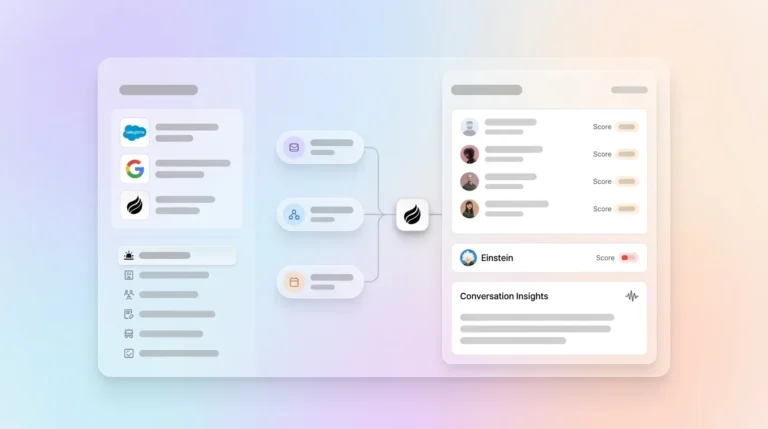
- Coffee Agent bypasses Zapier by authenticating directly with Google Workspace or Microsoft 365 and writing verified, structured summaries back to the CRM.
- Teams that want to remove Zapier maintenance and reach about 95% data accuracy can get started with Coffee today.
5-Step Workflow for Moving Granola Meeting Notes into Your CRM
- Capture: Granola records and transcribes the meeting locally without a visible bot on the call.
- Review: The rep opens the AI-enhanced notes and edits inaccuracies before any sync occurs.
- Map: Fields such as next steps, budget, and contact name are matched to CRM objects like Opportunity, Contact, and Task.
- Sync: Notes are pushed to the CRM through a native connector, a Zapier trigger, or an autonomous agent.
- Verify: A human or agent confirms the record links to the correct deal and avoids duplicates or orphan notes.
The verification step consumes the most time for most teams. Fully automated “set it and forget it” integrations from AI notetakers often create clutter that sales teams ignore because the data lacks verified structure and accuracy.
Granola and Salesforce: How the Integration Works Today
Granola does not offer a native Salesforce connector as of early 2026 and instead routes enhanced notes through Zapier, which requires manual configuration of triggers and field mappings to objects like Opportunities, Contacts, and Tasks. The practical consequence is that every Salesforce workflow needs a Zapier account, a configured Zap, and ongoing maintenance when Granola or Salesforce updates their APIs.
Because this automated approach carries risk, Granola recommends a safer pattern. Teams transcribe the call, run the “Enhance notes” review step, then trigger the Zapier push manually after human verification. Raw AI summaries are often not structured the way CRMs expect, so direct syncing can fill fields with noise, missed context, and inaccuracies, such as placing a 2,000-word transcript into an opportunity record instead of clean next-steps or budget fields.
Granola Integrations: Where Notes Can Go Natively
Granola provides native integrations with HubSpot, Slack, and Notion, plus a Zapier integration that lets users build automated workflows that route meeting data to CRMs and other systems. The HubSpot native sync is the most accessible path for many teams. Granola’s native HubSpot integration automatically syncs notes to the correct CRM records using folders and does not require manual per-note review or contact selection.
Common documented Granola integration failures often trace back to expired authentication tokens or OS-level permissions that need to be re-granted, with reconnection steps recommended for sync issues. For a 10–50 person team running 20 or more calls per week, these failure modes compound quickly into unreliable pipeline data. The next section shows how Granola plus Zapier compares with Coffee’s agent-first approach on the factors that drive that reliability.
Granola + Zapier vs Coffee Agent: Practical Side-by-Side Comparison
| Metric | Granola + Zapier / HubSpot / Attio | Coffee Agent (Companion App) |
|---|---|---|
| Data Quality | Manual data entry typically achieves 96–99% accuracy (1–4% error rate per field) due to human error under typical working conditions, and Zapier field-mapping errors add additional risk. | AI CRM systems can achieve strong accuracy in data processing and extraction tasks, and Coffee writes verified summaries back to Salesforce or HubSpot. |
| Implementation Effort | Requires manual configuration of Zapier triggers and field mappings to CRM objects, with no native Salesforce connector. | Simple authentication to Google Workspace or Microsoft 365, then the agent begins syncing immediately with no Zap configuration. |
| Automation Depth | Zapier-style rule-based automation follows fixed triggers and actions with predefined conditional branching, so it cannot reliably adapt to unexpected or unstructured data and struggles with complex multi-step decisions beyond simple if-then paths. | AI agents reason, adapt to unexpected situations, and make decisions across multiple steps without requiring human direction for every action, and Coffee structures notes to BANT, MEDDIC, or SPICED automatically. |
| Ongoing Maintenance | Maintenance of AI agent systems includes continuous updates to prompts, logic, and integrations as models and APIs evolve, and Zapier Zaps break when either API changes. | SOC 2 Type 2 compliant, seat-based pricing with no metering on agent actions, and a Pipeline Compare feature that automates weekly review without spreadsheets. |
Eliminate Zapier maintenance from your RevOps stack by moving to Coffee’s agent-first architecture.
Native Granola to HubSpot: Step-by-Step Sync Flow
- Open a completed Granola note and click “Enhance notes” to trigger AI structuring.
- Review and edit the output for accuracy before any external push.
- Select the HubSpot contact record manually from within Granola’s native connector.
- Confirm the note attaches to the correct deal, not an orphan record.
AI notetaker integrations fail when they auto-dump unverified summaries directly into CRM records, creating data that users do not trust and that pollutes the system of record. The native path avoids this problem by keeping a human in the loop, but that human cost grows quickly across a full week of calls.
Zapier Automation: Granola Meeting Notes into Any CRM
- Create a Zapier account and connect Granola as the trigger app.
- Set the trigger event to “New Note” or “Note Updated” in Granola.
- Map Granola note fields to Salesforce or HubSpot objects such as Contact, Opportunity, and Task.
- Add a filter step to prevent duplicate records from firing on re-edits.
- Run a test sync and manually verify the CRM record before activating the Zap.
Granola has native CRM integrations with Attio, HubSpot, and Affinity so meeting notes and structured data can be synced directly to these systems. Zapier fills the gap for other CRMs but introduces the brittle dependency described earlier, which requires manual fixes whenever mappings break.
Coffee Agent Direct Sync: Bypassing Zapier Entirely
- Authenticate Coffee with Google Workspace or Microsoft 365, with no Zap required.
- Connect Coffee to the existing Salesforce or HubSpot instance via OAuth so Coffee can read required fields, quotas, and forecasting rules automatically.
- Let Coffee’s AI Meeting Bot join calls on Zoom, Teams, or Meet to record and transcribe in real time.
- After the call, Coffee generates summaries in customizable formats, from high-level executive summaries to granular technical breakdowns, and writes them back to Salesforce or HubSpot as the system of record.
- Use Pipeline Compare to surface week-over-week deal changes automatically and replace manual CSV exports.
Coffee is SOC 2 Type 2 and GDPR compliant, and data is never used to train public models. Pricing is seat-based with no metering on agent actions or LLM usage. Coffee’s Intelligence layer lets users define and store deep context on business model, ICP, and competitors so the agent produces tailored, CRM-ready outputs rather than generic summaries.

Data-Quality Checklist and Time Saved with Automation
Use this checklist after any sync method to confirm CRM record integrity:
- Note is linked to the correct Contact and Opportunity, not an orphan record.
- Next steps, budget, and timeline fields are populated and not left blank or filled with raw transcript text.
- No duplicate Contact or Company record was created during the sync.
- Activity log shows correct “last activity” and “next activity” dates.
- Deal stage reflects the outcome of the meeting, not a prior state.
Seventy-six percent of organizations report that less than half of their CRM data is accurate and complete, which makes forecasting unreliable. Coffee’s agent targets about 95% data completeness by automating capture, enrichment, and structured write-back, which directly addresses this accuracy gap. Beyond data quality, this automation also recovers time, because Salesforce’s 2026 State of Sales report highlights significant time lost each week to non-selling activities, and by eliminating manual data entry, a 10-person sales team can reclaim about 20 hours per week for actual selling.
Decision Framework: When to Use Granola, Zapier, or Coffee
| Team Profile | Recommended Path | Reason |
|---|---|---|
| 1–5 reps, HubSpot, low call volume | Granola native HubSpot sync | Manual per-note sync remains manageable, and no Zapier cost is justified. |
| 5–20 reps, Salesforce, moderate call volume | Zapier + Granola (short term) | Bridges the native Salesforce gap and works until the maintenance burden grows. |
| 10–50 reps, Salesforce or HubSpot, high call volume | Coffee Agent (Companion App) | Eliminates Zapier maintenance, raises data accuracy, and preserves the existing CRM as the system of record. |
| 1–20 reps, no CRM yet | Coffee Standalone CRM | Agent manages the system of record from day one, so no legacy migration is required. |
Find the Coffee plan that fits your team size and CRM stack and match automation depth to your current stage.
Frequently Asked Questions
Does Granola only work with Google?
Granola does not depend on Google alone. It operates as a local desktop application on macOS and captures audio system-wide, so it works across Zoom, Microsoft Teams, Google Meet, or even in-person calls without requiring a calendar connection to Google. However, Granola’s native integrations for pushing notes downstream are currently limited to HubSpot, Slack, and Notion, and Salesforce users must route through Zapier. Teams on Microsoft 365 that want full bidirectional CRM sync without Zapier middleware are better served by an agent-first tool like Coffee, which authenticates directly with both Google Workspace and Microsoft 365.
Why is Granola AI effective for note capture?
Granola’s core strength comes from its bot-free transcription model. It captures audio locally rather than joining calls as a visible participant, so it produces cleaner transcripts without the social friction of a recording bot. Its “Enhance notes” step applies AI structuring after capture and gives users a human-review checkpoint before any data leaves the tool. This design philosophy of capture first, verify second, and sync third produces higher-quality raw notes than tools that auto-push unverified transcripts. The limitation appears at scale, because every note still requires manual review and a deliberate sync action, which shifts data-entry labor instead of removing it.
What tools pair well with Granola?
Granola pairs well with tools that accept unstructured text and apply their own downstream structure. Notion and Slack fit naturally because they can absorb raw or lightly formatted notes. HubSpot works through the native connector for teams with low call volume. For higher-volume sales teams on Salesforce or HubSpot that need structured field population rather than simple note storage, Granola works best alongside an agent that handles mapping, enrichment, and write-back automatically. Coffee’s Companion App fills this role by sitting on top of an existing Salesforce or HubSpot instance and converting Granola-style meeting data into verified, structured CRM records without Zapier middleware.
What are the biggest risks of automating Granola notes directly into a CRM?
The primary risk is data pollution. When unverified AI summaries are pushed directly into Salesforce or HubSpot, they can overwrite clean fields with noisy text, create duplicate contact records, or generate orphan notes that are not linked to any deal. A secondary risk is field-format mismatch, because CRMs expect specific data types in specific fields, and a 2,000-word transcript dropped into a “Next Steps” field breaks reporting and forecasting downstream. The safest mitigation is a verification layer, either a human review step or an agent trained on the CRM’s schema, before any write-back occurs. Coffee’s agent handles this schema awareness automatically because it authenticates directly with Salesforce or HubSpot and understands required fields, quotas, and forecasting rules at the org level.
Conclusion: Pick the Automation Path That Grows with You
Granola’s native HubSpot sync gives small teams with low call volume a reasonable starting point if they accept manual per-note actions. Zapier extends Granola’s reach to Salesforce but introduces brittle field mappings and ongoing maintenance that compound as call volume grows. Neither path fully removes the data-entry labor that costs revenue teams many hours per week and creates duplicate records and orphan notes that make pipeline forecasting unreliable.
Coffee’s agent-first approach to Granola CRM data automation removes the human from the data-entry loop. It authenticates directly with Google Workspace or Microsoft 365, joins calls autonomously, writes verified and structured summaries back to Salesforce or HubSpot as the system of record, and surfaces pipeline changes through Pipeline Compare, all without a single Zap to maintain. For 10–50 person U.S. tech teams already invested in Salesforce or HubSpot, the Companion App offers a path that scales without adding RevOps headcount.
Turn every Granola meeting note into a verified CRM record automatically by starting your Coffee trial today.