
Written by: Doug Camplejohn, CEO & Co-Founder, Coffee
Key Takeaways
- Fireflies provides only one-way CRM sync, pushing meeting summaries into Salesforce or HubSpot without pulling context back to inform reps.
- Rigid field mapping prevents writing to custom objects or required fields, causing silent sync failures when validation rules exist.
- Email alias mismatches and weak deduplication create duplicate contacts and orphan meeting notes from the correct opportunity timeline.
- Full CRM integration requires the Business plan at $19/user/month, while lower tiers force manual copy-paste and leave historical gaps after upgrades.
- Coffee eliminates these gaps with bidirectional agent sync, and you can start your free trial today.
Fireflies Limitations at a Glance
The table below connects each Fireflies limitation to its real-world impact and the plan tier where it shows up most clearly.
| Limitation | Fireflies Behavior | Operational Impact | 2026 Plan Gate |
|---|---|---|---|
| One-way sync only | Summaries and action items push to CRM, and no data pulls back | CRM context never informs meeting prep, so reps research manually | All plans |
| No custom-field or custom-object mapping | Writes only to standard CRM objects, and custom properties remain unsupported | Required fields block sync silently, and AI insights never land in deal records | All plans |
| Contact-matching failures | Exact email match is required, so aliases cause missed linkage | Duplicate contacts appear, and meeting data is orphaned from the opportunity | All plans |
| Business-plan gating | Full CRM integration requires the Business plan at $19/user/month annual | Teams on lower tiers copy-paste notes manually | Pro and below |
| API rate limits and calendar clutter | Salesforce Enterprise provides a base allocation of 100,000 API calls per day plus 1,000 additional calls per user per day, and internal meetings log without filtering | Sync stops silently when the cap is hit, and standups pollute deal records | All plans |
One-Way Data Flow in Fireflies
Fireflies CRM integrations with Salesforce, HubSpot, and Pipedrive are one-way only: meeting summaries, action items, and keywords auto-populate CRM fields, but the integration does not pull context back from the CRM or trigger workflow updates based on meeting outcomes. In practice, a rep entering a discovery call has no briefing drawn from the open opportunity, prior activity log, or account history inside Fireflies. That context must be assembled manually.
Two-way integration allows data to flow in both directions so that updating a contact record in one system automatically updates the CRM and the connected tool, creating a single source of truth. Without this behavior, one-way sync limits visibility because activity in one tool does not reflect in the CRM, and teams need bidirectional sync for all critical data flows.
The downstream cost is measurable. Incomplete CRM records force sales reps to spend time reconstructing deal history, searching email threads, and manually researching contact information instead of selling.
How Coffee’s Agent Layer Restores Two-Way Context
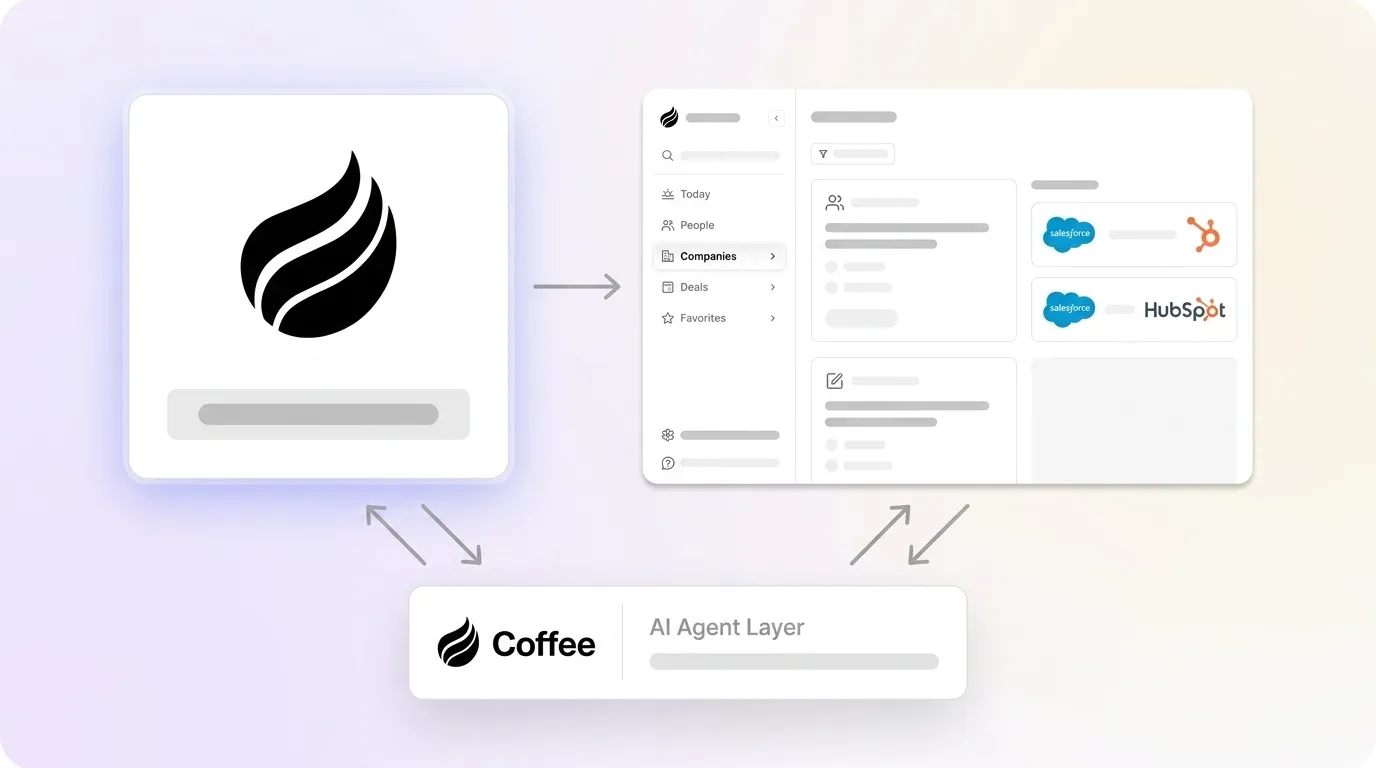
Coffee’s Companion App deploys an autonomous agent on top of existing Salesforce or HubSpot instances. Before each meeting, the agent surfaces a briefing drawn from the live CRM record, including open opportunities, prior activity, and account firmographics, so reps enter calls with full context. After the call, the agent writes structured summaries, next steps, and BANT or MEDDIC qualification data back to the correct deal record without human input. Data flows in both directions, and the CRM remains the system of record.

Start your free trial and eliminate one-way sync gaps.
Rigid Field Mapping and Custom-Object Restrictions
Entry-level video and meeting platform integrations typically support only standard CRM objects and lack the ability to map to custom objects in Salesforce or custom properties in HubSpot. Fireflies operates within this constraint. When a Salesforce admin adds a required field such as industry classification, lead source tier, or a custom qualification score, required CRM fields without corresponding source fields block every inbound sync record silently, because administrators often add these requirements over time without updating integration mappings.
How Coffee Handles Custom Schemas Reliably
Coffee’s agent learns the full schema of a connected Salesforce or HubSpot instance, including custom objects, required fields, picklist values, and validation rules, before writing a single record. It maps unstructured transcript content to the correct structured fields automatically and satisfies validation requirements without manual intervention. This design reflects a focus on quotas, forecasting objects, required fields, and custom object hierarchies as first-class concerns.
Contact- and Lead-Matching Failures
Email aliases cause missed matches in CRM contact linkage; a contact stored as jane@acme.com may attend from jane.smith@acme.com, and exact email matching fails to unify these records. The result is an orphaned meeting note that never reaches the opportunity timeline.
Weak matching logic causes syncs to multiply records instead of unifying them; when a person registers with a personal email then later joins with a work email, poor identity rules create duplicate contacts rather than merging profiles. Duplicate records in CRM systems can reach up to 20% of total volume; when AI consumes this data for recommendations or actions, the blast radius of each error expands significantly and distorts pipeline forecasting.
How Coffee Improves Identity Resolution
Coffee’s agent applies multi-signal identity resolution, matching on email domain, company name, LinkedIn profile, and calendar metadata before creating or updating any CRM record. When multiple contacts from the same company attend a meeting, the agent links the interaction to every relevant contact and opportunity timeline rather than stopping at the first match. Duplicate creation is prevented at the point of ingestion instead of during a quarterly data-cleanup sprint.

Plan Gating and Historical Sync Gaps
Deeper Fireflies CRM integration requires the Business plan at $19/user/month billed annually, yet even at that tier sync flexibility still does not match dedicated sales tools. Teams on Pro or free plans face a harder constraint: Fireflies includes native CRM integrations such as HubSpot on its free plan, which pushes many teams toward manual copy-paste of meeting notes into HubSpot or other systems.
Plan gating also creates historical gaps. When a team upgrades mid-year, past meetings do not retroactively sync. Missing fields and incomplete interaction history in a CRM render pipeline reports unreliable and prevent relationship scoring from functioning, which causes deal teams to stop trusting the CRM entirely.
How Coffee Avoids Gaps and Backfills History
Coffee’s agent ingests historical email and calendar data from Google Workspace or Microsoft 365 upon connection, populating the CRM with past interactions without a plan upgrade path or manual import. The agent operates on a seat-based pricing model with no feature gating on integration depth, so full bidirectional sync capability is available from day one.

API Rate Limits and Internal-Meeting Clutter
Salesforce Enterprise provides a base allocation of 100,000 API calls per day plus 1,000 additional calls per user per day, and when multiple outbound tools exhaust this cap, integrations stop syncing completely with no alerts to users. Fireflies shares this API budget with every other connected tool. On a team running Outreach, ZoomInfo, and Fireflies simultaneously, the cap becomes a realistic daily constraint rather than a theoretical edge case.
Calendar clutter compounds the problem. Calendar sync defaults to logging internal standups, one-on-ones, lunch plans, and weekly all-hands meetings, crowding out prospect meeting data in the CRM. Without an external-attendee-required filter, internal meetings get logged against random contact records based on keyword matching, creating calendar spam that pollutes deal records.
How Coffee Protects API Budgets and Cleans Calendars
Coffee’s agent applies an external-attendee filter at the calendar-ingestion layer and discards internal meetings before they consume API calls or create CRM noise. For meetings that do qualify, the agent batches writes intelligently to stay within Salesforce API budgets and prioritizes opportunity-stage changes and next-step updates over lower-priority activity logs. The result is a clean activity feed in the CRM with no manual exclusion-list maintenance required.
Start your free trial and stop API exhaustion from silencing your sync.
Before-and-After Results with an Agent Layer
The table below compares Fireflies’ one-way sync with Coffee’s agent layer across core productivity and data-quality metrics that matter to sales leaders.
| Metric | Fireflies Sync | Agent Layer (Coffee) | Outcome |
|---|---|---|---|
| Weekly admin time per rep | 3–5 hours on post-meeting admin per rep per week | Agent handles logging, summaries, and field updates autonomously | Email and calendar automation cuts manual data entry by 60–70% |
| Selling time as share of workweek | Average seller spends about 29% of time actually selling according to Salesforce reports | Agent absorbs administrative overhead and redirects rep time to pipeline | Businesses implementing CRM integrations achieve an average 30% productivity boost |
| CRM data quality rating | Few B2B professionals rate their CRM data quality as excellent | Agent enforces field validation, deduplication, and enrichment at ingestion | Companies with clean CRM data see a 66% improvement in sales team productivity |
| Forecast accuracy improvement | Incomplete historical sync degrades forecast reliability | Agent maintains full interaction history in a built-in data warehouse | Early-adopting firms using prescriptive analytics within agentic CRM report an average 15% increase in sales forecast accuracy (Technavio, May 2026) |
Does Fireflies Integrate with Salesforce?
Fireflies integrates with Salesforce and pushes the meeting data described in the table above into standard CRM objects. The integration is functional but constrained, because it writes only to standard Salesforce objects, requires the Business plan for full access, and operates as a one-way push. It does not read from Salesforce to inform meeting context, cannot write to custom objects, and shares the API cap mentioned earlier with every other connected tool in the stack.
Can Fireflies Be Trusted for CRM Data?
Fireflies produces accurate transcripts and useful summaries, but the reliability of the resulting CRM data depends on factors outside the tool’s control. As noted in the field-mapping section, suggested updates require human review before commit. Required CRM fields without corresponding source fields block sync records silently, with no alerts sent to users. Seventy-nine percent of opportunity data that reps collect never makes it into the CRM at all, and Fireflies addresses only the meeting-notes slice of that gap while leaving field validation, duplicate resolution, and historical context to human administrators.
Is Bidirectional Sync Possible with Fireflies?
Bidirectional sync is not available with Fireflies. Fireflies CRM integrations are one-way only: meeting data flows from Fireflies into the CRM, but users cannot customize which fields are written to or trigger workflow updates based on meeting outcomes, and no data flows back from the CRM into Fireflies. Bidirectional sync ensures data flows both ways between CRM systems and connected tools, keeping every system current without manual updates, and Fireflies does not offer that capability at any plan tier as of 2026.
Troubleshooting Common Sync Failures
Fireflies sync failures typically fall into five categories, ordered from most to least common based on support patterns.
- Missing records: OAuth authentication token expiry causes integrations to lose permission and fail silently, often going unnoticed for weeks. This is the most frequent failure mode because tokens expire quietly in the background. Re-authenticate the Fireflies–CRM connection in the integration settings panel.
- Duplicate contacts: Email aliases cause the missed matches described earlier. This occurs when the same person uses multiple email addresses across meetings. Standardize primary email fields in the CRM before enabling sync, and merge existing duplicates using the CRM’s native deduplication tool.
- Blocked sync records: Validation errors from dropdown and picklist fields reject entire records silently. These failures appear when required fields lack valid values. Audit required fields in Salesforce Setup or HubSpot Property Settings and either remove the requirement or add a default value that satisfies validation.
- API cap exhaustion: Salesforce API usage can quietly hit the daily ceiling. Check the Salesforce API Usage report under System Overview. If daily calls are consistently hitting the limit, prioritize which tools receive API access and consider upgrading to a higher tier to increase the base allocation.
- Internal-meeting clutter: Syncing everything by default is a primary cause of data mess, and exclusion lists plus selective enablement of sync categories are required. Configure Fireflies to record only meetings with at least one external attendee domain.
Evaluation Framework for Mid-Market Teams
Mid-market teams comparing Fireflies with an agent layer can use four criteria to decide which approach fits their CRM environment.
- Integration depth: Confirm whether the tool writes to custom objects and required fields or only to standard objects. Also confirm whether it can read from the CRM to inform pre-meeting context.
- Data quality controls: Check whether the tool applies deduplication, identity resolution, and field validation at ingestion or simply pushes raw data and leaves cleanup to administrators.
- Security posture: Verify SOC 2 Type 2 certification and whether the vendor uses customer data to train public models. For mid-market teams in regulated verticals, these checks form a non-negotiable baseline.
- Company-size fit: Neither Fathom nor Fireflies supports integration with homegrown or custom CRMs, restricting automated sync to mainstream platforms. Teams with non-standard CRM configurations or complex Salesforce schemas need a tool built for that depth.
Start your free trial, because Coffee is purpose-built for mid-market Salesforce and HubSpot complexity.
Frequently Asked Questions
What does “one-way CRM sync” mean in the context of Fireflies?
One-way sync means data travels in a single direction from Fireflies into the CRM. Meeting summaries, action items, and transcripts are pushed to Salesforce or HubSpot after a call ends. No data such as deal stage, account history, or prior activity is pulled from the CRM back into Fireflies to inform the next meeting. The CRM receives information but does not contribute to the meeting workflow.
How much implementation effort does Coffee’s Companion App require for an existing Salesforce or HubSpot instance?
Setup requires a single OAuth authentication connecting Coffee to the existing Salesforce or HubSpot instance and to Google Workspace or Microsoft 365. The agent then scans emails and calendars to populate and enrich records automatically. There is no data migration, no CRM replacement, and no custom development required. The existing CRM remains the system of record throughout.
Will Coffee overwrite existing CRM data when it writes back to Salesforce or HubSpot?
Coffee’s agent is designed to append and enrich rather than overwrite. It creates new activity records, populates empty fields, and enriches contacts with firmographic data from licensed partners. It does not overwrite fields that already contain values unless explicitly configured to do so. This preserves manual updates made by reps and avoids the data-conflict loops common in poorly configured bidirectional sync setups.
Does Coffee work if the team is already using Fireflies for transcription?
Coffee’s Companion App operates as an agent layer on top of Salesforce or HubSpot and is not dependent on replacing any specific recording tool. Teams that prefer Fireflies for transcription can continue using it while Coffee handles the structured data writing, field validation, contact matching, and pre-meeting briefings that Fireflies does not perform. The two tools address different layers of the meeting-to-CRM workflow.
How does Coffee handle data security and compliance?
Coffee is SOC 2 Type 2 and GDPR compliant, and customer data is not used to train public AI models. For mid-market teams in industries with data sensitivity requirements, this means the agent processes email, calendar, and transcript data within a governed environment with individual user traceability. That level of control often exceeds what free or low-tier CRM sync tools can provide.


