Written by: Doug Camplejohn, CEO & Co-Founder, Coffee | Last updated: July 8, 2026
Key Takeaways on Coffee’s CRM Enrichment ROI
- CRM data enrichment ROI uses this formula: (Revenue Gained + Costs Avoided − Enrichment Cost) ÷ Enrichment Cost × 100. Moderate Coffee scenarios reach returns above 2,700%.
- Teams typically recover 8–12 hours per rep each week from automated research and CRM logging. A 10-rep team gains $312,000–$468,000 in annual labor value at a $75 hourly rate.
- Enriched data supports a 15% win-rate lift. That lift produces $375,000 in incremental revenue from 100 annual opportunities at a $25,000 average deal size.
- Legacy enrichment tools such as Apollo and ZoomInfo can cost $6,000–$60,000+ per year with credit metering and admin overhead. Coffee folds enrichment, logging, and intelligence into one seat-based plan.
- Calculate your own ROI and review Coffee plans on our pricing page.
The Editable ROI Formula for CRM Enrichment
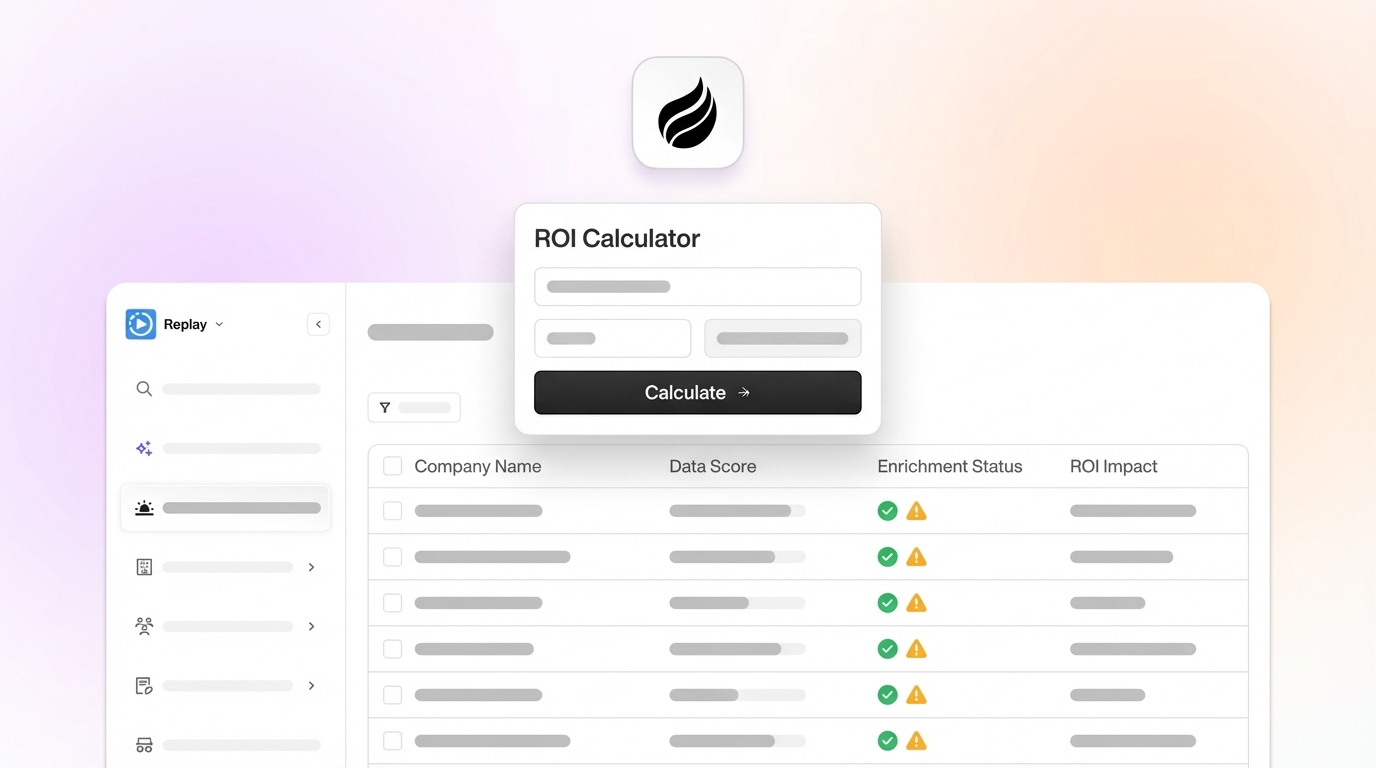
CRM data enrichment ROI measures the net financial return from tools and processes that keep contact records accurate and complete. The core formula is: ROI % = (Revenue Gained + Costs Avoided − Enrichment Cost) ÷ Enrichment Cost × 100. Revenue gained captures win-rate and conversion-rate improvements. Costs avoided reflect recovered rep time. Enrichment cost includes all software, implementation, and operating labor.
The table below shows three realistic scenarios that teams can use to model their own ROI based on team size, deal value, and expected improvements.
| Input Variable | Conservative | Moderate | Aggressive |
|---|---|---|---|
| Team size (reps) | 5 | 10 | 25 |
| Average deal size | $10,000 | $25,000 | $50,000 |
| Win-rate improvement | 5% | 15% | 25% |
| Hours saved per rep per week | 4 | 8 | 12 |
| Fully loaded hourly rep cost | $50 | $75 | $100 |
| Annual enrichment tool cost | $6,000 | $12,000 | $30,000 |
Worked Coffee example (Moderate inputs, 10 reps): Annual labor savings = 10 reps × 8 hours/week × 52 weeks × $75/hour = $312,000. Revenue gained from the 15% win-rate lift described above equals $375,000. Total gain = $687,000. Annual Coffee cost = $12,000. ROI = ($687,000 − $12,000) ÷ $12,000 × 100 = 2,709%.
Run this calculation for your own team on the pricing and ROI page.
Time-Savings Calculation for a 10-Rep Team
B2B sales reps spend large blocks of time on research, prep, and CRM tasks, with one benchmark study reporting an average of 11.5 hours per week on CRM input. Automated pre-call briefs cut research from 4–5 hours to about 20 minutes per week for 10 accounts, which recovers roughly 4 hours. AI-assisted call logging reduces manual CRM entry from 3–4 hours to about 15 minutes of review per week, which recovers roughly 3 hours. Salesforce’s 2026 State of Sales report finds that reps spend 60% of their time on non-selling tasks such as manual notes, asset hunting, and internal approvals.
These benchmarks roll up into clear per-rep and team-level savings when you deploy an autonomous enrichment agent on a 10-rep team.
- 4–5 hours/week per rep recovered from prospect research, based on automated pre-call brief benchmarks
- 3–4 hours/week per rep recovered from CRM logging and activity capture, per AI-assisted logging benchmarks
- 8–12 hours/week total per rep saved, which combines the research and logging gains and aligns with Coffee’s documented agent output
- 4,160–6,240 hours/year recovered across a 10-rep team at 8–12 hours per rep per week across 52 weeks
- $312,000–$468,000/year in recovered labor value at a $75 fully loaded hourly rate
Revenue Lift from Enriched CRM Data
Enriched B2B leads convert at higher rates than non-enriched leads, which raises conversion rates on enriched segments. Contact reachability improves with regular enrichment and expands the addressable pipeline without adding headcount.
The decay problem compounds this revenue impact. B2B contact data decays at an average annual rate of 22.5%, or about 2.1% per month, per the Dun & Bradstreet / Cleanlist 2026 benchmark. In 2026, about 30% of B2B CRM data becomes inaccurate within a year without regular updates. On a 10,000-record CRM, roughly 2,250 contacts go stale every year at the baseline rate. Technology sector databases decay at 35–45% annually, which accelerates the damage.
Applying a 15% win-rate lift to a pipeline of 100 annual opportunities at a $25,000 average deal size produces 15 additional closed deals and $375,000 in incremental revenue. Systematic data enrichment raises prospect-to-opportunity conversion rates in B2B settings while keeping headcount and ad spend flat.
To capture that revenue lift, teams must invest in enrichment tooling, and the cost structure of that investment directly affects net ROI.
Cost Ranges for Enrichment Tools and Platforms
ZoomInfo Professional starts at $14,995 per year for 3 users and 5,000 credits and scales to $35,000–$45,000+ per year for Elite plans, with additional seats at $1,500–$2,500 each. Enterprise teams using ZoomInfo with intent data add-ons and API access often spend $30,000–$60,000+ per year. Apollo.io Basic costs $49 per user per month billed annually, and Apollo’s paid plans for data enrichment start at $49 per user per month on annual billing. SMB-tier entry pricing for B2B data enrichment ranges from $49–$249 per month, with per-seat platforms beginning at $79–$150 per seat per month.
Per-seat models offer predictable costs but charge separately for enrichment credits above plan limits. Credit-based models such as Apollo and Clay price per record enriched, which suits low-volume teams but scales poorly as outbound volume grows. Cost per usable record, adjusted for accuracy, matters more than headline monthly fees because a cheaper vendor at 60% accuracy can cost more than a higher-priced option at 95% accuracy due to wasted credits and bounces. Coffee’s seat-based model includes the agent’s enrichment labor with no separate credit metering, which removes that calculation entirely.
Coffee Agent ROI Example vs Alternatives
This worked example shows how Coffee’s ROI looks for a 10-rep team and sets up a comparison against traditional enrichment tools and manual processes.
Scenario inputs: 10 reps, $75/hour fully loaded cost, 8 hours saved per rep per week, 15% win-rate lift, 100 annual opportunities at a $25,000 average deal size, and $12,000 annual Coffee cost.
- Annual labor savings: 10 × 8 × 52 × $75 = $312,000
- Incremental revenue: $375,000 from the 15-deal lift
- Total gain: $687,000
- Net benefit: $687,000 − $12,000 = $675,000
- ROI: $675,000 ÷ $12,000 × 100 = 2,709%
The table below compares Coffee’s agent model against traditional enrichment tools and manual processes across the dimensions that drive total cost of ownership: data quality, implementation effort, ongoing admin burden, and annual cost.
| Metric | Coffee Agent | Apollo ($49/user/mo) | ZoomInfo ($15k+/yr) | Manual Process |
|---|---|---|---|---|
| Data quality / accuracy | Continuous agent enrichment, SOC 2 Type 2 compliant | Credit-based, accuracy varies by plan | Broad coverage, $14,995–$45,000+/yr | Approximately 30% inaccurate within 12 months without updates |
| Implementation effort | Single auth to Google Workspace or Microsoft 365, agent activates immediately | Chrome extension plus CRM integration setup required | Multi-week enterprise onboarding with security review | No setup cost, ongoing rep time is the burden |
| Ongoing admin burden | Agent handles logging, enrichment, and summaries autonomously | Reps manually trigger enrichment and log activities | Dedicated admin or RevOps manages credits and lists | Varying amounts of time per rep on research and CRM input |
| Annual cost (10 reps) | Seat-based, no credit overages (see our pricing page) | ~$5,880/yr at $49/user/mo | $14,995–$45,000+/yr | $0 tool cost, $312,000+/yr in rep labor at $75/hr |
See how Coffee’s seat-based agent model compares to your current enrichment and admin spend.
Pre- and Post-Deployment KPIs to Track
These KPIs connect directly to the ROI model above and validate the assumptions behind hours saved, data quality gains, and revenue lift. Establish baselines before deployment, then measure at 30, 60, and 90 days after rollout.
- Efficiency: Hours per rep per week on research and CRM entry (baseline: the 11.5-hour benchmark cited above; target: under 2 hours with an agent)
- Efficiency: Percentage of workweek in active selling (baseline: 29%; target: 50%+)
- Data quality: CRM field completion rate for critical fields such as email, phone, and job title (baseline: varies; target: above 75%)
- Data quality: Email hard bounce rate (baseline: 8–15% unverified; target: under 2%)
- Pipeline: Prospect-to-opportunity conversion rate (baseline: current; target: higher with enrichment)
- Pipeline: Contact reachability rate (baseline: current; target: higher with regular enrichment)
- Revenue: Win rate (baseline: current; target: 15% relative improvement)
- Revenue: Average sales cycle length (target: 30–40% reduction with enriched data)
- Cost: Total enrichment and admin tool spend per seat per month (target: consolidated to one line item)
What Is the ROI of CRM?
The ROI of a CRM system is the net financial return generated by improved sales efficiency, higher win rates, and better pipeline visibility, divided by the total CRM cost. Total cost includes software, implementation, and ongoing administration. For sales teams, the largest ROI drivers are time recovered from manual data entry and the revenue impact of accurate forecasting.
Gartner reports that poor data quality costs organizations an average of $12.9 million per year, which sets the pre-investment cost baseline. A 10-rep team that spends the CRM input time documented above at $75 per hour loses $448,500 annually in labor before you even count missed revenue from stale data. A CRM agent that removes that burden and lifts win rates by 15% on a $25,000 average deal size across 100 opportunities produces $687,000 in combined savings and revenue gain, which equals a 2,709% ROI on a $12,000 annual investment.
How Do You Calculate ROI in Sales?
Sales ROI uses this formula: ROI % = (Value Generated − Total Investment) ÷ Total Investment × 100. Value Generated equals productivity gains, revenue increases, and cost reductions from consolidating tools. Productivity gains come from hours saved multiplied by fully loaded hourly cost. Revenue increases come from additional closed deals multiplied by average deal size. Cost reductions come from retiring point solutions.
Total Investment includes licensing fees, implementation costs, training time, and ongoing operating labor. For a data enrichment or CRM agent investment, the key inputs are rep count, fully loaded hourly rate, hours saved per rep per week, win-rate improvement percentage, number of annual opportunities, and average deal size. A worked example for a 10-rep team with $6,000 annual enrichment spend shows $180,000 annual revenue gained from doubled reply rates plus $153,600 in costs avoided, which produces 54.6x ROI. Most teams should calculate both a conservative scenario with minimum hours saved and no win-rate lift and a moderate scenario based on documented benchmarks to present a defensible range to finance stakeholders.
What Is a Good ROI for Sales?
A good ROI for a sales technology investment usually falls between 3x and 5x the annual cost within the first year, with payback in 6–12 months. A sales team of 50 using an AI research tool that saves 3 hours per week per person at $75 per hour generates $585,000 in annual productivity value against $150,000 in tool costs, which produces a 290% ROI. Finance teams view that outcome as strong.
AI-driven CRM agents that combine enrichment, logging, and pipeline intelligence often deliver higher ROI because they replace several point solutions at once. Most teams achieve positive ROI on data enrichment within 30 days and break even with fewer than 50 enriched records per month at typical B2B conversion rates. The 2,709% Coffee example above represents an aggressive-moderate scenario. Even at half the win-rate lift and half the hours saved, ROI still exceeds 1,300%, which sits well above the 300%–500% threshold most RevOps teams use to justify new tooling.
One-Page Decision Checklist for Finance and RevOps
This checklist gives you a step-by-step path to build a finance-ready business case for a CRM data enrichment agent.
- ☐ Document current weekly hours per rep on research and CRM entry (benchmark: see the 11.5-hour figure cited earlier) — this baseline shows how much time the agent can recover.
- ☐ Calculate fully loaded hourly rep cost: (Annual salary + benefits + taxes + commission) ÷ 2,080 — you will multiply this rate by hours saved to convert time into dollar value.
- ☐ Record current annual contact decay rate for your industry (tech: 35–45%; baseline: 22.5% per the Dun & Bradstreet / Cleanlist 2026 benchmark) — this metric quantifies how much pipeline you lose to stale data.
- ☐ Establish baseline win rate, average deal size, and number of annual opportunities — these inputs drive the revenue lift portion of the ROI model.
- ☐ Measure current email hard bounce rate and CRM field completion rate for critical fields — these indicators track data quality improvements after deployment.
- ☐ Sum all current enrichment tool costs per seat per month (Apollo, ZoomInfo, Clay, etc.) — this total becomes the cost baseline that Coffee can consolidate.
- ☐ Apply the ROI formula: (Labor savings + Revenue lift − Agent cost) ÷ Agent cost × 100 — this calculation produces the headline ROI percentage for finance.
- ☐ Set 30/60/90-day KPI targets for field completion rate, bounce rate, and rep selling time — these milestones define what success looks like in the first quarter.
- ☐ Identify the RevOps owner responsible for tracking pre- and post-deployment KPIs — this person maintains the ROI dashboard and reports results.
- ☐ Confirm data security requirements such as SOC 2 Type 2 and GDPR are met by the selected vendor — this step clears common procurement and security hurdles.
- ☐ Define payback threshold: total first-year cost ÷ average monthly gross benefit = payback months — this metric shows how quickly the investment returns cash.
The numbers in this article scale to any team size when you use the formula and input table above. For teams already on Salesforce or HubSpot, Coffee deploys as a Companion App. A single authentication connects the agent to the existing system of record, and enrichment, logging, and pipeline intelligence begin immediately without a migration.
For teams ready to replace a legacy CRM entirely, Coffee’s Standalone AI-First CRM gives the agent full control of the system from day one. This model fits companies that have outgrown spreadsheets but have not yet committed to a legacy platform. You can review plan options and run your own numbers on our pricing page, or explore the case study of a company generating tens of millions in revenue that replaced spreadsheets with the Coffee Agent and removed manual pipeline reviews.
Use the ROI inputs from this checklist to choose a Coffee plan and finalize your business case.
Frequently Asked Questions
How does Coffee’s agent differ from a standalone enrichment tool like Apollo or ZoomInfo?
Standalone enrichment tools provide contact data on demand, where a rep or admin triggers a lookup, consumes credits, and updates the record manually. The rep still logs calls, writes summaries, and updates pipeline fields by hand. Coffee’s agent operates continuously and autonomously. It scans emails and calendars to auto-create contacts, enriches records with job titles, funding data, and LinkedIn profiles via licensed data partners, logs every activity, joins calls to record and transcribe, and writes summaries and next steps back to the CRM without human input.
As a result, enrichment becomes a background process the agent handles at all times instead of a discrete task for reps. This approach removes the credit-management overhead of Apollo and the dedicated admin burden of ZoomInfo while also replacing the logging and intelligence functions of tools such as Gong or Fathom.
Can Coffee’s agent work with an existing Salesforce or HubSpot instance, or does it require a CRM migration?
Coffee offers two deployment models that avoid forced migrations. The Companion App authenticates against an existing Salesforce or HubSpot instance and immediately begins enriching records, logging activities, and writing pipeline intelligence back to the primary CRM. The existing system of record, including custom fields, quotas, forecasting configurations, and required fields, stays intact.
Coffee has deep integration knowledge of Salesforce and HubSpot complexity, including quota, forecasting, and required-field logic that newer CRM alternatives often handle poorly. For teams that want to replace their CRM entirely, the Standalone AI-First CRM gives the Coffee agent full control of the system from day one. This model suits small companies that have outgrown spreadsheets but have not yet committed to a legacy platform.
How quickly can a sales team expect to see measurable ROI after deploying Coffee?
Teams see time savings within the first week because the agent starts auto-creating contacts, logging activities, and generating call summaries immediately after authentication. Pipeline data quality improvements such as field completion rates, bounce rates, and reachability usually appear within 30 days as the agent enriches existing records and prevents new gaps.
Revenue-linked outcomes, including win-rate changes and sales cycle compression, require one to two quarters to measure accurately because they depend on deals that were already in flight. The recommended approach tracks leading indicators such as hours saved per rep, CRM field completion rate, and email bounce rate in the first 30–60 days to build the finance case, then layers in lagging revenue metrics at the 90-day and 6-month marks.
What data security and compliance standards does Coffee meet?
Coffee is SOC 2 Type 2 and GDPR compliant. Data ingested by the agent, including emails, calendar events, and call transcripts, does not train public AI models. For sales teams in regulated adjacent industries or companies with security review requirements, Coffee’s compliance posture addresses the most common procurement objections.
Enterprise organizations in heavily regulated industries such as healthcare or finance with multi-year security review cycles fall outside Coffee’s current ideal customer profile. Small-to-mid-market teams on Salesforce or HubSpot can typically complete security review using Coffee’s existing documentation.
How does Coffee’s pricing model compare to the per-credit models used by Apollo and Clay?
Coffee uses seat-based pricing where teams pay for the number of human users, and the agent’s enrichment, logging, meeting intelligence, and pipeline analysis work is included without separate credit metering or LLM usage charges. Apollo and Clay both use credit-based or hybrid models where each enrichment lookup, email verification, or data export consumes credits that teams must purchase in advance or as overages.
As outbound volume scales, credit costs scale with it and make total cost of ownership harder to predict. Clay’s Launch plan starts at $185 per month for unlimited users but charges per credit consumed. Apollo’s Basic plan at $49 per user per month includes a credit allowance that limits enrichment volume. Coffee’s model removes that variable entirely. The agent works continuously without a per-action cost, which especially benefits teams running high-volume outbound or continuous CRM enrichment across large contact databases.