
Written by: Doug Camplejohn, CEO & Co-Founder, Coffee
Key Takeaways for 2026 CRM Buyers
-
Agent-driven enrichment uses autonomous AI to continuously capture and update CRM data from email, calendar, and call transcripts without manual input.
-
In 2026, teams choose between native agent-driven CRMs like Coffee and legacy platforms augmented by third-party enrichment tools, each with distinct cost and workflow impacts.
-
Coffee offers both standalone CRM and Companion modes that integrate deeply with existing Salesforce or HubSpot instances while eliminating manual data entry.
-
Key differentiators include real-time data freshness, minimal setup effort, consolidated tooling, and built-in pipeline intelligence that improves forecast accuracy.
-
Eliminate manual data entry and consolidate your CRM stack—Get started with Coffee today.
Agent-Driven Enrichment: How It Actually Works
Agent-driven enrichment uses autonomous AI to capture, unify, and update contact and company data from email, calendar events, and call transcripts without human input. Unlike bolted-on tools that need a person to trigger a sync or clear a queue, an enrichment agent runs continuously in the background and writes structured data back to the system of record as soon as a relevant signal appears. The CRM stays current by default instead of relying on manual effort.
Side-by-Side Comparison of CRM Options
|
Criterion |
Coffee (Native Agent) |
HubSpot + Breeze Intelligence |
Salesforce + Einstein + ZoomInfo |
|---|---|---|---|
|
Data quality / freshness |
Continuous, agent writes from email, calendar, and transcripts in real time |
Real-time on form submission and record creation, scheduled batch runs for existing records |
|
|
Implementation effort |
Connect Google Workspace or Microsoft 365, agent begins immediately |
Native setup, Breeze credits purchased separately, enrichment schema and workflow logic require configuration |
Multi-week setup for Salesforce + Einstein and additional configuration for ZoomInfo integration |
|
Workflow fit |
Standalone CRM or Companion layer over existing Salesforce / HubSpot |
Best for teams already in HubSpot ecosystem |
Best for teams with existing Salesforce investment and dedicated admin |
|
Integration depth |
Deep Salesforce and HubSpot sync via Companion, Zapier for other tools |
Native HubSpot ecosystem, ZoomInfo and Apollo available as third-party add-ons |
Extensive via AppExchange, each integration carries its own licensing and maintenance cost |
|
Reporting visibility |
Built-in data warehouse, Pipeline Compare shows week-over-week changes automatically |
Strong native reporting, AI-driven forecasting requires Sales Hub Professional or above |
Advanced AI forecasting tied to Einstein 1 at $500/user/month above base plan |
|
Total cost of ownership |
Seat-based, agent labor included, no separate enrichment, recording, or forecasting tools required |
Breeze Intelligence is a credit-based paid add-on added to base seat cost |
Standalone/custom-built AI + CRM stacks run $200K–$500K+ in year-one TCO ($16.7K–$41.7K+/month) for 50 users, ZoomInfo starts at $15,000+/year |
|
Scalability |
Designed for 1–150 employees, Companion mode scales with existing CRM investment |
Scales well within HubSpot ecosystem, costs increase materially at higher tiers |
Scales to enterprise, complexity and admin burden scale proportionally |
Setup and Onboarding Effort Across Platforms
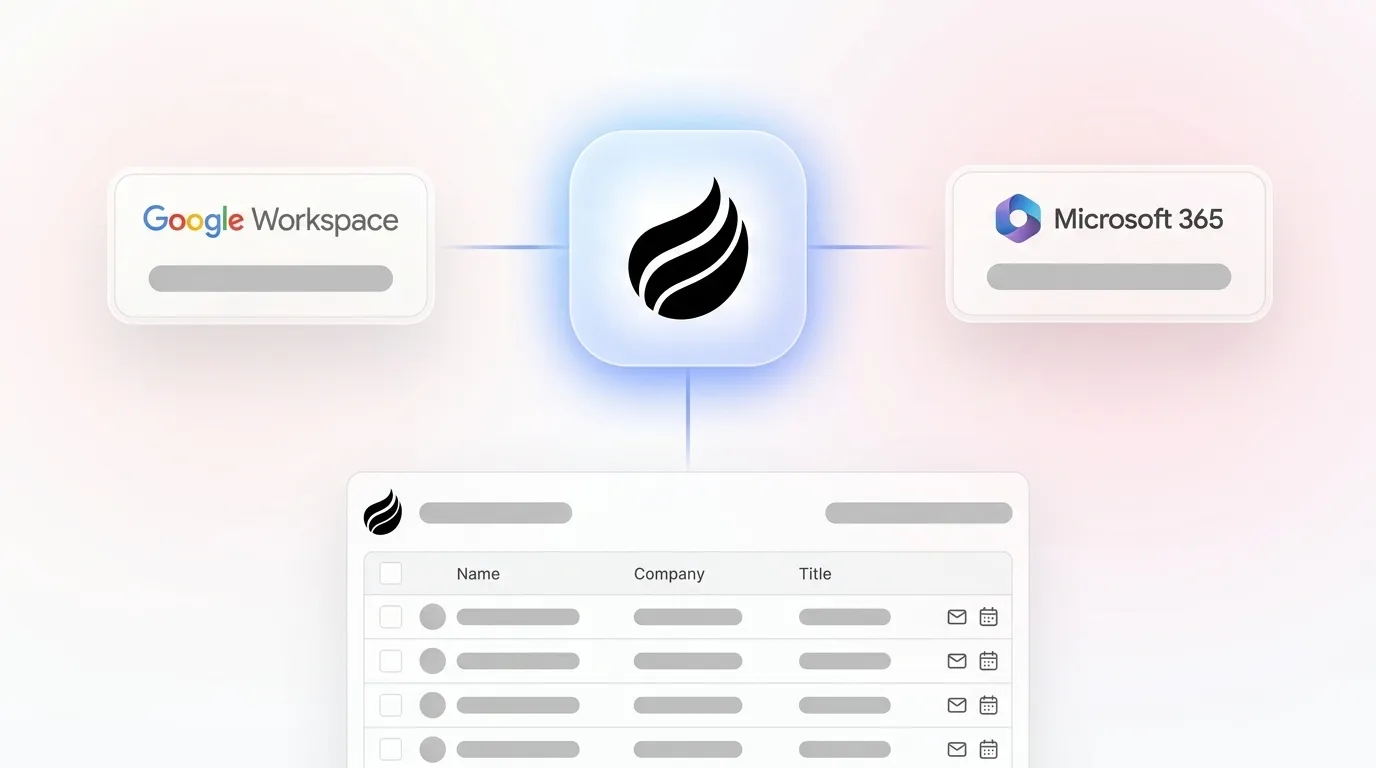
Coffee keeps onboarding simple with a single authentication to Google Workspace or Microsoft 365. The agent immediately scans emails and calendars to auto-create contacts, companies, and activity records. Teams avoid field mapping sessions, data migration consultants, and enrichment schema design. In Companion mode, a second authentication connects the agent to an existing Salesforce or HubSpot instance, and the agent starts writing enriched data back to that system of record.
HubSpot’s native company enrichment automatically fills fields like industry, employee count, and revenue range by domain. Breeze Intelligence, the paid enrichment add-on, requires teams to audit current data quality, define an enrichment schema with standardized custom properties, and configure workflow logic so enriched values do not overwrite manually verified data. That configuration work can strain a lean RevOps team.
Salesforce with Einstein and a third-party enrichment layer carries the highest setup burden. Implementation often requires several weeks or months because of setup and administration complexity. Implementation costs including data migration, system configuration, third-party integrations, and training typically range from $10,000 to over $150,000 depending on scale.
A consistent pre-migration reality across all platforms remains clear. About 20–30% of existing contact data typically requires cleanup including deduplication and standardization before AI models perform effectively.
Automatic Data Capture from Email, Calendar, and Transcripts
Agent-driven CRMs only deliver full value when the agent owns the entire capture loop without human intervention. Basic email or calendar sync alone does not remove manual work for reps.
Coffee’s agent joins calls via Zoom, Teams, or Meet, transcribes the conversation, extracts deal-relevant signals, and writes structured data back to the contact and opportunity record. A rep finishes a call and the CRM already reflects the latest details. No post-call logging and no copy-paste from a Gong summary into a Salesforce field.

Sales reps spend several hours per week on manual CRM data entry, and only 29% of their time actually selling. Full transcript-to-CRM automation cuts update time and improves data completeness.
The TCO impact is straightforward. A team running Salesforce plus ZoomInfo plus Gong pays three separate license fees for capabilities Coffee consolidates into one seat-based price. The five-figure ZoomInfo license and additional call recording costs stack up quickly. Fragmented customer data causes sales reps to spend up to 30% of their week hunting for information across systems, which increases the effective cost of non-integrated enrichment approaches.
AI Meeting Management and Follow-Up Automation
Beyond capturing data from existing communications, agent-driven CRMs can orchestrate the entire meeting workflow from pre-call preparation through post-call follow-up. Coffee’s agent operates before, during, and after every meeting.
Before the call, it generates a briefing page covering attendee roles, past interactions, and open action items. During the call, the AI meeting bot records and transcribes. After the call, the agent generates a structured summary, identifies next steps, and drafts a follow-up email in Gmail for the rep to review and send in one click. Notes can follow BANT, MEDDIC, or SPICED formats to enforce consistent qualification data.


Bolted-on tools like Gong record and analyze calls but require a separate manual step to push insights into Salesforce opportunity fields. Gong records and analyzes calls but does not update Salesforce opportunity fields. The human remains in the loop as a data-transfer mechanism.
Pipeline Intelligence and Forecast Freshness
Coffee’s Pipeline Compare feature keeps forecasts fresh by visualizing week-over-week changes automatically, including progressed deals, stalled opportunities, and new additions. The agent captures every interaction into a built-in data warehouse, so pipeline reviews become strategic discussions instead of debates about data accuracy.
CRM users report 42% more accurate forecasts in 2026, and businesses using AI within their CRM are 83% more likely to exceed sales goals due to AI’s support in lead scoring, predictive analytics, and personalized customer interactions.
About 76% of CRM users say less than half of their organization’s CRM data is accurate and complete, with poor CRM data quality costing the average company up to $15 million per year. That cost reflects what happens when pipeline intelligence depends on human data entry instead of an autonomous agent.
Visitor Identification and Lead Routing from Web Traffic
Coffee’s visitor identification feature turns anonymous website traffic into named, qualified prospects through a single tracking pixel. The agent infers name, title, email, LinkedIn profile, company, pages visited, time on site, and visit frequency. Real-time Slack notifications surface high-fit visitors, and one click adds the prospect to Coffee with all enrichment pre-filled.
The key differentiator against standalone tools like RB2B and Warmly is Coffee’s Suggested Leads feature. Where competitors surface either the visiting company or undifferentiated people lists, Coffee uses the buyer persona to recommend the two or three specific individuals inside that visiting company most worth contacting, with LinkedIn profiles ready for immediate outreach or auto-enrollment in a drip campaign.

Native visitor identification removes a separate tool license and keeps the full signal, from pixel hit to CRM record to outbound action, inside one agent-managed workflow.
Companion Mode for Existing Salesforce or HubSpot Users
Teams with an existing Salesforce or HubSpot investment can keep their current CRM and still benefit from Coffee’s agent. The Companion App authenticates against the existing instance and immediately begins handling the data-in process. It auto-creates contacts, enriches records with job titles, funding data, and LinkedIn profiles, logs activity, and writes call summaries and next steps back to the primary CRM.
Coffee’s Companion mode reflects a deep understanding of Salesforce and HubSpot architecture, including quotas, forecasting, required fields, custom objects, and RBAC permissions. Newer agent-layer tools often lack this integration depth, which creates friction for established mid-market teams with complex CRM configurations.
The system of record stays intact, adoption improves because reps no longer face a manual logging burden, and data quality improves because the agent, not the rep, owns every field update.
Get started with Coffee as a Companion to your existing Salesforce or HubSpot instance.
Best-Fit Use Cases by Team Stage
Early-stage teams outgrowing spreadsheets. Companies with 1–20 employees that have outgrown Notion or Airtable but find HubSpot or Pipedrive to be expensive manual chores fit naturally with Coffee’s Standalone CRM. The agent handles setup automatically and delivers a working system of record within hours of connecting a Google Workspace or Microsoft 365 account.
Growing organizations committed to Salesforce or HubSpot. Mid-market teams with 20–150 employees that have invested in Salesforce or HubSpot but face low adoption, stale records, and missing call data align with Coffee’s Companion App. The agent improves data quality inside the existing system without requiring migration or retraining.
Teams frustrated by fragmented point solutions. RevOps leaders paying separately for a CRM, an enrichment tool, a call recording platform, and a forecasting add-on can consolidate those functions into Coffee’s single seat-based price. They also avoid the six-figure TCO outlined earlier for fragmented stacks.
Operational and Long-Term Considerations
Agent-driven CRMs reduce change-management friction because the agent removes the primary source of rep resistance, which is manual data entry. Adoption improves when the software serves the rep instead of demanding constant updates.
Many revenue leaders say data silos block their ability to forecast accurately, while many B2B companies cite process misalignment as a primary growth barrier. These two problems share a common root cause, which is incomplete or inconsistent CRM data that forces teams to reconcile information manually across systems. An agent that owns data quality addresses both problems at the source by capturing every interaction consistently from the start.
Data governance still requires attention regardless of platform. Enrichment programs must respect GDPR and privacy rules by documenting sources, honoring opt-outs promptly, and maintaining current data processing agreements with vendors. Coffee is SOC 2 Type 2 and GDPR compliant, and data is not used to train public models.
Cross-functional ownership of CRM data quality should be assigned explicitly. Without integration, RevOps teams in mid-market companies spend substantial time manually reconciling data from marketing automation tools, CRM, and ERP systems in Excel, which turns a strategic function into a reporting function. An agent that handles reconciliation automatically frees RevOps for higher-value work.
Risks, Limitations, and Common Misconceptions
Software alone does not solve data quality. A common implementation failure is deploying AI tools against CRM data that is 40% incomplete, with undefined pipeline stages and no data-entry standards enforced. An agent improves ongoing data capture but does not retroactively clean a corrupted database. Pre-migration cleanup, including the 20–30% record cleanup discussed earlier, remains necessary.
Incomplete automation at integration edges. Coffee currently connects to non-CRM tools through Zapier, and deeper native integrations sit on the roadmap. Teams with highly customized tech stacks should verify specific integration requirements before committing.
Overbuying for the wrong use case. Large enterprises with complex, custom workflows or organizations in heavily regulated industries that require multi-year security reviews do not match Coffee’s target profile. The platform is optimized for 1–150 employee companies where speed and simplicity matter more than enterprise configurability.
Data quality expectations. Coffee’s built-in enrichment is roughly on par with Apollo or ZoomInfo for most mid-market use cases. Teams with highly specialized data requirements, such as specific verticals, international coverage, or proprietary intent signals, should evaluate enrichment depth against their ICP before switching from a dedicated enrichment vendor.
Decision Framework: Matching Options to Your Constraints
|
Team Context |
Best-Fit Option |
Primary Reason |
|---|---|---|
|
1–20 employees, no CRM yet or outgrowing spreadsheets |
Coffee Standalone CRM |
Zero setup burden, agent owns data from day one |
|
20–150 employees, committed to HubSpot |
Coffee Companion + HubSpot |
Keeps existing system of record, agent eliminates manual entry |
|
20–150 employees, committed to Salesforce |
Coffee Companion + Salesforce |
Deep Salesforce integration, agent handles data-in without migration |
|
Team paying for CRM + ZoomInfo + Gong separately |
Coffee Standalone CRM |
Consolidates three tool costs into one seat-based price |
|
Enterprise with complex custom workflows |
Salesforce + Einstein (native) |
Configurability and AppExchange depth justify complexity |
|
HubSpot-native team needing enrichment only |
HubSpot + Breeze Intelligence |
Native integration, no migration required, credits model suits lower volume |
Frequently Asked Questions
How long does it take to get Coffee running, and what does migration look like?
For the Standalone CRM, setup involves connecting a Google Workspace or Microsoft 365 account. The agent begins auto-creating contacts, companies, and activity records immediately from existing email and calendar data. There is no lengthy implementation project. For the Companion App, a second authentication connects the agent to an existing Salesforce or HubSpot instance, and enriched data begins flowing back to that system within the same session. Historical data migration, which moves records from a prior CRM, is a separate step and benefits from a pre-migration data cleanup to remove duplicates and standardize fields before the agent takes over ongoing maintenance.
Will Coffee replace our existing Salesforce or HubSpot investment?
Coffee does not need to replace an existing CRM. Coffee’s Companion mode is designed for teams that want to keep their existing CRM as the system of record while deploying the Coffee Agent to handle data quality. The agent writes enriched contacts, activity logs, call summaries, and next steps back into Salesforce or HubSpot automatically. Teams that want to consolidate entirely can use Coffee’s Standalone CRM instead, while the Companion option exists for organizations with significant CRM investments they are not ready to abandon.
How does Coffee handle data security and compliance?
Coffee is SOC 2 Type 2 certified and GDPR compliant. Customer data is not used to train public AI models. The agent respects existing CRM role-based access control permissions when operating in Companion mode, and full audit trails are maintained for every data write. Teams in regulated industries should review Coffee’s security documentation against their specific compliance requirements before proceeding, because heavily regulated sectors like healthcare and finance with multi-year security review cycles fall outside Coffee’s current target profile.
Is the enrichment data quality comparable to ZoomInfo or Apollo?
Coffee’s built-in enrichment, which covers job titles, funding data, and LinkedIn profiles via licensed data partners, is roughly on par with Apollo and ZoomInfo for most small-to-mid-market use cases. The practical difference is that Coffee’s enrichment is included in the seat price rather than billed as a separate license at ZoomInfo’s annual cost. Teams with highly specialized enrichment requirements, such as specific international coverage or proprietary intent data, should run a parallel evaluation against their actual ICP records to verify coverage before replacing a dedicated enrichment vendor.
What happens to pipeline visibility if reps stop logging data manually?
Pipeline visibility improves when the agent owns data capture. Coffee’s agent logs every email, calendar event, call transcript, and activity automatically, so the data warehouse behind Pipeline Compare reflects the actual state of every deal in real time. Week-over-week changes, including progressed deals, stalled opportunities, and new additions, surface automatically without a rep touching a field. The common failure mode in legacy CRMs, where pipeline reviews are unreliable because reps under-log, disappears when the agent is responsible for every data write.
Conclusion: Choosing an Agent That Owns Data Quality
The 2026 CRM market presents a clear architectural choice between passive databases that rely on human data entry and autonomous agents that own data quality end-to-end. Better sales productivity and more accurate forecasts only arrive when the data entering the system stays complete and current. The time cost discussed earlier, where sales reps spend several hours weekly on manual entry, compounds across every rep, every quarter, and every year a legacy system remains in place.
Coffee is the only platform that removes manual data entry for both standalone and Companion use cases, consolidates the enrichment, recording, and forecasting stack into a single seat-based price, and operates with deep enough Salesforce and HubSpot integration to serve established mid-market teams without requiring migration. For teams ready to stop paying for the privilege of doing their own data entry, the evaluation criteria above provide a clear path to the right decision.
Get started with Coffee and let the agent handle the data so your team can focus on selling.

