
Written by: Doug Camplejohn, CEO & Co-Founder, Coffee
Key Takeaways
- Sales and RevOps leaders have three main options for connecting Claude to a CRM: native connectors, middleware platforms, and agent-native CRMs. Each path trades off setup effort, automation depth, and data quality.
- Effective Claude CRM integrations hinge on five criteria: setup and onboarding speed, data capture and maintenance, usability for sales reps, pipeline reporting depth, and ongoing security and governance.
- Native connectors and middleware often need extra tools to capture unstructured data and keep workflows current, while agent-native CRMs like Coffee provide direct data-level access and automatic enrichment from emails, calendars, and transcripts.
- Coffee’s Companion App and Standalone CRM remove the integration layer, delivering hands-free data capture, AI-generated summaries, and pipeline intelligence without manual entry or connector upkeep.
- Teams ready to remove manual CRM work and improve forecast accuracy can put Coffee’s agent to work on their CRM today.
Why Claude CRM Integrations Matter for Growing Teams
Sales teams at growing companies rely on CRM data for pipeline visibility and forecast accuracy, yet manual data entry remains a constant drag. Reps juggle emails, calls, and meetings, then spend hours each week updating records that still end up incomplete. Claude’s reasoning capabilities can automate much of this work, but the integration path you choose determines how much manual effort actually disappears.
This guide walks through the three main integration paths and shows how they perform against the five criteria above. The goal is simple: help you pick an approach that removes data entry work while keeping forecasts reliable.
Evaluation Criteria for Claude CRM Integrations
Heads of Sales and RevOps leaders at 10–50 person companies should evaluate any Claude CRM integration path against five criteria: setup and onboarding speed, data capture and maintenance, usability for sales reps, pipeline reporting depth, and ongoing security and governance. These criteria tie directly to the core problem: manual data entry, fragmented tools, and weak pipeline accuracy often persist even after an integration goes live.
Comparison Table: Native Connectors vs. Middleware vs. Agent-Native CRMs
The table below compares how each integration path performs across the five criteria. The main takeaway is clear. Native connectors and middleware still rely on extra tools and developer effort to capture unstructured data, while agent-native CRMs handle capture, enrichment, and write-back autonomously.
| Criteria | Native Connectors | Middleware (e.g., Zapier MCP) | Agent-Native CRMs (e.g., Coffee) |
|---|---|---|---|
| Setup time | Days to weeks, developer configuration required per CRM | Quick initial connection via single gateway, transformation logic adds time | Hours, simple authentication connects the agent to existing Salesforce or HubSpot instance |
| Automation depth | Deep for one CRM, limited to UI-level actions without data-level access | Broad tool coverage, shallower per-tool capability | Full data-level access, agent reads and writes structured and unstructured data autonomously |
| Data capture | Structured fields only, unstructured data (call transcripts, emails) requires additional tooling | Dependent on connector quality, middleware handles auth and retries but does not enrich records | Automatic contact creation, activity logging, and enrichment from emails, calendars, and call transcripts |
| Ongoing maintenance | Low for stable APIs, breaks on CRM version updates | Middleware vendor manages connector upkeep, latency and transformation logic add overhead | Vendor-managed, no connector maintenance required by the customer |
| Security model | Inherits CRM permissions natively | Managed OAuth 2.0, SOC 2 Type II available on select platforms | SOC 2 Type 2 and GDPR compliant, data not used to train public models, inherits CRM role-based access controls |
Eliminate the integration layer with Coffee and connect your CRM in minutes.
With the high-level comparison in place, the next sections show how these paths play out for the two most common CRM platforms: HubSpot and Salesforce.
Claude HubSpot Integration: Native MCP vs Companion App
The most widely discussed Claude HubSpot integration path uses HubSpot’s native MCP server, which lets Claude query and update HubSpot records directly through the API. However, this native connector approach has a core limitation because it operates at the UI level rather than the data level, which restricts access to full activity history and relational context. HubSpot’s Breeze AI attempts to close this gap, yet its advanced AI features require higher-tier plans and offer less customization than enterprise platforms, which leaves many mid-market teams stuck between limited free features and expensive upgrades.
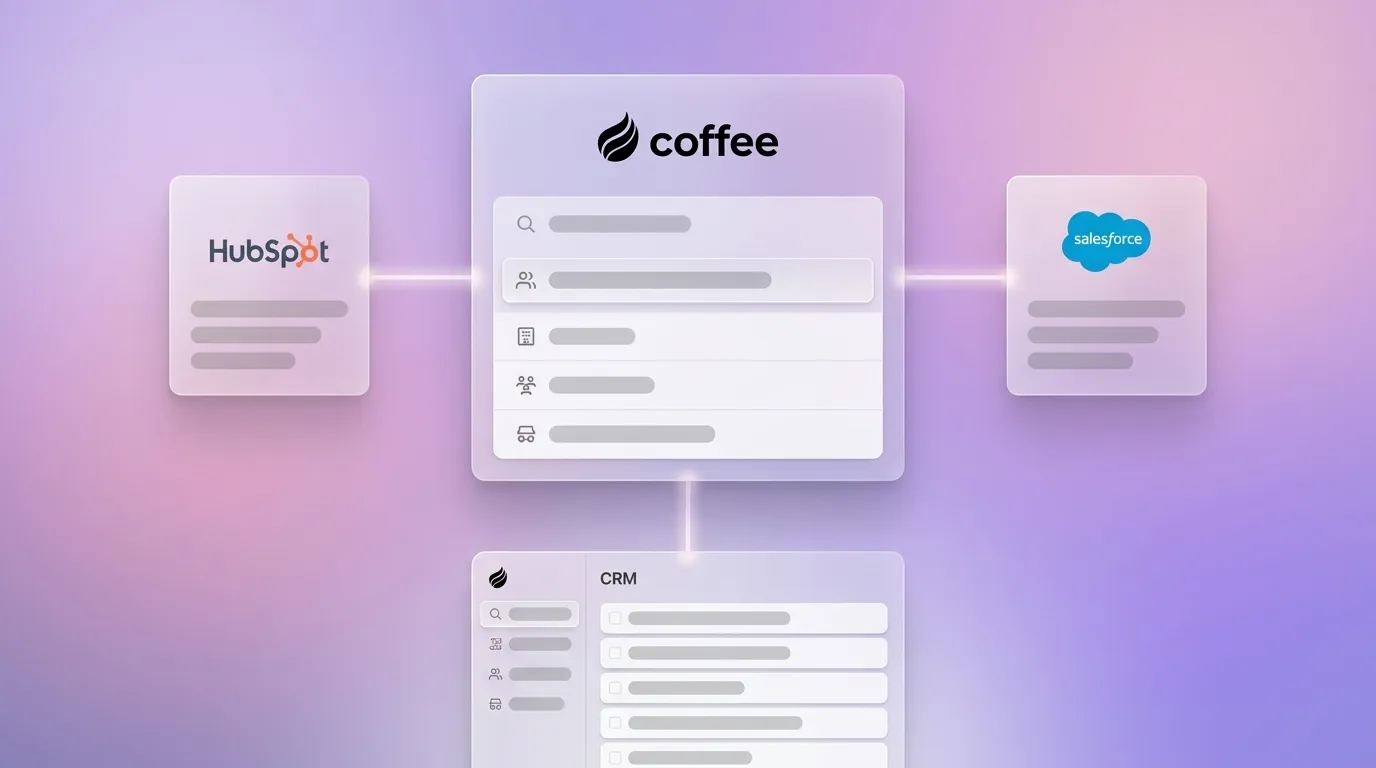
Teams already on HubSpot that want Claude-level reasoning without rebuilding their stack can use Coffee’s Companion App as an agent layer on top of the existing instance. Coffee’s improved summary templates, released in November 2025, are customizable to match specific workflows and write results back directly to HubSpot. Reps receive AI-generated meeting summaries and follow-ups logged to HubSpot automatically, so they avoid manual copy-paste work.

Claude Salesforce Integration: Complexity and the Companion App
Salesforce integrations with Claude are more complex than HubSpot’s. Salesforce requires extensive implementation for advanced AI agents, clean well-structured data to deliver value, and higher cost and resource investment. These barriers are manageable for large enterprises but often block mid-market teams.
Salesforce’s own Agentforce product reflects this enterprise focus and is best suited for large and enterprise organizations, which leaves mid-market teams without a native fit. Coffee’s Companion App closes this gap. A simple authentication allows the Coffee Agent to sync data, enrich it, and write insights back to Salesforce, handling quotas, forecasting fields, and required field logic that simpler tools miss. Newer agent-native alternatives lack the depth needed for Salesforce’s complex permission and forecasting architecture, while Coffee is built specifically for this environment.
The platform-specific sections above reference native connectors and middleware repeatedly. To understand the architectural trade-offs between these approaches, it helps to look at the Model Context Protocol and how it shapes Claude’s access to external tools.
Claude AI CRM and MCP CRM Setup Options
The Model Context Protocol (MCP) has emerged as a standard for giving AI models controlled access to external tools. Native tool integrations deliver lower latency, lower cost at scale, and easier debugging compared with MCP middleware. Middleware MCP gateways like Zapier MCP give AI agents access to 9,000+ apps and 30,000+ actions through a single gateway, yet they introduce latency and extra transformation logic.
An agent-native CRM sidesteps this architectural trade-off. Embedded agents that live inside the platform have native data access and do not require custom integrations, APIs, or data synchronization management. Coffee’s agent operates within the system of record from day one, whether that system is Coffee’s Standalone CRM or an existing Salesforce or HubSpot instance.
Setup and Onboarding Comparison Across Paths
Standalone agent frameworks typically require 4–12 weeks from concept to production-ready deployment plus continuous engineering overhead, while embedded platforms can have agents running in hours to days. Native connector setups sit between these extremes, faster than building from scratch yet still dependent on developer configuration and maintenance when CRM APIs change.
Coffee’s onboarding uses a single authentication to Google Workspace or Microsoft 365. The agent immediately scans emails and calendars to auto-create contacts, companies, and activities. Teams avoid field mapping, connector maintenance, and ongoing developer involvement.

Data Capture and Maintenance Comparison
The promise of AI automation centers on time savings for reps. Sales professionals save an average of about 54 minutes daily on CRM input after adopting AI automation and recover 200–600 hours per salesperson annually from AI automation of sales tasks that include CRM updates, with typical CRM-specific savings of 200–300 hours. Native connectors and middleware do not deliver this outcome by default, because they still need extra tooling to capture unstructured data like call transcripts and email threads.
Coffee’s agent ingests both structured and unstructured data natively. It logs last activity and next activity autonomously, joins calls via an AI meeting bot, and generates post-call summaries structured to BANT, MEDDIC, or SPICED. Coffee’s AI search on deals, released in January 2026, answers natural-language questions such as “Which deals are stuck in negotiation?” or “What’s closing this month?” This capability requires no extra connector or query configuration.

Usability for Sales Teams Comparison
Sales representatives spend approximately 70% of their working hours on administrative and manual tasks such as data entry and CRM upkeep. Native connectors and middleware reduce some of this burden, yet they still require reps to initiate actions, review sync errors, and maintain data hygiene manually. As a result, reps often spend more time managing fragmented tools than actually selling.
Coffee removes the rep-as-data-entry-clerk model. The agent handles briefings before meetings, summaries after calls, and follow-up drafts in Gmail without rep intervention. Coffee’s Intelligence layer, introduced in February 2026, allows users to define and store deep context on business model, ICP, and competitors for tailored AI suggestions.

Reporting and Pipeline Intelligence Comparison
Forecast accuracy improves when AI analyzes behavioral signals instead of relying only on static fields. Native connectors surface whatever data already exists in the CRM, so forecasts remain unreliable when reps skip updates. Middleware adds connectivity but no forecasting intelligence of its own.
Coffee’s Pipeline Compare feature visualizes week-over-week changes automatically, highlighting progressed deals, stalled opportunities, and new additions because the agent has already captured the underlying data. Teams that deploy agentic AI for sales report less time spent on manual CRM updates and more reliable opportunity data for forecasting.
Ongoing Governance and Security Comparison
The AI layer should follow source-level access controls from the CRM rather than recreating them loosely, and every automated update should retain a full change history including old value, new value, timestamp, confidence score, source, and approver. Native connectors inherit CRM permissions by design. Middleware platforms vary, and select platforms offer SOC 2 Type II and GDPR compliance with managed OAuth 2.0, yet governance architecture still needs to be designed separately.
Coffee meets the compliance requirements outlined in the comparison table, with SOC 2 Type 2 and GDPR certification. Data is not used to train public models. The agent inherits role-based access controls from the connected CRM, and AI agents embedded in CRMs can respect existing role-based visibility and field-level restrictions while pulling from specific modules and look-back windows.
With the comparison complete across all five criteria, the next step is to match each integration path to the team profiles most likely to benefit.
Best-Fit Scenarios for Early-Stage, Growing, and Locked-In Teams
Early-stage teams (1–20 people) that have outgrown spreadsheets but find HubSpot or Salesforce too manual are best served by Coffee’s Standalone CRM. The agent manages the system of record from day one with no legacy baggage.
Growing teams (20–50 people) committed to HubSpot or Salesforce with low CRM adoption and poor data quality are best served by Coffee’s Companion App. The agent layers on top of the existing instance and solves the data-in problem without a migration.
Teams evaluating native MCP connectors or middleware for a specific Claude workflow, such as querying pipeline data via chat, may find native connectors adequate for read-only use cases. For write-back automation, enrichment, and pipeline intelligence, the agent-native path delivers more depth with less ongoing maintenance.
See which Coffee model fits your stack and choose between the Companion App and Standalone CRM.
Risks, Limitations, and Common Misconceptions
A common misconception holds that any Claude CRM integration automatically improves data quality. Effective AI deployment in CRMs depends on clean, connected customer data and the right relational context; without this foundation, even advanced reasoning AI struggles to produce useful recommendations. Native connectors and middleware surface whatever data already exists and do not repair upstream data quality problems.
Duplicate records in CRM systems can reach 20% of total volume, and Gartner estimates that poor data quality costs organizations an average of $12.9 million per year. An agent-native approach addresses this at the source by capturing ground-truth data from emails, calendars, and transcripts instead of relying on human entry.
Middleware breadth is also frequently overstated as a benefit. The core architectural tradeoff is breadth versus depth: middleware provides quick access to thousands of tools, while native integrations supply richer, more specialized capabilities for a specific system. For CRM use cases where data accuracy and automation depth matter most, breadth is less relevant than depth.
Decision Framework Summary Matrix
The table below maps common use cases to the integration path that best fits each scenario, based on the trade-offs described above. Use it to identify which approach aligns with your current tools, constraints, and goals.
| Scenario | Recommended Path | Primary Reason |
|---|---|---|
| Read-only Claude queries on existing CRM data | Native connector | Lower latency, simpler governance, no write-back risk |
| Connecting Claude to many tools beyond the CRM | Middleware (Zapier MCP) | Breadth across 9,000+ apps and 30,000+ actions via single gateway |
| Hands-free data capture on HubSpot or Salesforce | Coffee Companion App | Agent writes enriched data back automatically, no manual entry |
| Replacing a legacy CRM entirely | Coffee Standalone CRM | Agent manages system of record, no migration of bad data |
| Pipeline intelligence without spreadsheets | Coffee (either model) | Pipeline Compare and AI deal search require agent-captured history |
Frequently Asked Questions
How long does a typical Claude CRM integration take?
Setup time varies significantly by approach. A native MCP connector for HubSpot or Salesforce typically requires days to weeks of developer configuration, including API authentication, field mapping, and testing. Middleware platforms like Zapier MCP can establish an initial connection in hours, but building reliable write-back workflows and transformation logic adds time. Coffee’s Companion App connects to an existing Salesforce or HubSpot instance through a single authentication step and begins capturing data immediately. Most teams become operational within the same day. The Standalone CRM follows the same onboarding model for teams starting fresh.
What migration effort is required when moving from middleware to an agent-native CRM?
Moving from middleware to Coffee’s Companion App requires no CRM migration, because Salesforce or HubSpot remains the system of record. Coffee layers on top, so existing records, pipelines, and configurations stay intact. Teams moving to Coffee’s Standalone CRM from a legacy CRM can import existing contact and company records, while the agent begins capturing new activity data from scratch via email and calendar connections. Because Coffee stores data in a built-in data warehouse rather than a flat relational database, historical context is preserved going forward in a way that legacy CRMs cannot match.
How does agent-native data quality compare with native connectors?
Native connectors surface whatever data already exists in the CRM and do not improve upstream data quality. If reps have not logged a call or updated a deal stage, the connector has nothing to sync. Agent-native capture works differently. Coffee’s agent reads emails, calendar events, and call transcripts to create and enrich records automatically, so data quality depends on the agent’s ingestion logic rather than rep behavior. Coffee also enriches records with job titles, funding data, and LinkedIn profiles via licensed data partners, which removes the need for separate enrichment tools. For teams with historically poor CRM adoption, the agent-native approach addresses the root cause instead of the symptom.
What security certifications protect CRM data when using an agent-native approach?
Coffee’s security posture is detailed in the governance section above. In summary, Coffee is SOC 2 Type 2 certified and GDPR compliant, with data isolation that prevents use in public model training. The agent inherits role-based access controls from connected Salesforce or HubSpot instances, so it only operates within the data boundaries already defined by the CRM administrator. Teams in regulated industries or those with strict data residency requirements will find that Coffee covers the majority of mid-market compliance needs, while organizations with highly customized frameworks should confirm that Coffee’s certification scope matches their obligations.
Conclusion: Choosing the Right Claude CRM Path
Native connectors work well for read-only Claude queries when data already exists and governance remains straightforward. Middleware platforms fit teams that need Claude to touch many tools at once and can accept shallower capability for each tool. Neither path fixes the underlying problem, because the 70% admin burden persists when no agent handles the data-in work.
An agent-native CRM like Coffee addresses this at the architectural level. By embedding the agent inside the system of record, or deploying it as a Companion App on top of Salesforce or HubSpot, Coffee ensures that accurate data flows into the CRM without human effort and that pipeline intelligence flows out without manual exports. For Heads of Sales and RevOps leaders at 10–50 person companies, this path offers the clearest route to durable improvements in forecast accuracy, rep productivity, and CRM adoption.
Put your CRM data on autopilot with Coffee and reclaim hours for selling each week.

