Written by: Doug Camplejohn, CEO & Co-Founder, Coffee
Key Takeaways for RevOps Leaders
- Claude business tools integration now runs across three tiers: native connectors, no-code middleware, and MCP custom servers. These tiers let RevOps teams connect AI assistants directly to their productivity stacks.
- Native connectors for Google Workspace, Slack, Microsoft 365, and HubSpot require OAuth setup and still leave a manual relay step for writing outputs into CRM records.
- No-code platforms such as Zapier and Make extend connectivity to thousands of apps but introduce per-task costs and still require human review before CRM updates.
- MCP custom servers provide the highest-fidelity access to internal databases and Salesforce, though they demand developer resources and weeks of implementation time.
- Coffee’s autonomous agent eliminates the manual CRM write-back step across all integration paths. Automate your CRM write-back with Coffee to maintain clean HubSpot and Salesforce records without rep intervention.
How Claude Business Tools Integration Works Across Three Tiers
Claude business tools integration operates across three tiers. Tier 1 native connectors are pre-built, OAuth-authenticated integrations available directly in Claude settings with no technical setup. Tier 2 no-code platforms (Zapier, Make, n8n) bridge Claude to thousands of additional apps through visual workflow builders. Tier 3 MCP custom servers are developer-built services that expose internal databases, proprietary APIs, and legacy systems to Claude through the open Model Context Protocol standard.
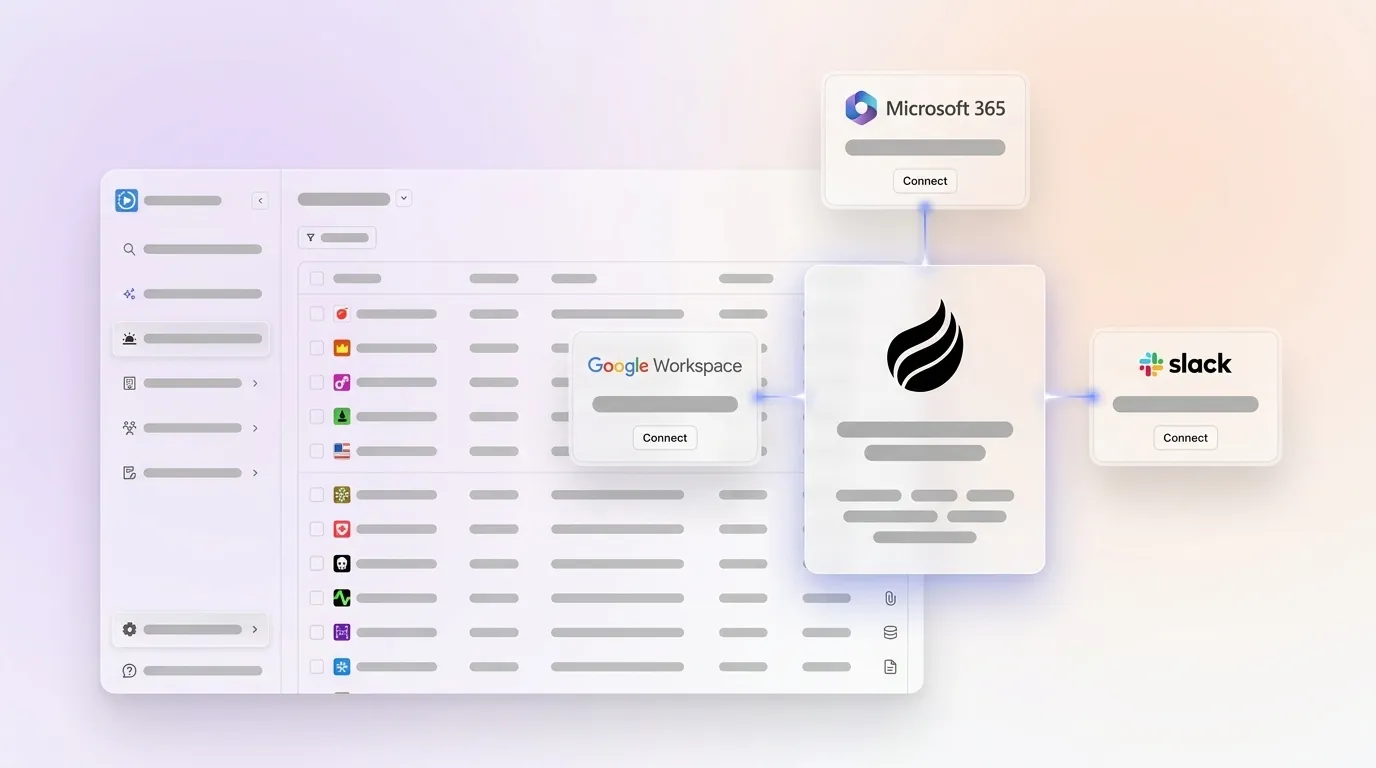
Teams new to Claude integrations or those using Google Workspace, Slack, Microsoft 365, or HubSpot usually start with Tier 1. Native connectors offer the fastest path to value with minimal technical effort and clear permission boundaries. The following Quick Start covers Tier 1 native connectors for teams on a Claude Team, Max, or Enterprise plan:
- Download the Claude desktop app and confirm your plan is Team, Max, or Enterprise.
- Navigate to Settings → Workspace → Features and enable the Claude for Small Business toggle if your plan includes it.
- Go to Settings → Connectors, select the target tool (Google Workspace, Slack, Microsoft 365, or HubSpot), and click Connect.
- Complete the OAuth consent flow for each tool. Claude inherits the exact permissions of whichever employee authorizes each OAuth connection, so company-wide data access requires the appropriate owner or admin to perform the connection.
- Test each connector with a natural-language query. Run these tests before enabling write scopes in production.
[Screenshot: OAuth consent flow]
Native Connectors and Permission Flows for Google, Microsoft, and Slack
Google Workspace. On Team and Enterprise plans, an Owner or Primary Owner must first enable Google Workspace connectors at the organization level before individual users can authenticate. The connector covers Gmail (search, read, draft, not send), Google Calendar (create, update, delete events, manage attendees), and Google Drive (search, read Docs/Sheets/Slides/PDFs, upload, create folders). Attachment content is not directly accessible, only metadata is available, and data retrieved via Google Workspace connectors is stored on Anthropic servers, encrypted at rest and in transit, and is never used to train Anthropic’s models.
Microsoft 365. The Microsoft 365 connector requires a Microsoft 365 Business Basic license or higher plus IT approval in the Microsoft tenant for enterprise environments. Scopes include Mail.ReadWrite, Calendars.ReadWrite, Files.ReadWrite, and Sites.Read.All, covering Outlook, Calendar, Word, Excel, OneDrive, Teams, and SharePoint.
Slack. The Slack connector requires a workspace admin to install the Cowork app and grant bot token scopes. Read-only deployments use channels:history, channels:read, and users:read, while full read/write adds chat:write and files:write. The connector reads and posts messages only to explicitly whitelisted channels and does not respond in threads.
[Screenshot: Connector settings]
Claude for Small Business Plugin Pack 2026 and Bundled Connectors
Claude for Small Business launched May 13, 2026, and ships with seven native connectors: Google Workspace, Microsoft 365, HubSpot, QuickBooks, PayPal, Canva, and DocuSign. The plugin installs as a one-click option inside the Claude Cowork desktop app and is not available in the web version.
The native connectors described above are available individually in Claude settings. For teams that prefer a bundled deployment with pre-configured workflows, the Plugin Pack groups these connectors into a single install. All connectors use OAuth-based authentication with permissions scoped specifically to the workflows that require them rather than granting global read/write access. Key capabilities by connector include:
- HubSpot: Lead triage, customer pulse checks, campaign attribution, CRM cleanup, and automatic updates to contacts and deals from email and calendar context.
- QuickBooks: Read transactions, invoices, customers, vendors, and P&L data, and draft invoices. This connector requires connection under an owner or admin account.
- Google Workspace: Cash-flow snapshots, Monday and Friday briefs, and calendar-driven meeting prep.
- Slack: Team chat and briefing distribution as part of ready-to-run agentic workflows.
Salesforce is not yet available as a native connector but is listed as coming soon. Tools such as Xero, Pipedrive, Attio, and Close are not supported at launch and require no-code or MCP paths.
No-Code Paths via Zapier and Make for RevOps Workflows
Zapier functions as an AI orchestration platform in 2026, linking workflows connecting AI to 9,000+ apps, AI agents, tables, and forms within a unified ecosystem. Zapier saw 10x year-over-year growth in its internal Anthropic app usage.
Make provides 2,200+ integrations as of July 2026. Common RevOps use cases for both platforms include:
- Classifying inbound emails by intent (support, sales, VIP) and routing to the correct Slack channel or CRM queue.
- Extracting structured fields from call transcripts and pushing them to HubSpot deal records.
- Triggering post-meeting follow-up drafts in Gmail based on calendar events.
- Scoring new leads 1–10 on ICP fit and routing high-scoring leads to a CRM stage.
Zapier’s per-task pricing can become expensive at scale, since a 5-step Zap run 1,000 times per month consumes 5,000 tasks, while Make’s per-operation model is often 30–50% cheaper for multi-branch routing workflows typical of CRM data pipelines. A critical data-handling discipline is to ensure Claude returns valid JSON with no markdown by adding an explicit prompt constraint and a defined schema, which prevents downstream parsing errors in CRM workflows.
No-code paths still require a human to review and approve outputs before they reach CRM records at scale. Coffee’s agent layer eliminates that manual relay step entirely. Remove the manual review step with Coffee.
MCP Custom Servers for Internal and Unsupported Systems
As of early 2026, over 10,000 active public MCP servers exist with 97 million monthly SDK downloads, and major adopters include Stripe, Vercel, Salesforce, ServiceNow, GitHub, Slack, Google Drive, PostgreSQL, and Notion. For RevOps teams with internal databases, proprietary data models, or CRMs lacking native connectors or no-code support, a custom MCP server is the highest-fidelity path.
Devart’s MCP Servers provide dedicated connectors for cloud platforms including Salesforce, HubSpot, NetSuite, Dynamics 365, QuickBooks Online, Zoho CRM, Snowflake, and Salesforce Marketing Cloud, with on-premises deployment options for regulated environments. Salesforce offers official MCP support with 60+ tools for SOQL queries, bulk updates, and object metadata.
MCP servers expose three capability types:
- Tools: Actions such as sending Slack messages, running SQL queries, or updating CRM records.
- Resources: Readable data such as database rows, file contents, or pipeline snapshots.
- Prompts: Reusable interaction templates for consistent data extraction.
Security and Admin Controls for Claude and Coffee
Anthropic holds SOC 2 Type II certification (available under NDA), and Enterprise organizations can export audit logs containing metadata while still needing to run their own access management and vendor-risk controls. For RevOps teams, the following 2026 controls are non-negotiable:
- Data residency: Claude Code deployments should use AWS Bedrock (VPC) or Google Vertex AI with Private Service Connect for high-security and data residency compliance, ensuring traffic never leaves enterprise networks.
- Admin approval flows: Enterprise governance best practice is to enable all connectors in read-only mode first, run a 30-day observation period while reviewing audit logs, then selectively enable write scopes only where productivity gains justify the expanded permissions.
- Audit logging: Every Claude Cowork connector action is logged in the admin audit trail with user, timestamp, connector, action type, and affected resource, and logs are exportable via API and can be streamed to SIEM platforms such as Splunk or Datadog.
- Permission inheritance: Claude small business plugin pack agents operate with the permissions granted by the user during OAuth-based setup and do not store credentials themselves.
- Human approval gates: Every customer-facing action (emails, proposals, contracts) requires explicit human approval, and Claude for Small Business does not support unattended auto-send for any external communications.
- Zero-Data-Retention: Zero-Data-Retention (ZDR) mode requires an Enterprise plan addendum for processing PHI or sensitive data and prevents prompt and output persistence.
Coffee holds SOC 2 Type 2 and GDPR certifications. Data processed by the Coffee agent is not used to train public models, and all CRM write-backs occur within the permission boundaries of the authenticated user’s existing HubSpot or Salesforce instance.
CRM Workflow Examples with Coffee and Claude
Slack summaries to HubSpot. A Zapier or Make workflow listens for a specific Slack message pattern, such as a post-call summary from a bot. It passes the text to Claude for structured extraction of contact name, company, deal stage, and next steps, then pushes the output to HubSpot via the native connector or REST API. Coffee’s improved summary templates, released November 2025, are customizable to match workflows and writable back to Coffee, HubSpot, or Salesforce, which removes the middleware step entirely.

Call transcripts to Salesforce. Coffee expanded call recording options in January 2026 via Zapier integration with tools like Fathom, Gong, Fireflies, and a Desktop app for MacOS, Windows, and Linux. The Coffee agent ingests the transcript, structures it according to BANT, MEDDIC, or SPICED, and writes the output directly to the Salesforce opportunity record. Coffee’s Stripe integration, launched January 2026, automatically imports customers and companies, enriches them, and adds paid invoices to deals as Closed Won, which demonstrates the same autonomous write-back pattern applied to financial events.

[Screenshot: Coffee agent writing to HubSpot]
Decision Matrix: Matching Integration Method to Team Profile
Common Pitfalls When Connecting Claude to Your Stack
- Assuming connectors write clean CRM data automatically. Native connectors surface data to Claude but do not autonomously log contacts, activities, or deal stages, meaning a human must still manually transfer Claude’s output into CRM records. This relay step remains unless an agent layer handles the write-back automatically.
- Authorizing connectors with restricted accounts. The QuickBooks connector requires connection under an owner or admin account to avoid inheriting restricted permissions that hide payroll or full financial data.
- Skipping the read-only observation period. Enabling write scopes without a 30-day audit-log review period exposes teams to unintended data modifications.
- Unstructured Claude output breaking downstream CRM fields. A structured prompt template combining Role, Task, JSON schema, and few-shot examples produces output approximately three times more stable than free-form prompts inside no-code automation tools.
- Relying on community MCP servers without vetting. Users report 30–50% installation failure rates on community MCP servers due to low-quality, broken, or abandoned servers.
- Ignoring Salesforce’s connector gap. Salesforce has no standalone connector in Claude AI settings, and integration requires Agentforce licensing plus a Claude Team or Enterprise plan. Teams on Salesforce need an MCP or no-code path, or Coffee’s Companion App, which handles the Salesforce write-back natively.
Side-by-Side Readiness Checklist for Integration Tiers
Use this checklist to determine which integration tier fits your team before committing to a path. Each item builds on the previous ones to form a simple decision tree.
- Team size 1–20, HubSpot stack: Choose native connectors via Claude for Small Business Plugin Pack. Consider Coffee Standalone CRM if you plan to replace HubSpot entirely.
- Team size 20–250, HubSpot stack: Combine the native HubSpot connector for conversational queries with Coffee Companion App for autonomous CRM write-back. Add no-code tools such as Zapier or Make for additional bridges.
- Team size 20–250, Salesforce stack: Use an MCP server (Salesforce official or Devart) for SOQL access and pair it with Coffee Companion App for autonomous activity logging. Plan for Agentforce licensing if you want the native Claude-in-Salesforce path.
- Current CRM data quality: poor (missing fields, low adoption): Deploy Coffee Companion App first to establish clean data input, then layer additional connectors once records stabilize.
- Process maturity: ad hoc, no defined sales methodology: Start with native connectors and Coffee’s BANT, MEDDIC, or SPICED summary templates to enforce consistent qualification data.
- Change-management capacity: low (no dedicated RevOps): Stay with native connectors and defer MCP custom server builds. Coffee’s seat-based pricing with no LLM metering keeps procurement simple.
- Change-management capacity: high (dedicated RevOps or engineering): Invest in an MCP custom server for internal systems, use no-code tools for rapid prototyping, and rely on Coffee Companion App as the autonomous agent layer writing to Salesforce or HubSpot.
- Security requirement: SOC 2, GDPR, data residency: Confirm a Claude Enterprise plan with ZDR addendum, use AWS Bedrock or Google Vertex AI for data residency, and verify Coffee’s SOC 2 Type 2 and GDPR compliance documentation.
Coffee’s Companion App for Salesforce and HubSpot is the fastest path to clean CRM data regardless of which connector tier your team uses for Claude access. Deploy Coffee’s Companion App today.

Frequently Asked Questions About Coffee and Claude
Does Coffee replace our existing HubSpot or Salesforce instance?
No. Coffee’s Companion App deploys as an autonomous agent layer on top of your existing HubSpot or Salesforce installation. A simple authentication allows the Coffee agent to sync data, enrich records, and write structured insights, including call summaries, contact activity, and deal stage changes, back to your primary CRM. Your existing workflows, quotas, forecasting configurations, and required fields remain intact. Coffee handles the data-in process so your system of record stays accurate without human effort. For teams that want to replace their CRM entirely, Coffee also offers a Standalone AI-First CRM designed for companies with 1–20 employees.
How does Coffee handle call transcripts and unstructured data from tools like Gong or Fathom?
The Coffee agent ingests unstructured data, including call transcripts from Gong, Fathom, Fireflies, and other recording tools, and structures it according to your chosen sales methodology (BANT, MEDDIC, or SPICED). Post-call, the agent generates summaries, identifies next steps, and writes the structured output directly to the relevant CRM record without requiring a rep to copy, paste, or manually update fields. Coffee expanded its call recording integrations in January 2026 via Zapier connections and a Desktop app for MacOS, Windows, and Linux. This behavior illustrates the core operational difference between a connector, which surfaces data to Claude, and an agent, which acts on that data and writes clean records.
What is the difference between Claude’s native HubSpot connector and Coffee’s Companion App for HubSpot?
Claude’s native HubSpot connector allows a user to query contacts, deals, and companies conversationally and to manually trigger updates within a Claude chat session. It operates as a read-and-limited-write interface that still requires a human to initiate each action. Coffee’s Companion App is an autonomous agent that runs continuously. It auto-creates contacts from email and calendar data, enriches records with job titles, funding, and LinkedIn profiles, logs activity autonomously, and writes call summaries back to HubSpot without any human prompt. The native connector functions as a productivity tool for individual queries, while Coffee operates as an operational system that maintains CRM data quality at scale without rep involvement.
Is Coffee secure enough for a mid-market B2B company with compliance requirements?
Coffee holds SOC 2 Type 2 and GDPR certifications. Coffee does not use customer data to train public models. The agent operates within the permission boundaries of the authenticated user’s existing HubSpot or Salesforce instance and cannot access data the connected account cannot access. For teams with specific data residency requirements, Coffee’s security documentation is available on request. Coffee is not currently designed for heavily regulated industries such as healthcare or finance that require multi-year security reviews or HIPAA Business Associate Agreements.
How long does it take to deploy Coffee alongside an existing Salesforce or HubSpot instance?
Deployment begins with a simple authentication that connects the Coffee agent to your existing CRM. Once authenticated, the agent immediately begins scanning emails and calendars to auto-create contacts and companies, log activity, and enrich records. Most teams see the agent actively maintaining CRM data within the first session. Coffee uses straightforward seat-based pricing with no complex metering on LLM usage or automated processes, so you pay for human seats and the agent’s labor is included. The Pipeline Compare feature, which visualizes week-over-week deal changes, is available from day one without any additional configuration or CSV exports.
Next-Step Evaluation for Your Claude and Coffee Stack
The three-tier integration landscape for Claude in 2026 is mature enough for mid-market RevOps teams to deploy with confidence. Native connectors handle conversational access to Google Workspace, Slack, Microsoft 365, and HubSpot. No-code platforms extend that reach to thousands of additional tools. MCP custom servers unlock internal databases and Salesforce at full fidelity. None of these tiers solve the operational gap between Claude’s output and a clean CRM record on their own, because that step still requires a human relay.
Many workers believe automating repetitive data entry tasks could save them several hours weekly, which would translate to meaningful labor cost savings for mid-market businesses. Teams implementing AI in RevOps report ≥50% reduction in manual data entry for most users and 15–25% improvement in forecast accuracy. Coffee’s autonomous agent delivers those outcomes by handling the data-in process that connectors leave to humans, automatically maintaining clean HubSpot and Salesforce records from emails, calendars, call transcripts, and enrichment data without rep intervention.
Deploy Coffee’s autonomous agent layer and close the operational gap your Claude integrations are missing.